
Introduction
This manual provides detailed instructions for the installation, operation, and maintenance of your MTX Audio Polaris RZR 3-Speaker Audio System, model RZR-14RC-THUNDER3. This system is specifically designed for Polaris RZR vehicles equipped with RideCommand systems, offering a complete, plug-and-play audio solution to enhance your off-road experience.
Important Safety Information
WARNING: This product can expose you to chemicals including Lead and Lead compounds, which are known to the State of California to cause cancer and birth defects or other reproductive harm. For more information go to www.P65Warnings.ca.gov.
Always ensure your vehicle's battery is disconnected before performing any electrical installation. Improper installation can lead to electrical shock, fire, or damage to the vehicle's electrical system. Consult a professional if you are unsure about any installation steps. Do not operate the audio system at excessively high volumes for prolonged periods, as this may cause hearing damage. Ensure all components are securely mounted to prevent movement during vehicle operation.
Package Contents
The MTX Audio Polaris RZR 3-Speaker Audio System (RZR-14RC-THUNDER3) includes the following components:
- RZR-14-FS front speaker pods (2 units)
- RZR-14-SW subwoofer enclosure (1 unit)
- MUD100.4 4-channel amplifier (1 unit)
- MUD600-1 monoblock amplifier (1 unit)
- Wiring harness for RideCommand integration
- MUDLEDC Remote Control (for RGB lighting)
- Mounting hardware
Setup and Installation
This audio system is designed for a custom fit in Polaris RZR vehicles and requires no cutting or drilling for installation. It integrates directly with the RideCommand system. Follow these steps for proper installation:
1. Front Speaker Pods Installation
The RZR-14-FS front speaker pods are designed to fit seamlessly into your RZR's kick panels. Utilize the POD-LOC Technology for quick and simple installation with the custom bracket. Ensure secure mounting to prevent vibration.

Image: Two MTX Audio RZR-14-FS front speaker pods, one illuminated with blue RGB lighting and the other with red, showcasing their custom fit design.
2. Subwoofer Enclosure Installation
Install the RZR-14-SW 10-inch custom fit subwoofer enclosure. This enclosure is designed for optimal bass response and integrates into the RZR's interior. Follow the vehicle-specific instructions for mounting location and securing the enclosure.

Image: The MTX Audio RZR-14-SW 10-inch subwoofer enclosure, a black unit with a red-stitched subwoofer cone, designed for custom fit in Polaris RZR vehicles.
3. Amplifier Mounting
Mount the MUD100.4 4-channel amplifier and the MUD600-1 monoblock amplifier in a secure, dry location within the vehicle. Ensure adequate ventilation around the amplifiers to prevent overheating. Use the provided mounting hardware.
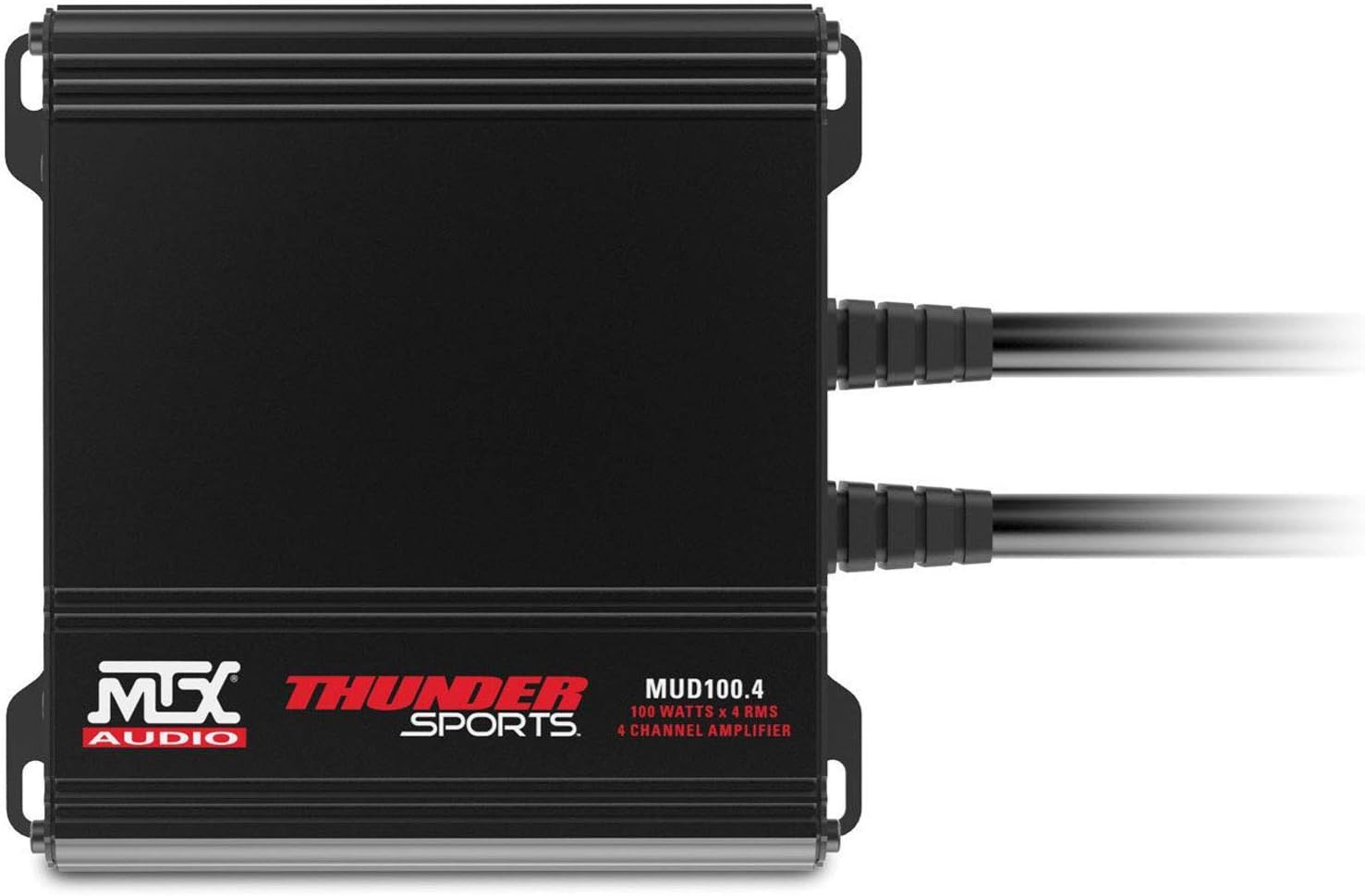
Image: The MTX Audio MUD100.4 4-channel amplifier, a compact black unit with "MTX THUNDER SPORTS" branding and connection ports.

Image: The MTX Audio MUD600-1 monoblock amplifier, a compact black unit with "MTX AUDIO" branding and connection ports.
4. Wiring Connections
Connect the provided wiring harness to the speakers, subwoofer, amplifiers, and the Polaris RideCommand system. Follow the wiring diagram specific to your RZR model and RideCommand unit. The system supports both high and low-level inputs. Ensure all connections are tight and properly insulated to prevent shorts and corrosion.

Image: A detailed view of the MTX Audio wiring harness, featuring various connectors and labeled wires for amplifier and RideCommand integration.
Operating Instructions
Audio Playback
Once installed, the audio system will integrate with your Polaris RideCommand system. Control audio sources, volume, and other settings directly through the RideCommand interface. Refer to your Polaris RZR's owner's manual for specific RideCommand audio operation details.
RGB Lighting Control
The front speaker pods feature integrated RGB lighting. Use the included MUDLEDC remote control to adjust colors, modes, and brightness to customize your vehicle's ambiance.

Image: The MTX Audio MUDLEDC remote control, a black rectangular device with various buttons for power, mode, speed, and color selection for RGB lighting.
Subwoofer Bass Adjustment
The subwoofer enclosure offers adjustable bass functionality, allowing you to choose between sealed or ported functionality for your preferred bass response. Refer to the specific instructions provided with the subwoofer for adjusting this feature.
Maintenance
The MTX Audio RZR 3-Speaker Audio System is designed with a weatherproof construction and UV protection to withstand harsh outdoor conditions. The circuit boards are moisture-resistant for long-lasting performance.
To maintain optimal performance and appearance:
- Regularly clean the speaker grilles and enclosures with a soft, damp cloth. Avoid abrasive cleaners or harsh chemicals that could damage the finish or components.
- Ensure all connections remain secure, especially after off-road use where vibrations can loosen components.
- Inspect wiring periodically for any signs of wear, fraying, or damage. Replace damaged wiring immediately to prevent electrical issues.
Troubleshooting
If you experience issues with your audio system, consider the following common troubleshooting steps:
- No Sound: Check all power and audio connections to the amplifiers and speakers. Ensure the RideCommand system is properly configured for audio output and that the volume is turned up. Verify amplifier power indicators are on.
- Distorted Sound: Reduce volume. Check speaker connections for proper polarity. Ensure amplifier gain settings are not too high, which can cause clipping. Inspect speakers for physical damage.
- RGB Lights Not Working: Check the connection to the MUDLEDC remote control. Ensure the remote has power (if applicable) and is functioning correctly. Verify all RGB wiring connections.
- Intermittent Sound: Inspect all wiring for loose connections or damage. Check for any short circuits.
If problems persist after attempting these steps, contact MTX Audio customer support for further assistance.
Specifications
| Feature | Detail |
|---|---|
| Brand | MTX |
| Model Number | RZR-14RC-THUNDER3 |
| Connectivity Technology | Auxiliary, RCA |
| Audio Output Mode | Stereo |
| Mounting Type | Bracket Mount |
| Material | Metal, Plastic |
| Speaker Type | Coaxial, Subwoofer |
| Subwoofer Diameter | 10 Inches |
| Controller Type | RideCommand |
| Color | Black |
| Water Resistance Level | Water Resistant |
| Specific Uses For Product | Polaris RZR vehicles with RideCommand systems |
| Number of Audio Channels | 2.1 |
| Item Dimensions (D x W x H) | 17"D x 31.25"W x 14"H |
| Item Weight | 56 Pounds |
| Power Source | Corded Electric |
| Front Speaker RMS Power | 50 Watts (Coaxial Speaker) |
| Amplifier RMS Power (MUD100.4) | 100 Watts x 4 RMS |
| Amplifier RMS Power (MUD600-1) | 400 Watts RMS |
| Subwoofer RMS Power | 400 Watts RMS |
Warranty Information
This MTX Audio product is covered by a 1-year manufacturer's warranty. This warranty covers defects in materials and workmanship under normal use. Please retain your proof of purchase for warranty claims. For detailed warranty terms and conditions, please refer to the official MTX Audio website or contact customer support.
Customer Support
For technical assistance, troubleshooting, or warranty inquiries, please contact MTX Audio customer support. You can find contact information and additional resources on the official MTX Audio website. When contacting support, please have your product model number (RZR-14RC-THUNDER3) and proof of purchase readily available.