
1. Introduction
This manual provides comprehensive instructions for the VINABTY RMT-AH412U replacement remote control. It covers setup, operation, and troubleshooting for compatible Sony 5.1ch Home Cinema Soundbar systems. Please read this manual carefully to ensure proper use and to maximize your remote control's functionality.
2. Product Overview
The VINABTY RMT-AH412U is a dedicated replacement remote control designed to function seamlessly with various Sony Home Cinema Soundbar models. It offers direct access to essential functions such as power, volume, input selection, sound modes, and playback controls.

Front view of the VINABTY RMT-AH412U replacement remote control, featuring various control buttons for Sony Home Cinema Soundbars.

An angled view of the VINABTY RMT-AH412U remote control, highlighting its ergonomic design and button layout.

Image illustrating the dimensions of the VINABTY RMT-AH412U remote control: approximately 7.2 inches in length and 1.25 inches in width.
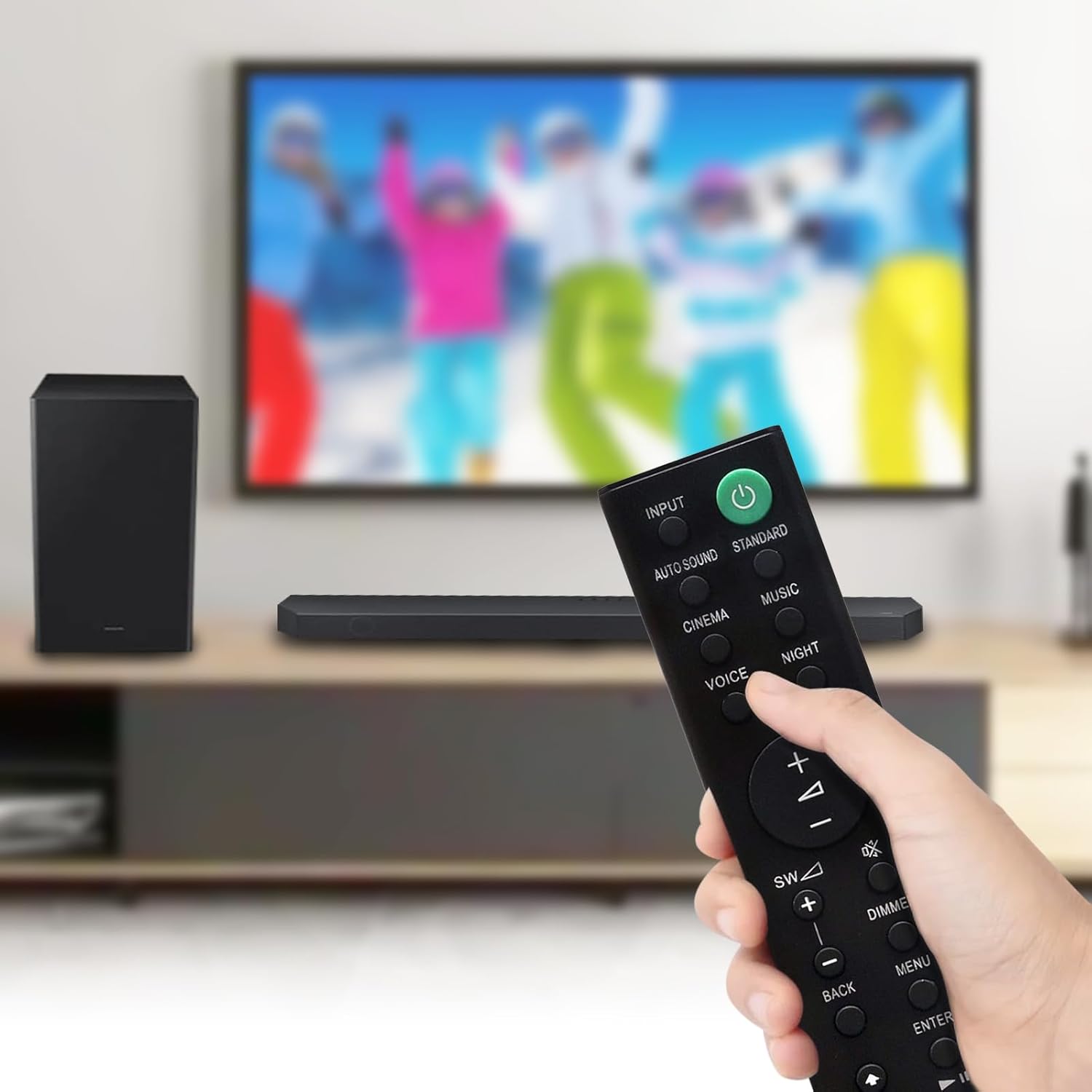
A hand holding the VINABTY RMT-AH412U remote control, demonstrating its use with a Sony soundbar and television setup.

Image displaying the VINABTY RMT-AH412U remote control alongside a list of compatible Sony 5.1ch Home Cinema Soundbar models, including HT-S700RF, HT-S500RF, HT-S20R, and others.
3. Setup
3.1 Battery Installation
The RMT-AH412U remote control requires two AAA batteries for operation. Follow these steps to install them:
- Locate the battery compartment cover on the back of the remote control.
- Slide the cover downwards or press the latch to open it.
- Insert two AAA batteries, ensuring the positive (+) and negative (-) terminals align correctly with the markings inside the compartment.
- Replace the battery compartment cover until it clicks securely into place.
No programming is required for this replacement remote control; it is ready for use once batteries are installed.
4. Operation
4.1 Basic Functions
The remote control provides direct access to various functions of your Sony Home Cinema Soundbar. Point the remote directly at the soundbar's receiver window for optimal performance.
| Button | Function |
|---|---|
| Power (Green) | Turns the soundbar system on or off. |
| INPUT | Selects the audio input source. |
| AUTO SOUND | Activates automatic sound mode. |
| STANDARD | Selects standard sound mode. |
| CINEMA | Selects cinema sound mode. |
| MUSIC | Selects music sound mode. |
| VOICE | Enhances vocal clarity. |
| NIGHT | Optimizes sound for low-volume listening. |
| Volume (+/-) | Adjusts the main volume level. |
| SW (+/-) | Adjusts the subwoofer volume level. |
| Mute | Mutes or unmutes the audio output. |
| DIMMER | Adjusts the display brightness of the soundbar. |
| BACK | Returns to the previous menu or screen. |
| MENU | Accesses the soundbar's main menu. |
| ENTER | Confirms a selection. |
| Navigation (Up/Down/Left/Right) | Navigates through menus and options. |
| Playback Controls (Play/Pause, Stop, Skip) | Controls media playback (functionality depends on soundbar's capabilities and connected devices). |
4.2 Compatible Models
This remote control is compatible with the following Sony 5.1ch Home Cinema Soundbar models:
- HT-S700RF
- HT-S500RF
- SA-WS500RF
- SS-SS500RF
- SS-S500RF
- HT-S20R
- SS-S20R
- SA-WS20R
- SS-SS20R
- SS-SS700RF
- SS-S700RF
- SA-WS700RF
- HT-S40R
- SA-WS40R
- SS-S40R
- SS-SS40R
5. Troubleshooting
If you encounter issues with your remote control, please refer to the following common troubleshooting steps:
- Remote not responding:
- Ensure batteries are inserted correctly with the correct polarity.
- Replace old batteries with new AAA batteries.
- Check for any obstructions between the remote control and the soundbar's sensor.
- Ensure you are within the effective operating range and pointing the remote directly at the soundbar.
- Specific buttons not working:
- Verify that the soundbar is powered on and in the correct operating mode for the desired function.
- Some functions may be dependent on the connected audio source or soundbar model capabilities.
If the problem persists after trying these steps, please refer to the support information provided by the seller.
6. Specifications
- Model Number: RMT-AH412U
- Brand: VINABTY
- Product Dimensions: 7.2 x 1.25 x 0.7 inches
- Item Weight: 1.57 ounces
- Color: Black
- Special Feature: Ergonomic design
- Power Source: 2 x AAA Batteries (not included)
- Compatible Devices: Sony Home Cinema Soundbars (specific models listed in Section 4.2)
7. Warranty and Support
Specific warranty information for the VINABTY RMT-AH412U remote control is not provided in the product data. For any warranty claims or technical support, please contact the seller or manufacturer directly through your purchase platform.


