1. Introduction
This manual provides comprehensive instructions for the safe and effective use of your BAFX Products BAFX1728 Non-Contact Digital RPM Tachometer. This device is designed for measuring the rotational speed (RPM) of various objects without physical contact, utilizing infrared light and reflective tape. Please read this manual thoroughly before operation and retain it for future reference.
2. Safety Information
- Laser Safety: The tachometer emits a Class II laser. Do not stare directly into the laser beam or direct it at others. Avoid prolonged exposure.
- Battery Safety: Use only the specified battery type (AAA). Ensure correct polarity when inserting batteries. Do not mix old and new batteries or different types of batteries. Remove batteries if the device will not be used for an extended period.
- Operating Environment: Do not operate the device in environments with high humidity, extreme temperatures, or explosive gases.
- Maintenance: Do not attempt to disassemble or modify the device. Refer all servicing to qualified personnel.
- Reflective Tape: Ensure reflective tape is securely applied to the rotating object to prevent detachment during measurement.
3. Package Contents
Verify that all items listed below are present in your package:
- BAFX Products BAFX1728 Non-Contact Digital RPM Tachometer
- Instruction Manual
- Reflective Tape Strips
- 2 x AAA Batteries

Image: The BAFX Products BAFX1728 Non-Contact Digital RPM Tachometer, its instruction manual, two AAA batteries, and several strips of reflective tape, all included in the package.
4. Product Overview
Familiarize yourself with the components of your tachometer:
- Laser Emitter: Projects the laser beam onto the target.
- LCD Display: Shows RPM readings, mode indicators, and battery status.
- MEM Button: Accesses stored maximum, minimum, last, and average readings.
- Power Button: Turns the device on/off.
- Backlight Button: Toggles the display backlight.
- Battery Compartment: Located on the rear, holds two AAA batteries.
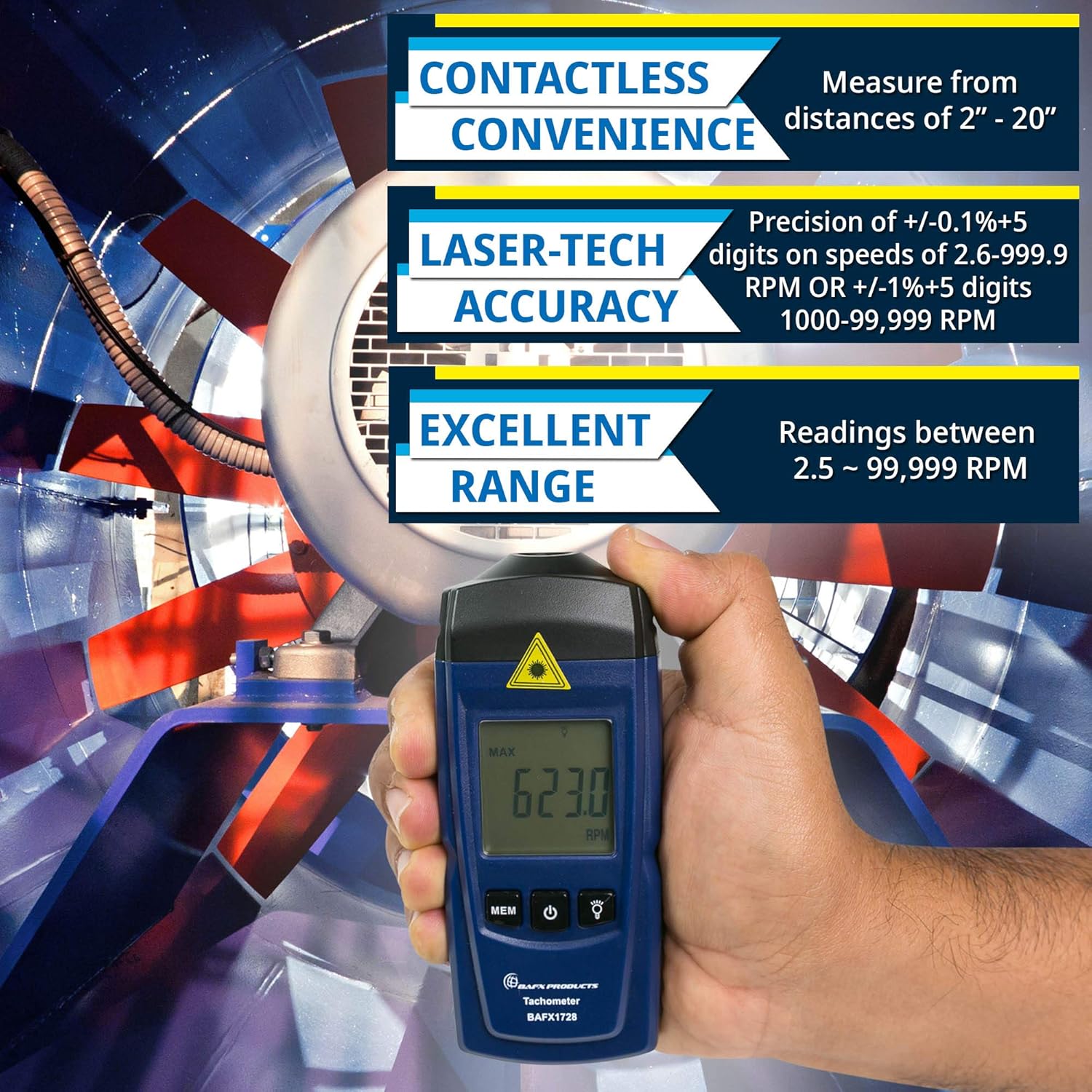
Image: A hand holding the BAFX Products BAFX1728 tachometer, aiming its laser at a rotating fan blade. The display shows a reading of "623.0 RPM", illustrating the device in use.
5. Setup
5.1 Battery Installation
- Locate the battery compartment on the back of the tachometer.
- Slide the battery cover downwards to open.
- Insert two AAA batteries, ensuring correct polarity (+/-) as indicated inside the compartment.
- Close the battery cover securely.

Image: A detailed view of the back of the BAFX Products BAFX1728 tachometer with its battery compartment open, revealing two AAA batteries correctly inserted. Another AAA battery is shown separately next to the device.
5.2 Applying Reflective Tape
For accurate measurements, a reflective surface is required on the rotating object.
- Cut a small piece of the provided reflective tape.
- Clean the surface of the rotating object where the tape will be applied.
- Firmly adhere the reflective tape to the rotating object. Ensure it is flat and smooth.
- For best results, apply the tape to a non-reflective part of the object.
6. Operation
6.1 Taking a Measurement
- Press the Power Button to turn on the tachometer. The display will illuminate.
- Point the laser emitter at the reflective tape on the rotating object. Ensure the laser spot is entirely within the reflective area.
- Maintain a distance of 2 to 20 inches (5 to 50 cm) from the target.
- The RPM reading will appear on the LCD display. The reading will update continuously as long as the laser detects the reflective tape.
- To turn off the tachometer, press and hold the Power Button for a few seconds.
6.2 Display Modes (MEM Button)
Press the MEM Button to cycle through different display modes:
- MAX: Displays the maximum RPM recorded during the current measurement session.
- MIN: Displays the minimum RPM recorded during the current measurement session.
- LAST: Displays the last RPM reading taken.
- AVG: Displays the average RPM recorded during the current measurement session.
6.3 Backlight
Press the Backlight Button (light bulb icon) to turn the display backlight on or off, improving visibility in different lighting conditions.
7. Maintenance
- Cleaning: Wipe the device with a soft, dry cloth. Do not use abrasive cleaners or solvents.
- Storage: Store the tachometer in a cool, dry place away from direct sunlight. Remove batteries if storing for extended periods to prevent leakage.
- Laser Lens: Keep the laser emitter and receiver lenses clean for accurate readings. Use a lens cleaning cloth if necessary.
8. Troubleshooting
| Problem | Possible Cause | Solution |
|---|---|---|
| No display/Device won't turn on | Dead or incorrectly inserted batteries | Replace batteries or check polarity. |
| Inaccurate or unstable readings |
|
|
| "LOW BAT" indicator | Batteries are low | Replace both AAA batteries. |
9. Specifications
| Feature | Detail |
|---|---|
| Model Number | BAFX1728 |
| Measurement Range | 2.5 to 99,999 RPM |
| Resolution | 0.1 RPM (2.5-9,999 RPM), 1.0 RPM (10,000-99,999 RPM) |
| Accuracy | ±(0.1% + 5 digits) for 2.5-9,999 RPM; ±(1% + 5 digits) for 10,000-99,999 RPM |
| Measuring Distance | 2 to 20 inches (5 to 50 cm) |
| Display | 5-digit LCD with backlight |
| Power Source | 2 x 1.5V AAA Batteries (included) |
| Dimensions | 6.42 x 3.27 x 1.65 inches (approx.) |
| Weight | 5.93 ounces (approx.) |
| Material | Plastic |
10. Warranty and Support
Your BAFX Products BAFX1728 Tachometer comes with a 1-year manufacturer warranty. This warranty covers defects in materials and workmanship under normal use.
For technical support, warranty claims, or any questions regarding your product, please contact BAFX Products customer service. Our USA-based support staff is ready to assist you.
Please refer to the official BAFX Products website or your purchase documentation for the most current contact information.


