1. Introduction
Thank you for choosing Smalody Stereo 2.0 USB Multimedia Speakers. These speakers are designed to provide clear audio for your computer, laptop, or desktop, featuring convenient USB power and integrated LED lighting. Please read this manual carefully to ensure proper setup and operation.
2. Product Features
- Stereo 2.0 Audio: Delivers clear and balanced sound.
- USB Powered: Conveniently powered directly from a USB port on your device or a USB adapter.
- 3.5mm Audio Jack: Universal compatibility with most audio devices.
- Integrated LED Lighting: Dynamic LED lights enhance the visual experience.
- Volume Control: Easy access to adjust audio levels.
- Compact Design: Space-saving design suitable for various setups.

Image: Speaker internal components and sound projection.
3. Package Contents
Please check the package contents upon unboxing. If any items are missing or damaged, contact customer support.
- Smalody Stereo 2.0 USB Multimedia Speakers (2 units)
- Integrated USB Power Cable
- Integrated 3.5mm Audio Cable
- User Manual (this document)
4. Setup Instructions
-
Position the Speakers: Place the two speakers on either side of your computer monitor or laptop for optimal stereo sound.

Image: Smalody speakers on a desk setup.
-
Connect the Audio Cable: Plug the 3.5mm audio jack from the speakers into the audio output port (headphone jack) of your computer, laptop, or other audio device.

Image: Connection diagram for USB power and 3.5mm audio.
-
Connect the USB Power Cable: Plug the USB cable into an available USB port on your computer, a USB wall adapter (not included), or a power bank. The speakers will power on automatically.
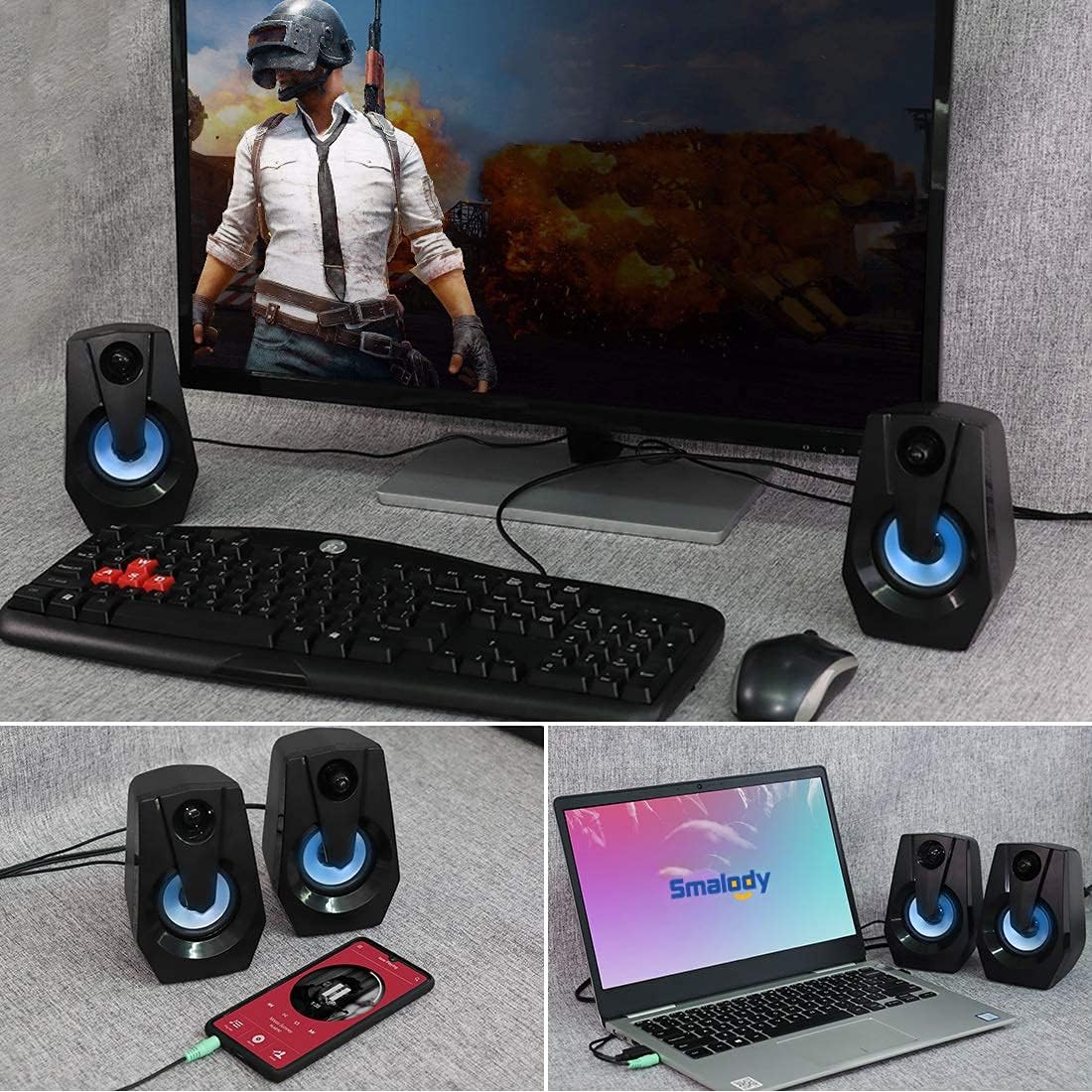
Image: Speakers connected to various devices.
-
Verify Power and LED Lights: Once powered, the integrated LED lights on the speakers should illuminate, indicating they are ready for use.
Video: Demonstration of Smalody speakers with LED lights and volume control during gaming. This video shows the speakers' dynamic lighting and how to adjust volume, highlighting their use in a gaming setup.
5. Operating Instructions
5.1 Power On/Off
The speakers power on automatically when the USB cable is connected to a powered USB port. To turn off, simply disconnect the USB power cable.
5.2 Adjusting Volume
Use the rotary knob located on the front of the right speaker to adjust the volume. Turn clockwise to increase volume and counter-clockwise to decrease volume.

Image: Speakers with LED lights and visible volume control.
5.3 LED Lighting
The speakers feature integrated LED lights that cycle through various colors automatically when powered on. There is no manual control for changing or turning off the LED light patterns.
6. Maintenance
- Cleaning: Use a soft, dry cloth to clean the speaker surfaces. Do not use liquid cleaners or aerosols.
- Storage: Store the speakers in a cool, dry place away from direct sunlight and extreme temperatures.
- Avoid Water: Do not expose the speakers to water or excessive moisture. They are not waterproof.
- Handle with Care: Avoid dropping or subjecting the speakers to strong impacts.
7. Troubleshooting
| Problem | Possible Cause | Solution |
|---|---|---|
| No sound from speakers. |
|
|
| LED lights are not working. |
|
|
| Sound is distorted or unclear. |
|
|
8. Specifications
| Feature | Detail |
|---|---|
| Brand | Smalody |
| Model Number | B08BXF6W9P |
| Connectivity Technology | USB (for power) |
| Audio Output Mode | Stereo |
| Speaker Maximum Output Power | 5 Watts |
| Special Feature | LED Light |
| Compatible Devices | Laptop, Personal Computer |
| Product Dimensions | 3.95"D x 3.75"W x 5.31"H |
| Item Weight | 1.28 pounds |
| Control Method | Rotary Knob (Volume) |
| Waterproof | No |

Image: Product dimensions and cable lengths.
9. Warranty and Support
Smalody products are manufactured with quality and performance in mind. For any warranty claims, technical support, or product inquiries, please contact Smalody customer service through the retailer where the product was purchased or visit the official Smalody website for contact information.
Please retain your proof of purchase for warranty purposes.
