1. Introduction
This manual provides essential information for the safe and efficient operation, setup, maintenance, and troubleshooting of your Bosch GKF 550 Professional Router. Please read these instructions carefully before using the tool and keep them for future reference. Proper use of this tool will ensure its longevity and your safety.

Image 1.1: Front view of the Bosch GKF 550 Professional Router.
2. Safety Instructions
Always observe basic safety precautions to reduce the risk of fire, electric shock, and personal injury. Failure to follow these warnings may result in serious injury.
2.1 General Power Tool Safety Warnings
- Work Area Safety: Keep your work area clean and well-lit. Cluttered or dark areas invite accidents. Do not operate power tools in explosive atmospheres, such as in the presence of flammable liquids, gases, or dust.
- Electrical Safety: Power tool plugs must match the outlet. Never modify the plug in any way. Avoid body contact with earthed or grounded surfaces. Do not expose power tools to rain or wet conditions.
- Personal Safety: Always wear eye protection. Use hearing protection when operating noisy tools. Wear a dust mask if operations create dust. Dress properly; avoid loose clothing or jewelry. Keep hair, clothing, and gloves away from moving parts.
- Power Tool Use and Care: Do not force the power tool. Use the correct power tool for your application. Disconnect the plug from the power source before making any adjustments, changing accessories, or storing power tools. Store idle power tools out of the reach of children.
- Service: Have your power tool serviced by a qualified repair person using only identical replacement parts.
3. Package Contents
Upon unpacking, verify that all items listed below are present and undamaged:
- 1 x Bosch GKF 550 Professional Router
- 1 x Instruction Manual
- 1 x 6 mm Collet
- 1 x Parallel Guide
- 1 x Copying Guide

Image 3.1: The Bosch GKF 550 Router with its standard accessories.
4. Product Features
The Bosch GKF 550 Professional Router is engineered for precision and durability. Key features include:
- Powerful Motor: 550 W motor for efficient routing.
- High Speed: No-load speed of 33,000 rpm for smooth cuts.
- Compact Design: Lightweight at approximately 1.4 kg (tool only) for comfortable handling.
- Durable Construction: Aluminum housing for enhanced robustness.
- Precision Depth Adjustment: Easy and accurate depth setting for various applications.
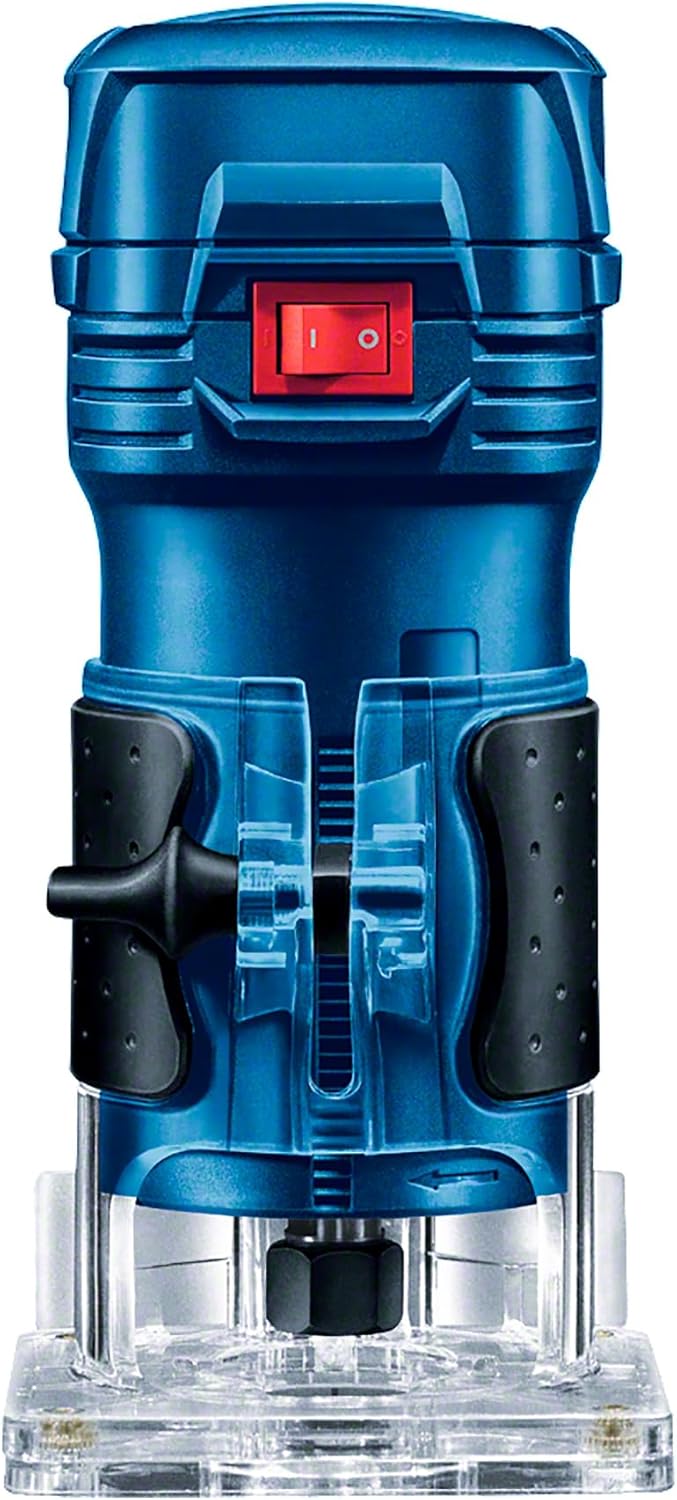
Image 4.1: Side view of the Bosch GKF 550 Router, illustrating its compact form factor.
5. Setup
Follow these steps to prepare your router for operation:
5.1 Attaching the Base
- Ensure the router is unplugged from the power source.
- Align the transparent base with the router body.
- Secure the base using the provided screws or locking mechanism.
5.2 Installing the Collet and Router Bit
- With the router unplugged, loosen the collet nut using the supplied wrench.
- Insert the 6 mm collet into the spindle.
- Insert the router bit into the collet, ensuring at least 3/4 of the shank is seated. Do not bottom out the bit.
- Tighten the collet nut firmly with the wrench.
5.3 Adjusting Cutting Depth
- Place the router on a flat surface with the bit touching the surface.
- Loosen the depth adjustment knob.
- Lower the motor until the desired cutting depth is achieved, using the depth scale for reference.
- Tighten the depth adjustment knob securely.

Image 5.1: Detail of the depth adjustment mechanism on the Bosch GKF 550 Router.
6. Operating Instructions
Always ensure you are wearing appropriate personal protective equipment (PPE) including safety glasses and hearing protection before operating the router.
6.1 Switching On/Off
- To switch on, press the ON/OFF switch to the 'I' position.
- To switch off, press the ON/OFF switch to the 'O' position.
6.2 Routing Technique
- Ensure the workpiece is securely clamped.
- Hold the router firmly with both hands.
- Start the router before making contact with the workpiece.
- Move the router smoothly and consistently along the desired path. For optimal results and safety, always feed the router against the rotation of the bit.
- Avoid forcing the tool; let the router bit do the work.
- For deep cuts, make multiple passes, increasing the depth with each pass.

Image 6.1: Proper handling of the Bosch GKF 550 Router during operation.
7. Maintenance
Regular maintenance ensures the longevity and optimal performance of your Bosch GKF 550 Router.
7.1 Cleaning
- Always unplug the tool before cleaning.
- Keep the ventilation openings clean to prevent motor overheating.
- Clean the tool housing regularly with a soft cloth, preferably after each use. Do not use harsh chemicals or abrasive cleaners.
- Remove any sawdust or debris from the base and collet area.
7.2 Carbon Brush Inspection
The motor is equipped with carbon brushes. If the motor sparks excessively or the tool stops working, the carbon brushes may need inspection or replacement. This should be performed by a qualified service technician.
7.3 Power Cord Inspection
Regularly inspect the power cord for any signs of damage, cuts, or fraying. A damaged cord must be replaced by Bosch service or a qualified electrician to avoid electrical hazards.
8. Troubleshooting
Refer to the table below for common issues and their solutions:
| Problem | Possible Cause | Solution |
|---|---|---|
| Tool does not start | No power supply; Damaged power cord; Faulty switch; Worn carbon brushes | Check power connection; Inspect power cord; Contact service center; Replace carbon brushes (service) |
| Poor cut quality / Rough edges | Dull router bit; Incorrect feed rate; Incorrect bit for material; Excessive depth of cut | Replace or sharpen bit; Adjust feed rate; Use appropriate bit; Reduce depth of cut |
| Excessive vibration | Loose router bit; Bent bit shank; Damaged collet; Unbalanced bit | Ensure bit is securely tightened; Replace bent bit; Inspect/replace collet; Use balanced bits |
| Motor overheating | Blocked ventilation slots; Overloading the tool; Worn carbon brushes | Clean ventilation slots; Reduce load/depth of cut; Inspect/replace carbon brushes (service) |
If the problem persists after attempting these solutions, please contact an authorized Bosch service center.
9. Specifications
Detailed technical specifications for the Bosch GKF 550 Professional Router:
| Specification | Value |
|---|---|
| Manufacturer | Robert Bosch |
| Model Number | GKF 550 (06016A00G0) |
| Power Input | 550 W |
| No-load Speed | 33,000 rpm |
| Voltage | 127 Volts |
| Power Source | Corded Electric |
| Material | Aluminum |
| Weight (Tool) | 1.4 kg (approximate, as per feature bullets) |
| Product Dimensions | 9 x 0.03 x 18.8 cm (L x W x H) |
| Included Components | Router, Instruction Manual, 6 mm Collet, Parallel Guide, Copying Guide |
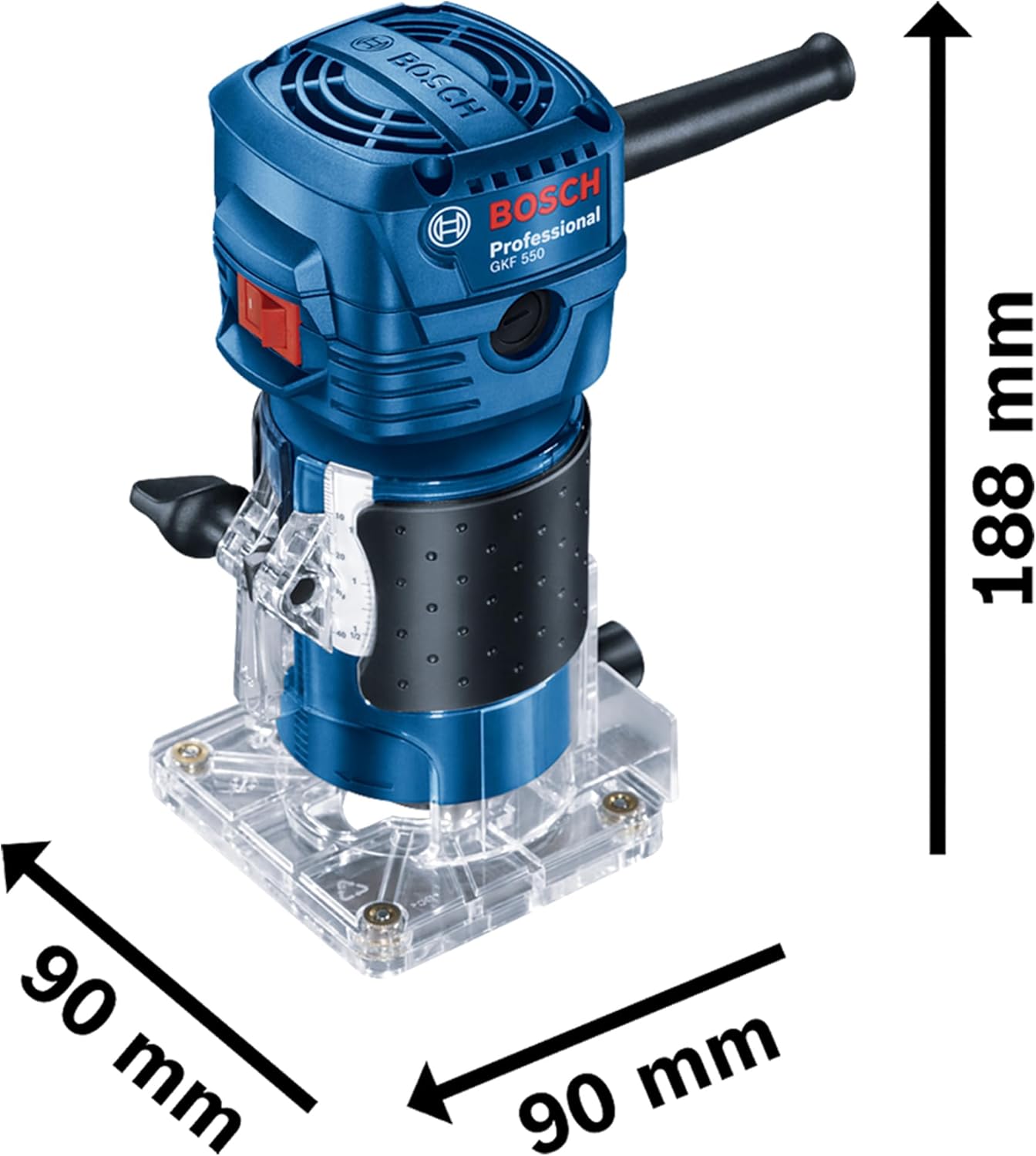
Image 9.1: Bosch GKF 550 Router with key dimensions.
10. Warranty and Support
Bosch Professional power tools are manufactured to the highest quality standards. This product comes with a standard warranty. Additionally, you may be eligible to register for an extended warranty of up to 3 years (including an additional 1-year warranty upon registration) on the official Bosch website. Please refer to the warranty card included with your product or visit the official Bosch Professional website for detailed terms and conditions and registration instructions.
For technical support, spare parts, or service, please contact your local authorized Bosch service center. Always provide the model number (GKF 550) and serial number of your tool when seeking assistance.

Image 10.1: Bosch warranty information.


