
Introduction
Thank you for choosing the YOLENY 55 Inch L-Shaped Computer Desk with Hutch. This manual provides detailed instructions for assembly, usage, maintenance, and troubleshooting to ensure you get the most out of your new workstation. Please read this manual carefully before beginning assembly and retain it for future reference.
Product Features
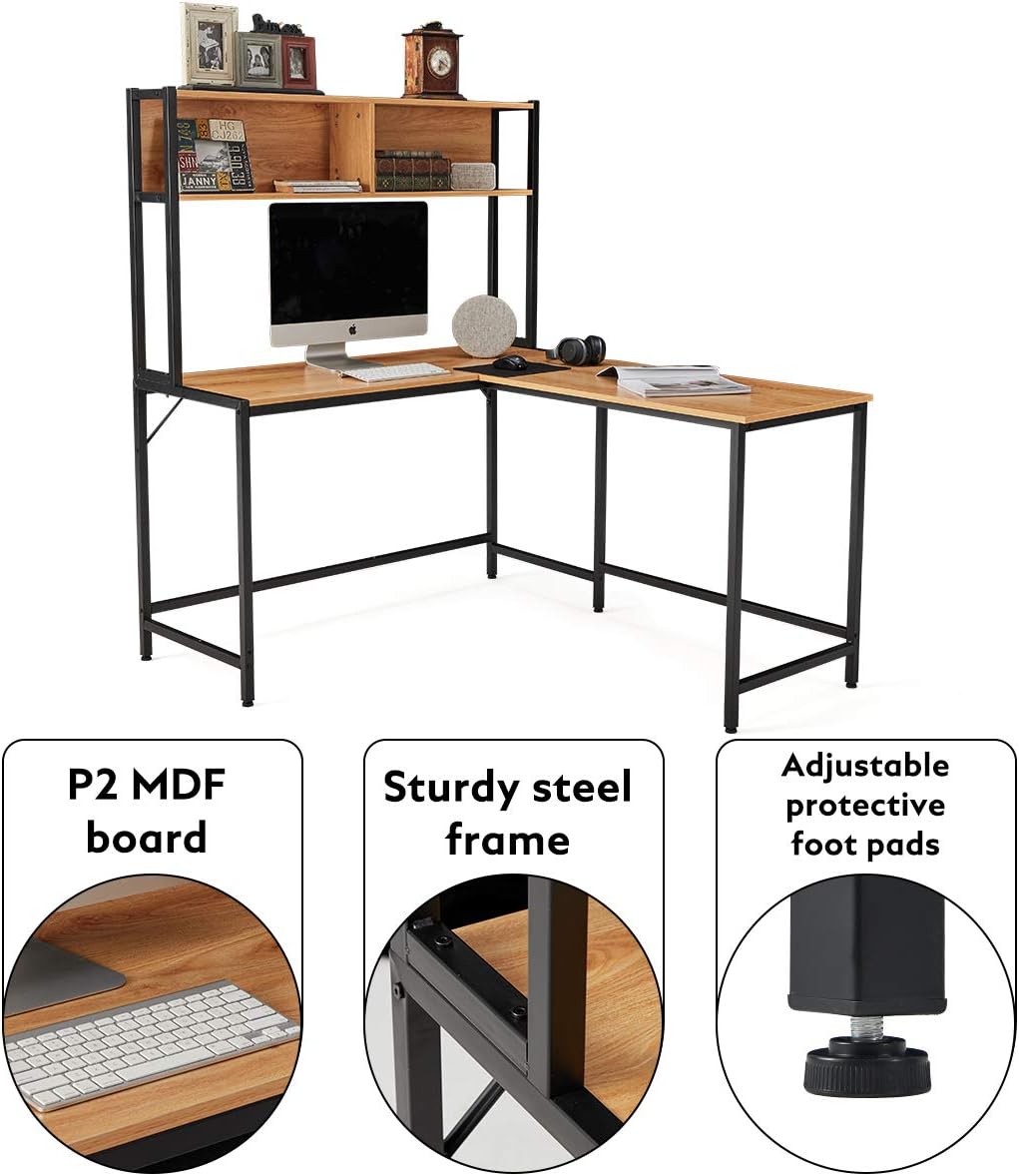
The YOLENY L-Shaped Computer Desk is designed to optimize your workspace with its functional and sturdy construction. Key features include:
- L-Shape Corner Design: Maximizes space utilization in any office or study room, allowing flexible transitions between work and leisure.
- Integrated Storage Hutch: Features open shelves for organizing books, documents, or displaying decorative items, reducing desktop clutter.
- Durable Construction: Made from premium engineered wood (P2 MDF board) and a sturdy alloy steel frame, designed to support multiple monitors and ensure long-term stability.
- Adjustable Foot Pads: Equipped with protective foot pads that can be adjusted to stabilize the desk on uneven surfaces and prevent floor scratches.
- Versatile Use: Suitable for use as a computer desk, gaming table, study desk, or office workstation, blending with various decor styles.

Package Contents
Before assembly, please ensure all components are present and undamaged. The package typically includes:
- Desktop panels (L-shaped sections)
- Hutch shelves and support panels
- Steel frame components (legs, crossbars)
- Assembly hardware (screws, bolts, washers, nuts)
- Adjustable foot pads
- Assembly tools (e.g., Allen wrench)
- Instruction manual
If any parts are missing or damaged, please contact YOLENY customer support for assistance.
Assembly Instructions
Before You Begin
- Clear a spacious area for assembly.
- Verify all parts against the parts list in your package.
- Do not fully tighten screws until all components are loosely assembled.
- It is recommended to have two people for assembly.
Step-by-Step Assembly
- Assemble the Main Desk Frames: Begin by attaching the horizontal crossbars to the vertical leg frames using the provided screws. Ensure the frames are oriented correctly for the desired L-shape configuration.
- Attach Desktop Panels: Carefully place the L-shaped desktop panels onto the assembled frames. Secure them using the designated screws, ensuring a snug fit.
- Assemble the Hutch Frame: Construct the frame for the hutch by connecting the vertical and horizontal steel bars.
- Install Hutch Shelves: Insert the wooden hutch shelves into the hutch frame, securing them with screws.
- Attach Hutch to Desk: Mount the assembled hutch onto the main desk structure. Ensure it is aligned and securely fastened to the desktop and frame.
- Install Adjustable Foot Pads: Screw the adjustable foot pads into the bottom of each desk leg. Adjust them as needed to level the desk.
- Final Tightening: Once all components are in place and aligned, fully tighten all screws and bolts.


Usage Guidelines
To ensure the longevity and safe use of your YOLENY desk, please observe the following guidelines:
- Weight Distribution: Distribute weight evenly across the desktop and hutch shelves. Avoid placing excessively heavy items on one side.
- Monitor Placement: Position monitors and other heavy equipment centrally on the desktop for stability.
- Cable Management: Utilize cable ties or clips (not included) to organize wires and prevent tripping hazards.
- Environmental Conditions: Avoid exposing the desk to extreme temperatures, direct sunlight, or high humidity, which can affect the wood material.
Maintenance
Regular maintenance will help preserve the appearance and structural integrity of your desk:
- Cleaning: Wipe surfaces with a soft, damp cloth. Avoid abrasive cleaners, harsh chemicals, or excessive moisture.
- Spills: Clean up spills immediately to prevent staining or damage to the engineered wood.
- Fasteners: Periodically check all screws and bolts to ensure they remain tight. Retighten if necessary to maintain stability.
- Protection: Use coasters for drinks and protective pads under hot items to prevent damage to the desktop surface.
Troubleshooting
If you encounter any issues with your desk, refer to the following common problems and solutions:
- Desk is Wobbly:
- Ensure all screws and bolts are fully tightened.
- Adjust the protective foot pads on each leg to compensate for uneven flooring.
- Parts Do Not Align During Assembly:
- Loosen all fasteners, realign the components, and then retighten.
- Double-check the orientation of parts against the assembly diagrams.
- Missing or Damaged Parts:
- Review the package contents list. If parts are genuinely missing or damaged, contact YOLENY customer support for replacements.
Specifications
| Attribute | Detail |
|---|---|
| Brand | YOLENY |
| Model | 55 Inch L-Shaped Computer Desk with Hutch |
| Shape | L-Shape |
| Product Dimensions (D x W x H) | 49.2"D x 55.1"W x 58.7"H |
| Base Material | Alloy Steel |
| Top Material Type | Engineered Wood (MDF) |
| Style | Rustic |
| Room Type | Living Room, Office, Study Room |
| Required Assembly | Yes |
| UPC | 722794386329 |
| ASIN | B08BTZSSWX |
Warranty and Support
YOLENY is committed to providing high-quality products. For information regarding warranty coverage, product support, or to report missing/damaged parts, please contact YOLENY customer service through the retailer's platform or the official YOLENY website. Please have your purchase details and product model number ready when contacting support.


