
RCA RNSM4003
RCA 40" Smart TV User Manual
Model: RNSM4003
Introduction
This user manual provides comprehensive instructions for the setup, operation, and maintenance of your RCA 40" Smart TV (Model RNSM4003). Please read this manual thoroughly before operating your television to ensure proper use and to prevent damage.
The RCA 40" Smart TV combines a stunning viewing experience with an amazing range of entertainment applications. With apps like Netflix, YouTube, and Prime Video, you can choose to watch movies and TV episodes or stay current on social media.
Safety Information
Always follow basic safety precautions when using this product to reduce the risk of fire, electric shock, and injury to persons.
- Do not expose the TV to rain or moisture.
- Do not block ventilation openings.
- Do not place the TV on an unstable cart, stand, tripod, bracket, or table.
- Refer all servicing to qualified service personnel.
- Unplug the TV during lightning storms or when unused for long periods.
Package Contents
Verify that all items are included in the package:
- RCA 40" Smart TV
- Power Cable
- Remote Control
- TV Stand (2 pieces)
- Screws for Stand Assembly
- User Manual (this document)
Setup
1. Attaching the Stand
Carefully place the TV screen-down on a soft, clean surface to prevent scratches. Align the stand pieces with the corresponding slots on the bottom of the TV. Secure the stands using the provided screws.
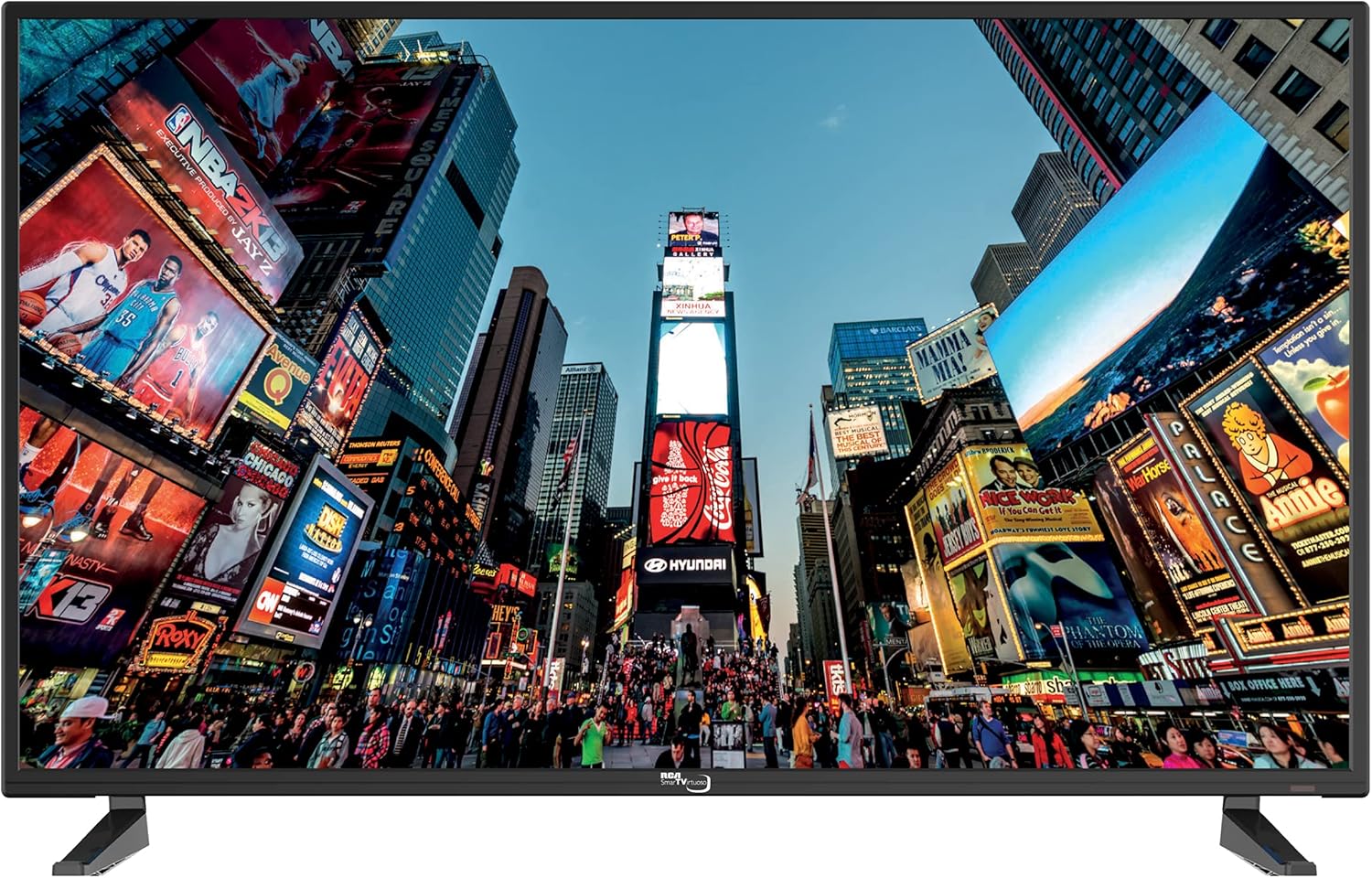
Image: Front view of the RCA 40" Smart TV with its stand attached, displaying a dynamic city scene on the screen. This image illustrates the TV's appearance when set up on a flat surface.
2. Wall Mounting (Optional)
The RCA 40" Smart TV is VESA mount compatible. To simplify the mounting process, the rear panel of the TV arrives with the necessary screw holes to accept an industry-standard VESA mount. Consult a professional for wall mounting installation.

Image: Rear view of the RCA 40" Smart TV, highlighting the VESA mounting holes and various input ports. This view is essential for understanding wall mount compatibility and cable management.
3. Connecting Peripherals
Connect your devices to the TV using the available ports.
- HDMI Ports: The TV features 3 HDMI ports for connecting devices like Blu-ray players, game consoles, or cable boxes.
- Ethernet Port: Connect an Ethernet cable for a stable wired internet connection.
- USB Port: For media playback from USB storage devices.
- Antenna/Cable Input: For connecting an antenna or cable TV signal.

Image: Side view of the RCA 40" Smart TV, illustrating the accessible input ports including HDMI and USB. This image helps users identify where to connect their external devices.
4. Initial Power On and Network Setup
Plug the power cable into the TV and a wall outlet. Press the power button on the remote control or on the TV. Follow the on-screen prompts to select your language, country, and connect to your home network (Wi-Fi or Ethernet). This step is crucial for accessing smart TV features.
Operating
1. Remote Control Overview
The included IR remote control allows you to navigate the TV's functions. Familiarize yourself with the buttons for power, volume, channel, input selection, and smart TV navigation.

Image: Left side view of the RCA 40" Smart TV, displaying the physical control buttons for volume, channel, menu, source, and power. These buttons provide an alternative way to operate the TV without the remote control.
2. Smart TV Features
Easily access content streaming services like Netflix, YouTube, and Prime Video directly from your TV's home screen. Ensure your TV is connected to the internet for full functionality.

Image: The RCA 40" Smart TV mounted on a wall in a living room, with a family seated on a couch watching content. This image demonstrates the TV in a typical home entertainment setting, highlighting its smart capabilities for family viewing.
3. Input Selection
Press the "Source" or "Input" button on your remote to switch between connected devices (HDMI 1, HDMI 2, HDMI 3, AV, TV Tuner, etc.).
4. Picture and Sound Settings
Access the TV's menu to adjust picture settings (brightness, contrast, color, sharpness) and sound settings (volume, equalizer, sound mode). The TV features a brilliant 1080p Full HD LED screen for vivid colors and exceptional contrast.
Maintenance
Cleaning the TV
Always unplug the TV before cleaning. Use a soft, dry cloth to wipe the screen and cabinet. Do not use liquid cleaners or aerosol sprays directly on the TV.
Software Updates
Periodically check for software updates through the TV's settings menu to ensure optimal performance and access to the latest features.
Troubleshooting
Refer to the table below for common issues and their solutions.
| Problem | Possible Cause | Solution |
|---|---|---|
| No Power | Power cable not connected; outlet not working. | Ensure power cable is securely plugged in. Test outlet with another device. |
| No Picture, But Sound | Incorrect input source selected; faulty cable. | Verify correct input source. Check HDMI/AV cable connections. |
| No Sound, But Picture | Volume muted or too low; external audio system issue. | Unmute volume or increase level. Check external audio connections if applicable. |
| Cannot Connect to Wi-Fi | Incorrect password; router issue; TV too far from router. | Re-enter password. Restart router. Move TV closer or use Ethernet. |
| Smart Features Sluggish | Network congestion; outdated software; insufficient memory. | Check internet speed. Update TV software. Close unused apps. Consider an external streaming device if issues persist. |
Specifications
| Feature | Detail |
|---|---|
| Brand | RCA |
| Model | RNSM4003 |
| Screen Size | 40 Inches |
| Display Technology | LED |
| Resolution | 1080p (1920 x 1080 Pixels) |
| Refresh Rate | 60 Hz |
| Aspect Ratio | 16:9 |
| HDMI Ports | 3 |
| Connectivity Technology | Ethernet, HDMI |
| Mounting Type | Wall Mount (VESA compatible) |
| Included Components | Power Cable, Remote Control, Stand |
| Product Dimensions | 16.51 x 97.79 x 60.96 cm; 8.66 kg |
| Supported Internet Services | Netflix, Pandora, Skype, Vudu, YouTube |
Warranty and Support
Your RCA 40" Smart TV comes with a limited manufacturer's warranty. Please refer to the warranty card included in your product packaging for specific terms and conditions. For technical support, troubleshooting assistance, or warranty claims, please contact RCA customer service. Contact information can typically be found on the manufacturer's official website or on the warranty card.
Related Documents - RNSM4003
 |
RCA RNSM4003-B Smart TV Instruction Manual Comprehensive instruction manual for the RCA RNSM4003-B Smart TV, covering setup, operation, safety precautions, and specifications. |
 |
RCA Ultra HD Smart TV Safety Precautions and Getting Started Guide Comprehensive safety precautions, important instructions, accessories list, and getting started guide for RCA Ultra HD Smart TVs, including remote control and battery information. |
 |
RCA RPJ275 1080p Full HD Projector User Manual Comprehensive guide for the RCA RPJ275 projector, covering setup, operation of photo, music, and movie modes, troubleshooting, specifications, and warranty information. |
 |
RCA RENO User Manual Comprehensive user guide for the RCA RENO smartphone, detailing setup, features, communication, tools, safety, and maintenance for Android 10 (Go edition). |
 |
RCA BTS-101A Stereo Generator - Broadcast Equipment Manual Technical manual for the RCA BTS-101A Stereo Generator, a professional broadcast equipment unit for generating composite stereophonic signals. Includes safety information, technical specifications, installation, operation, detailed circuit descriptions, field modifications, alignment procedures, and replacement parts. |
 |
RCA WHP150 Wireless Headphones User Manual & Specifications User manual, features, installation, operation, troubleshooting, and specifications for the RCA WHP150 900 MHz wireless stereo headphones. Includes information on accessories like the ANT200 antenna and D918 surge protector. |