
1. Introduction
Thank you for choosing the QKKE 12V 2A AC/DC Power Supply Adapter. This adapter is designed to provide a stable 12V DC power source for various electronic devices, including CCTV cameras, DVR systems, and other compatible equipment requiring 12V 2A power. Please read this manual carefully before use to ensure proper operation and safety.
This product features built-in protection mechanisms to safeguard your devices against electrical irregularities.
2. Safety Information
To prevent electric shock, fire, or damage to the product and connected devices, always observe the following safety precautions:
- Ensure the adapter is connected to a power outlet within the specified input voltage range (100V-240V AC).
- Do not expose the adapter to water, moisture, or extreme temperatures.
- Avoid dropping or subjecting the adapter to strong impacts.
- Do not attempt to open or modify the adapter. Servicing should only be performed by qualified personnel.
- Verify that the device you are powering requires 12V DC and draws no more than 2A. Connecting incompatible devices may cause damage.
- Unplug the adapter from the power outlet when not in use for extended periods.
This adapter incorporates over-voltage, over-current, and short-circuit protection to enhance safety and device longevity.
3. Package Contents
- 1 x QKKE 12V 2A AC/DC Power Supply Adapter
4. Setup
Follow these steps to set up your power supply adapter:
- Inspect the Adapter: Before connecting, visually inspect the adapter and its cable for any signs of damage.
- Connect to Device: Plug the barrel connector end of the adapter cable into the DC input port of your compatible device (e.g., CCTV camera, DVR). Ensure a secure connection.
- Connect to Power Outlet: Insert the AC plug of the adapter into a standard 100V-240V AC wall outlet.
- Power On: Once connected, your device should receive power and operate as intended.
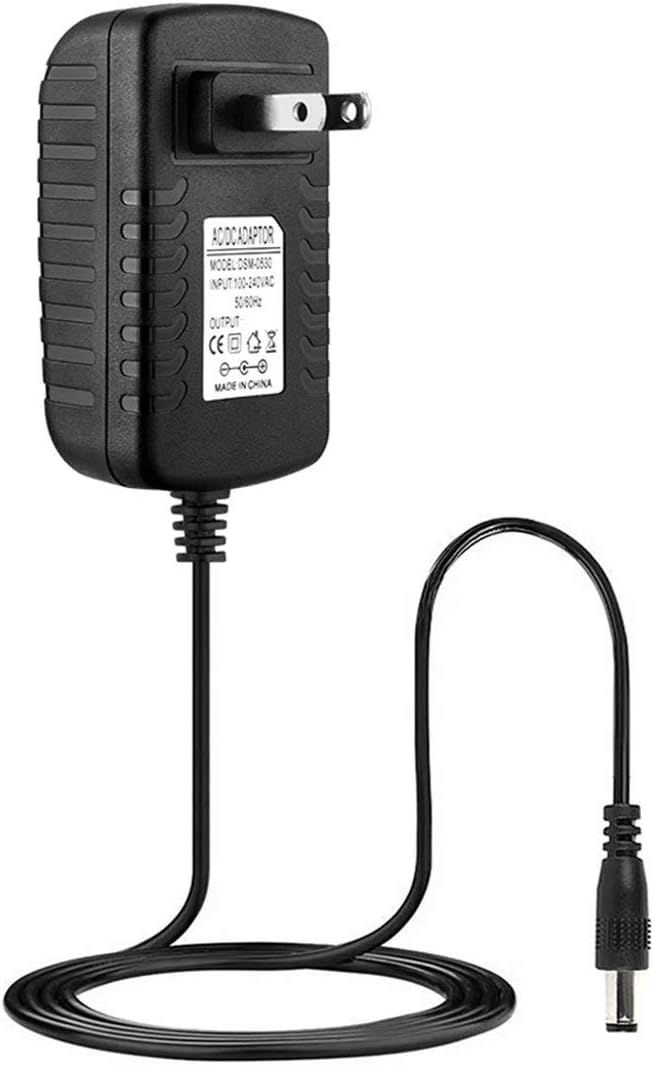
Image 1: Front view of the QKKE 12V 2A AC/DC Power Supply Adapter, showing the US plug, main unit, and barrel connector cable.

Image 2: Top-down view of the QKKE 12V 2A AC/DC Power Supply Adapter with its cable neatly coiled, highlighting the compact design.
5. Operating Instructions
The QKKE 12V 2A AC/DC Power Supply Adapter is designed for straightforward operation:
- Once properly connected to both the power outlet and your device, the adapter will automatically supply power.
- The intelligent switching circuit recognizes when a connected battery (if applicable to your device) is fully charged and automatically switches to a safe mode to prevent overcharging.
- The adapter is designed to operate without overheating under normal load conditions.

Image 3: Side view of the QKKE 12V 2A AC/DC Power Supply Adapter, showing the textured casing and cable connection point.
6. Maintenance
To ensure the longevity and optimal performance of your adapter:
- Keep the adapter clean and free from dust. Use a dry, soft cloth for cleaning.
- Store the adapter in a cool, dry place when not in use.
- Avoid bending or crimping the power cable excessively, as this can damage internal wires.
- Do not place heavy objects on the adapter or its cable.

Image 4: Angled view of the QKKE 12V 2A AC/DC Power Supply Adapter with its cable fully extended, showing the barrel connector.
7. Troubleshooting
If you encounter issues with your QKKE power supply adapter, consider the following:
- No Power Output:
- Ensure the adapter is securely plugged into a working wall outlet.
- Check the connection between the adapter's barrel connector and your device.
- Verify that your device is compatible with 12V DC and requires no more than 2A.
- Test the wall outlet with another device to confirm it is supplying power.
- Device Not Functioning Correctly:
- Confirm that your device is not faulty by testing it with another known-good power source (if available and compatible).
- Ensure the adapter's output specifications (12V, 2A) precisely match your device's requirements.
- Adapter Overheating:
- While some warmth is normal, excessive heat may indicate an issue. Ensure the adapter is not covered or in an enclosed space.
- Verify that the connected device is not drawing more than 2A, which could overload the adapter.
If problems persist after following these steps, please refer to the warranty and support section.
8. Specifications
| Feature | Specification |
|---|---|
| Brand | QKKE |
| Input Voltage | 100V - 240V AC (Worldwide) |
| Output Voltage | 12 Volts DC |
| Output Current | 2 Amps |
| Connector Type | Barrel Connector |
| Compatible Devices | Cameras, DVRs, CCTV Kits (requiring 12V 2A) |
| Special Feature | Short Circuit Protection, Over-voltage Protection, Over-current Protection |
| Certification | CE Certified |
| Power Source | Corded Electric |
9. Warranty and Support
Your QKKE 12V 2A AC/DC Power Supply Adapter comes with a 12-month warranty from the date of purchase. Additionally, a 30-day money-back guarantee is offered. We are committed to providing lifetime support customer service for this product.
For warranty claims, technical assistance, or any questions regarding the product, please contact QKKE customer support through your original point of purchase or the contact information provided with your product packaging.