
Iris Ohyama PCF-HE18N (594324)
IRIS USA WOOZOO Desk Fan Instruction Manual
Model: PCF-HE18N (594324)
Brand: Iris Ohyama
1. Product Overview
The WOOZOO Desk Fan is designed to maximize air flow in various indoor environments such as homes, offices, or dorms. It features three speed settings for adjustable air flow and 360° vertical head tilt capabilities to direct air precisely. Its aerodynamic design with deep pitch fan blades ensures powerful air circulation while minimizing noise, operating as quietly as 28.6 dB on its lowest setting. This compact circulator fan provides up to 275 ft² area coverage.

Figure 1: IRIS USA WOOZOO Desk Fan (Green)
This image displays the front view of the green WOOZOO desk fan, highlighting its spiral grille and compact design.
2. Safety Information
- Always unplug the fan from the power outlet before cleaning or performing any maintenance.
- Do not operate the fan with a damaged cord or plug. If the cord or plug is damaged, contact qualified service personnel.
- Do not place the fan in or near water or other liquids.
- Keep fingers, pencils, or any other objects away from the fan blades and openings when the fan is operating.
- Ensure the fan is placed on a stable, flat surface to prevent it from tipping over.
- This appliance is for household use only. Do not use outdoors.
- Do not cover the fan or restrict airflow during operation.
3. Parts List
The IRIS USA WOOZOO Desk Fan package includes the following components:
- WOOZOO Desk Fan Unit
- Instruction Manual (this document)
- Integrated Power Cord (70.9 inches)
4. Setup
- Unpack: Carefully remove the fan and all packaging materials from the box.
- Placement: Place the fan on a stable, flat, and dry surface. Ensure there is adequate space around the fan for proper air circulation. Avoid placing it directly against walls or furniture that might obstruct airflow.
- Power Connection: Plug the fan's power cord into a standard 120-volt electrical outlet.
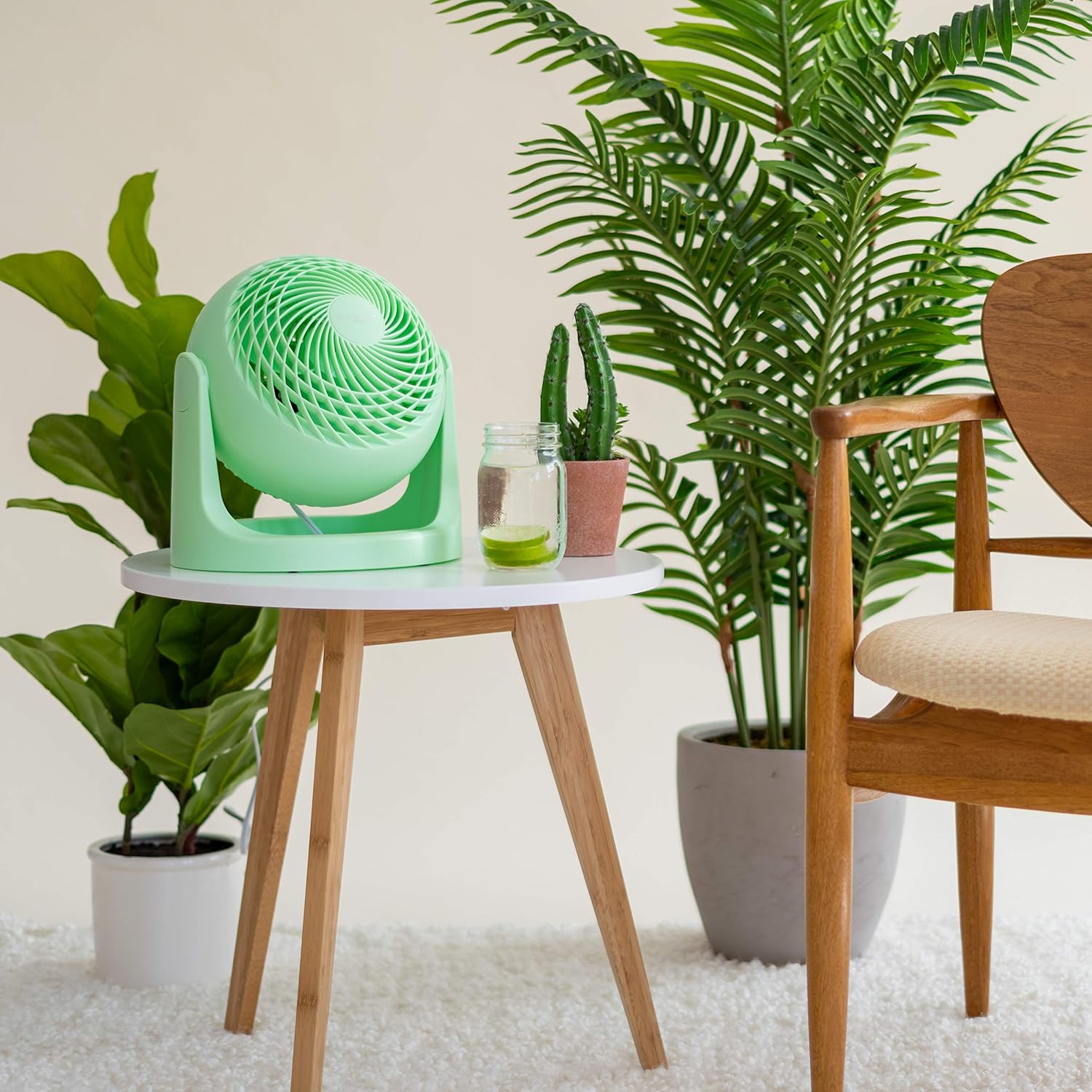
Figure 2: Example Placement of the WOOZOO Desk Fan
This image shows the green WOOZOO fan placed on a small white table next to indoor plants, demonstrating suitable placement in a living environment.
5. Operating Instructions
The WOOZOO Desk Fan is designed for simple and intuitive operation.
5.1 Power and Speed Control
The fan features a rotary knob located on the back of the unit for power and speed adjustments.
- Off (O): Turn the knob to the 'O' position to turn the fan off.
- Speed I (Low): Turn the knob to 'I' for a gentle breeze, ideal for quiet environments like bedrooms or offices.
- Speed II (Medium): Turn the knob to 'II' for increased airflow.
- Speed III (High): Turn the knob to 'III' for maximum air circulation, suitable for larger rooms or when stronger cooling is desired.

Figure 3: Control Knob for Power and Speed
This image shows a hand turning the control knob on the back of the WOOZOO fan, illustrating the easy adjustment of speed settings (O, I, II, III).
5.2 Adjustable Tilt
The fan head can be manually tilted a full 360 degrees vertically to direct airflow precisely where needed. Simply grasp the fan body and gently tilt it to your desired angle.

Figure 4: 360° Adjustable Tilt Feature
This image illustrates the WOOZOO fan's ability to tilt a full 360 degrees, with arrows indicating the range of motion.
5.3 Air Circulation and Deep-Pitch Blade Technology
The WOOZOO fan utilizes a unique deep-pitch blade design to create a more powerful and focused wind stream, effectively circulating air throughout the room. This design contributes to its ability to cover up to 275 sq ft.

Figure 5: Unique Deep-Pitch Blade Design
This image highlights the unique deep-pitch blade of the WOOZOO fan, with visual effects showing how it creates a powerful, focused wind stream.
5.4 Product Demonstration Video
Video 1: WOOZOO in Color
This video showcases the WOOZOO fan in various colors and settings, demonstrating its aesthetic appeal and how it functions in different environments, including its oscillation feature.
6. Maintenance
Regular cleaning will help maintain the fan's performance and extend its lifespan.
- Cleaning the Exterior: Wipe lightly using a soft cloth. For hard-to-remove dirt, wipe using a cloth containing a diluted neutral detergent. Ensure the fan is unplugged before cleaning.
- Cleaning the Blades: Due to the spiral grid design, direct access to the blades for cleaning may be limited. Use a soft, flexible duster or a vacuum cleaner with a brush attachment to gently remove dust from the front and rear grilles. Do not attempt to disassemble the fan for cleaning.
- Storage: When not in use for extended periods, store the fan in a cool, dry place, preferably in its original packaging to protect it from dust.
7. Troubleshooting
| Problem | Possible Cause | Solution |
|---|---|---|
| Fan does not turn on. | No power to the unit. | Ensure the power cord is securely plugged into a working electrical outlet. Check if the outlet has power by plugging in another device. |
| Weak or no airflow. | Fan speed set too low; obstructed airflow; dust accumulation. | Increase the fan speed using the control knob. Ensure nothing is blocking the front or rear grilles. Clean any dust accumulation on the grilles. |
| Unusual noise during operation. | Fan not on a stable surface; foreign object inside; dust accumulation. | Place the fan on a firm, level surface. Unplug the fan and carefully check for any foreign objects. Clean the fan thoroughly to remove dust. If noise persists, discontinue use and contact support. |
8. Specifications
| Feature | Detail |
|---|---|
| Brand | Iris Ohyama |
| Model Name | PCF-HE18N |
| Item Model Number | 594324 |
| Color | Green |
| Electric Fan Design | Table Fan |
| Power Source | Corded Electric |
| Style | Oscillation |
| Product Dimensions | 8.43"D x 10.94"W x 11.54"H |
| Item Weight | 3.1 Pounds |
| Room Type | Bathroom, Bedroom, Desk, Kitchen, Office |
| Special Feature | Deep Pitch Blade |
| Recommended Uses | Cooling |
| Noise Level | 29 dB |
| Wattage | 72 watts |
| Finish Type | Matte |
| Number of Blades | 3 |
| Blade Length | 7 Inches |
| Speed Settings | 3 RPM (3 Speed Levels) |
| Voltage | 120 Volts |
| Switch Type | Push Button (Control Method: Touch) |
| Included Components | Fan, Instruction Manual |
| Indoor/Outdoor Usage | Indoor |
| Specification Met | ETL |
| Connector Type | Standard Electrical Plug |
| Blade Material | Plastic |
| Cable Length | 70.9 Inches |
| Manufacturer | IRIS USA, Inc. |
| UPC | 762016485270 |
| Air Flow Distance | 52 ft. Max |
| Form Factor | Table/Desk Fan with 360-degree Rotation Capability |
| Care Instructions | Wipe lightly using a soft cloth. For hard to remove dirt, wipe using a cloth containing a diluted neutral detergent. |
| Assembly Required | No |
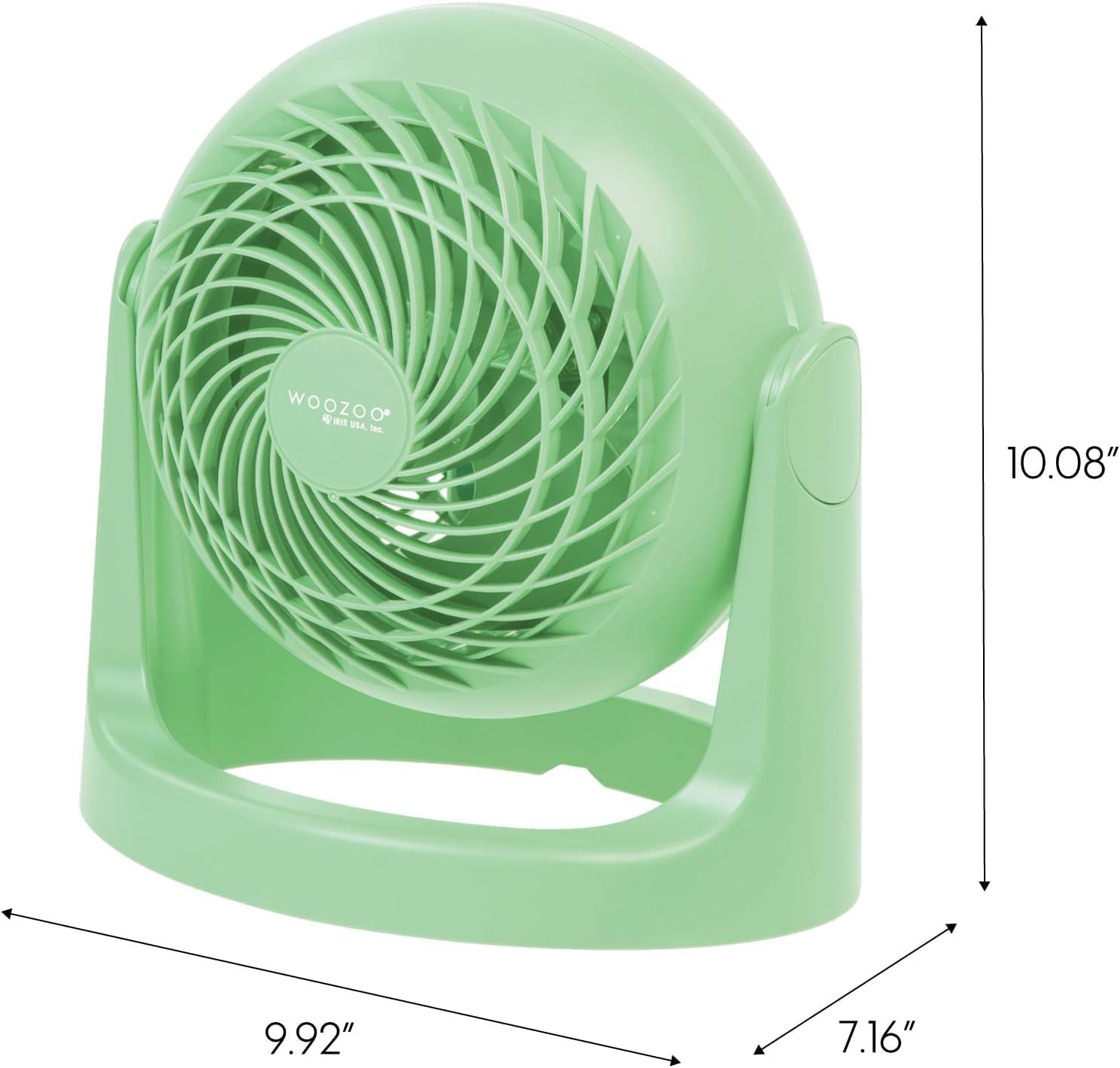
Figure 6: Product Dimensions
This image provides a visual representation of the WOOZOO fan's dimensions, including its height, width, and depth.
9. Warranty and Support
For warranty information and customer support, please refer to the official Iris Ohyama website or contact their customer service department. Keep your purchase receipt for warranty claims.
A digital version of this user manual is also available for download: