
1. Product Overview
The VITOPAL Falcon Eyes RX-18TDX III is a 130W bi-color flexible LED light designed for professional photography and videography. It offers adjustable color temperature from 3000K to 5600K and features an IPX8 waterproof rating, allowing for use in various environmental conditions. The light includes 9 scene effect modes and supports remote control via a 2.4GHz system and a dedicated Bluetooth application.

Figure 1: Falcon Eyes RX-18TDX III ROLLFLEX LED Light with included softbox accessory.
2. Safety Information
- Read all instructions before use.
- Do not disassemble or modify the product. Unauthorized modifications may void the warranty and pose safety risks.
- Ensure proper ventilation during operation to prevent overheating.
- Use only the specified power adapter or V-mount battery.
- Keep the light away from flammable materials.
- Although IPX8 waterproof, ensure all connections are secure and sealed before submerging. Do not operate the control box underwater.
- Avoid direct eye exposure to the LED light, as it can cause discomfort.
3. Package Contents
Verify that all items are present in the package:
- Falcon Eyes RX-18TDX III ROLLFLEX LED Light Panel
- Control Box
- Power Adapter
- Power Cable
- Mounting Bracket (if included)
- Carrying Bag (if included)
- Instruction Manual (this document)
4. Setup Guide
- Mounting the Light Panel: Attach the flexible LED light panel to a light stand using the provided mounting bracket. Ensure it is securely fastened.
- Connecting the Control Box: Connect the light panel cable to the designated port on the control box.
- Powering the Device:
- AC Power: Connect the power adapter to the control box, then plug the power cable into a suitable AC outlet.
- V-mount Battery (Not Included): Attach a compatible V-mount battery to the V-mount plate on the control box.
- Initial Power On: Press the power button on the control box to turn on the light.
5. Operating Instructions
5.1. Manual Control
- Power Button: Press to turn the light ON or OFF.
- Brightness Adjustment: Use the dedicated dial or buttons on the control box to increase or decrease light intensity.
- Color Temperature Adjustment: Use the dedicated dial or buttons to adjust the color temperature between 3000K (warm) and 5600K (cool).
- Scene Effects: Navigate through the menu on the control box to select from the 9 built-in scene effects.
5.2. Bluetooth APP Control
The RX-18TDX III supports remote control via the "DESAL Lite+" Bluetooth application, available for both iOS and Android devices. This allows for control up to several meters away.
- Download the App: Search for "DESAL Lite+" in your device's app store and install it.
- Enable Bluetooth: Ensure Bluetooth is enabled on your mobile device.
- Pairing: Open the DESAL Lite+ app. The app should automatically detect and connect to the RX-18TDX III light. Follow any on-screen prompts for pairing.
- Control Functions: Within the app, you can adjust brightness, color temperature, and select scene effects remotely.

Figure 2: Controlling the RX-18TDX III via the DESAL Lite+ Bluetooth application.
6. Special Features
6.1. IPX8 Waterproof Rating
The RX-18TDX III light panel is officially certified with an IPX8 waterproof rating. It has been tested to withstand submersion in water up to 30 meters deep for 30 minutes. This feature allows for versatile use in challenging weather conditions or underwater photography scenarios. Note: The control box is NOT waterproof and must be kept dry.
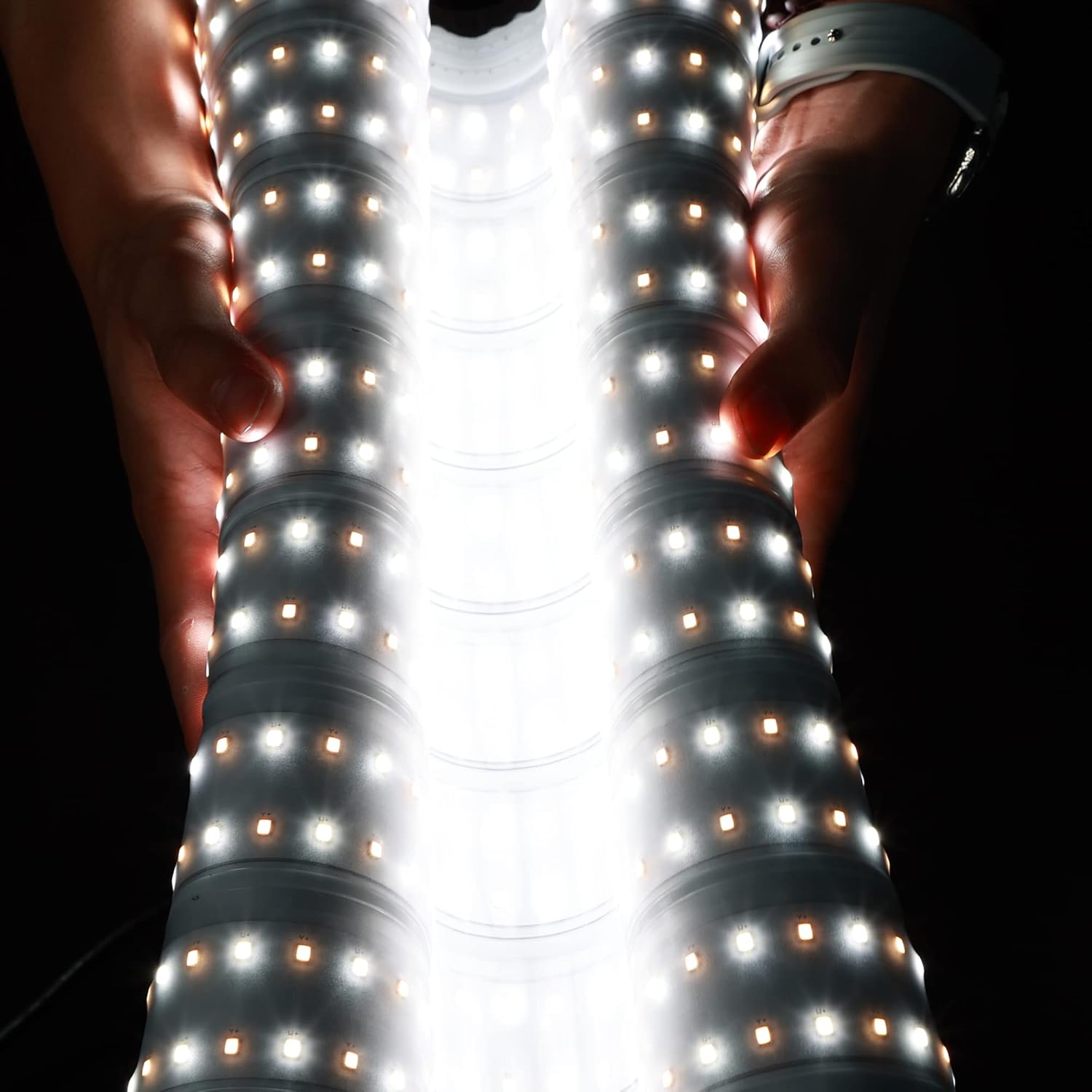
Figure 3: The flexible and waterproof design of the RX-18TDX III light panel.
6.2. Flexible Design
The ROLLFLEX design allows the light panel to be bent and shaped to direct light precisely, offering creative lighting possibilities and easy storage.

Figure 4: The RX-18TDX III light panel is lightweight and portable.

Figure 5: The RX-18TDX III light panel can be rolled for compact storage.
6.3. Scene Effect Modes
The control box includes 9 pre-programmed scene effects to simulate various lighting environments:
- Lightning 1
- Lightning 2
- TV Screen
- Candle
- Paparazzi
- Strobe
- High/Low Beam
- Double Flash (Hazard)
- Warm Breathing
7. Maintenance
- Cleaning: Use a soft, dry cloth to clean the light panel and control box. For stubborn dirt, a slightly damp cloth can be used, ensuring no moisture enters the control box.
- Storage: Store the light in a cool, dry place, away from direct sunlight and extreme temperatures. The flexible design allows for compact storage.
- Cable Care: Avoid sharp bends or kinks in cables. Do not pull cables forcefully.
8. Troubleshooting
| Problem | Possible Cause | Solution |
|---|---|---|
| Light does not turn on. | No power supply; loose connection; faulty power adapter/battery. | Check power cable and adapter connection. Ensure V-mount battery is charged and properly attached. Try a different power source if available. |
| Cannot adjust brightness/color temperature. | Control box malfunction; app not connected. | Ensure the control box is functioning. If using the app, verify Bluetooth connection and app functionality. Restart the light and app. |
| Bluetooth app cannot connect. | Bluetooth off; app not installed; light not in pairing mode; interference. | Ensure Bluetooth is enabled on your device. Reinstall the "DESAL Lite+" app. Restart the light. Move closer to the light. |
| Light flickers or behaves erratically. | Unstable power supply; loose cable connection; internal fault. | Check all cable connections. Ensure power source is stable. If problem persists, contact customer support. |
9. Specifications
| Model | RX-18TDX III |
| Brand | VITOPAL (Manufacturer: Falcon Eyes) |
| Power | 130W |
| Color Temperature | 3000K - 5600K (Bi-Color) |
| Waterproof Rating | IPX8 (Light Panel Only) |
| Control Methods | Control Box, 2.4GHz Remote Control (optional), Bluetooth APP (DESAL Lite+) |
| Scene Effects | 9 modes (Lightning 1/2, TV Screen, Candle, Paparazzi, Strobe, High/Low Beam, Double Flash, Warm Breathing) |
| Power Source | AC Adapter or V-mount Battery (not included) |
| Item Weight | 8.58 pounds (approx. 3.89 kg) |
| Package Dimensions | 23 x 9.1 x 9 inches (approx. 58.4 x 23.1 x 22.9 cm) |
10. Warranty and Support
For warranty information and technical support, please refer to the documentation provided with your purchase or contact the seller directly. Keep your proof of purchase for warranty claims.
Manufacturer: Falcon Eyes
Brand: VITOPAL
For further assistance, visit the official VITOPAL or Falcon Eyes website, or contact their customer service department.