1. Introduction
Welcome to the VEENAX T8 Bluetooth In-Ear Headphones user manual. This guide provides detailed instructions on how to set up, operate, maintain, and troubleshoot your new headphones. Please read this manual carefully to ensure optimal performance and longevity of your device.

Image: VEENAX T8 Bluetooth In-Ear Headphones with their charging case.
2. Package Contents
Please check the package for the following items:
- VEENAX T8 Bluetooth Earbuds (Left and Right)
- Compact Charging Case
- S, M, L EarTips (one pair pre-installed on earbuds)
- USB-C Charging Cable
- User Manual (this document)
3. Product Overview
The VEENAX T8 headphones feature 10mm graphene drivers for high-fidelity stereo sound and deep bass. They are designed for comfort and secure fit, making them suitable for various activities including sports. The earbuds are equipped with touch controls for easy management of music and calls, and CVC 8.0 noise cancellation for clear communication.
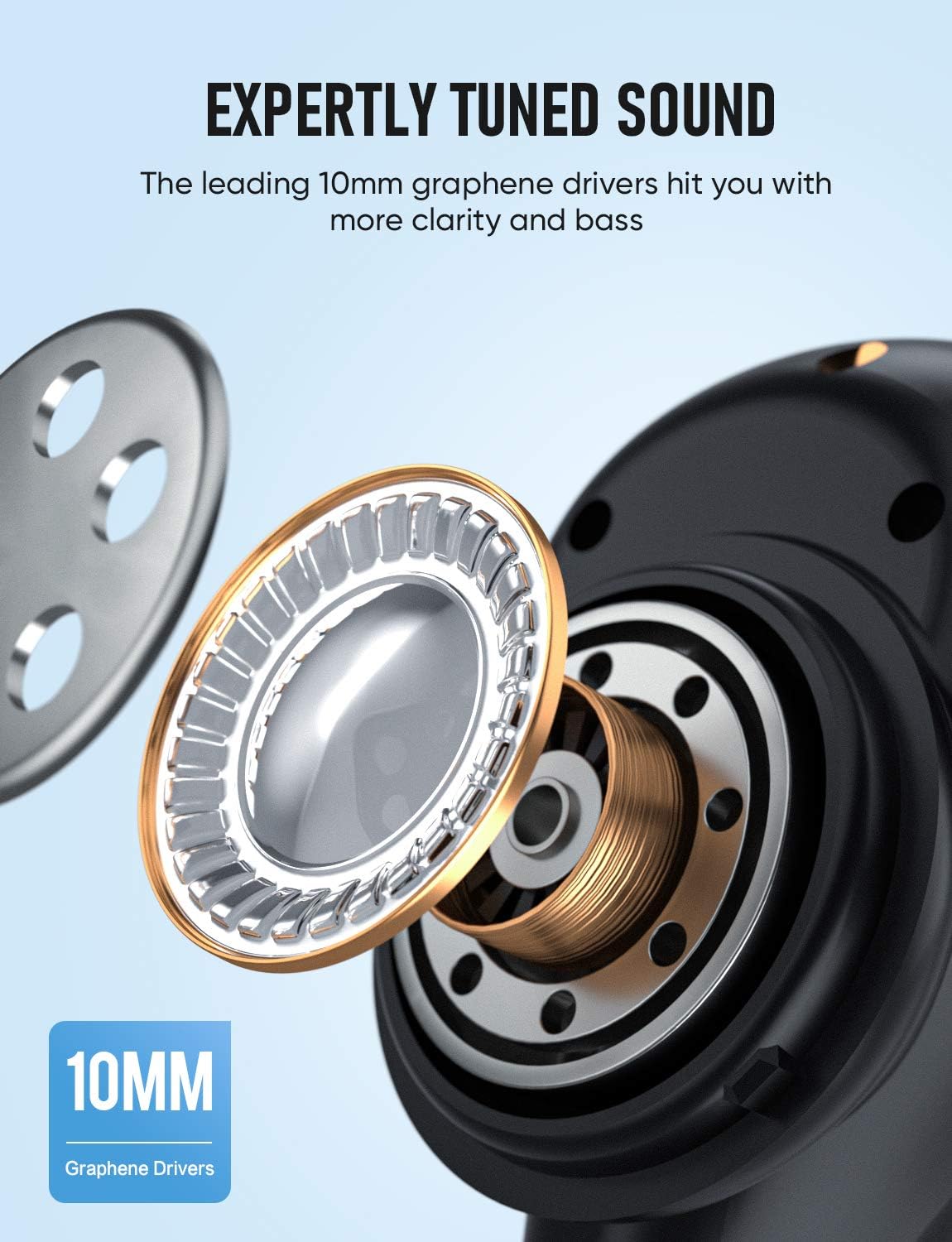
Image: Detailed view of the 10mm graphene driver within the earbud, highlighting the audio technology.
4. Setup
4.1 Charging the Earbuds and Case
Before first use, fully charge the earbuds and the charging case. The case provides extended battery life for your earbuds.
- Place the earbuds into the charging case. Ensure they are properly seated.
- Connect the USB-C charging cable to the charging port on the case and the other end to a USB power source.
- The LED indicator on the case will show the charging status. A full charge provides up to 5 hours of listening time for the earbuds, and the charging case extends this to 30 hours. The case can be fully charged in approximately 1 hour.

Image: VEENAX T8 earbuds inside their charging case, illustrating the battery life and charging capabilities.
4.2 Bluetooth Pairing
The VEENAX T8 earbuds feature one-step pairing for convenience.
- Take both earbuds out of the charging case. They will automatically power on and connect to each other.
- Enable Bluetooth on your device (smartphone, tablet, computer).
- Search for "T8" in the list of available Bluetooth devices and select it to pair.
- Once connected, you will hear a confirmation prompt, and the earbuds will be ready for use.
- The earbuds will automatically reconnect to the last paired device when taken out of the case, if Bluetooth is enabled on the device.

Image: A smartphone displaying a successful Bluetooth connection to the T8 earbuds, indicating a strong and stable connection.
5. Operating Instructions
5.1 Smart Touch Control
The VEENAX T8 earbuds feature intuitive touch controls on each earbud for various functions:
| Function | Action |
|---|---|
| Play/Pause Music | Tap once on the Left or Right earbud. |
| Next Song | Double tap the Right earbud. |
| Previous Song | Double tap the Left earbud. |
| Volume Up | Long press the Right earbud. |
| Volume Down | Long press the Left earbud. |
| Answer/End Call | Tap once on the Left or Right earbud. |
| Reject Call | Long press the Left or Right earbud for 1.5 seconds. |
| Activate Voice Assistant (Siri) | Triple tap the Left or Right earbud. |
| Power On | Long press the Left or Right earbud for 3 seconds. |
| Power Off | Long press the Left or Right earbud for 5 seconds. |

Image: Visual guide to the smart touch controls for music playback, volume, calls, and voice assistant activation.
5.2 Wearing the Earbuds
The earbuds are designed with a 45-degree oblique angle for an ergonomic and secure fit. Choose the appropriate size of silicone eartips (S, M, L) for optimal comfort and sound isolation.

Image: A person demonstrating the comfortable and secure fit of the VEENAX T8 earbud, emphasizing its ergonomic design.
6. Maintenance
To ensure the longevity and proper functioning of your VEENAX T8 headphones, follow these maintenance guidelines:
- Cleaning: Regularly clean the earbuds and charging case with a soft, dry, lint-free cloth. Do not use abrasive cleaners or solvents.
- Water Resistance: The earbuds have a waterproof function, but do not directly immerse them in water. Avoid wearing them while swimming or surfing. The effectiveness of the waterproof function may decrease over time with daily use. The charging case is not waterproof.
- Storage: When not in use, store the earbuds in their charging case to protect them and keep them charged. Store in a cool, dry place away from extreme temperatures.
7. Troubleshooting
If you encounter issues with your VEENAX T8 headphones, try the following solutions:
7.1 Earbuds Not Pairing Simultaneously or Connecting to Device
Follow the reset procedure below:
- Disable the Bluetooth function on all your paired devices.
- Triple-click on both the Left and Right earbuds simultaneously to reset them and clear the pairing record.
- Place the earbuds back into the charging case and allow them to charge for a few hours.
- After charging, take them out of the case and attempt to pair them with your device again via Bluetooth (refer to Section 4.2).
7.2 No Sound or Low Volume
- Ensure the earbuds are properly paired and connected to your device.
- Check the volume level on both your device and the earbuds.
- Ensure the earbuds are clean and free from debris that might block the sound output.
- Try resetting the earbuds as described above.
7.3 Charging Issues
- Ensure the charging cable is securely connected to both the case and the power source.
- Try using a different USB-C cable or power adapter.
- Clean the charging contacts on both the earbuds and inside the case.
8. Specifications
| Feature | Detail |
|---|---|
| Model | T8 |
| Brand | VEENAX |
| Connectivity Technology | Wireless (Bluetooth 5.0) |
| Ear Placement | In-Ear |
| Control Type | Touch Control, Volume Control |
| Noise Control | Sound Isolation (CVC 8.0 for calls) |
| Microphone Form Factor | Built-in |
| Battery Life (Earbuds) | Up to 5 hours per charge |
| Total Playtime with Case | Up to 30 hours |
| Charging Port | USB-C |
| Water Resistance Level | Waterproof (Earbuds only, not for immersion) |
| Weight | 80 Grams (total) |
| Dimensions | 9.8 x 9.8 x 4.2 cm |
9. Warranty and Support
VEENAX products are manufactured to high-quality standards. For warranty information and customer support, please refer to the contact details provided with your purchase or visit the official VEENAX website. Keep your proof of purchase for any warranty claims.