
1. Product Overview
The ZHUKEN ACG-703 Stationary Exercise Bike is designed for home cardio and fitness training. It features a robust steel frame and a 35 lbs flywheel for stable and smooth operation. The bike offers adjustable resistance, a multi-function LCD monitor, and an integrated holder for mobile devices.

Image 1.1: Front view of the ZHUKEN ACG-703 Stationary Exercise Bike, showcasing its black frame and flywheel.
Key Features:
- 35 lbs flywheel for consistent resistance.
- Heavy-duty steel frame supporting up to 330 lbs.
- Adjustable resistance system for varied workout intensity.
- Multi-function LCD monitor displaying time, speed, distance, and calories.
- Adjustable handlebars and seat for user comfort.
- Cage-type non-slip pedals with adjustable straps.
- Integrated phone/tablet holder and water bottle holder.
- Front-mounted transport wheels for easy relocation.
2. Safety Information
Before using the ZHUKEN ACG-703 Exercise Bike, please read and understand all safety instructions. Failure to follow these instructions may result in injury or damage to the equipment.
- Consult a physician before starting any new exercise program.
- Ensure all bolts and nuts are securely tightened before each use.
- Place the exercise bike on a flat, stable surface.
- Keep children and pets away from the equipment during operation.
- Wear appropriate athletic footwear and clothing.
- Do not exceed the maximum user weight of 330 lbs (149.69 kg).
- Use the emergency brake to stop the flywheel quickly if needed.
- Stop exercising immediately if you feel faint, dizzy, or experience pain.
3. Setup and Assembly
The ZHUKEN ACG-703 Exercise Bike requires assembly. All necessary tools and instructions are included in the package. Follow these steps carefully.
3.1 Unpacking
- Carefully remove all components from the packaging.
- Verify that all parts listed in the parts diagram are present.
- Place all parts on a clear, flat surface to begin assembly.
3.2 Assembly Steps (General Guidance)
Refer to the detailed assembly diagram and instructions provided in your package for specific steps. Typically, assembly involves:
- Attaching the front and rear stabilizers to the main frame.
- Installing the pedals (note left and right pedal threading).
- Mounting the seat post and seat.
- Attaching the handlebar post and handlebars.
- Connecting the LCD monitor cables.
4. Operating Instructions
4.1 Adjusting Resistance
The resistance level is controlled by a knob located on the main frame. Turn the knob clockwise to increase resistance and counter-clockwise to decrease it. For emergency stops, press the resistance knob down firmly.

Image 4.1: Close-up of the resistance adjustment knob and the quiet felt pad system.
4.2 Using the LCD Monitor
The multi-function LCD monitor displays your workout data. It typically shows:
- TIME: Duration of your workout.
- SPEED: Current cycling speed.
- DISTANCE: Total distance covered (in miles).
- CALORIES: Estimated calories burned.
Refer to the monitor's specific instructions for details on mode selection and resetting values.

Image 4.2: View of the LCD monitor and the integrated holder for mobile devices.
5. Adjustments
5.1 Seat Adjustment
The seat can be adjusted both vertically and horizontally to accommodate different user heights and preferences. Loosen the adjustment knob, slide the seat to the desired position, and tighten the knob securely.
- Vertical Adjustment: Adjusts seat height from approximately 34.3 to 38.6 inches.
- Horizontal Adjustment: Allows forward and backward positioning of the seat.
5.2 Handlebar Adjustment
The handlebars are adjustable vertically. Loosen the adjustment knob, raise or lower the handlebars to a comfortable height (approximately 41.3 to 45.7 inches), and tighten the knob.

Image 5.1: Diagram illustrating the adjustable seat and handlebar height, along with other features like resistance and transport wheels.
5.3 Pedal Strap Adjustment
The cage-type pedals feature adjustable straps to secure your feet during exercise. Adjust the straps to ensure a snug and comfortable fit for your footwear, preventing slippage.

Image 5.2: Close-up of the caged pedals, highlighting the anti-skid design and adjustable straps.
6. Maintenance
Regular maintenance ensures the longevity and safe operation of your ZHUKEN ACG-703 Exercise Bike.
- Cleaning: Wipe down the bike with a damp cloth after each use to remove sweat and dust. Avoid abrasive cleaners.
- Inspections: Periodically check all bolts, nuts, and moving parts for tightness. Tighten any loose components.
- Lubrication: The belt drive system is generally low maintenance. Consult the specific product manual for any lubrication requirements for other moving parts.
- Storage: Store the bike in a dry, cool place away from direct sunlight and extreme temperatures.
7. Troubleshooting
| Problem | Possible Cause | Solution |
|---|---|---|
| Bike is unstable or wobbles. | Uneven floor or loose stabilizers. | Ensure bike is on a flat surface. Adjust leveling feet on stabilizers if present. Tighten all assembly bolts. |
| Squeaking or grinding noise during operation. | Loose components, friction pad wear, or lack of lubrication. | Check and tighten all bolts. Inspect the friction pad for wear and replace if necessary. Apply appropriate lubricant if specified in the full manual. |
| LCD monitor not displaying. | Dead batteries or loose cable connection. | Replace batteries in the monitor. Check that the monitor cable is securely connected. |
| Resistance not changing. | Resistance knob mechanism issue. | Ensure the resistance knob is properly engaged. Check for any obstructions or damage to the resistance mechanism. |
| Pedals feel loose. | Pedals not fully tightened during assembly. | Retighten pedals, ensuring correct left/right threading. |
| Difficulty moving the bike. | Improper use of transport wheels. | Tilt the bike forward to engage the front transport wheels, then push or pull. |

Image 7.1: Illustration of how to tilt and move the exercise bike using its front-mounted transport wheels.
8. Specifications
| Feature | Detail |
|---|---|
| Model | ACG-703 |
| Brand | ZHUKEN |
| Flywheel Weight | 35 lbs |
| Maximum Weight Capacity | 330 Pounds (149.69 kg) |
| Frame Material | Steel |
| Drive System | Belt |
| Resistance Mechanism | Friction |
| Display Type | LCD |
| Monitor Metrics | Time, Speed, Distance (miles), Calories Burned |
| Power Source (Monitor) | Battery Powered |
| Product Dimensions (L x W x H) | 104.5 x 54 x 116 cm (41.14D x 21.26W x 45.67H inches) |
| Item Weight | 28.12 kg (62 Pounds) |
| Adjustable Seat Height | 34.3 - 38.6 inches |
| Adjustable Handlebar Height | 41.3 - 45.7 inches |
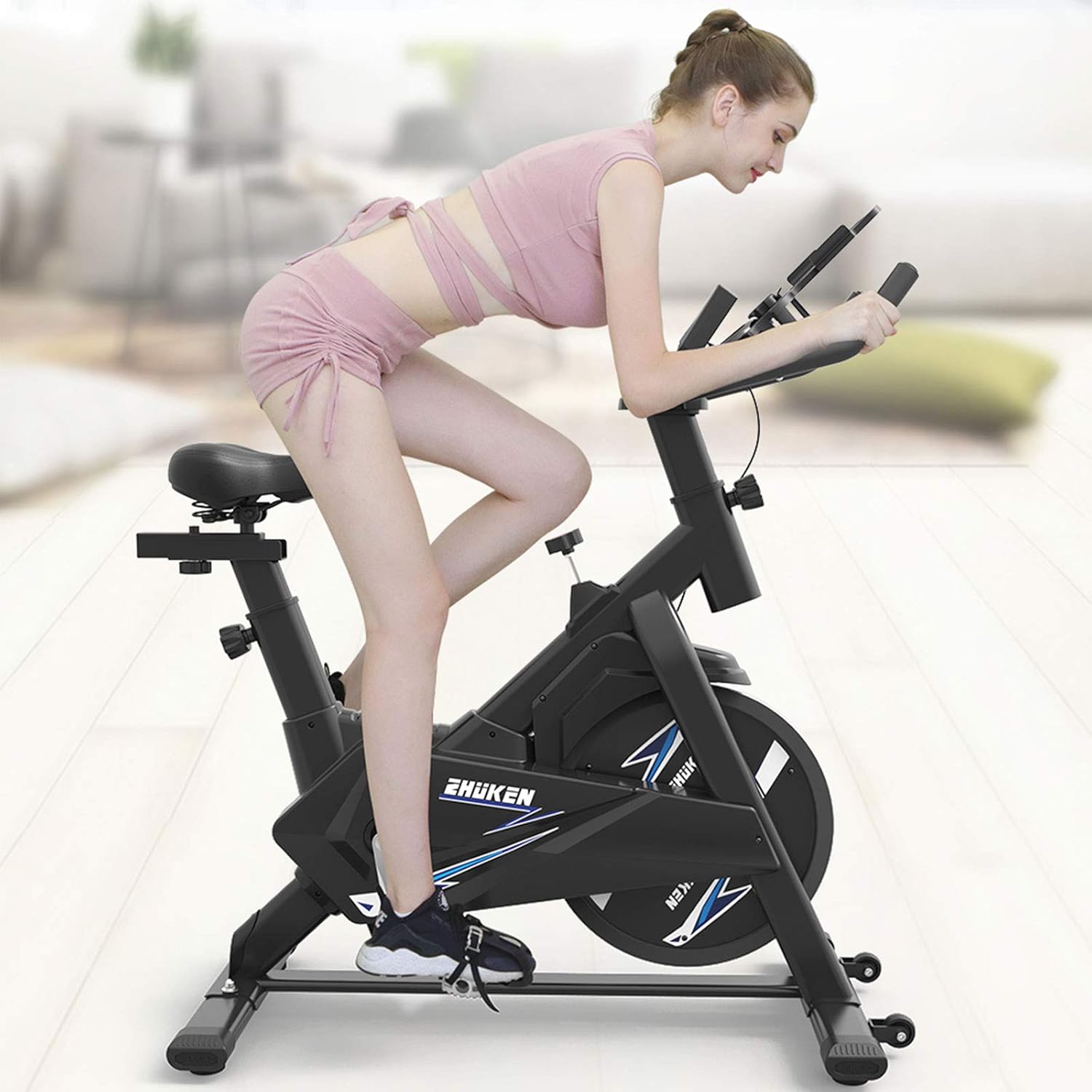
Image 8.1: Detailed dimensions of the exercise bike, including seat and handlebar height ranges.
9. Warranty and Support
ZHUKEN provides a 30-day return service for this product. For any issues or inquiries, please contact ZHUKEN customer support. Refer to your purchase documentation for specific warranty terms and contact information.
For assistance, please contact the seller directly through your purchase platform.