
1. Introduction
This manual provides detailed instructions for setting up, operating, and maintaining your Caixun EC43S1UA 43-inch 4K UHD HDR Smart TV. Please read this manual thoroughly before using your television to ensure proper operation and to maximize your viewing experience.

Image 1.1: Front view of the Caixun EC43S1UA 43-inch 4K UHD HDR Smart TV.
2. What's in the Box
Upon unpacking, please verify that all the following items are included:
- Caixun EC43S1UA 43-inch 4K UHD HDR Smart TV
- Remote Control
- User Manual (this document)
- 1-Year Warranty Card
- Power Cable
- TV Stands (if not wall-mounted)
- Screws for TV Stands
3. Setup
3.1 Attaching the TV Stands
If you are not wall-mounting your television, attach the included stands to the bottom of the TV. Ensure the stands are securely fastened with the provided screws. Refer to the diagram below for stand placement and dimensions.

Image 3.1: TV dimensions and port locations. Note the stand attachment points at the bottom.
3.2 Wall Mounting (Optional)
The Caixun EC43S1UA TV supports VESA wall mounts. A wall mount bracket is not included and must be purchased separately. Ensure the wall mount is compatible with the TV's VESA pattern and weight. The VESA mounting pattern for this model is 200mm x 200mm (7.9 inches x 7.9 inches).

Image 3.2: Rear view of the TV showing VESA mounting points (7.9" x 7.9" or 20cm x 20cm).
3.3 Connecting External Devices
Your TV offers various ports for connecting external devices such as gaming consoles, Blu-ray players, sound systems, and USB storage devices. Refer to the diagram below for port locations and types.
- HDMI (x3): For high-definition audio and video input from devices like cable boxes, game consoles, or media players.
- USB (x2): For connecting USB storage devices to play media files or for software updates.
- AV Input (x1): For connecting older devices using composite video and stereo audio cables.
- RJ45 (Ethernet x1): For a wired internet connection.
- Optical (x1): For digital audio output to a soundbar or home theater system.
- Earphone (x1): For connecting headphones.
- ATV&DTV (Antenna x1): For connecting an antenna for over-the-air broadcasts.
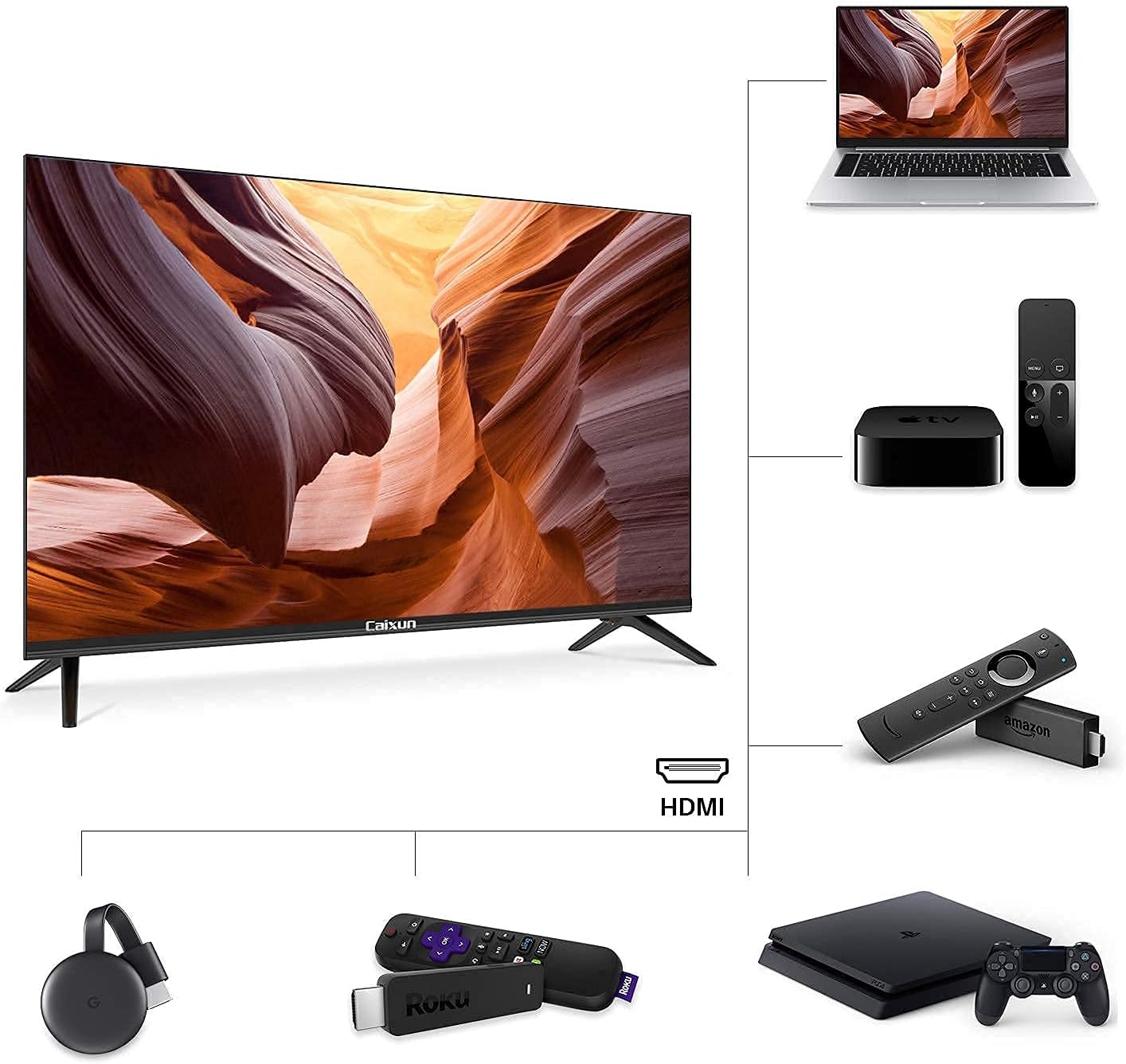
Image 3.3: Diagram illustrating various connectivity options for the TV, including HDMI, USB, and other inputs.
3.4 Initial Power-On and Network Setup
- Connect the power cable to the TV and a power outlet.
- Press the power button on the remote control or on the TV.
- Follow the on-screen instructions to complete the initial setup, including language selection, time zone, and network connection (Wi-Fi or Ethernet).
- If connecting to Wi-Fi, select your network and enter the password.
4. Operating Your TV
4.1 Remote Control Functions
The included remote control provides access to all TV functions. It features dedicated buttons for popular streaming services and a Google Assistant button for voice commands.

Image 4.1: The TV remote control, highlighting the Google Assistant button and quick access buttons for streaming services.
- Power Button: Turns the TV on or off.
- Number Buttons: For direct channel selection.
- Volume Up/Down: Adjusts the sound level.
- Channel Up/Down: Changes TV channels.
- Navigation Buttons (Up/Down/Left/Right/OK): Navigate menus and select options.
- Back: Returns to the previous screen or menu.
- Home: Accesses the Smart TV home screen.
- Google Assistant Button: Activates voice control for searching content, controlling smart home devices, and more.
- Quick Access Buttons: Direct access to applications like Netflix and YouTube.
4.2 Smart TV Features (Android TV)
Your Caixun TV runs on the Android TV operating system, providing access to a wide range of applications and features.

Image 4.2: The Google Play interface on the TV, showing available applications and games.
- Google Play Store: Download and install additional apps, games, and content.
- Pre-installed Apps: Access popular streaming services such as Netflix, YouTube, and Prime Video directly from the home screen.
- Google Assistant: Use voice commands for various functions.
- Chromecast built-in: Stream content from your phone, tablet, or laptop directly to the TV.
4.3 Using Google Assistant (Voice Control)
Press the Google Assistant button on your remote control to activate voice commands. Speak clearly into the remote to search for movies, shows, get recommendations, control smart home devices, check the weather, and more.

Image 4.3: Illustration of using the Google Assistant voice control feature with the remote.
4.4 Chromecast built-in
With Chromecast built-in, you can easily cast videos, photos, and music from compatible apps on your mobile device or computer to your TV screen. Ensure your device and TV are connected to the same Wi-Fi network.
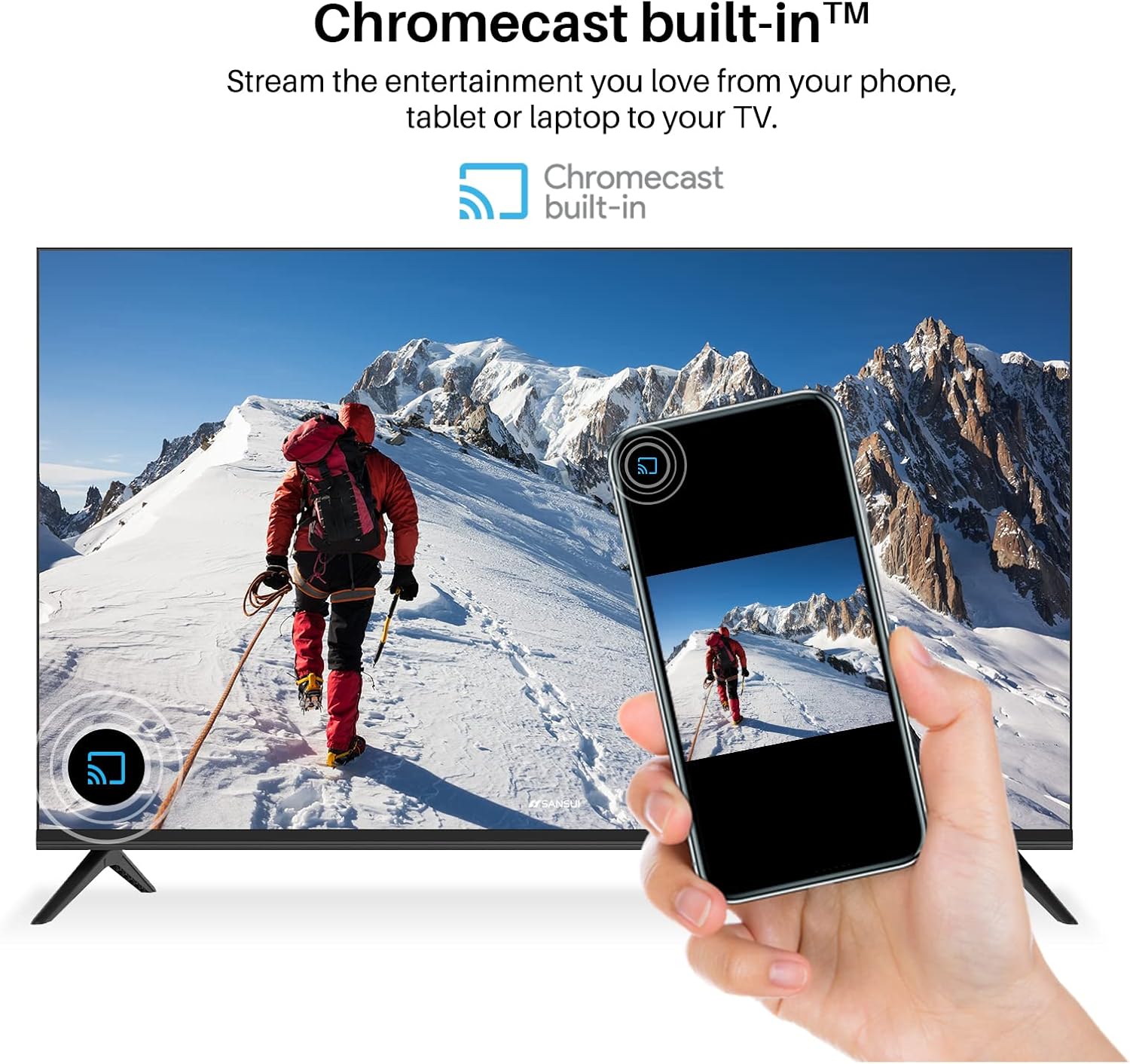
Image 4.4: A smartphone displaying content being cast to the TV using Chromecast built-in.
4.5 Picture Quality (4K UHD and HDR)
The Caixun EC43S1UA features 4K Ultra HD resolution (3840x2160) and supports HDR10 (High Dynamic Range). This combination delivers enhanced clarity, vibrant colors, and improved contrast, especially in scenes with both bright and dark elements.

Image 4.5: Comparison of Standard Dynamic Range (SDR) and High Dynamic Range (HDR) picture quality on the TV.
5. Maintenance
5.1 Cleaning the TV
- Always unplug the TV before cleaning.
- Use a soft, dry cloth to wipe the screen and cabinet.
- For stubborn marks, lightly dampen the cloth with water or a mild, non-abrasive screen cleaner. Do not spray cleaner directly onto the screen.
- Avoid using harsh chemicals, abrasive pads, or solvents as they can damage the TV's surface.
5.2 General Care
- Do not block ventilation openings on the back of the TV.
- Keep the TV away from direct sunlight, heat sources, and excessive dust.
- Avoid placing heavy objects on top of the TV.
- If moving the TV, ensure it is properly supported to prevent damage.
6. Troubleshooting
If you encounter issues with your TV, refer to the following common solutions:
| Problem | Possible Solution |
|---|---|
| No power |
|
| No picture, but sound is present |
|
| Remote control not working |
|
| Cannot connect to Wi-Fi |
|
7. Specifications
| Feature | Detail |
|---|---|
| Brand | Caixun |
| Model Number | EC43S1UA |
| Screen Size | 43 Inches |
| Display Technology | LED |
| Resolution | 4K UHD (3840x2160) |
| Refresh Rate | 60 Hz |
| High Dynamic Range (HDR) | HDR10 Compatible |
| Operating System | Android TV |
| Special Features | Chromecast built-in, Google Assistant |
| Connectivity Technology | Wireless (Wi-Fi, Bluetooth), HDMI (x3), USB (x2), Ethernet (RJ45), Optical, AV Input, Antenna (ATV&DTV) |
| Supported Internet Services | Google TV, Hulu, Netflix, Vudu, YouTube, Prime Video, Google Play |
| Aspect Ratio | 16:9 |
| Product Dimensions (L x W x H) | 37.7 x 22.1 x 3.5 inches (without stand) |
| Item Weight | 16.5 Pounds |
| Output Wattage | 80 Watts |
| Voltage | 120 Volts (AC) |
| VESA Mount Pattern | 200mm x 200mm (7.9" x 7.9") |
8. Warranty and Support
8.1 Warranty Information
Your Caixun EC43S1UA TV comes with a 1-Year Warranty. Please refer to the included Warranty Card for detailed terms and conditions. Keep your proof of purchase for warranty claims.
8.2 Customer Support
For further assistance, technical support, or warranty inquiries, please contact Caixun customer service. Contact information can typically be found on the warranty card or the official Caixun website.