
STRIVEHUGTOSUCCESS 9010C
User Manual for 1Din 9-inch Car Multimedia Player
Model: 9010C | Brand: STRIVEHUGTOSUCCESS
Introduction
Thank you for purchasing the STRIVEHUGTOSUCCESS 9010C 1Din 9-inch Car Multimedia Player. This device is designed to enhance your in-car entertainment and connectivity with features like FM radio, Bluetooth, USB/TF playback, touchscreen interface, and mirror link functionality for Android and iOS devices. Please read this manual thoroughly before operation to ensure proper use and to maximize the performance of your new car stereo.
Safety Information
Always prioritize safety while operating your vehicle. Do not operate the device in a way that distracts you from driving. Ensure all connections are secure and properly insulated to prevent short circuits or electrical hazards. Consult a professional for installation if you are unsure about any steps.
- Do not disassemble or modify the device.
- Keep the device away from water and excessive moisture.
- Avoid exposing the device to extreme temperatures.
- Ensure proper ventilation around the unit to prevent overheating.
- Always follow local traffic laws and regulations.
Product Overview and Features
The 9010C car multimedia player offers a range of features for an enhanced driving experience.


Key Features:
- 9-inch Capacitive Full Touch Screen: Large, responsive display for easy navigation and control. The screen can be adjusted vertically.
- Mirror Link (Android/iOS): Connect your smartphone via USB to mirror its screen onto the car stereo display. Android phones support two-way control, while iPhones support one-way control.
- Bluetooth 4.2: Built-in Bluetooth for hands-free calling, phonebook access, and wireless music streaming. Supports HD voice calls and noise reduction.
- FM Radio: High-quality digital stereo FM radio with automatic and semi-automatic station search. Listen to real-time traffic, news, and weather.
- Multimedia Playback: Supports various video and audio formats via TF card, USB, and AUX input. Features a full decode chip for 1080P HD playback.
- 4-Channel HiFi Sound Output: Delivers clear and powerful audio with independent high and low tone adjustment and excellent dynamic response.
- Steering Wheel Control Support: Allows quick and convenient control of essential functions directly from your car's steering wheel (optional accessory required).
- Colorful Button Lights: Customizable button illumination for aesthetic appeal.
- Fast Heat Dissipation: Designed with a 0.8mm thick hardware back for efficient cooling.
Setup and Installation
Proper installation is crucial for the performance and safety of your device. It is recommended to have the unit installed by a qualified professional.
Package Contents:
- Car Radio Unit x 1
- Instruction Sheet x 1
- Tail Line (Wiring Harness) x 1
- Remote Control x 1
- Camera x 1 (Optional)
- USB DVR x 1 (Optional)
- Steering Wheel Controller x 1 (Optional)
Screen Installation Steps:
Follow these steps to attach the screen to the main unit, as illustrated in Figure 4:

- Step 1: Push the cable compartment cover on the back of the display in the indicated direction to open it.
- Step 2: Carefully insert the flexible cable into the cable connector on the main unit, ensuring it is parallel and fully seated.
- Step 3: Fold the cable back neatly and close the cable compartment cover to secure the connection.
- Step 4: Pull the left and right snap buttons on the back of the monitor outwards to align with the main unit, then push the monitor firmly into place until it clicks and is securely fixed.
Operating Instructions
Basic Operation:
- Power On/Off: Press the power button on the front panel or remote control to turn the unit on or off.
- Volume Control: Use the volume knob or buttons on the front panel/remote to adjust the sound level.
- Source Selection: Tap the "Source" or "Mode" icon on the touchscreen to switch between FM radio, Bluetooth, USB, TF card, and AUX input.
Bluetooth Connectivity:

- Enable Bluetooth on your mobile device.
- On the car stereo, navigate to the Bluetooth menu.
- Search for available devices on your phone and select "9010C" (or similar device name).
- Confirm the pairing on both devices if prompted.
- Once paired, you can make hands-free calls and stream audio.
Mirror Link Function:
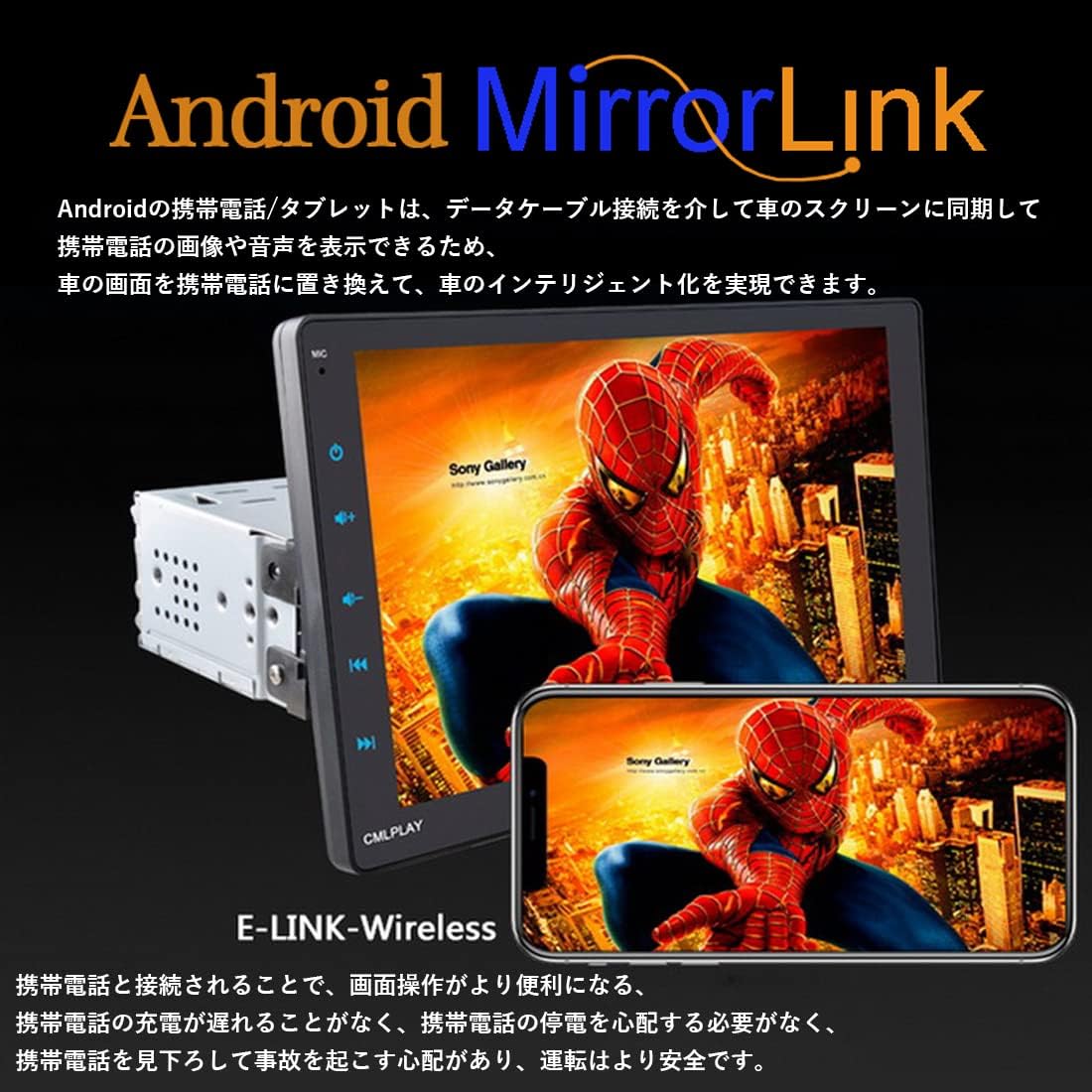
- Connect your Android or iOS smartphone to the unit's USB port using a data cable.
- On the car stereo, select the "Phonelink" or "Mirror Link" option.
- Follow the on-screen prompts to establish the connection.
- For Android, you may need to enable USB debugging in developer options.
- For iOS, ensure you trust the device when prompted.
FM Radio Operation:

- Select the "Radio" source on the main menu.
- Use the "Scan" or "Seek" function to automatically find and save stations.
- Manually tune to a frequency using the on-screen controls.
- Save your favorite stations to preset buttons for quick access.
Maintenance
To ensure the longevity and optimal performance of your car multimedia player, follow these maintenance guidelines:
- Cleaning: Use a soft, dry cloth to clean the screen and exterior. For stubborn smudges, slightly dampen the cloth with water or a screen-safe cleaner. Avoid abrasive materials or harsh chemicals.
- Temperature: Do not expose the unit to extreme temperatures, either hot or cold, for extended periods.
- Connections: Periodically check all wiring connections to ensure they are secure and free from corrosion.
- Software Updates: Check the manufacturer's website for any available software or firmware updates to improve performance and add new features.
Troubleshooting
If you encounter issues with your device, refer to the following common problems and solutions:
| Problem | Possible Cause | Solution |
|---|---|---|
| No power | Loose power connection, blown fuse | Check power wiring. Inspect and replace fuse if necessary. |
| No sound | Volume too low, incorrect source, speaker wiring issue | Increase volume. Select correct audio source. Check speaker connections. |
| Bluetooth not connecting | Bluetooth off, device not in pairing mode, interference | Ensure Bluetooth is on for both devices. Put unit in pairing mode. Move closer to the unit. |
| Mirror Link not working | Incorrect USB cable, USB debugging not enabled (Android), "Trust" not confirmed (iOS) | Use original data cable. Enable USB debugging. Confirm "Trust" on iOS device. |
| Poor FM reception | Antenna not connected, weak signal | Check antenna connection. Try tuning to a stronger station or relocate the vehicle. |
If the problem persists after trying these solutions, please contact customer support.
Specifications
| Feature | Specification |
|---|---|
| Model | 9010C |
| Machine Size | 230 x 135 x 165 mm |
| Weight | 0.8 kg |
| Input Voltage | 12V |
| Amplifier Power | 4 x 60W |
| Amplifier Model | 7388 |
| Resolution | 800 x 480 |
| Memory (RAM/ROM) | 512M x 64M |
| Screen Size | 9 inches |
| Bluetooth Version | 4.2 |
| Screen Type | Capacitive Full Touch |
| Button Light Color | Colorful |
| Mirror Link Support | Android / Apple (iOS) Dual Interconnect |
| Supported Languages | English, Chinese, Portuguese, Russian, German, Italian, French, Japanese, Turkish, Czech |
| Radio Tuner | FM |
| System | Android |
Warranty and Support
For warranty information and technical support, please refer to the warranty card included with your product or visit the official STRIVEHUGTOSUCCESS website. Keep your purchase receipt as proof of purchase for warranty claims.
If you require further assistance, please contact our customer support team:
- Email: support@strivehugtosuccess.com
- Website: www.strivehugtosuccess.com
Ask a question about this manual
Ask about setup, troubleshooting, compatibility, parts, safety, or missing instructions. Manuals+ will review the question and use this page’s manual context to help answer it.