
1. Introduction
Thank you for choosing the TEZO TT06B Wireless Earbuds. These earbuds are designed to provide a high-quality audio experience with convenience and durability. Featuring Bluetooth 5.0 for stable connectivity, IPX8 waterproofing for active lifestyles, intuitive touch controls, and a portable charging case with Type-C quick charge, the TT06B earbuds are suitable for various activities, from sports to daily commutes.
2. Package Contents
Please ensure all items are present in your package:
- TEZO TT06B Wireless Earbuds (Left and Right)
- Portable Charging Case
- USB Type-C Charging Cable
- Silicone Ear Tips (Small, Medium, Large)
- User Manual
3. Product Overview
Familiarize yourself with the components of your TEZO TT06B Wireless Earbuds.
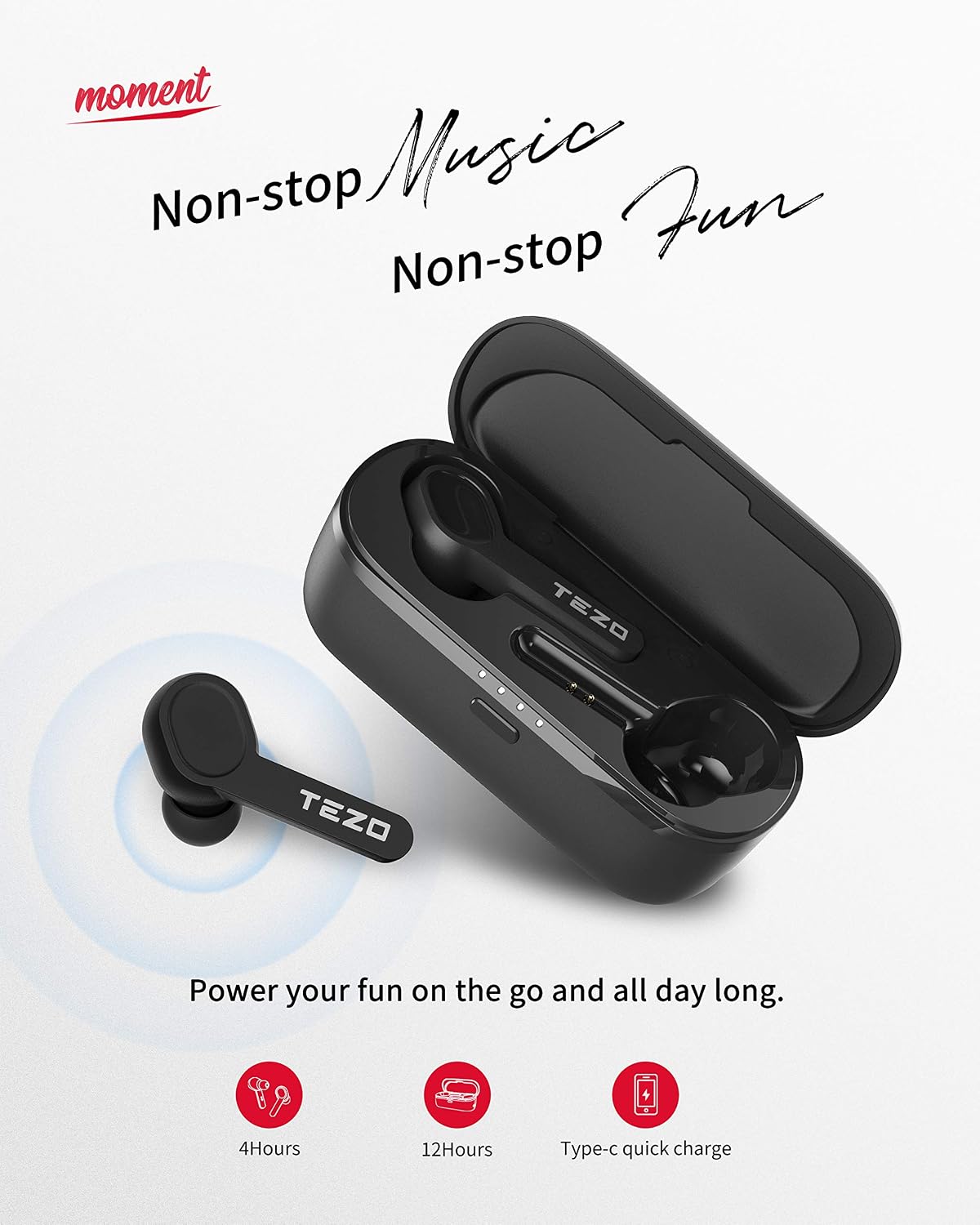
Image: TEZO TT06B Wireless Earbuds and Charging Case
The image above displays the TEZO TT06B wireless earbuds nestled within their charging case. The earbuds feature a sleek, in-ear design, and the charging case is compact, indicating portability. The case also shows LED indicators, likely for battery status.
4. Setup
4.1 Charging the Earbuds and Case
Before first use, fully charge the earbuds and the charging case.
- Charging the Case: Connect the provided USB Type-C cable to the charging port on the case and to a USB power adapter (not included). The LED indicators on the case will show charging status. A full charge for the case takes a short time, providing approximately 12 extra hours of playtime for the earbuds.
- Charging the Earbuds: Place the earbuds into the charging case. They will automatically begin charging. The earbuds can last for over 4 hours of playtime on a single charge.
4.2 Pairing with Your Device
The TEZO TT06B earbuds feature one-step auto-pairing for convenience.
- Ensure the charging case has sufficient power.
- Open the charging case and remove both earbuds. They will automatically power on and connect to each other.
- On your device (smartphone, tablet, etc.), enable Bluetooth and search for available devices.
- Select "TEZO TT06B" from the list of found devices to pair. Once connected, you will hear a confirmation tone.

Image: Pairing the TEZO TT06B Earbuds with a Device
This image illustrates the process of pairing the TEZO TT06B earbuds with a mobile device. The earbuds are shown outside their charging case, and a smartphone screen displays the Bluetooth settings, highlighting the 'TEZO' device ready for connection. This visual confirms the simple pairing steps.

Image: Automatic Pairing of Left and Right Earbuds
The image shows the left and right TEZO TT06B earbuds, indicating their individual 'L' and 'R' markings. A subtle graphic suggests an automatic connection between the two earbuds, emphasizing the auto-pairing feature once they are removed from the case.
4.3 Wearing the Earbuds
For optimal sound quality and comfort, choose the ear tips that best fit your ears. The TEZO TT06B comes with three different sizes of non-slip ergonomic earplugs. Insert the earbuds gently into your ear canal and rotate them slightly to find a secure and comfortable fit.
5. Operating Instructions
5.1 Touch Controls
The TEZO TT06B earbuds feature high-precision touch sensors for easy control of music and calls.

Image: TEZO TT06B Earbud Touch Control Functions
This image provides a visual guide to the touch control functions on the TEZO TT06B earbuds. It depicts an earbud with various icons around it, representing actions such as skipping tracks (forward/backward), playing/pausing music, answering/ending calls, and activating a voice assistant. The fingerprint graphic on the earbud indicates the touch-sensitive area.
- Play/Pause: Single tap on either earbud.
- Next Track: Double tap the right earbud.
- Previous Track: Double tap the left earbud.
- Answer/End Call: Single tap on either earbud during an incoming call.
- Reject Call: Press and hold either earbud for 2 seconds during an incoming call.
- Activate Voice Assistant: Triple tap on either earbud.
5.2 Power On/Off
- Power On: The earbuds automatically power on when removed from the charging case. To manually power on, press and hold the touch area on both earbuds for 3 seconds.
- Power Off: The earbuds automatically power off when placed back into the charging case. To manually power off, press and hold the touch area on both earbuds for 5 seconds.
5.3 Making Calls
The built-in microphone with noise reduction allows for clear hands-free calls. Use the touch controls as described above to manage calls.
6. Maintenance
6.1 Cleaning
Regular cleaning helps maintain optimal performance and hygiene.
- Gently wipe the earbuds and charging case with a soft, dry, lint-free cloth.
- For ear tips, remove them from the earbuds and clean with a mild soap solution if necessary, then rinse thoroughly and dry completely before reattaching.
- Do not use abrasive cleaners, alcohol, or chemical solvents.
6.2 Water Resistance (IPX8)
The TEZO TT06B earbuds are IPX8 waterproof, meaning they are protected against continuous immersion in water under specific conditions. This makes them suitable for strenuous workouts, rain, and splashes.

Image: TEZO TT06B Earbuds IPX8 Water Resistance
This image depicts a person enjoying water activities while wearing the TEZO TT06B earbuds, visually confirming their IPX8 waterproof rating. The text on the image highlights resistance to sweat, water, and rain, reinforcing the product's durability for active use.
Important: While IPX8 rated, it is not recommended to use the earbuds for swimming or diving. Ensure the earbuds are dry before placing them back into the charging case to prevent damage.
6.3 Storage
When not in use, store the earbuds in their charging case to protect them and keep them charged. Store in a cool, dry place away from extreme temperatures.
7. Troubleshooting
If you encounter issues with your earbuds, try the following solutions:
- Earbuds not pairing with each other: Place both earbuds back into the charging case, close the lid, wait a few seconds, then remove them again. They should automatically connect.
- Earbuds not connecting to device: Ensure Bluetooth is enabled on your device and the earbuds are in pairing mode. Forget "TEZO TT06B" from your device's Bluetooth list and try pairing again.
- No sound from one earbud: Ensure both earbuds are charged. Try placing them back in the case and removing them. If the issue persists, try resetting the earbuds.
- Charging issues: Check the Type-C cable and power adapter. Ensure the charging contacts on the earbuds and inside the case are clean and free of debris.
- Resetting the Earbuds: If issues persist, place both earbuds in the charging case. With the lid open, press and hold the button on the charging case (if available, or refer to specific product diagram for reset button location) for 10 seconds until the indicator lights flash, then release. This will reset the earbuds to factory settings.
8. Specifications
| Feature | Specification |
|---|---|
| Brand | TEZO |
| Model Number | TT06B |
| Connectivity Technology | Wireless (Bluetooth) |
| Bluetooth Version | 5.0 |
| Bluetooth Range | Up to 35 feet |
| Water Resistance | IPX8 |
| Control Method | Touch |
| Earbud Playtime | Over 4 hours (single charge) |
| Charging Case Additional Playtime | 12 hours |
| Charging Port | USB Type-C |
| Microphone | Built-in with Denoise |
| Ear Placement | In Ear |
| Included Components | Wireless Charging Case |
9. Warranty and Support
TEZO products are manufactured to high standards and undergo rigorous quality checks. For information regarding warranty coverage, technical support, or customer service, please refer to the warranty card included in your package or visit the official TEZO website. Please retain your proof of purchase for warranty claims.