
froggit DP60
froggit DP60 Wireless Flash Detector
Instruction Manual
Introduction
The froggit DP60 is a wireless flash detector designed to monitor lightning activity within a 40 km radius. This device integrates with other froggit weather systems, such as the DP1500 Wi-Fi Weather Server USB dongle and the HP1000SE PRO weather station, to provide real-time lightning data and alerts. This manual provides detailed instructions for the setup, operation, and maintenance of your DP60 detector.
Package Contents
- 1 x froggit DP60 Wireless Flash Detector
Note: Additional froggit devices like the DP1500 Wi-Fi Weather Server USB dongle or HP1000SE PRO weather station are sold separately and are required for full functionality.
Setup
1. Battery Installation
The DP60 requires 2 x 1.5V AA batteries (not included). Follow these steps to install them:
- Locate the battery compartment on the back of the DP60 detector.
- Gently slide open the battery cover.
- Insert two 1.5V AA batteries, ensuring correct polarity (+ and -).
- Close the battery cover securely.

Image 1: Rear view of the froggit DP60 Wireless Flash Detector with the battery compartment open, showing the slots for two AA batteries and the DIP switches.
2. Sensor Sensitivity Setting
The DP60 features selectable high or low sensor sensitivity to adapt to different environmental conditions and user preferences. This setting is typically adjusted using DIP switches located inside the battery compartment.
- Refer to the markings near the DIP switches (labeled 1, 2, 3, 4) for specific sensitivity configurations.
- Adjust the switches according to your desired sensitivity level. Consult the full product manual or froggit support for detailed DIP switch configurations.
3. Mounting the Detector
The DP60 is designed for outdoor use. Choose a location that provides an unobstructed view of the sky and is protected from direct heavy rain, if possible. The device has a mounting hole for easy installation.
- Select a suitable outdoor location.
- Use a screw or appropriate mounting hardware to secure the detector via its integrated mounting hole.
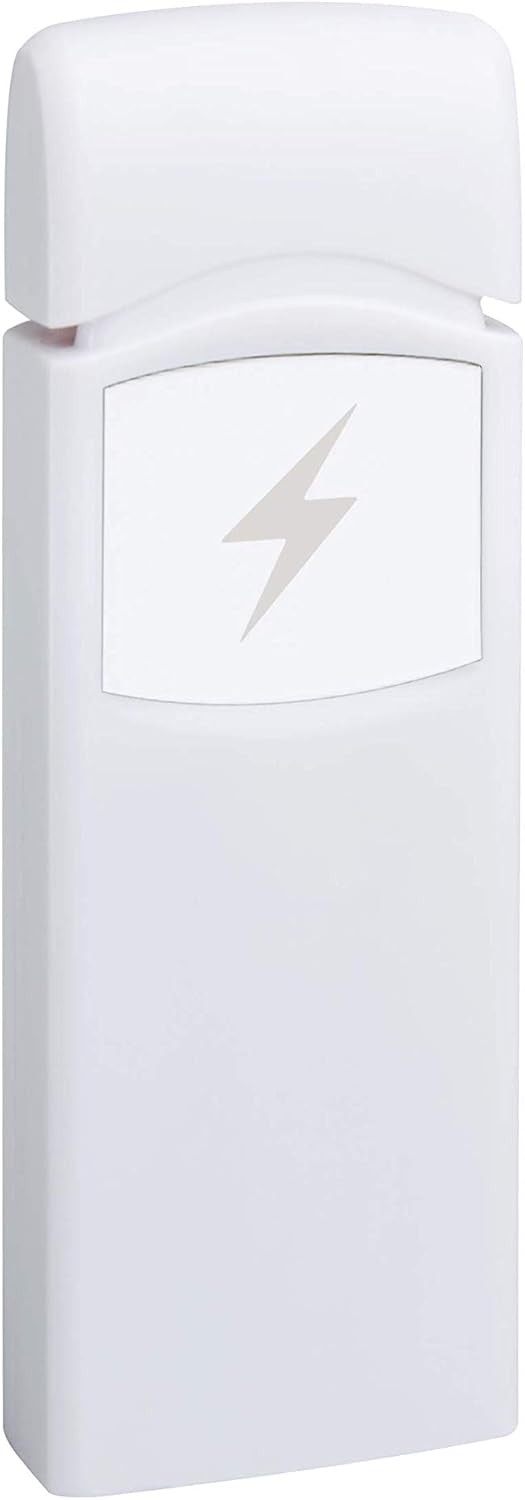
Image 2: Front view of the froggit DP60 Wireless Flash Detector, showing its compact design and lightning bolt symbol.
Operating the DP60
The DP60 operates by wirelessly transmitting detected lightning data to a compatible froggit receiver unit.
1. Data Transmission
- The DP60 transmits measurement values approximately every 79 seconds.
- It detects lightning flashes within a 40 km radius.
2. Integration with froggit DP1500 Wi-Fi Gateway
When paired with a froggit DP1500 Wi-Fi Gateway (sold separately), the DP60's data can be accessed via the WS-View mobile application.
- Ensure your DP1500 Wi-Fi Gateway is successfully configured and connected to the WS-View app.
- The DP1500 will receive data from the DP60.
- On the WS-View app's live data page, you can monitor:
- The daily number of lightning strikes.
- The time of the last detected impact.
- The distance of the last detected impact within a 40 km radius.
- The battery status of the DP60.
3. Integration with froggit HP1000SE PRO Weather Station
When paired with a froggit HP1000SE PRO weather station (sold separately), lightning data is displayed directly on the station's screen.
- Real-time lightning data will be shown on the HP1000SE PRO display.
- A flashing lightning symbol on the screen will alert you to detected lightning impacts.
Maintenance
1. Battery Replacement
Monitor the battery status via the WS-View app (if using DP1500) or your HP1000SE PRO weather station. Replace batteries when indicated to ensure continuous operation.
- Open the battery compartment as described in the Setup section.
- Remove the old batteries.
- Insert new 1.5V AA batteries, observing correct polarity.
- Close the battery cover.
2. Cleaning
Periodically clean the exterior of the DP60 with a soft, damp cloth. Do not use abrasive cleaners or solvents.
Troubleshooting
- No Lightning Detections:
- Check battery level and replace if necessary.
- Ensure the DP60 is within range of your receiver (DP1500 or HP1000SE PRO).
- Verify the sensor sensitivity setting. Adjust to high sensitivity if detections are consistently missed.
- Ensure there are actual lightning events occurring within the 40 km range.
- Incorrect Battery Status in App/Display:
- This can sometimes occur. Try replacing the batteries with fresh ones.
- Ensure the receiver unit (DP1500/HP1000SE PRO) has the latest firmware.
- No Data Received by Receiver Unit:
- Confirm the DP60 has fresh batteries.
- Ensure the receiver unit is powered on and functioning correctly.
- Check for obstructions between the DP60 and the receiver unit.
- Re-pair the DP60 with your receiver unit if applicable (refer to your receiver unit's manual for pairing instructions).
Specifications
| Model | DP60 |
| Brand | froggit |
| Sensor Type | Wireless Flash Detector |
| Detection Range | Up to 40 km |
| Transmission Interval | Every 79 seconds |
| Power Source | 2 x 1.5V AA Batteries |
| Color | White |
| UPC | 737925696543 |
| ASIN | B08B414F2G |
Warranty and Support
Information regarding specific warranty terms is not available in the provided product details. For warranty claims, technical support, or further assistance, please contact froggit customer service or refer to the official froggit website.
Manufacturer: froggit (HS Group GmbH & Co.KG)
Website: www.froggit.de