
1. Introduction
The Thermaltake Pacific TF2 Indicator is a sophisticated 2-in-1 coolant monitoring accessory engineered to provide real-time data on your liquid cooling system. It is designed to detect critical conditions such as high temperatures and low flow rates, helping to prevent potential hardware damage. Featuring a premium copper core construction, a high-quality LCD screen, and compatibility with TT RGB PLUS Software, the Pacific TF2 offers comprehensive monitoring capabilities for optimal system performance and safety.
2. Setup and Installation
Proper installation of the Pacific TF2 is crucial for accurate monitoring and system integrity. Follow these steps carefully:
- Unpacking: Carefully remove the Pacific TF2 from its packaging. Inspect for any signs of damage.
- Placement: Determine an optimal location within your liquid cooling loop. The device is designed for G1/4 thread compatibility. Ensure it is installed in a section of the loop where coolant flow is consistent and easily accessible for viewing the LCD.
- Connection: Securely attach the Pacific TF2 into your cooling loop using appropriate G1/4 fittings. Ensure all connections are tight to prevent leaks. It is recommended to perform a leak test before powering on your system.
- Power Connection: Connect the power cable from the Pacific TF2 to an available power source on your system.
- Software Integration (Optional): For advanced monitoring and control, connect the device to a compatible Thermaltake controller and install the TT RGB PLUS Software. This allows for digital readout and customization.

Image 1: The Thermaltake Pacific TF2 G1/4 Copper Core Temperature and Flow Indicator, showcasing its compact design and G1/4 threaded port.
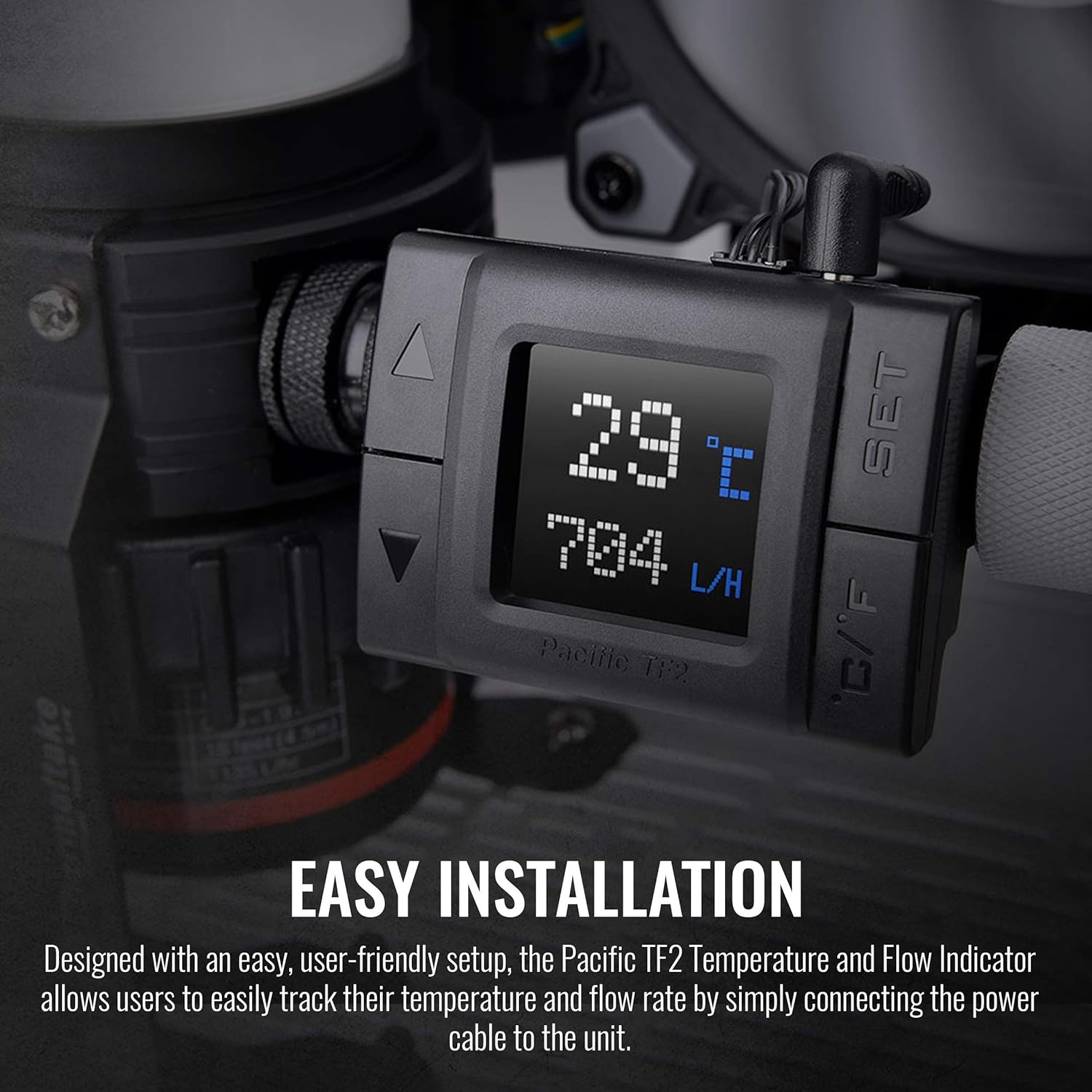
Image 2: The Pacific TF2 installed within a liquid cooling system, demonstrating its integration into the coolant loop.
3. Operating Instructions
The Pacific TF2 provides real-time monitoring through its integrated LCD and optional software.
3.1 LCD Display
The high-quality LCD screen displays both coolant temperature and flow rate. The temperature can be toggled between Celsius (°C) and Fahrenheit (°F) for user preference.
- Temperature Display: Shows the current coolant temperature.
- Flow Rate Display: Indicates the current coolant flow rate, typically in Liters per Hour (L/H).
- Unit Switching: Use the 'C/F' button on the device to switch between Celsius and Fahrenheit temperature units.

Image 3: A close-up view of the Pacific TF2's LCD monitor, clearly displaying temperature and flow rate readings.
3.2 Warning Alert Function
The Pacific TF2 features a built-in alarm system to alert you to critical conditions:
- High Temperature Alert: An audible alarm will activate if the coolant temperature exceeds a user-defined threshold.
- Low Flow Rate Alert: An audible alarm will activate if the coolant flow rate drops below a user-defined threshold.
- Setting Thresholds: Refer to the device's specific instructions or the TT RGB PLUS Software for details on how to set these alarm thresholds.
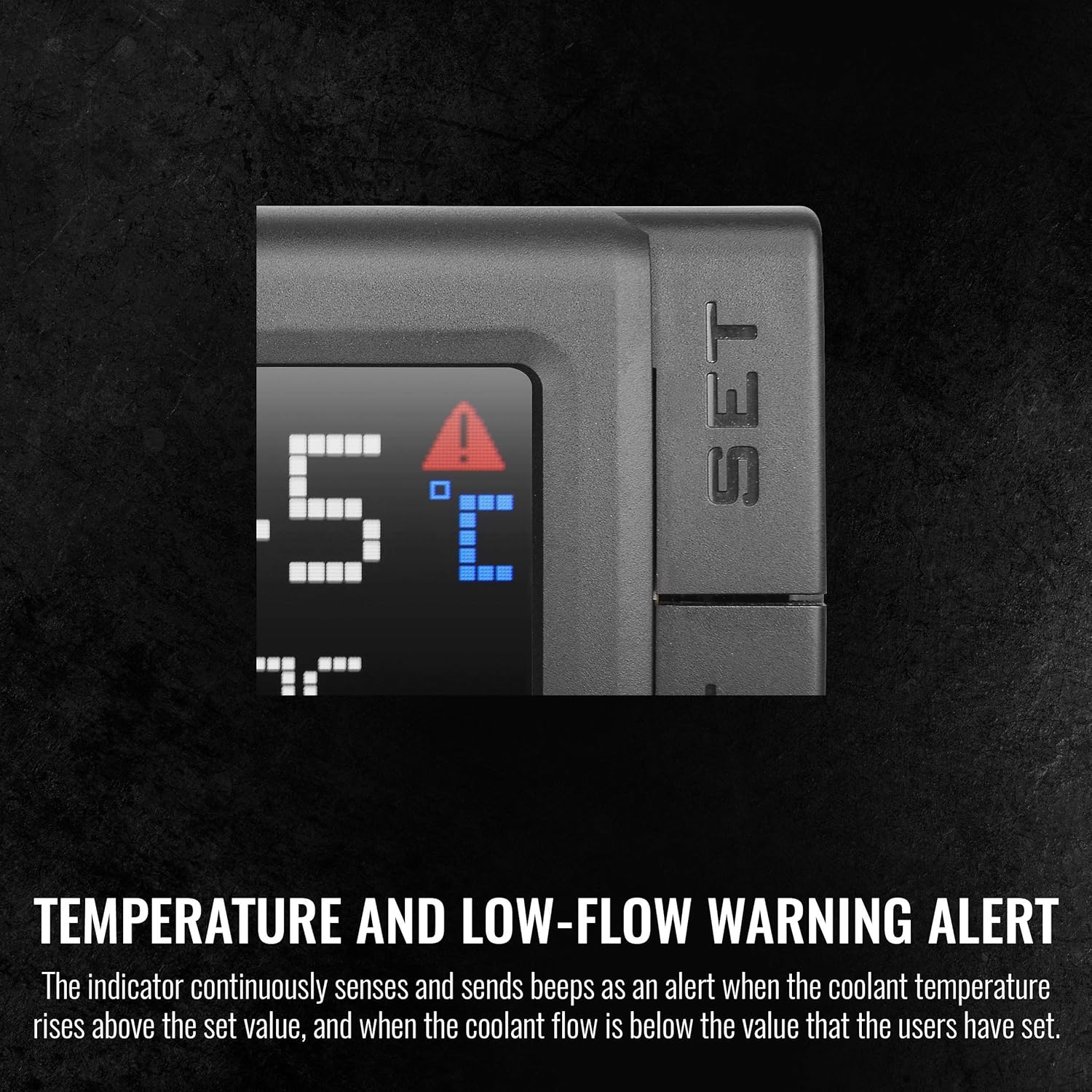
Image 4: The LCD screen displaying a warning alert, indicating a critical temperature or low flow condition.
3.3 TT RGB PLUS Software Monitoring
For enhanced monitoring and control, the Pacific TF2 can integrate with Thermaltake's TT RGB PLUS Software. This software provides a graphical interface to track real-time temperature and flow rate, allowing for more detailed analysis and customization of alerts.
- Real-time Data: View temperature and flow rate data directly on your computer.
- Customization: Adjust alarm settings and other parameters through the software interface.
- Digital Readout: Pair with selected Thermaltake CPU water blocks for integrated real-time information within the software.

Image 5: Screenshot of the TT RGB PLUS software interface, showing real-time temperature and flow rate monitoring from the Pacific TF2.
4. Maintenance
Regular maintenance ensures the longevity and accuracy of your Pacific TF2 Indicator.
- Cleaning: Periodically clean the exterior of the device with a soft, dry cloth. Avoid using harsh chemicals or abrasive materials.
- Coolant Quality: Ensure that the coolant used in your system is clean and free of debris. Contaminated coolant can affect the accuracy of the flow sensor and potentially damage the device.
- Connection Checks: Regularly inspect all fittings and connections for any signs of leaks or loose components. Tighten as necessary.
- Firmware Updates: Check the Thermaltake website for any available firmware updates for the Pacific TF2 to ensure optimal performance and compatibility.
5. Troubleshooting
If you encounter issues with your Pacific TF2, refer to the following common problems and solutions:
- No Display/Power:
- Verify that the power cable is securely connected to both the device and the power source.
- Ensure the power source is active.
- Inaccurate Temperature/Flow Readings:
- Check for air bubbles trapped near the sensor. Gently tilt the system to dislodge them.
- Ensure the coolant is flowing smoothly and there are no obstructions in the loop.
- If using TT RGB PLUS Software, ensure it is updated to the latest version.
- Alarm Constantly Triggering:
- Check the actual coolant temperature and flow rate. If they are genuinely outside safe parameters, address the underlying cooling system issue.
- Review the alarm thresholds set on the device or in the TT RGB PLUS Software. Adjust if they are too sensitive for your system's normal operating conditions.
- Ensure the pump is operating correctly and providing adequate flow.
- Leaks:
- Immediately power down the system.
- Inspect all fittings and connections around the Pacific TF2. Tighten any loose fittings.
- If a fitting is damaged, replace it.
If these steps do not resolve the issue, contact Thermaltake customer support for further assistance.
6. Specifications
| Feature | Detail |
|---|---|
| Brand | Thermaltake |
| Model Number | CL-W275-CU00SW-A |
| Item Weight | 7.1 ounces |
| Product Dimensions (LxWxH) | 4.5 x 4.4 x 2 inches |
| Color | Black |
| Connector Type | G1/4 |
| Display Type | LCD |
| Temperature Units | Celsius / Fahrenheit |
| Features | Temperature Monitoring, Flow Rate Monitoring, Warning Alert, TT RGB PLUS Software Compatibility |
7. Warranty and Support
Thermaltake products are manufactured to high quality standards. For information regarding warranty coverage, technical support, or service, please refer to the official Thermaltake website or contact their customer service department directly. Keep your proof of purchase for warranty claims.
Thermaltake Official Website: www.thermaltake.com