
1. Introduction
This manual provides essential instructions for the safe and effective use of your vhbw 19V 3.42A 65W Power Adapter, Model CT-1250. This power adapter is designed to provide reliable power to compatible HP monitors. Please read this manual thoroughly before use and retain it for future reference.
2. Safety Information
- Ensure the power adapter is used with compatible devices only. Refer to the compatibility section.
- Do not expose the adapter to water, moisture, or extreme temperatures.
- Avoid dropping or subjecting the adapter to strong impacts.
- Do not attempt to disassemble or repair the adapter. Contact customer support if issues arise.
- Keep out of reach of children.
- Unplug the adapter from the power outlet when not in use for extended periods.
3. Package Contents
The package includes:
- 1 x vhbw 19V Power Adapter
- 1 x Connector Cable (with 5.5*2.5mm tip and 4.5*3.0mm blue terminal adapter)

Image 3.1: Contents of the vhbw power adapter package, showing the main adapter unit, power cord, and the L-shaped connector tip.
4. Setup and Connection
Follow these steps to connect your power adapter to your HP monitor:
- Identify the Correct Connector Tip: The power adapter comes with a connector cable that includes two types of tips: a standard black 5.5*2.5mm tip and a blue 4.5*3.0mm adapter tip. Carefully examine your HP monitor's power port to determine which tip is required.
- If your monitor's power port has a metal pin inside, use the black connector tip.
- If your monitor's power port has only a small circular opening with no metal pins inside, use the blue adapter cable.
- Connect to Monitor: Insert the appropriate connector tip firmly into the power input port of your HP monitor.
- Connect to Power Outlet: Plug the power cord into a standard 100-240V AC power outlet. The adapter features a green LED indicator that will illuminate when power is supplied.

Image 4.1: Illustration of different monitor power port types and the appropriate power adapter tips to use.
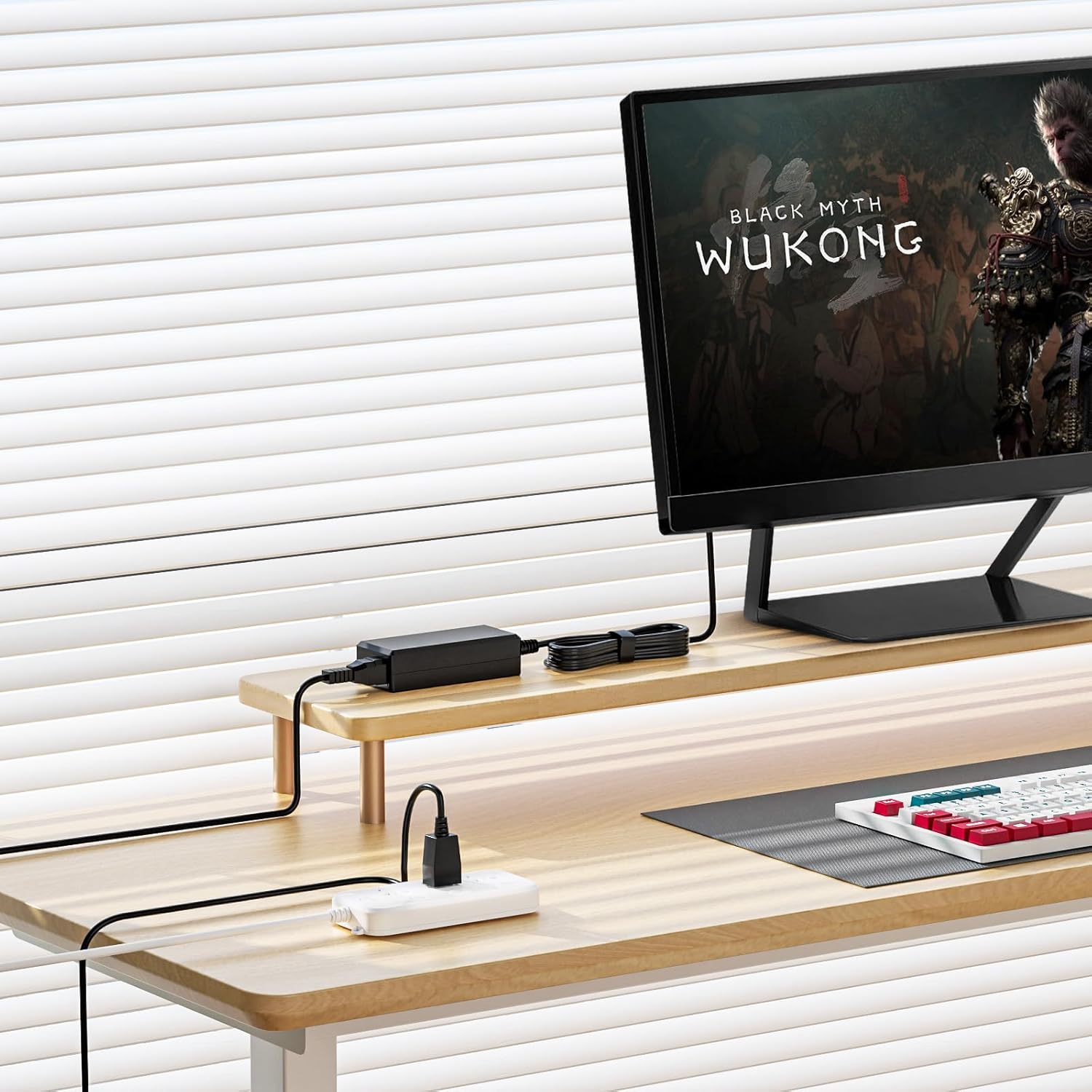
Image 4.2: Visual guide demonstrating how to select the correct connector tip based on the monitor's power input port.
Video 4.1: A demonstration of connecting the 19V 3.42A power cord to an HP monitor and a power outlet, showing the power indicator light.

Image 4.3: The power adapter correctly set up and connected to an HP monitor on a desk, illustrating a typical usage scenario.
5. Operating Instructions
Once properly connected, the power adapter will supply the necessary 19V power to your HP monitor. The green LED indicator on the adapter confirms that it is receiving power and functioning correctly. Your monitor should power on as usual.
6. Compatibility
This power adapter is compatible with a wide range of HP monitors requiring 19V input. Please verify your monitor's power requirements and connector type before use.
6.1. Compatible Models
The vhbw power adapter is compatible with many HP monitors, including but not limited to:
- HP 24f, 25f, vh240a, 20xi C4D33AA#ABA
- HP 22cwa T4Q59AA, 22CW, 22XW
- HP 23XW, 23cw, 23tm TOUCH E1L11AA#ABA, 23xi C3Z94AA#ABA
- HP 24XW, 24ea, 24ec, 24mh
- HP 25CW, 25bw C3Z96AA, 25xi C3Z97AA#ABA, 25xw
- HP 27xi C4D27AA#ABA, 27er, 27xw, 27CW
- HP Pavilion 27, 27xw, 27xi, 27bw, 25, 24ea, 25xw, 25bw, 25xi, 22xi, 22cwa, 22bw, 22fi, 23, 23bw, 23cw, 23xi, 23fi, 23er, 20xi
- HP Pavilion 22bw, 22cwa, 22fi, 22er, 22es, 23bw, 23vx, 23cw, 23tm, 23er, 23es, 23fi, 23xw, 24ea, 24es, 24m, 25bw, 25er, 25vx, 25xi, 25xw, 27bw, 27fw, 27xi, 27er, 27xw, 32f IPS Monitor
- HP 23.8" 1D0J9AA#ABA; HP 27" 22H94AA#ABA
- Part Numbers: ADPC1945, ADPC1965, J7Y67AA#ABA, J7Y75AA#ABA, J7Y65AA#ABA, ADPC-1945, ADPC-1965, 700392-001, 735297-001, 700392001, 735297001, 700393-001, E1L11AA#ABA, T3M76AA#ABA, C3Z96AA, C3Z97AA#ABA, C4D27AA#ABA

Image 6.1: A visual representation of several compatible HP monitor models.
6.2. Not Compatible With
This power adapter is not compatible with the following models:
- HP 2011X, 2211X, 2311X, 2511X, 2711X, 27h
- HP M22F, M24F, M24FW, M24FWA, M24FE, M27F, M27FW, M27FQ, M27FWA, M27FE, M32F
- Desktop All-in-One computers
- HP Laptops

Image 6.2: Examples of HP monitor models and device types that are not compatible with this power adapter.
7. Specifications
| Input Voltage Range | 100-240V AC |
| Output Max | 19V 3.42A (65W Max) |
| Compatible Output | 19V 1.58A / 2.1A / 2.37A / 3A |
| Connector Type | 5.5*2.5mm (black tip), 4.5*3.0mm (blue terminal adapter) |
| Product Dimensions | 4.2 x 1.8 x 1.2 inches |
| Item Weight | 6 ounces |
| Cable Length | 8.2 feet (approx.) |
| Safety Certifications | ETL, CE, FCC, RoHS |
7.1. Safety Features
The power adapter is equipped with multiple protection mechanisms to ensure safe operation:
- Over-voltage protection
- Over-load protection
- Over-current protection
- Short circuit protection
- Active Shield
- Grounded Protection
- Internal Safety Shutters
- Surge Protection
- Fire-Resistance

Image 7.1: An illustration detailing the eight built-in safety protection features of the power adapter.
8. Maintenance
To ensure the longevity and optimal performance of your power adapter:
- Keep the adapter clean and free from dust. Use a soft, dry cloth for cleaning.
- Avoid wrapping the cable too tightly, which can cause damage over time.
- Store the adapter in a cool, dry place when not in use.
9. Troubleshooting
If you encounter issues with your power adapter, consider the following:
- Monitor Not Powering On:
- Ensure the power adapter is securely plugged into both the monitor and the wall outlet.
- Check if the green LED indicator on the adapter is lit. If not, try a different power outlet.
- Verify that the correct connector tip is being used for your monitor's power port (refer to Section 4).
- Loose Connection: If the connection feels loose, double-check that the correct tip is inserted fully. Some monitors may require the blue adapter cable if they lack internal metal contact pins.
- Adapter Overheating: If the adapter feels excessively hot, unplug it immediately. Ensure it is used in a well-ventilated area and not covered. If overheating persists, discontinue use and contact customer support.
10. Warranty and Support
This product is designed for reliability and performance. While specific warranty details are not provided in this manual, we offer 24-hour customer service to assist with any problems you may encounter with our products. Please contact us directly for support or warranty inquiries.
For assistance, please refer to the contact information provided with your purchase or visit the vhbw official website.