
POWTREE Dyson V8 Battery Replacement
POWTREE V8 SV10 Replacement Battery User Manual
Model: Dyson V8 Battery Replacement
Introduction
This user manual provides essential information for the safe and effective use of your POWTREE Upgraded 6000mAh V8 SV10 Replacement Battery. This high-capacity Li-ion battery is designed to be fully compatible with various Dyson V8 series cordless vacuum cleaners, offering reliable and long-lasting power for your cleaning needs.
Please read this manual thoroughly before installation and operation to ensure optimal performance and safety.
What's in the Box
- 1 x POWTREE V8/SV10 Replacement Battery (Part No. 215681/967834 05)
Product Specifications
| Feature | Detail |
|---|---|
| Battery Type | Lithium-ion |
| Voltage | 21.6 Volts |
| Capacity | 6000mAh |
| Product Dimensions | 5.9 x 3.9 x 5.9 inches |
| Item Weight | 1.38 pounds |
| Compatible Models | Dyson V8 Absolute, V8 Animal, V8 FLUFFY, V8 Motorhead, V8 Cordless HEPA Vacuum, 214730-01 Cord-Free Vacuum, V8 Animal Cordless Stick Vacuum, V8 Animal Cord-Free Vacuum, V8 Absolute Stick Vacuum Pet Hair Vacuum, and V8 Animal Plus. |
| Certifications | CE/RoHS/FCC certified |

Image: The POWTREE V8 SV10 Replacement Battery, highlighting its 6.0Ah capacity, 21.6V voltage, and Li-ion cell type.
Important Safety Warnings
- Always remove the battery pack from your tool when you are assembling parts, making adjustments, cleaning, or when not being used for an extended time.
- If you don't plan on using the Power Tool Battery for a month or more, store it in a clean, dry, cool place away from heat and metal objects.
- Ni-Cd, Ni-MH, and Li-ion batteries will self-discharge during storage; remember to recharge the batteries before use.
- Do not leave the battery dormant for long periods of time. We recommend using the battery at least once every two to three weeks.
- The battery features overload protection, over current protection, short circuit protection, and high temperature protection. However, always handle with care.

Image: The POWTREE V8 SV10 Replacement Battery, illustrating its built-in protections against over-current, over-heat, short circuit, and over-charge.
Installation Guide
Replacing your Dyson V8 vacuum's battery is a straightforward process. Follow these steps carefully:
- Preparation: Ensure your Dyson V8 vacuum cleaner is turned off and unplugged from its charger. Place the vacuum on a clean, flat surface.
- Locate the Old Battery: The battery pack is typically located at the bottom of the main body of the vacuum, near the handle. It is secured by screws.
- Remove Screws: Use an appropriate screwdriver (often a Phillips head) to carefully remove the screws holding the old battery in place. There are usually two screws, one at the front and one at the back of the battery pack.
- Remove Old Battery: Once the screws are removed, gently slide the old battery pack out of its housing.
- Insert New Battery: Align the new POWTREE replacement battery with the battery slot. Ensure the connectors are properly aligned. Slide the new battery firmly into place until it clicks or sits flush.
- Secure New Battery: Reinsert and tighten the screws to secure the new battery pack. Do not overtighten.
- First Charge: It is recommended to fully charge the new battery before its first use. Connect your Dyson V8 vacuum to its original charger. The battery indicator light will show charging status.

Image: The POWTREE V8 SV10 Replacement Battery, ready for installation.

Image: The POWTREE V8 SV10 Replacement Battery, demonstrating its compatibility and identical size and function to the original Dyson V8 battery, suitable for V8 Animal, V8 Absolute, V8 Fluffy, and V8 Motorhead models.
Operating Your Vacuum with the New Battery
Once the new POWTREE battery is installed and fully charged, your Dyson V8 vacuum cleaner is ready for use. The battery provides an upgraded 6000mAh capacity, offering extended run time compared to original 2100mAh batteries.
- Power Modes: The battery supports both Low and Max Mode suction power. Run time will vary depending on the selected mode (approximately 20-30 minutes).
- Battery Indicator: The on-board fuel gauge (LED lights) on the battery pack will indicate the remaining charge.
- Charging: Use your original Dyson V8 charger to recharge the battery. The battery is 100% compatible with the original charging system.
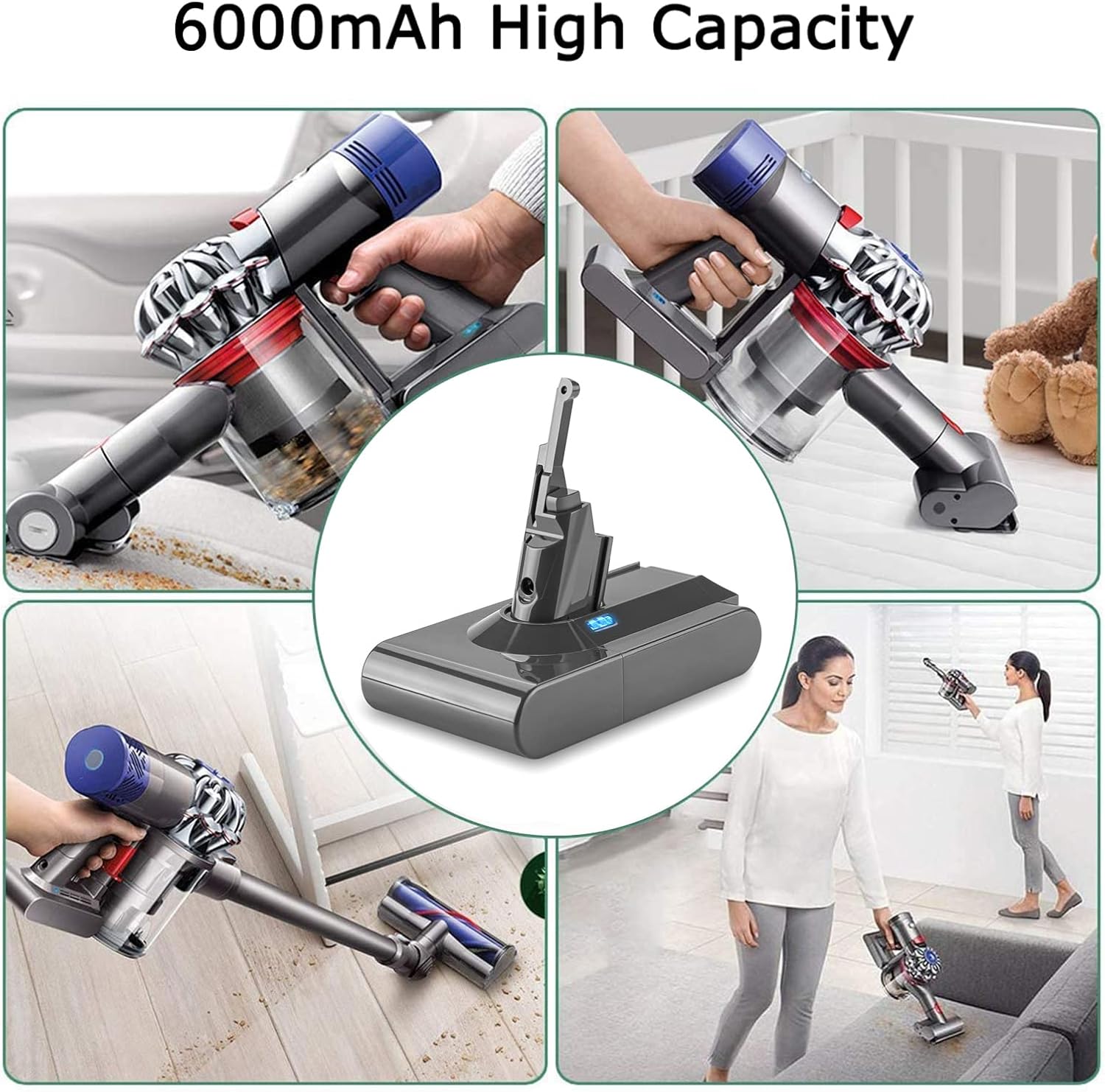
Image: The POWTREE V8 SV10 Replacement Battery integrated into a Dyson V8 vacuum cleaner, shown in various cleaning applications, demonstrating its 6000mAh high capacity for extended use.
Maintenance and Storage
- Regular Use: To maintain battery health, avoid leaving the battery dormant for extended periods. Use the battery at least once every two to three weeks.
- Storage: If storing the battery for a month or longer, ensure it is partially charged (around 50%) and stored in a clean, dry, cool place away from direct heat, moisture, and metal objects.
- Cleaning: Keep the battery contacts clean and free from dust and debris. Use a dry cloth to wipe the battery if needed.
- Charging Practices: Always use the original Dyson charger. Avoid overcharging or completely draining the battery frequently, as this can impact its lifespan.
Troubleshooting
| Problem | Possible Cause | Solution |
|---|---|---|
| Battery not charging | Charger not connected properly; Faulty charger; Battery not seated correctly. | Ensure charger is securely plugged in. Try a different outlet. Re-seat the battery in the vacuum. |
| Short run time | Battery not fully charged; Using Max Mode excessively; Battery degradation over time. | Fully charge the battery. Use Low Mode for longer cleaning sessions. Ensure regular usage as per maintenance guidelines. |
| Vacuum not powering on | Battery not installed correctly; Battery completely drained; Internal vacuum issue. | Check battery installation. Charge the battery. If issues persist, consult Dyson's vacuum manual or support. |
Warranty and Support
POWTREE stands behind the quality of its products. Your POWTREE V8 SV10 Replacement Battery comes with the following:
- 30 Days Full Refund and Return: If you are not satisfied within 30 days of purchase.
- 365 Days Limited Warranty: For manufacturing defects or performance issues under normal use.
- 24 Hours Warmly Service: Dedicated customer support available to assist you.
For any questions or support, please contact us by clicking the "Ask a question" link on our storefront or the "contact seller" option in your order details.
Ask a question about this manual
Ask about setup, troubleshooting, compatibility, parts, safety, or missing instructions. Manuals+ will review the question and use this page’s manual context to help answer it.