
1. Introduction
The SUPLA SBW-02 WiFi Receiver is an integrated 2-channel module designed for convenient control of gates and garage doors. It allows seamless integration with existing gate motors, enabling remote operation via the Supla mobile application. This device is suitable for direct mounting within the motor housing and operates with a universal 12-24V AC/DC power supply, making it versatile for various applications. By connecting limit switch signals to the control unit's inputs, users can monitor the opening and closing status of their gate or door. The SBW-02 offers wireless control and monitoring capabilities via Wi-Fi, providing enhanced comfort and security from anywhere in the world through the Supla mobile application.
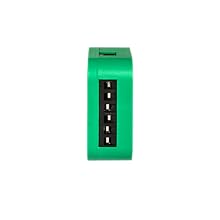
Image 1.1: Front view of the SUPLA SBW-02 WiFi Receiver module.
2. Safety Information
- Read this manual thoroughly before installation and operation.
- Installation must be performed by a qualified electrician in accordance with local electrical codes and regulations.
- Ensure the power supply is disconnected before performing any installation, wiring, or maintenance.
- The device operates on 12-24V AC/DC. Verify your power source matches these requirements.
- Do not expose the device to moisture, extreme temperatures, or direct sunlight. The operating temperature range is -20°C to +55°C.
- The housing protection rating is IP20, meaning it is protected against solid objects larger than 12.5mm but has no protection against water. Install in a dry, protected environment.
- Use wires with a cross-section up to 2.5 mm² for connections.
- This device is compliant with EN 61010-1 standards.
3. Product Overview
The SBW-02 is a compact WiFi receiver designed for smart control of gates and garage doors. It features two independent channels, allowing control of one gate and one door, or two separate gates.
Key Features:
- Dual Channel Control: Manages two independent outputs for gate or door operation.
- Universal Power Supply: Compatible with 12-24V AC/DC power sources.
- Wi-Fi Connectivity: Operates on Wi-Fi 2.4GHz 802.11b/g/n for remote access.
- Status Monitoring: Connects to limit switches to provide real-time gate/door status (open/closed).
- Mobile App Control: Full control and monitoring via the Supla mobile application from anywhere.
- Compact Design: Designed for direct mounting within a gate drive or a standard Ø 60mm installation box.
- Voice Assistant Compatibility: Works with popular voice assistants like Google Home.

Image 3.1: The SUPLA SBW-02 allows control of gates and doors from anywhere in the world via the mobile application. It features two independent channels and universal 12-24V AC/DC power.
4. Installation and Setup
4.1. Wiring Diagram
The SBW-02 is designed for simple installation within a Ø 60 mm installation box or directly into the gate motor housing. Refer to the diagram below for proper wiring.

Image 4.1: Wiring diagram for the SBW-02 module, showing connections for power (12-24V AC/DC), Wi-Fi, and two output channels (OUT1, OUT2) for gate control, along with inputs (IN1, IN2) for limit switches.
4.2. Quick Start Guide (5 Steps)
Follow these steps to quickly set up and commission your SUPLA SBW-02 device:
- Install the Application: Download and install the official Supla mobile application on your smartphone or tablet.
- Create Account / Log In: Open the Supla app and either create a new user account or log in with your existing credentials.
- Connect to Power: Connect the SBW-02 module to a 12-24V AC/DC power supply according to the wiring diagram.
- Add Device: Within the Supla application, follow the on-screen instructions to add your new SBW-02 device. This typically involves putting the device into configuration mode (e.g., by pressing a button) and connecting it to your Wi-Fi network.
- Control Devices: Once successfully added, you can now control and monitor your connected gates or doors through the Supla app.

Image 4.2: Visual representation of the 5-step quick start guide for the SUPLA SBW-02.
4.3. Downloading the SUPLA Application
The SUPLA application is available for both Android and iOS devices. You can download it by scanning the QR code below or by visiting the provided link:

Image 4.3: QR code and app store logos for downloading the SUPLA mobile application.
Download Link: http://onelink.to/t6bzdj
5. Operating Instructions
5.1. Mobile Application Control
Once the SBW-02 is configured and connected to your Supla account, you can control your gates and doors directly from the mobile application. The app provides an intuitive interface to:
- Open and close gates/doors remotely.
- Monitor the real-time status (open/closed) of each connected channel.
- Set up schedules or automation rules for gate/door operation.
- Receive notifications regarding gate/door status changes.
5.2. Voice Assistant Integration
The SUPLA SBW-02 supports integration with popular voice assistants, such as Google Home. This allows for hands-free control of your gates and doors.
- Connecting to Voice Assistant: Follow the instructions within the Supla app or your voice assistant's app (e.g., Google Home app) to link your Supla account.
- Voice Commands: Once linked, you can use simple voice commands to operate your devices. For example, "Ok Google, open the garage door" or "Ok Google, close the gate."

Image 5.1: The SUPLA system integrates with voice assistants like Google Home for convenient hands-free control.
6. Maintenance
The SUPLA SBW-02 WiFi Receiver is designed for minimal maintenance.
- Cleaning: Periodically wipe the device with a dry, soft cloth. Do not use liquid cleaners or solvents.
- Firmware Updates: Ensure your device's firmware is up to date through the Supla mobile application to benefit from the latest features and security enhancements.
- Connection Check: Regularly check the physical connections to ensure they are secure and free from corrosion.
- Environmental Conditions: Ensure the device remains within its specified operating temperature range (-20°C to +55°C) and is protected from moisture, as its IP20 rating does not provide water protection.
7. Troubleshooting
| Problem | Possible Cause | Solution |
|---|---|---|
| Device not powering on. | Incorrect power supply voltage; loose wiring; faulty power source. | Verify power supply is 12-24V AC/DC. Check all wiring connections. Test the power source. |
| Cannot connect to Wi-Fi. | Incorrect Wi-Fi password; device too far from router; 5GHz network selected; Wi-Fi interference. | Ensure correct 2.4GHz Wi-Fi password. Move device closer to router. Ensure router is broadcasting 2.4GHz. Reduce interference. |
| Gate/door not responding to app commands. | No internet connection; device offline; incorrect wiring to gate motor; motor issue. | Check internet connectivity on your phone. Verify device status in Supla app. Inspect wiring to gate motor. Test gate motor manually. |
| Incorrect gate/door status displayed. | Limit switches incorrectly wired or faulty. | Check wiring of limit switches to IN1/IN2. Ensure limit switches are functioning correctly. |
8. Specifications
| Feature | Detail |
|---|---|
| Model Number | SBW-02 |
| Brand | Supla (by Zamel) |
| Power Supply | 12-24V AC/DC |
| Transmission | Wi-Fi 2.4GHz 802.11b/g/n |
| Emission Power | ERP < 20 mW |
| Rated Frequency | 50 Hz |
| Rated Power | 0.6 W |
| Number of Inputs | 2 (for limit switches) |
| Number of Output Channels | 2 |
| Relay Contacts | 2 x potential-free contact, 3 A/250 V AC |
| Maximum Output Current | 3 A / 24 V AC |
| Maximum Output Load | 3 A / 250 V AC |
| Number of Terminals | 8 (for wires up to 2.5 mm² cross-section) |
| Operating Temperature Range | -20°C to +55°C |
| Housing Protection Rating | IP20 |
| Dimensions (L x W x H) | 47 x 47 x 20 mm (4.7 x 4.7 x 2 cm) |
| Weight | 4.54 grams |
| Compliant Specifications | EN 61010-1 |
| Country of Origin | Poland |
9. Warranty and Support
9.1. Warranty Information
The SUPLA SBW-02 WiFi Receiver comes with a standard manufacturer's warranty. Please refer to the warranty card included in your product packaging or visit the official Supla/Zamel website for detailed warranty terms and conditions. Keep your proof of purchase for warranty claims.
9.2. Technical Support
For technical assistance, troubleshooting beyond this manual, or inquiries about your SUPLA SBW-02 device, please contact Supla/Zamel customer support.
- Online Resources: Visit the official Supla website (supla.org) for FAQs, additional documentation, and community forums.
- Contact Information: Specific contact details (phone, email) can usually be found on the product packaging or the official website.