Introduction
This manual provides detailed instructions for the assembly, operation, and maintenance of your HOMIDEC 63 inch Computer Desk with 4-Tier Storage Shelves. Please read these instructions carefully before beginning assembly to ensure proper setup and safe use of the product. Keep this manual for future reference.

Image: The HOMIDEC 63 inch Computer Desk with 4-Tier Storage Shelves, showcasing its design and storage capabilities in a home office environment.
Safety Information
Important Safety Precautions:
- Always secure the desk to the wall or floor to prevent tipping, especially on uneven surfaces.
- Do not place heavy objects on the shelves that could cause the desk to become top-heavy and unstable.
- Ensure all screws and fasteners are tightened securely during assembly and periodically check for tightness.
- Keep small parts away from children during assembly to prevent choking hazards.
Package Contents
Before beginning assembly, please verify that all components listed below are present and undamaged. If any parts are missing or damaged, please contact customer support.
- Desktop Panel (1)
- Shelf Panels (4)
- Main Frame Components (Legs, Crossbars)
- Shelf Frame Components
- Adjustable Foot Pads (Set)
- Assembly Hardware (Screws, Allen Wrench)
- Instruction Manual (This document)
Specifications
| Feature | Detail |
|---|---|
| Brand | HOMIDEC |
| Model | 63 inch Computer Desk |
| Dimensions (D x W x H) | 23.6" x 63" x 43.3" (60cm x 160cm x 110cm) |
| Material | Engineered Wood (Particleboard), Steel Frame |
| Color | Black |
| Number of Shelves | 4 |
| Maximum Weight Recommendation | 400 Pounds (181 kg) |
| Item Weight | 21.4 Kilograms (47.18 lbs) |
| Assembly Required | Yes |

Image: Detailed dimensions of the desk, including the main desktop area and the 4-tier storage shelves.
Setup and Assembly
Follow these steps carefully to assemble your HOMIDEC computer desk. It is recommended to have a second person assist with assembly for easier handling of larger components.
- Unpack and Identify Parts: Carefully unpack all components and lay them out on a clean, soft surface to prevent scratches. Refer to the package contents list to ensure all parts are present.
- Assemble the Main Frame: Connect the desk legs and crossbars using the provided screws and Allen wrench. Ensure all connections are finger-tight before fully tightening.
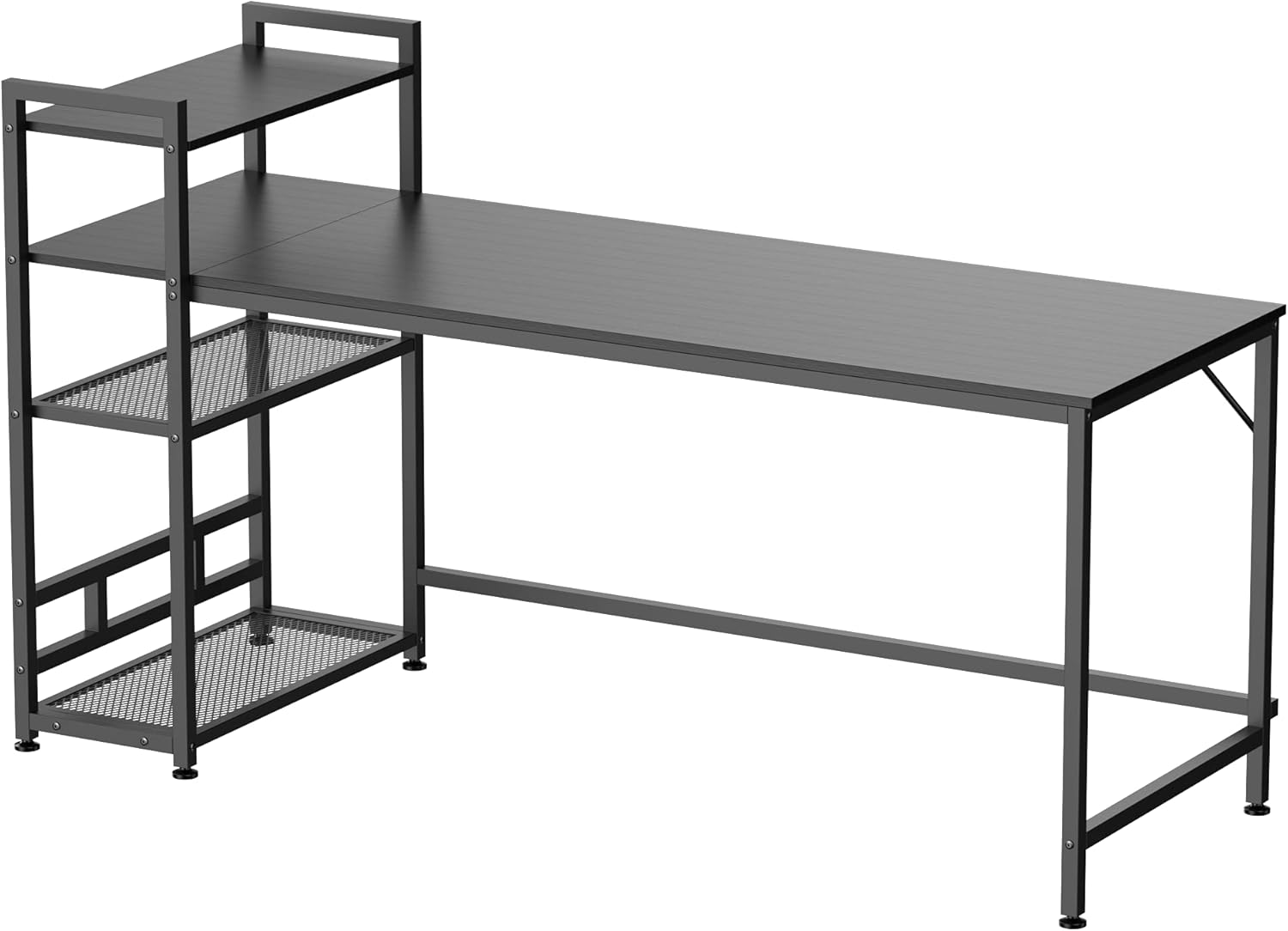
Image: An overview of the desk's metal frame and shelf structure, illustrating the components before the desktop is attached.
- Attach Stability Bar: Secure the diagonal stability bar to the main frame as shown in the diagram to enhance structural integrity.

Image: Detail of the diagonal steel bar providing additional stability to the desk frame.
- Install Adjustable Foot Pads: Screw the adjustable foot pads into the bottom of each leg. These can be adjusted later to level the desk on uneven floors.

Image: An adjustable foot pad, designed to stabilize the desk on uneven surfaces.
- Assemble the Shelf Unit: Construct the 4-tier shelf unit according to the instructions, paying attention to the orientation for desired shelf height options. The shelf unit can be configured for different heights to suit your needs.
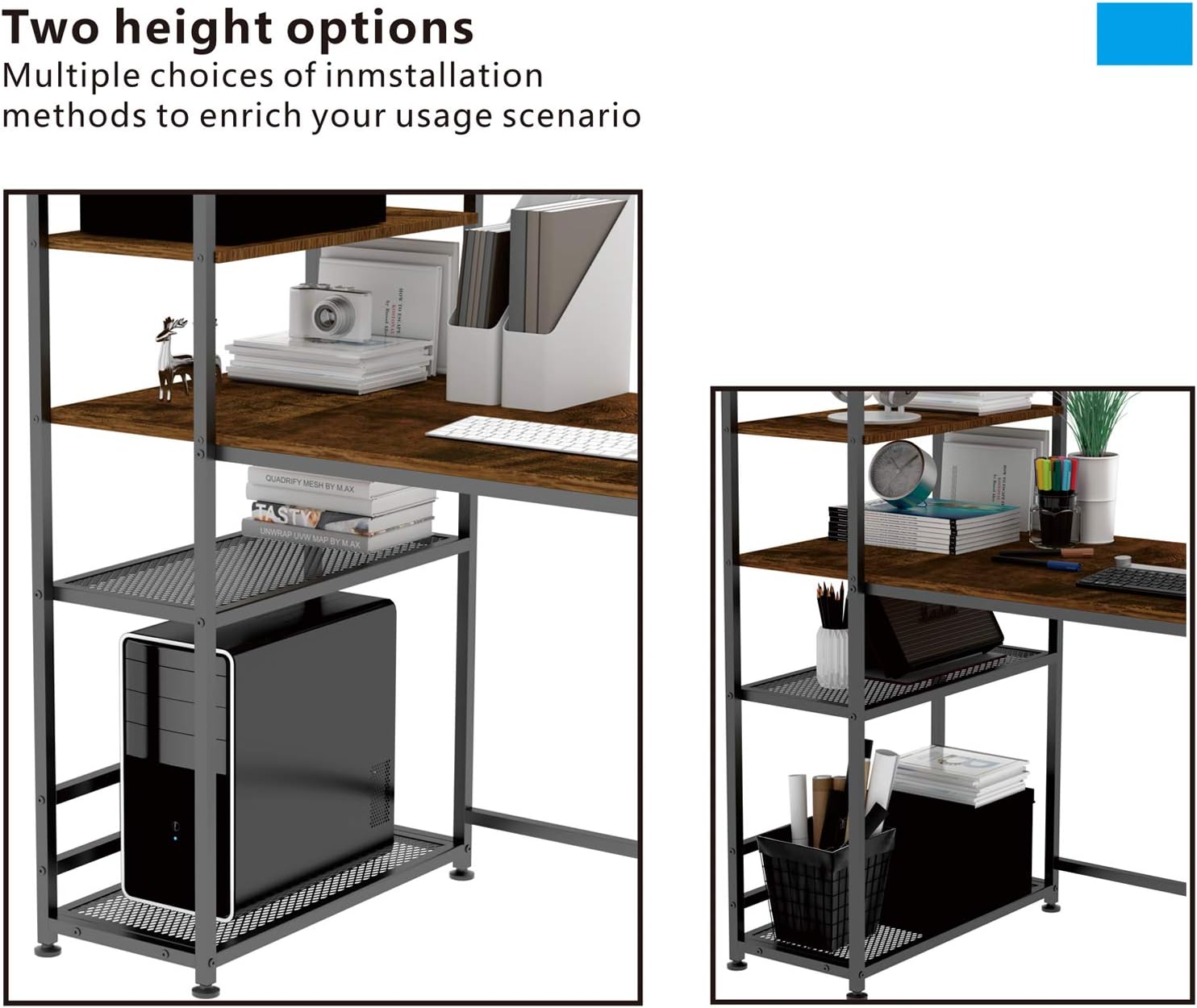
Image: Visual representation of how the 4-tier storage shelves can be assembled with two different height configurations.
- Attach Desktop Panel: Carefully place the desktop panel onto the assembled frame and secure it with the designated screws. Ensure proper alignment.
- Final Tightening: Once all components are in place and aligned, fully tighten all screws. Do not overtighten.
Operating Instructions
Your HOMIDEC computer desk is designed for versatile use in various settings. Here are some operational guidelines:
- Adjusting Desk Level: If the desk wobbles, gently lift one corner and rotate the adjustable foot pad clockwise or counter-clockwise until the desk is stable. Repeat for other legs as needed.
- Utilizing Storage Shelves: The 4-tier shelves provide ample space for books, office supplies, computer towers, or decorative items. Distribute weight evenly across the shelves.
- Desktop Usage: The spacious desktop can accommodate multiple monitors, laptops, and other work essentials.
Maintenance
Proper care will extend the life and appearance of your desk.
- Cleaning: Wipe the desktop and frame with a soft, damp cloth. For stubborn marks, use a mild soap solution and dry immediately. Avoid harsh chemicals or abrasive cleaners.

Image: The desk's premium desktop surface, highlighting its easy-clean and waterproof properties.
- Regular Checks: Periodically inspect all screws and connections to ensure they remain tight. Retighten if necessary.
- Avoid Overloading: Do not exceed the maximum weight recommendation of 400 pounds for the desk. Distribute weight evenly on shelves.
Troubleshooting
If you encounter any issues during assembly or use, refer to the following common problems and solutions:
- Desk is Wobbly:
- Ensure all screws are fully tightened.
- Adjust the foot pads on each leg to level the desk on uneven floors.
- Missing Parts or Damaged Components:
- Carefully re-check the package contents against the list.
- Contact HOMIDEC customer support immediately for replacement parts.
- Difficulty Aligning Parts During Assembly:
- Do not fully tighten screws until all components are loosely assembled and aligned.
- Ensure you are following the assembly diagrams correctly. Some parts may have specific orientations.
- Shelf Sags Under Weight:
- Ensure the shelf is correctly installed and supported by all designated frame points.
- Avoid placing excessively heavy items on mesh shelves. Distribute weight evenly.
Warranty and Support
HOMIDEC offers a FREE return and exchange policy for 12 months from the date of purchase. If you encounter any problems during use, or have questions regarding assembly or parts, please do not hesitate to contact us.
Customer Support:
- Please contact us via the order page on the platform where you purchased the product.
- We aim to reply within 24 hours to assist you with any issues.


