
SONGMICS ULGS131K101S
SONGMICS BELLAH Collection TV Stand
Model: ULGS131K101S
Introduction
Thank you for choosing the SONGMICS BELLAH Collection TV Stand. This manual provides essential information for the safe assembly, operation, and maintenance of your new media console. Please read these instructions carefully before beginning assembly and retain them for future reference.
Safety Information
- Always follow assembly instructions precisely. Do not skip steps or use unauthorized parts.
- Ensure all connections are secure before placing items on the stand.
- Do not overload the stand. Refer to the "Specifications" section for weight capacities.
- Install the anti-tip kit to prevent accidental tipping, especially in households with children or pets.
- Keep electrical components (LED strip, charging ports) away from water and moisture.
- Do not allow children to climb on or play with the TV stand.
Included Components
Before assembly, verify that all parts listed below are present and undamaged. If any parts are missing or damaged, please contact customer support.
- 1 x TV Stand (main structure)
- 1 x Accessory Kit (screws, connectors, etc.)
- 1 x Anti-Tip Kit
- 1 x Instructions Manual (this document)
- Required assembly tool (usually an Allen wrench)
Setup and Assembly
Assembly is designed to be straightforward. Follow the numbered steps in the provided accessory kit instructions. An Allen wrench is typically included for assembly.
Step 1: Unpack and Identify Parts
Carefully unpack all components and lay them out on a clean, soft surface to prevent scratches. Identify each part using the labels or diagrams in the separate assembly guide.
Step 2: Assemble the Frame
Begin by connecting the steel frame components as instructed. Ensure all screws are tightened securely but do not overtighten.
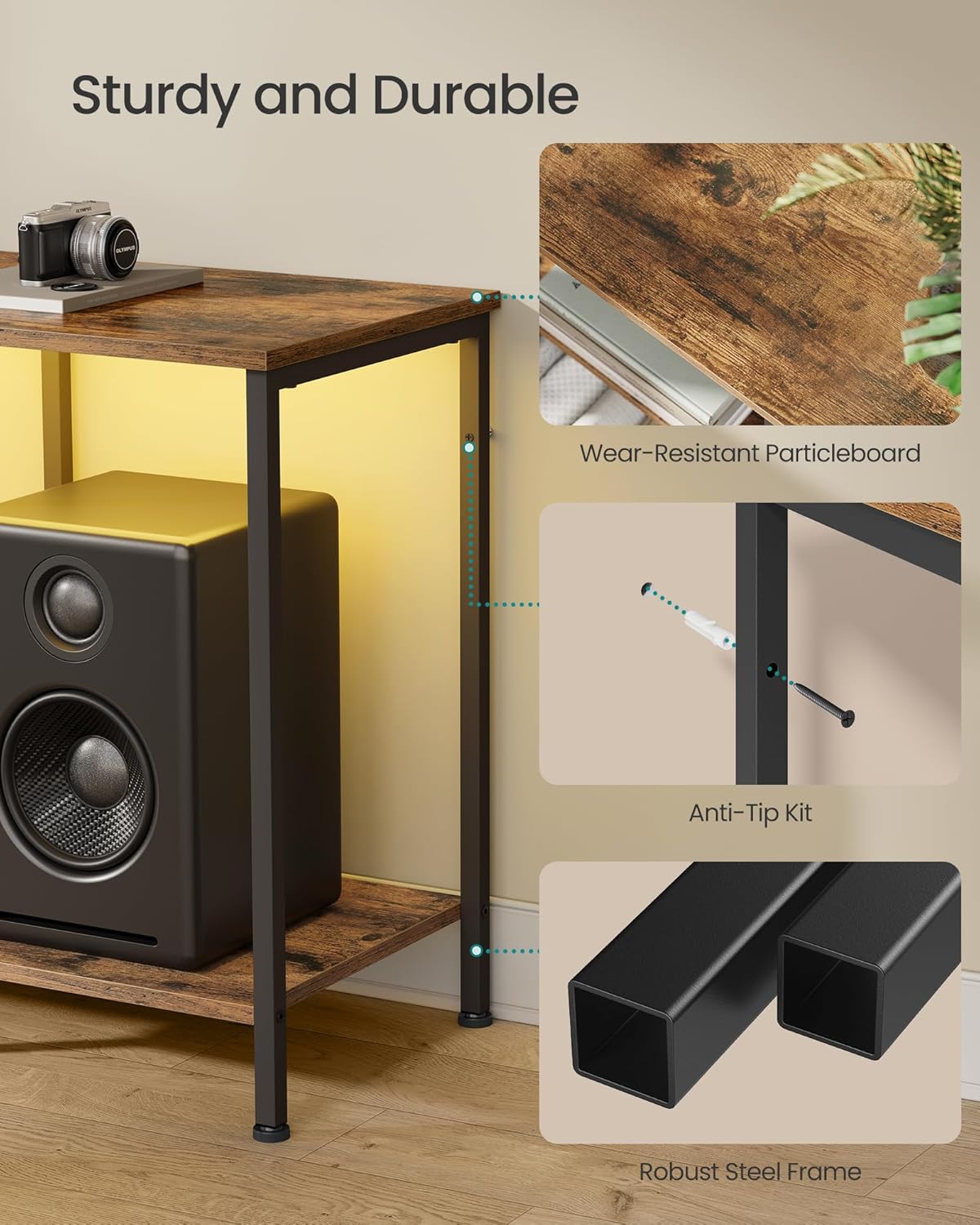
Image: Detail of the robust steel frame construction and anti-tip kit attachment point.
Step 3: Attach Shelves and Drawer Components
Install the particleboard top and lower shelves. Assemble the drawer using the MDF-reinforced components and polyester gabardine fabric. Ensure the drawer slides smoothly.

Image: Detail of the drawer construction, featuring a rustic brown front and fabric sides.
Step 4: Install Anti-Tip Kit
For safety, attach the anti-tip kit to the back of the TV stand and secure it to a wall stud. This prevents the stand from tipping over, especially important for stability with a television mounted on top.

Image: Illustration of the anti-tip kit installation process.
Step 5: Adjust Leveling Feet
The TV stand is equipped with adjustable feet. Turn the feet clockwise or counter-clockwise to level the stand on uneven floors, ensuring maximum stability.

Image: Adjustable feet for leveling the TV stand on uneven surfaces.
Operating Instructions
LED Ambient Lighting
The TV console features an integrated LED strip for ambient lighting. This can be controlled via a physical button on the unit or through a dedicated smartphone application.
- Button Control: Use the button to cycle through preset colors and modes.
- App Control: Download the companion app (refer to the separate LED instruction sheet for QR code or app name). The app allows access to over 60,000 colors, brightness adjustment, setting timers, and syncing lights with music or microphone input.

Image: The TV stand with its LED ambient lighting, illustrating both app and manual control options.

Image: Detailed view of the smartphone application interface for controlling the LED lighting features.
Integrated Charging Ports
The entertainment center includes built-in charging capabilities to keep your devices powered.
- 2 x AC Outlets (250V/15A)
- 1 x USB-A Port (5V/2A)
- 1 x USB-C Port (5V/2A)
Connect your TV, game consoles, phones, and other devices directly to these ports for convenient power access.

Image: Integrated charging panel with AC outlets, USB-A, and USB-C ports for convenient device charging.
Storage Utilization
The TV stand offers versatile storage options:
- Open Shelves: Ideal for organizing and displaying streaming players, game consoles, DVD players, and decorative items.
- Drawer: Provides enclosed space for remotes, accessories, cables, and other small items to maintain a tidy appearance. The drawer is MDF-reinforced for rigidity.

Image: Comparison showing the effectiveness of the TV stand's storage in organizing media components.
Maintenance
To ensure the longevity and appearance of your TV stand, follow these simple maintenance guidelines:
- Cleaning: Wipe the surfaces with a dry, soft cloth. For stubborn marks, a slightly damp cloth followed by a dry one can be used. Avoid harsh chemicals or abrasive cleaners.
- Spills: Immediately wipe up any liquid spills to prevent damage to the particleboard and MDF surfaces.
- Drawer Care: The fabric drawer can be spot cleaned with a mild detergent and damp cloth. Allow to air dry completely.
- Inspections: Periodically check all screws and connections to ensure they remain tight. Re-tighten if necessary.

Image: Demonstrating how to clean the TV stand surface with a dry cloth.
Troubleshooting
If you encounter any issues with your TV stand, refer to the following common solutions:
- Stand is Wobbly: Ensure all assembly screws are tightened. Adjust the leveling feet on the bottom of the stand to compensate for uneven flooring.
- LED Lights Not Working: Check if the power adapter is securely plugged into both the stand and a working wall outlet. If using app control, ensure Bluetooth is enabled on your device and the app is correctly paired.
- Charging Ports Not Functioning: Verify the main power cord for the stand is plugged into a live outlet. Test with different devices and cables to rule out device-specific issues.
- Drawer Sticks or Doesn't Close: Check for any obstructions within the drawer compartment. Ensure the drawer is assembled correctly and not overloaded.
For issues not covered here, please contact SONGMICS customer support.
Specifications
| Feature | Detail |
|---|---|
| Model Number | ULGS131K101S |
| Color | Rustic Brown |
| Dimensions (D x W x H) | 13.8" x 61.8" x 23.6" (35 cm x 157 cm x 60 cm) |
| Item Weight | 28.6 lbs (13 kg) |
| Material | MDF (Medium Density Fiberboard), Particleboard, Steel, Polyester Gabardine |
| Max. Load Capacity (Top Surface) | 88 lbs (40 kg) |
| Max. Load Capacity (Each Shelf) | 66 lbs (30 kg) |
| Max. Load Capacity (Drawer) | 17.6 lbs (8 kg) |
| TV Size Compatibility | Up to 70 inches |
| Charging Ports | 2 x AC Outlets (250V/15A), 1 x USB-A (5V/2A), 1 x USB-C (5V/2A) |
| Assembly Required | Yes |

Image: Detailed dimensions and weight capacity diagram for the TV stand.

Image: The TV stand accommodating a television, highlighting its compatibility with TVs up to 70 inches.
Warranty and Support
SONGMICS products are designed for quality and durability. For specific warranty details, please refer to the documentation included with your purchase or visit the official SONGMICS website.
If you require assistance with assembly, have questions about product features, or need to report a missing/damaged part, please contact SONGMICS customer support. Have your model number (ULGS131K101S) and purchase information ready when contacting support.
Contact Information: Please refer to the contact details provided on the packaging or the official SONGMICS website for the most up-to-date support channels.
Related Documents - ULGS131K101S
 |
SONGMICS Assembly Instructions for TV Stand Detailed, step-by-step assembly instructions for the SONGMICS Kristin TV Stand (model w001765917 / W001765917) by Union Rustic. Includes a comprehensive parts list, hardware guide, general safety guidelines, and warnings for proper setup of your new entertainment center. |
 |
SONGMICS ULLD201 Monitor Stand Riser with Storage Organizer - Instruction Manual Official instruction manual for the SONGMICS ULLD201 monitor stand riser. Learn how to assemble, use, and care for your desk organizer. Features include parts list, assembly steps, and product specifications. |
 |
SONGMICS Storage Cube Assembly Guide Step-by-step instructions for assembling a SONGMICS storage cube or display case. Includes parts list and detailed assembly steps. |
 |
SONGMICS KSC007 Storage Cart Assembly Instructions Comprehensive assembly guide and safety information for the SONGMICS KSC007 3-tier rolling storage cart. Includes parts list, step-by-step instructions, and load capacity details. |
 |
SONGMICS HSR04 Hallway Coat Rack Assembly Instructions Detailed assembly guide for the SONGMICS HSR04 hallway coat rack, including a parts list, step-by-step instructions, and safety precautions. Ensure correct assembly for stability and safety. |
 |
SONGMICS HSR017 Clothes Rack Assembly Instructions Step-by-step assembly guide for the SONGMICS HSR017 Clothes Rack, including parts identification, hardware list, and safety precautions. Features a durable design for garment storage. |