
1. Introduction and Overview
This manual provides instructions for the assembly, use, and maintenance of your HOMIDEC Computer Desk with Storage Shelves, Model FY-SJDNZ160-FGS. This desk is designed for versatile use in various environments, offering a spacious work surface and integrated storage.

Image 1.1: The HOMIDEC Computer Desk with its integrated storage shelves, showcasing a typical setup with monitors and accessories.
Key Features:
- Durable Construction: Features an E1 quality engineered wood desktop and a robust steel frame for stability.
- Spacious Work Area: Provides a generous desktop surface measuring 160 cm (L) x 60 cm (W).
- Integrated Storage: Includes a convenient 4-tier shelving unit for organization.
- Flexible Design: The shelving unit can be installed on either the left or right side of the desk to suit your space.
- Enhanced Durability: The desktop surface is designed to be scratch-resistant and waterproof.

Image 1.2: An alternative view of the HOMIDEC Computer Desk, demonstrating its aesthetic integration into a modern living space.
2. Safety Information
Please read and adhere to the following safety guidelines to ensure safe assembly and use of your desk.
- Read all instructions thoroughly before beginning assembly.
- Verify all components are present and undamaged before assembly. Do not proceed with assembly if parts are missing or damaged.
- Do not overtighten screws during assembly to prevent damage to components or stripping of threads.
- Assemble the desk on a soft, clean surface (e.g., a carpet or blanket) to prevent scratches to the desk components or your floor.
- Ensure the assembled desk is placed on a stable, level surface to prevent wobbling or tipping.
- Keep small parts and packaging materials away from children and pets during assembly to prevent choking hazards.
- Do not exceed the desk's maximum weight capacity of 110 kg (approximately 242 lbs) to ensure structural integrity.
3. Package Contents
Before starting assembly, please refer to the parts list included in your product packaging to ensure all components are present. Typical components include:
- Desktop panels
- Steel frame components (legs, crossbars)
- Shelving unit components
- Assembly hardware (screws, bolts, Allen wrench)
- Instruction manual
4. Setup and Assembly Instructions
The HOMIDEC Computer Desk is designed for straightforward assembly. A detailed instruction manual with diagrams is included in your package. Please follow these instructions carefully.
- Preparation: Lay out all components on a clean, soft surface to prevent scratches. Identify each part using the provided diagrams in your manual.
- Frame Assembly: Begin by assembling the main steel frame. Attach the legs and crossbars as indicated in the manual.
- Desktop Attachment: Secure the desktop panels to the assembled frame using the provided hardware.
- Shelving Unit Assembly: Assemble the 4-tier shelving unit according to the manual's instructions.
- Reversible Shelves: The shelving unit can be attached to either the left or right side of the main desk frame. Decide your preferred orientation before final attachment. Refer to the manual for specific steps on reversing the shelf orientation.
- Final Tightening: Once all components are loosely assembled and correctly aligned, gradually tighten all screws. Avoid overtightening.
Important Assembly Notes:
- When attaching the long support bars for the desk surface, note that one side may have an extra round hole. This side should face downwards to accommodate the corner support bar.
- Do not fully tighten the initial frame pieces until all connecting parts are in place, as this can make subsequent connections difficult. Tighten all fasteners progressively.
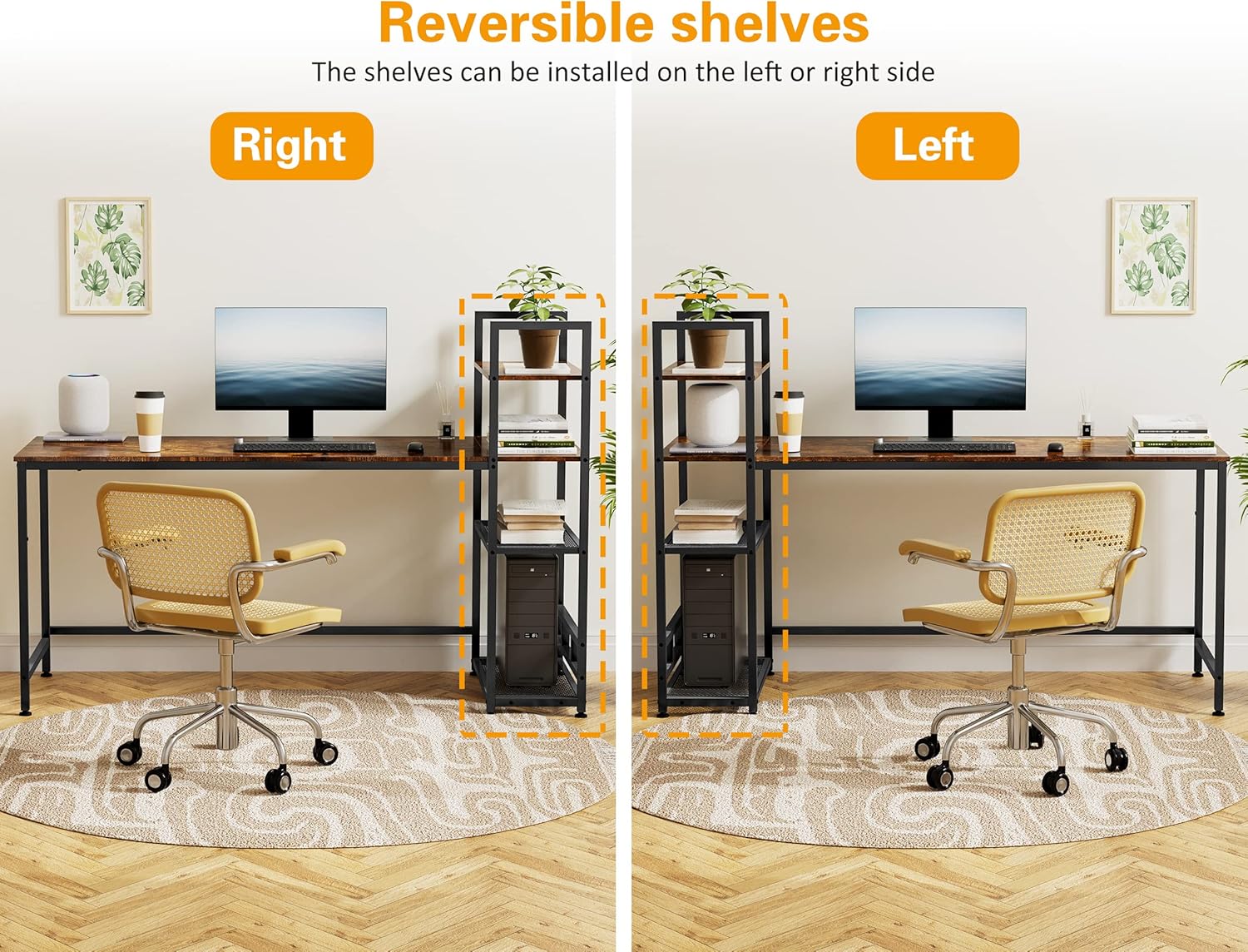
Image 4.1: Illustration demonstrating the reversible nature of the shelving unit, allowing installation on either the left or right side of the desk.
5. Operating and Usage Instructions
The HOMIDEC Computer Desk offers a versatile workspace suitable for various applications, enhancing productivity and organization.
- Workstation: Utilize the spacious desktop for your computer, laptop, keyboard, mouse, and other essential office accessories. Its generous dimensions accommodate multiple monitors comfortably.
- Storage: The integrated 4-tier shelving unit provides ample space for organizing books, documents, potted plants, storage boxes, and other personal items, helping to keep your workspace tidy and efficient.
- Versatility: This desk is suitable for a wide range of environments, including home offices, living rooms, bedrooms, or study areas. It can function effectively as a dedicated computer desk, a general work table, a study table, or even a display stand for decorative items.

Image 5.1: Examples illustrating the practical use of the 4-tier storage shelves for various items such as a printer, books, and decorative elements.
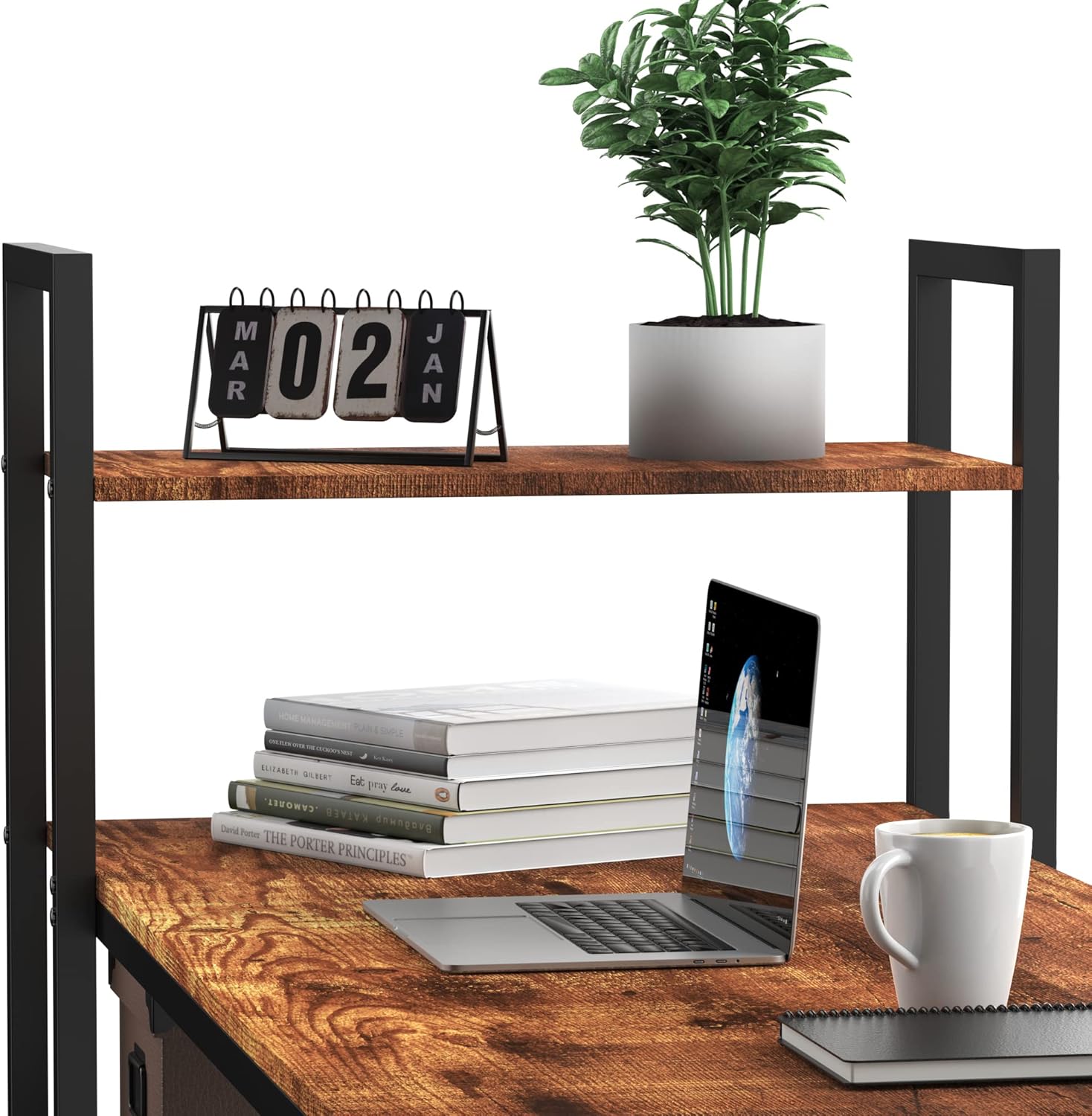
Image 5.2: A close-up view of the top shelf, demonstrating its capacity for small decorative items and a laptop.
6. Maintenance
Proper care and regular maintenance will help preserve the appearance and extend the lifespan of your HOMIDEC Computer Desk.
- Cleaning: Wipe the desktop and steel frame with a soft, damp cloth. For general cleaning, a mild soap solution can be used. Avoid using abrasive cleaners, harsh chemicals, or solvents, as these can damage the finish.
- Spills: The desktop is designed to be waterproof. In the event of liquid spills, wipe them immediately with a dry cloth to prevent water stains or potential long-term damage.
- Scratch Resistance: While the desktop is scratch-resistant, it is advisable to avoid dragging sharp or heavy objects directly across its surface. Use coasters for drinks and protective pads under heavy equipment to maintain its pristine appearance.
- Stability Check: Periodically inspect all screws, bolts, and connections to ensure they remain securely tightened. Retighten any loose fasteners as necessary to maintain the desk's stability and structural integrity.

Image 6.1: A close-up view of the desktop surface with water droplets, illustrating its waterproof and easy-to-clean properties.
7. Troubleshooting
This section addresses common issues you might encounter with your HOMIDEC Computer Desk.
- Desk Wobbles:
- Ensure the desk is placed on a completely level and stable surface.
- Check that all assembly screws and bolts are securely tightened. Loose fasteners are a common cause of instability.
- If the desk has adjustable feet, ensure they are properly balanced and adjusted to compensate for uneven flooring.
- Difficulty Assembling:
- Re-read the instruction manual carefully, paying close attention to diagrams and the orientation of each part.
- Ensure you are using the correct hardware (screws, bolts) for each specific step as indicated in the manual.
- Remember not to fully tighten screws until all related components are in place and aligned.
- Missing or Damaged Parts:
- If any parts are missing or damaged upon arrival, immediately contact HOMIDEC customer service for assistance. Do not attempt to assemble the desk with incomplete or damaged components.
8. Specifications
Detailed specifications for the HOMIDEC Computer Desk, Model FY-SJDNZ160-FGS.

Image 8.1: Detailed dimensions of the HOMIDEC Computer Desk, including overall length, width, height, and shelf measurements.
| Brand | HOMIDEC |
| Model Number | FY-SJDNZ160-FGS |
| Dimensions (L x W x H) | 160 x 60 x 110 cm (63 x 23.6 x 43.3 inches) |
| Weight | 18 Kilograms (approximately 39.7 lbs) |
| Material | Engineered Wood (E1 quality), Steel Frame |
| Color | Vintage |
| Special Features | Compact, Adjustable (reversible shelves), Scratch-resistant desktop, Waterproof desktop |
9. Warranty and Support
For detailed warranty information, product support, or to inquire about replacement parts, please refer to the documentation included with your purchase or contact HOMIDEC customer service directly. Contact information can typically be found on the manufacturer's website or on your purchase receipt.