
1. Introduction
Thank you for choosing the BOSSIN MSG-TP-NE-FT00 Big and Tall Gaming Chair. This manual provides essential information for the safe and efficient assembly, operation, and maintenance of your new chair. Please read these instructions carefully before use and retain them for future reference.

Figure 1: BOSSIN MSG-TP-NE-FT00 Gaming Chair (Tiffany Blue variant)
2. Safety Information
- Fire Hazard: Keep the chair away from open flames and heat sources.
- Moisture Exposure: Avoid exposing the chair to water or excessive moisture.
- Weight Capacity: Do not exceed the maximum weight capacity of 400 pounds (181 kg).
- Assembly: Ensure proper assembly according to the instructions to prevent instability and injury.
- Inspection: Regularly inspect the chair for any loose parts, damage, or wear before each use. Discontinue use if any issues are found.
3. Package Contents
Before assembly, please verify that all components are present and undamaged. The package includes:
- Chair Backrest
- Seat Base with Footrest Mechanism
- Armrests (2)
- Star Base
- Casters (5)
- Gas Lift Cylinder with Cover
- Mechanism Plate
- Lumbar Support Pillow (with massage function)
- Headrest Pillow
- Hardware Kit (screws, washers, Allen wrench)
- Instruction Manual
4. Setup and Assembly
Assembly is straightforward. Follow these steps carefully:
- Attach Casters to Star Base: Insert each of the five casters into the holes at the end of the star base legs until they click securely into place.
- Install Gas Lift: Place the gas lift cylinder into the center hole of the star base. Cover it with the telescopic plastic cover.
- Attach Mechanism Plate to Seat Base: Align the mechanism plate with the pre-drilled holes on the underside of the seat base. Secure it using the provided screws and Allen wrench. Ensure the front of the mechanism faces the front of the seat.
- Attach Armrests: Secure the armrests to the seat base using the designated screws. Ensure they are firmly attached.
- Connect Backrest to Seat Base: Align the backrest with the brackets on the seat base. Secure it using the provided screws.
- Mount Seat Assembly onto Gas Lift: Carefully place the assembled seat onto the gas lift cylinder, ensuring it is centered and stable.
- Attach Headrest and Lumbar Pillows: Secure the headrest pillow to the top of the backrest using its straps. Attach the lumbar support pillow to the lower backrest using its straps. The lumbar pillow can be adjusted vertically for optimal comfort.
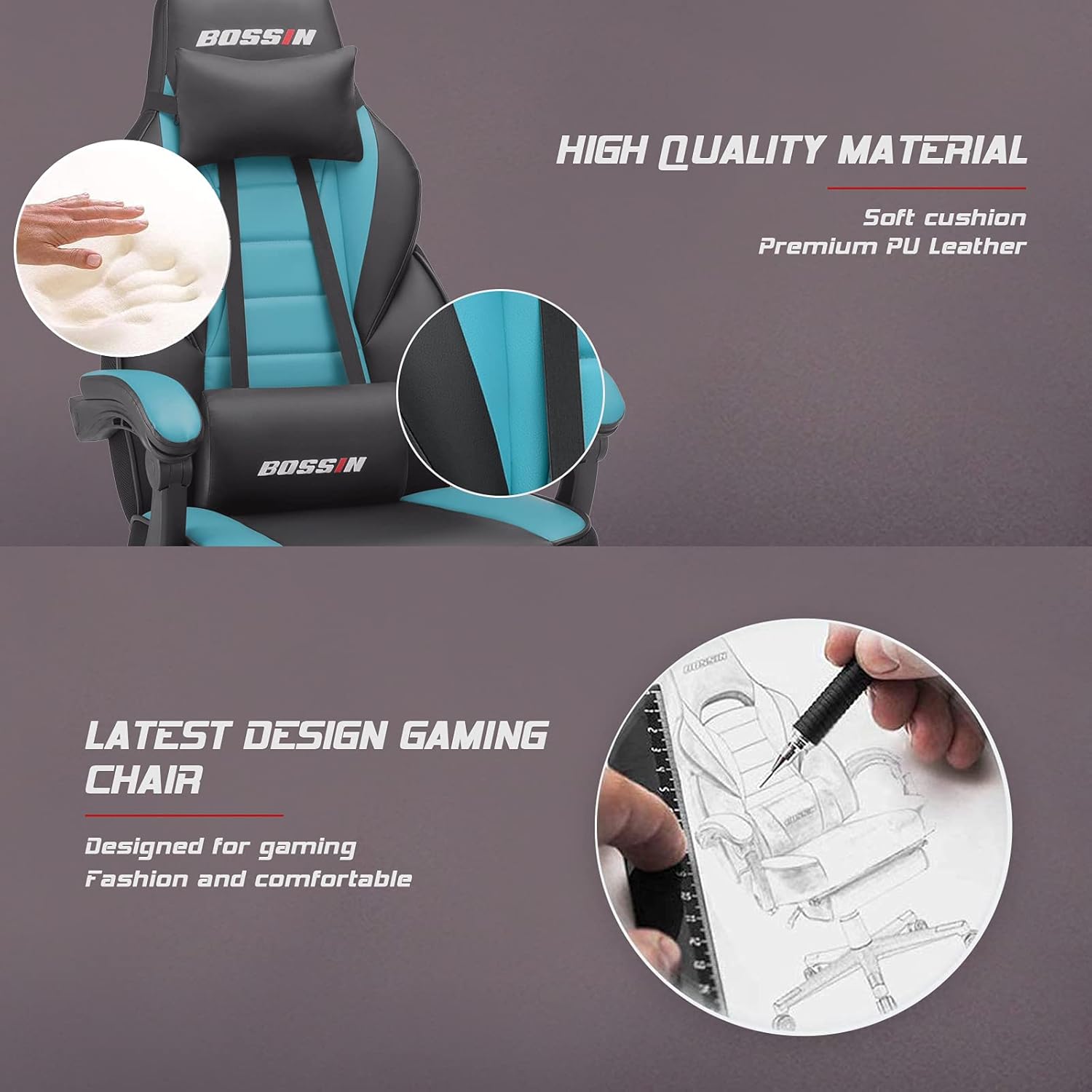
Figure 2: Assembled chair with headrest and lumbar support
5. Operating Instructions
5.1. Height Adjustment
To adjust the chair's height, pull the lever located on the right side of the seat upwards while applying or releasing your body weight. Release the lever at your desired height.
5.2. Backrest Recline
To recline the backrest, pull the lever on the left side of the seat upwards and lean back. Release the lever to lock the backrest in your preferred position. The chair offers a wide range of recline angles for various activities.

Figure 3: Chair in a reclined position
5.3. Footrest Operation
The integrated footrest can be extended for added comfort. Pull the footrest handle located under the front of the seat outwards. Flip the padded section over and extend it to your desired length. To retract, push the footrest back under the seat.

Figure 4: Chair with footrest extended for relaxation
5.4. Lumbar Massage Function
The lumbar support pillow features a massage function. Connect the USB cable from the pillow to a compatible USB power source (e.g., computer, power bank). The massage function will activate, providing gentle vibration for lower back comfort. Disconnect the USB cable to turn off the massage function.
6. Maintenance
- Cleaning: Wipe the faux leather surfaces with a soft, damp cloth. Avoid harsh chemicals or abrasive cleaners.
- Regular Inspection: Periodically check all screws and bolts to ensure they are tight. Re-tighten if necessary.
- Moving the Chair: When moving the chair, lift it rather than dragging it to prevent damage to the base or floor.
7. Troubleshooting
- Chair is Wobbly: Check all assembly screws and bolts to ensure they are securely tightened. Ensure the casters are fully inserted into the star base.
- Height Adjustment Not Working: Verify that the gas lift lever is fully engaged and that the gas lift cylinder is correctly installed in the star base and seat mechanism.
- Backrest Not Reclining/Locking: Ensure the recline lever is functioning correctly and not obstructed. Check for any foreign objects in the recline mechanism.
- Footrest Not Extending/Retracting Smoothly: Inspect the footrest rails for any obstructions or damage. Apply a small amount of silicone lubricant if necessary.
- Massage Function Not Working: Ensure the USB cable is securely connected to both the lumbar pillow and a working USB power source. Try a different USB port or power source.
8. Specifications
| Feature | Detail |
|---|---|
| Brand | BOSSIN |
| Model Name | MSG-TP-NE-FT00 |
| Color | Tiffany Blue |
| Material | Faux Leather, Foam, Metal Frame |
| Product Dimensions (D x W x H) | 24"D x 27.2"W x 52.9"H |
| Seat Height | 21 Inches |
| Seat Depth | 24 Inches |
| Item Weight | 43.2 Pounds |
| Maximum Weight Recommendation | 400 Pounds |
| Features | Adjustable, Durable, Swivel Base, Tilting, Footrest, Lumbar Massage |
| Recommended Uses | Gaming, Office |
9. Warranty and Support
For warranty information or technical support, please refer to the contact details provided with your purchase documentation or visit the official BOSSIN website. Please have your model number (MSG-TP-NE-FT00) and purchase date available when contacting support.
10. Product Videos
No official seller videos are available for embedding in this manual. For additional product demonstrations, please refer to the product page on Amazon or the manufacturer's website.