
1. Introduction
This manual provides instructions for the safe and effective use of your TWOOC T-002S Rechargeable Electronic Bicycle Bell. Please read this manual thoroughly before use and retain it for future reference.
The TWOOC T-002S is a compact, waterproof electronic bicycle bell designed for clear audible signaling. It features adjustable volume, multiple sound modes, and convenient USB recharging.
2. Product Components
Verify that all components are present in the package before installation.

Image Description: This image displays the complete contents of the TWOOC T-002S package. It includes the main bell unit, the remote control button, a silicone mounting strap, a USB charging cable, and a user manual.
- Main Bell Unit (T-002S)
- Remote Control Button
- Silicone Mounting Strap
- USB Charging Cable
- User Manual (this document)
3. Setup and Installation
3.1. Mounting the Bell Unit
- Select a suitable position on your bicycle handlebar or stem for the main bell unit. Ensure it does not obstruct your view or control of the bicycle.
- Use the provided silicone mounting strap to securely attach the bell unit. Wrap the strap around the handlebar/stem and hook it onto the bell unit's attachment points.
- Ensure the bell is firmly attached and does not rotate freely.
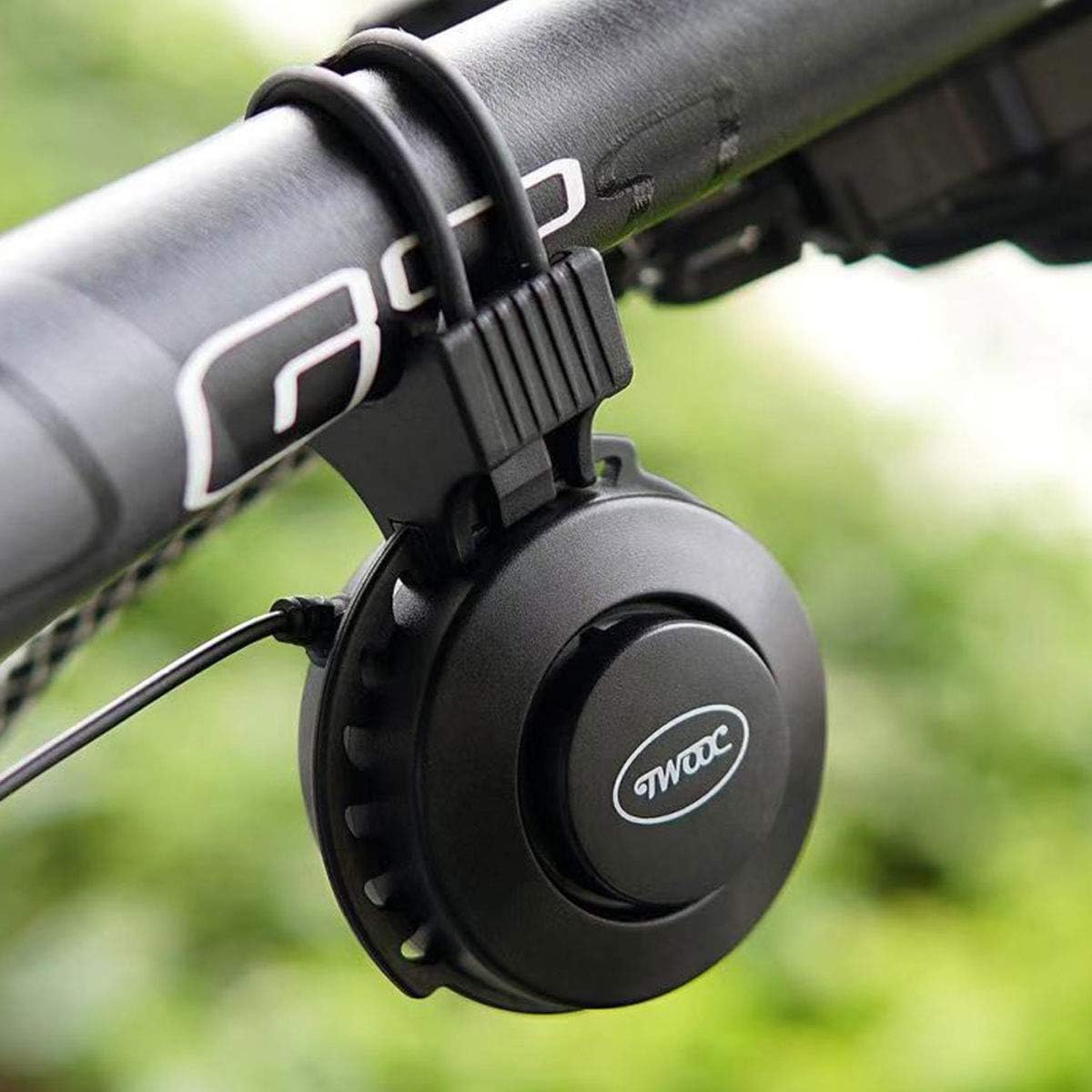
Image Description: The TWOOC T-002S bell unit is shown securely mounted on a bicycle handlebar using its silicone strap, positioned for easy access and visibility.
3.2. Mounting the Remote Control
- Attach the remote control button to a convenient location on your handlebar, typically near your thumb for quick access.
- The remote control has a coiled cable that connects to the main bell unit. Ensure the cable is routed safely and does not interfere with steering or braking.
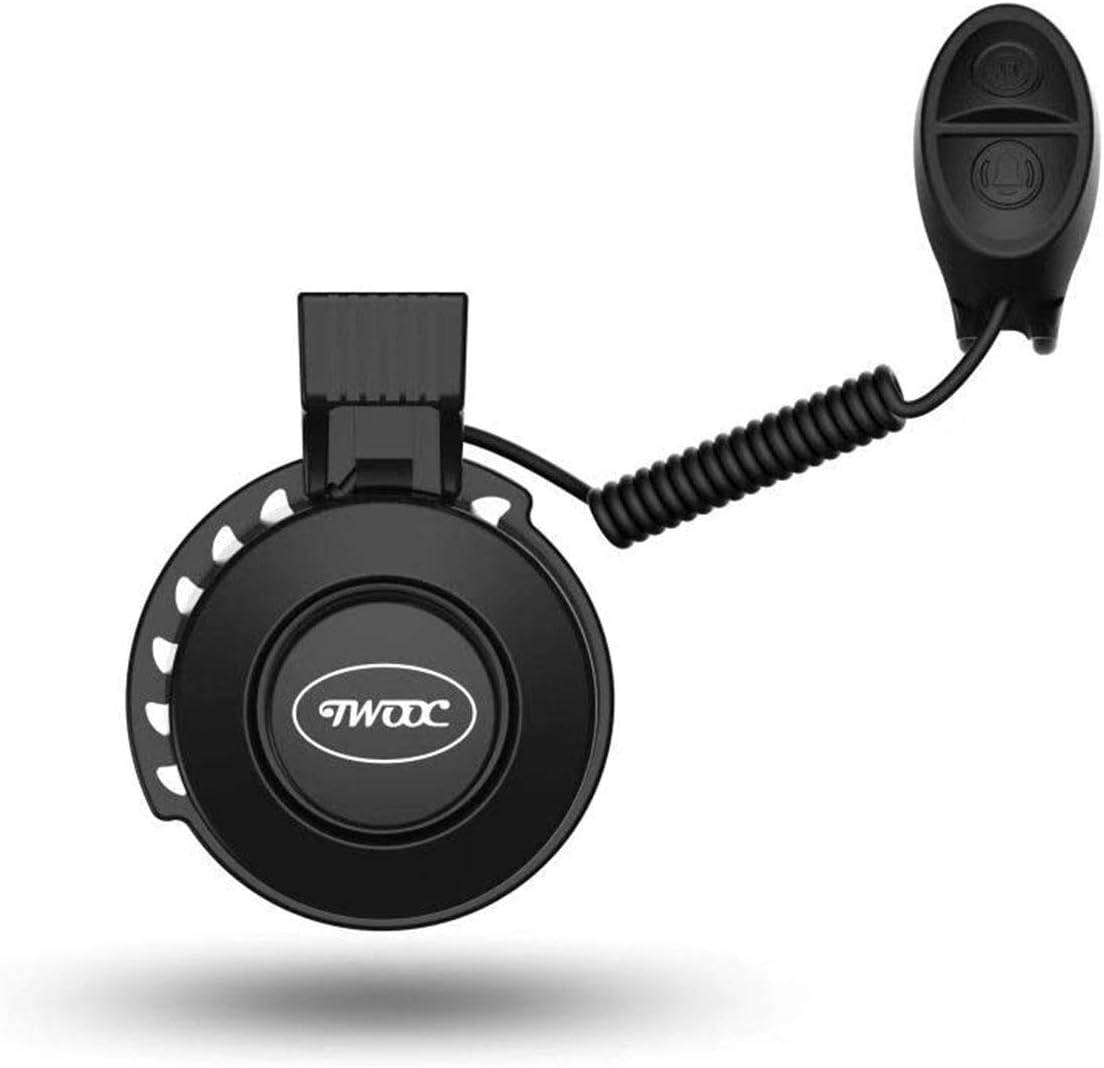
Image Description: This image shows the TWOOC T-002S main bell unit connected to its remote control via a coiled cable, illustrating the complete assembly.
3.3. Initial Charging
- Before first use, fully charge the bell unit. Locate the USB charging port on the back of the main bell unit.
- Connect the provided USB charging cable to the bell unit and to a standard USB power source (e.g., computer USB port, USB wall adapter).
- Charging typically takes approximately 1 hour. An indicator light (if present) will show charging status (e.g., red for charging, off/green for fully charged).
- A full charge provides approximately 4000 uses.

Image Description: A close-up view of the back of the TWOOC T-002S bell unit, highlighting the USB charging port and the integrated control buttons for sound mode and volume adjustment.
4. Operating Instructions
The TWOOC T-002S is operated via its remote control button and integrated buttons on the bell unit.
4.1. Activating the Bell
- Press the main button on the remote control to sound the bell.
4.2. Changing Sound Modes
- The bell offers 4 selectable sound modes. To change the sound mode, locate the dedicated sound mode button on the main bell unit (refer to image 3.3).
- Press this button repeatedly to cycle through the available sound modes until you find your preferred sound.
4.3. Adjusting Volume
- The bell's volume is adjustable between 50dB and 100dB. Locate the volume adjustment button(s) on the main bell unit (refer to image 3.3).
- Press the volume button(s) to increase or decrease the sound level as desired.
5. Maintenance
5.1. Cleaning
- Wipe the bell unit and remote control with a soft, damp cloth.
- Do not use abrasive cleaners or solvents, as these may damage the surface or internal components.
5.2. Charging
- Recharge the bell unit when the sound becomes weak or it stops functioning.
- Always use the provided USB cable or a compatible cable for charging.
5.3. Storage
- Store the bell in a cool, dry place when not in use for extended periods.
- Avoid exposing the device to extreme temperatures or direct sunlight.
6. Troubleshooting
| Problem | Possible Cause | Solution |
|---|---|---|
| Bell does not sound. | Low battery. | Charge the bell unit fully. |
| Bell sounds weak. | Low battery. | Charge the bell unit fully. |
| Cannot change sound mode/volume. | Buttons not pressed correctly or unit unresponsive. | Ensure firm presses. If unresponsive, try charging or restarting (if applicable). |
| Remote control not working. | Cable connection loose or damaged. | Check the cable connection between the remote and the bell unit. |
7. Specifications
| Model | T-002S |
| Brand | TWOOC |
| Material | ABS |
| Weight | 48g |
| Sound Volume | 50-100dB (Adjustable) |
| Sound Modes | 4 selectable modes |
| Power Source | USB Rechargeable |
| Charging Time | Approx. 1 hour |
| Uses per Charge | Approx. 4000 times |
| Waterproof | Yes |
| Mounting Type | Band-type (Silicone Strap) |
| Color | Black |
8. Warranty and Support
For warranty information or technical support, please refer to the specific warranty card included with your product or contact the retailer from whom you purchased the TWOOC T-002S bicycle bell. Keep your purchase receipt as proof of purchase.