1. Introduction
This manual provides comprehensive instructions for the safe and efficient operation of your BrizLabs Smart Color Changing LED Christmas String Lights. Please read this manual thoroughly before installation and use, and retain it for future reference.
2. Product Overview
The BrizLabs Smart Color Changing LED Christmas String Lights offer versatile lighting solutions for both indoor and outdoor decoration. Key features include:
- Extra Long Length: 262ft lighted length with 800 LEDs, plus a 16.4ft lead length, totaling 278.4ft.
- Smart App & Voice Control: Compatible with Alexa and Google Assistant for hands-free operation.
- Multiple Modes & Playlist Function: Offers various combinations of warm white and multicolor light, including dynamic modes and a playlist feature for custom lighting sequences.
- Group Control & Device Sharing: Manage multiple light sets simultaneously and share control with others.
- Music Sync: Lights respond to music rhythm for an immersive experience.
- Personalize Schedule Timer: Set automatic on/off times for convenience and energy saving.
- Dimmable & Speed Adjustable: Customize brightness and transition speed.
- IP44 Waterproof Rating: Suitable for indoor and outdoor use.
- Low Power, No Heat: Energy-efficient LEDs with a cool-to-touch design and an invisible green wire.
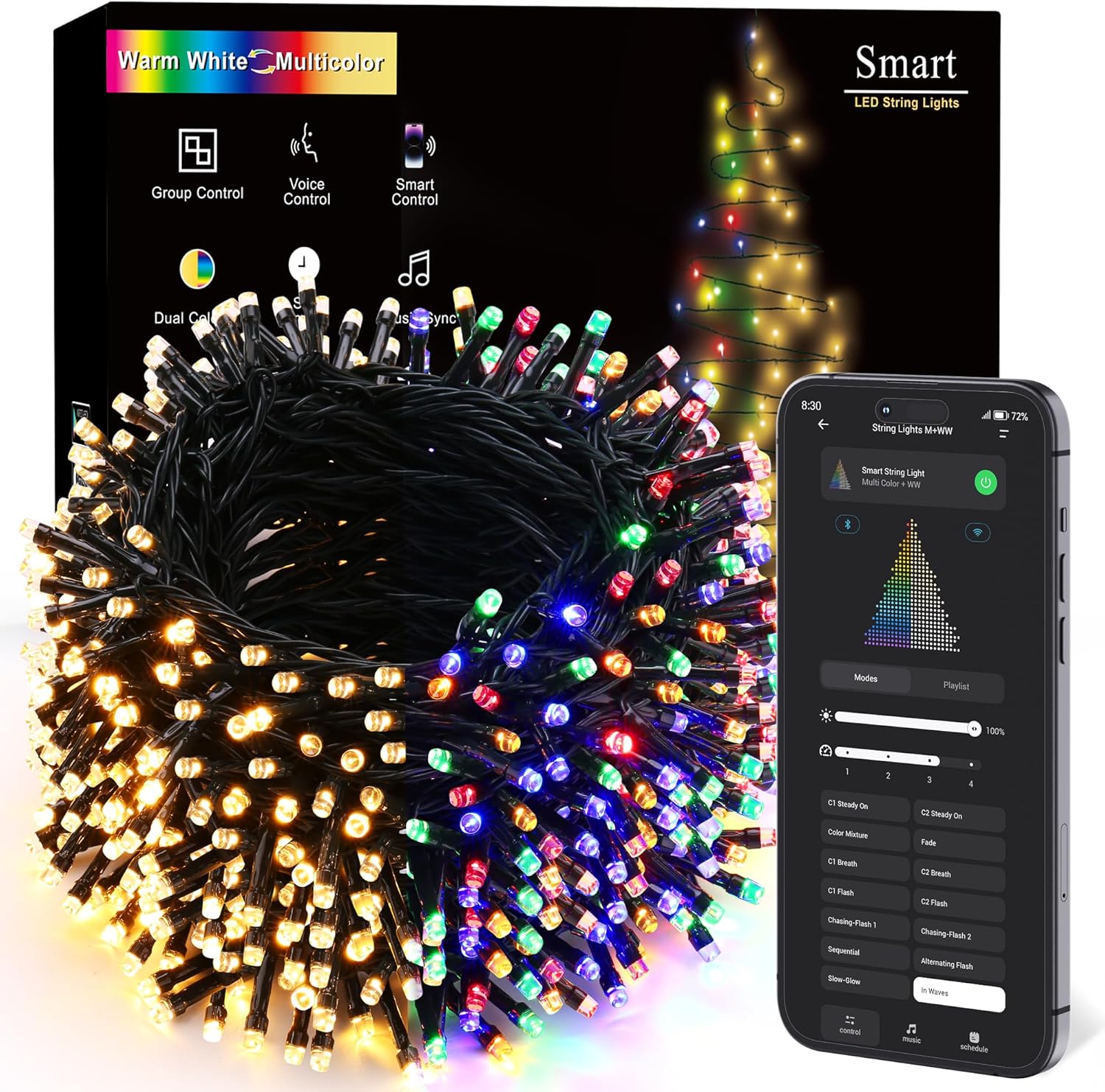
Figure 2.1: BrizLabs Smart Color Changing LED Christmas String Lights with remote and smartphone app interface.
3. Package Contents
Ensure all items are present before proceeding with installation:
- 800 LED Christmas lights (262ft lighted length)
- 1 Remote Controller
- 1 User Manual (this document)
4. Setup
- Unpack the Lights: Carefully remove the string lights from the packaging. Due to their length, untangling may require patience.
- Power Connection: Connect the light string to the provided power adapter. Ensure the connectors are aligned correctly and screwed in tightly to prevent loose connections.
- Placement: Determine the desired location for your lights. The IP44 waterproof rating allows for both indoor and outdoor use. The green wire is designed to blend with foliage.
- Initial Power On: Plug the power adapter into a working electrical socket. The lights should illuminate. If not, refer to the Troubleshooting section.
- App Download (Optional): For smart control features, download the BrizLabs app from the App Store (iOS) or Google Play Store (Android).

Figure 4.1: Smart App Control setup with app download options.
5. Operating Instructions
5.1. Smart App & Voice Control
Control your lights remotely using the dedicated app or voice commands with Alexa and Google Assistant.
- App Connection: Follow the in-app instructions to pair your lights with your smartphone.
- Voice Commands: Once paired, use simple voice commands to power on/off, dim, or change colors. For example, "Alexa, turn on the Christmas lights" or "Hey Google, set Christmas lights to warm white."
Video 5.1: Demonstration of App and Voice Control features for BrizLabs Smart Color Changing String Lights.

Figure 5.1: Voice control integration with Alexa and Google Assistant.
5.2. Multiple Modes & Playlist Function
Select from a variety of lighting modes and create custom playlists.
- Mode Selection: Use the app or remote to choose between steady warm white, multicolor, or various dynamic effects.
- Playlist Creation: The app allows you to create custom lighting playlists that automatically cycle through your preferred effects.

Figure 5.2: Warm White and Multicolor options with 100% color mixture.

Figure 5.3: Lights transitioning between warm white and multicolor settings.
5.3. Music Sync
Activate the music sync feature via the app to make the lights dance to the beat of your music.

Figure 5.4: Music Sync feature in action, with lights responding to audio.

Figure 5.5: Music Sync creating an immersive outdoor lighting experience.
5.4. Dimmable & Speed Adjustable
Adjust the brightness and transition speed of the lights to suit your preference.
- Brightness Control: Use the app or remote to dim or brighten the lights from 0% to 100%.
- Speed Adjustment: Control the speed of dynamic modes and color transitions.

Figure 5.6: Seamlessly adjustable brightness from 0% to 100%.

Figure 5.7: Four speed levels available for dynamic light effects.
5.5. Group Control & Device Sharing
Manage multiple sets of BrizLabs string lights together and share control with family and friends.
- Group Lights: Use the app to create groups of lights for synchronized control.
- Share Access: Grant access to other users to control the lights from their devices.

Figure 5.8: Group control allows managing multiple light devices by zone.
5.6. Personalize Schedule Timer
Set automatic on/off times to conserve energy and enhance convenience.
- Schedule Setup: Configure daily or weekly schedules for your lights through the app.

Figure 5.9: Custom timing options for countdown and schedule timers.

Figure 5.10: Timer schedule settings for automated light operation.
6. Maintenance
- Cleaning: Gently wipe the lights with a soft, dry cloth. Do not use harsh chemicals or abrasive cleaners.
- Storage: When not in use, carefully coil the lights to prevent tangling and store them in a cool, dry place away from direct sunlight.
- Inspection: Periodically inspect the wires and LED bulbs for any damage. Replace damaged lights immediately.
7. Troubleshooting
If your lights are not functioning as expected, please follow these steps:
- No Power:
- Ensure the electrical socket is working.
- Check that the power adapter is securely connected and not loose.
- Unscrew and re-screw the adapter and light string connectors to ensure a tight connection.
- If the lights still do not work, try controlling them with the button on the physical controller.
- Lights Not Changing Modes/Colors:
- Verify that the remote control has working batteries and is pointed directly at the receiver.
- Ensure the lights are properly connected to the app and that your device has a stable internet connection if using Wi-Fi features.
- Physical Damage:
- Inspect the wire for any breaks or cuts. Damaged wires can affect functionality.
8. Specifications
| Brand | BrizLabs |
| Model Number | GP-SW240DC0300-IP44(US) A |
| Color | Warm White & Multicolor |
| Light Source Type | LED |
| Number of Light Sources | 800 |
| Item Length | 262 Feet (lighted length) |
| Power Source | Corded Electric |
| Voltage | 30 Volts |
| Wattage | 5 watts |
| Indoor/Outdoor Usage | Indoor, Outdoor |
| Special Features | Color Changing, Dimmable, Smart APP & Voice Controlled, Smart Timer, Waterproof |
| Controller Type | App Control, Voice Control |
| UPC | 711796223749 |
9. Warranty and Support
All BrizLabs smart string lights undergo thorough inspection and packaging before shipment. Should you encounter any issues with your product, please do not hesitate to contact us. We commit to responding within 24 hours and ensuring a 100% satisfactory resolution.
For support, please visit the BrizLabs Store on Amazon.