
1. Introduction
Thank you for purchasing the Vonyx VSA15 Active Bi-Amplified Speaker. This manual provides important information regarding the safe operation, installation, and maintenance of your speaker. Please read it thoroughly before use and keep it for future reference.
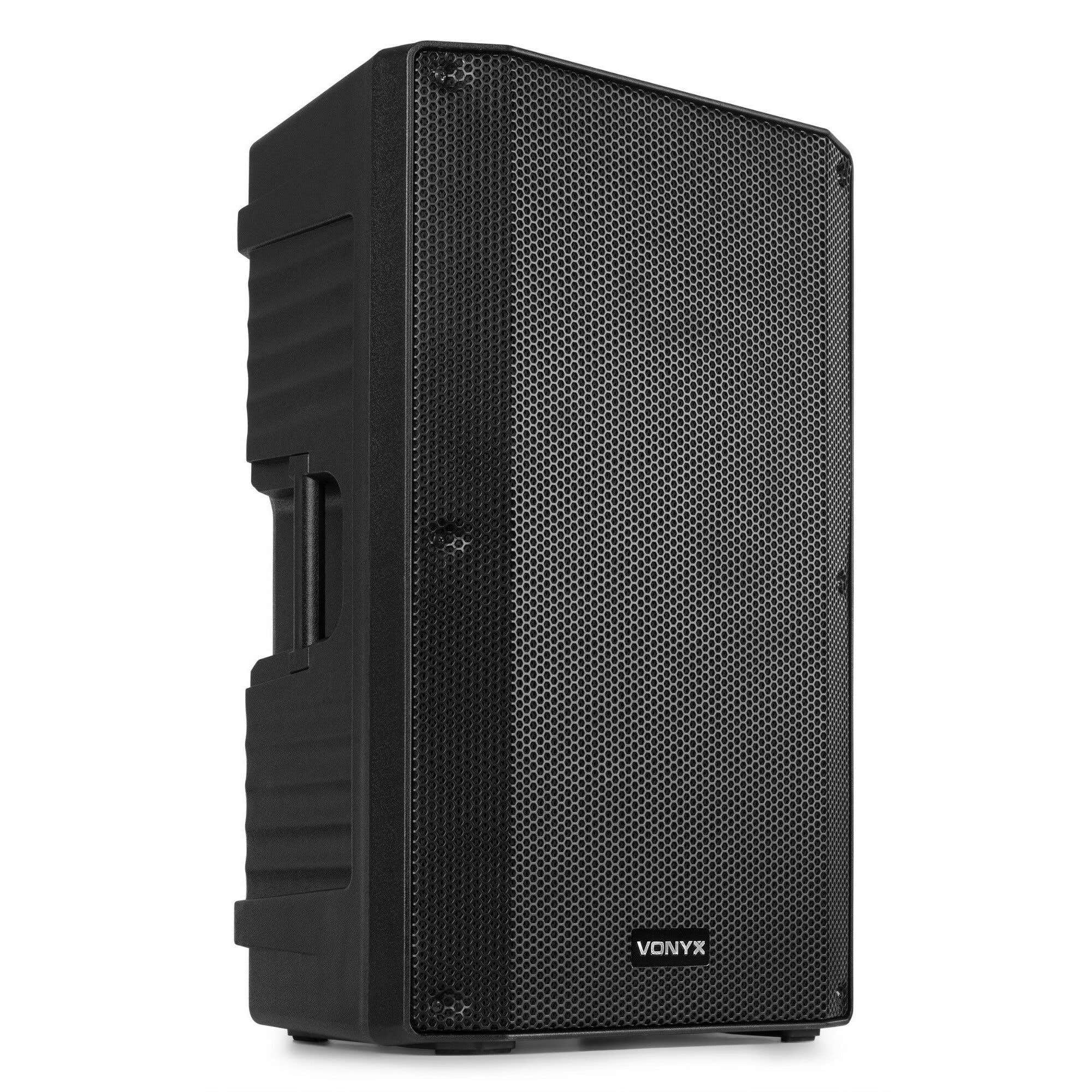
Image 1.1: Angled front view of the Vonyx VSA15 active speaker.
2. Safety Instructions
To reduce the risk of electric shock, do not remove the cover. No user-serviceable parts inside. Refer servicing to qualified service personnel.
- Power Supply: Ensure the power supply voltage matches the rating on the speaker.
- Ventilation: Do not block ventilation openings. Install according to manufacturer's instructions.
- Water & Moisture: Do not expose the unit to rain or moisture. Do not place objects filled with liquids on the unit.
- Heat: Do not install near any heat sources such as radiators, heat registers, stoves, or other apparatus that produce heat.
- Cables: Protect the power cord from being walked on or pinched.
- Cleaning: Clean only with a dry cloth.
- Mounting: Use only with the stand, tripod, bracket, or table specified by the manufacturer, or sold with the apparatus.
3. Product Overview
3.1 Key Features
- Powerful 15-inch woofer with 1000 watts maximum output.
- Integrated 2-way active crossover for optimized sound.
- Bi-amplified design with integrated amplifier.
- Multiple inputs: Microphone (XLR/Jack), Guitar (Jack), Line (RCA/XLR/Jack).
- Line output for connecting additional speakers.
- Durable ABS plastic housing with metal grille.
- Equipped with wheels and large handles for easy transport.
- 35mm pole mount for stand installation.
3.2 Control Panel and Connections
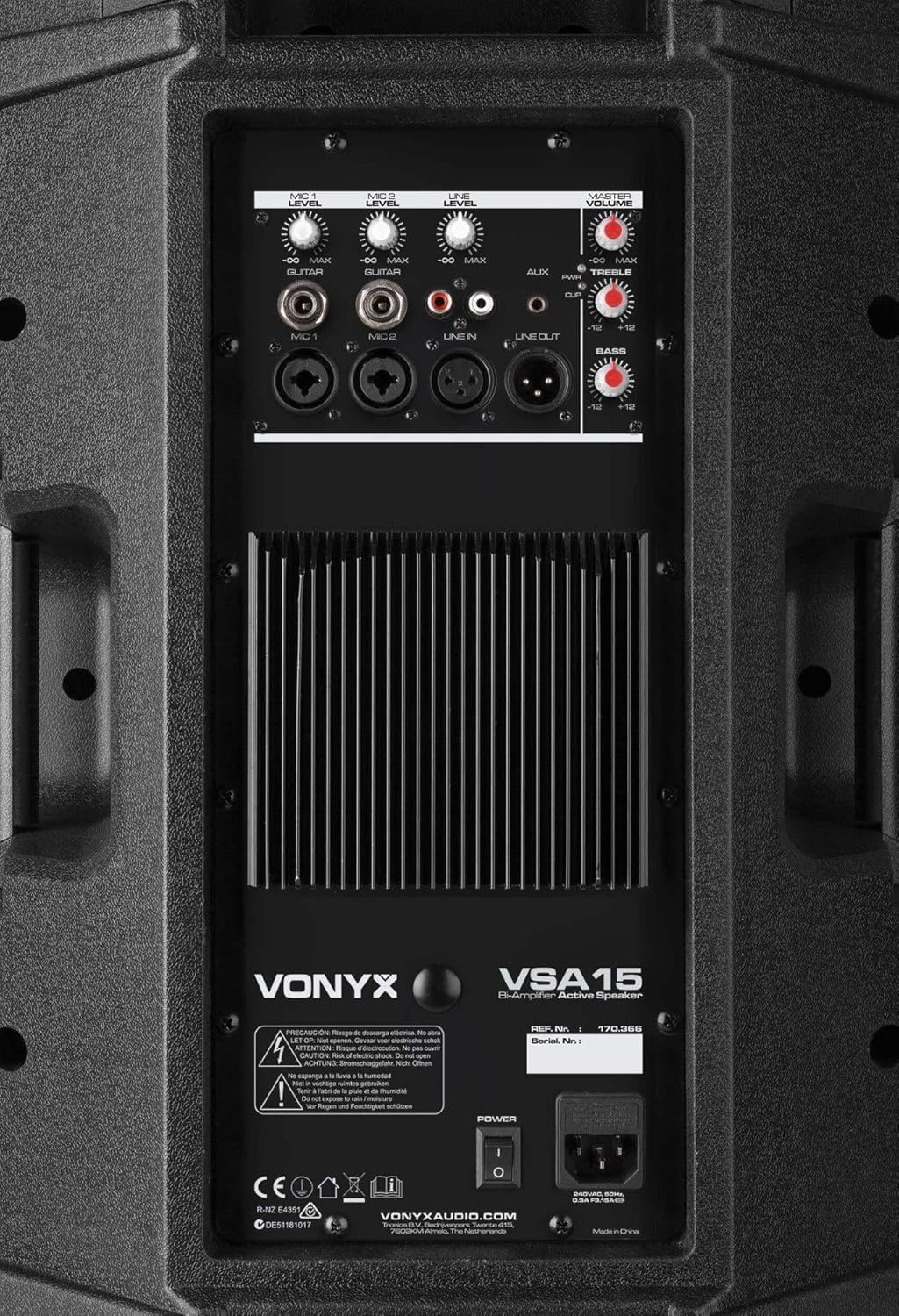
Image 3.2.1: Rear control panel showing inputs, outputs, and volume controls.
- MIC 1 Input: XLR/Jack combo input for microphone.
- MIC 2 Input: XLR/Jack combo input for microphone.
- GUITAR Input: 1/4" Jack input for guitar.
- LINE Input: RCA/XLR/Jack inputs for line-level audio sources (e.g., mixer, CD player).
- AUX Input: Auxiliary input for portable devices.
- LINE Output: XLR output for connecting to another active speaker or mixer.
- Volume Controls: Individual volume controls for MIC 1, MIC 2, GUITAR, LINE, and MASTER.
- EQ Controls: Treble and Bass adjustment knobs.
- Power Switch: On/Off switch for the unit.
- Power Input: IEC power connector for the main power cable.
4. Setup
4.1 Unpacking
Carefully remove the speaker from its packaging. Inspect the unit for any signs of damage during transit. Retain the original packaging for future transport or storage.
4.2 Placement
The VSA15 speaker can be placed on a flat, stable surface or mounted on a standard 35mm speaker pole stand. Ensure the speaker is stable and secure to prevent tipping.

Image 4.2.1: Bottom view with integrated wheels and 35mm pole mount socket.

Image 4.2.2: Top handle for easy lifting and transport.
4.3 Power Connection
- Ensure the speaker's power switch is in the OFF position.
- Connect the supplied power cable to the IEC power input on the rear panel of the speaker.
- Plug the other end of the power cable into a suitable 230V AC power outlet.
4.4 Audio Connections
Connect your audio sources to the appropriate inputs on the rear panel:
- Microphones: Use XLR or 1/4" Jack cables to connect microphones to the MIC 1 or MIC 2 inputs.
- Guitar: Use a 1/4" Jack cable to connect a guitar to the GUITAR input.
- Line-Level Devices: Use RCA, XLR, or 1/4" Jack cables to connect mixers, CD players, or other line-level audio sources to the LINE inputs.
- Additional Speakers: To connect another active speaker, use an XLR cable from the LINE OUT of the VSA15 to the input of the second speaker.
5. Operating Instructions
- Power On: After all connections are made, turn on the speaker using the power switch on the rear panel.
- Volume Adjustment: Start with all individual input volume controls and the MASTER volume control set to their minimum positions.
- Input Level Setting: Gradually increase the volume control for the specific input you are using (MIC 1, MIC 2, GUITAR, LINE) until the desired level is achieved.
- Master Volume: Adjust the MASTER volume control to set the overall output level of the speaker.
- Tone Control: Use the TREBLE and BASS knobs to adjust the high and low frequencies to your preference.
- Power Off: Before disconnecting power or cables, turn the MASTER volume down and then switch off the speaker.
Note: Avoid operating the speaker at excessively high volumes for extended periods to prevent damage to the components and hearing loss.
6. Maintenance
- Cleaning: Regularly clean the speaker cabinet with a soft, dry cloth. Do not use abrasive cleaners or solvents.
- Grille: Keep the metal grille free from dust and debris to ensure proper sound dispersion and cooling.
- Storage: When not in use for extended periods, store the speaker in a dry, dust-free environment, preferably in its original packaging.
- Inspection: Periodically check all cables and connections for wear or damage. Replace any faulty cables immediately.
7. Troubleshooting
| Problem | Possible Cause | Solution |
|---|---|---|
| No sound output. |
|
|
| Distorted sound. |
|
|
| Humming or buzzing noise. |
|
|
8. Specifications
| Model Number | VSA15 |
| Brand | VONYX |
| Max. Output Power | 1000 Watts |
| Woofer Diameter | 15 Inches |
| Tweeter Diameter | 1.35 Inches |
| Frequency Response | 35 Hz (Lower limit, full range not specified) |
| Connectivity Technology | Wired (Jack, XLR, RCA) |
| Audio Output Mode | Stereo (Implied by 2.1 channels, but typically mono for a single PA speaker) |
| Input Voltage | 230 Volts |
| Cabinet Material | ABS Plastic |
| Speaker Type | Monitor / Active PA Speaker |
| Recommended Uses | Public speeches, musical performances, DJ events, home parties, karaoke, indoor and outdoor events. |
| Item Weight | 16.4 Kilograms |
| Dimensions (H x W x D) | 68cm x 42cm x 36cm (approximate, based on image) |

Image 8.1: Approximate dimensions of the VSA15 speaker.
9. Warranty and Support
Information regarding warranty coverage and customer support is typically provided with your purchase documentation or can be found on the official Vonyx website. Please refer to these resources for details on warranty periods, service procedures, and contact information for technical assistance.
For further assistance, please visit the official VONYX website: www.vonyxaudio.com


