
1. Introduction
This manual provides detailed instructions for the installation, operation, and maintenance of your Night Owl 1080p HD Wired Indoor/Outdoor Add-On Cameras. These cameras are designed to enhance your existing Night Owl security system with advanced features such as motion-activated spotlights, color night vision, and human detection technology.
Important Note:
- These cameras require a compatible Night Owl DVR (Digital Video Recorder), which is sold separately.
- The cameras are specific to the DP2 series and are not backward compatible with other Night Owl wired products. Ensure your existing DVR is compatible before installation.
2. Product Features
- 1080p HD Resolution: Provides clear and detailed video footage.
- Motion-Activated Spotlights: Integrated spotlights activate upon detecting human motion, serving as a visual deterrent.
- Color Night Vision: Records in full color in low-light conditions, switching to standard night vision only when necessary.
- Enhanced Night Vision: Offers up to 100 ft. of clear night vision.
- Wide Viewing Angle: Captures a broad area for comprehensive coverage.
- Human Detection Technology: Reduces false alerts by specifically identifying human motion.
- Facial Capture: When used with a compatible recorder, captures snapshots of faces and sends real-time alerts.
- Secure Wired Connection: Utilizes a hardwired connection for reliable, uninterrupted video security (CCTV).
- Weather-Resistant Design: Suitable for both indoor and outdoor installation, capable of withstanding moisture, dirt, and debris (IP65 rated).
- Remote Viewing: Access live and recorded footage via the free Night Owl remote viewing app for iOS and Android devices (requires compatible DVR).

Image: Icons representing key features including BNC wired connection, motion-activated spotlight, human detection, facial capture, and day/night vision readiness.
3. Package Contents
Verify that all items are present in your package:
- 2 x Night Owl 1080p HD Wired Indoor/Outdoor Add-On Cameras
- 2 x Video/Power Cables (typically 60 ft. each)
- Mounting Hardware (screws and anchors)
- Power Adapters for cameras
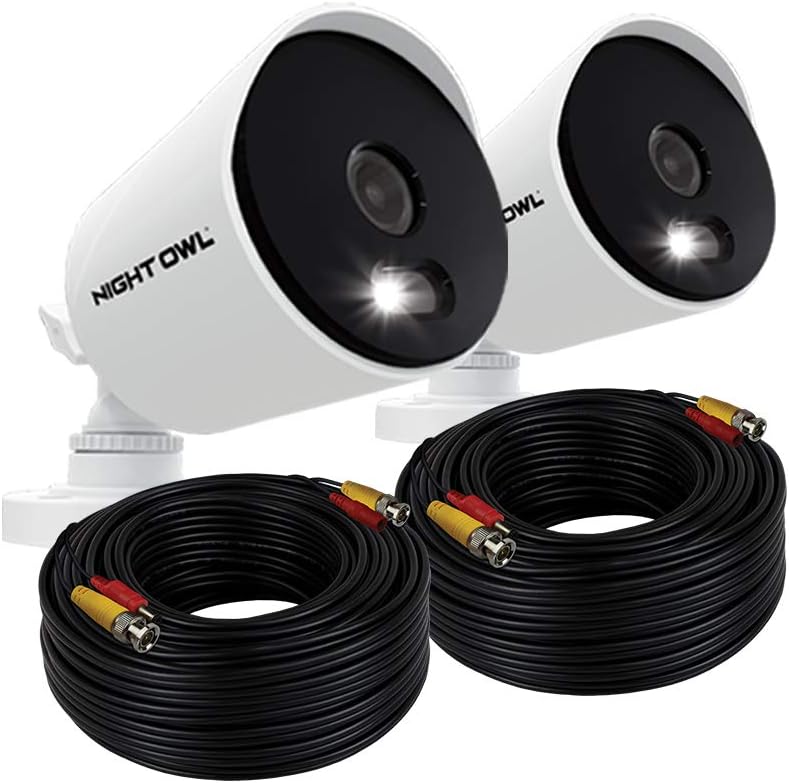
Image: Two Night Owl security cameras shown with two coiled video/power cables, illustrating typical package contents.
4. Setup Instructions
Follow these steps to connect your add-on cameras to your compatible Night Owl DVR system.
4.1 Planning Camera Placement
- Choose locations that provide optimal viewing angles and coverage.
- Ensure the camera's field of view covers critical areas.
- Consider the length of the provided cables for routing to the DVR and power source.
- Mount cameras at a height that deters tampering but still captures clear images.

Image: A Night Owl camera mounted outdoors under an eave, with its spotlight illuminated. The image also shows a person in a driveway, demonstrating the camera's outdoor application and spotlight feature.
4.2 Mounting the Cameras
- Position the camera in the desired location.
- Mark the screw holes using the camera base as a template.
- Drill pilot holes if necessary and insert wall anchors for drywall or masonry.
- Secure the camera base to the mounting surface using the provided screws.
- Adjust the camera angle. Note that these cameras primarily offer vertical (Y-axis) adjustment. For horizontal (X-axis) adjustment, the camera body itself must be rotated before tightening the mounting screws.
4.3 Connecting the Cameras to the DVR
These cameras use a wired BNC connection for video and a separate power connection.
- Connect one end of the video/power cable to the camera's BNC and power ports.
- Route the cable securely to your Night Owl DVR.
- Connect the BNC connector of the cable to an available video input port on your DVR.
- Connect the power connector of the cable to the camera's power adapter, then plug the adapter into a power outlet. A surge protector (not included) is recommended.
- Repeat for the second camera.
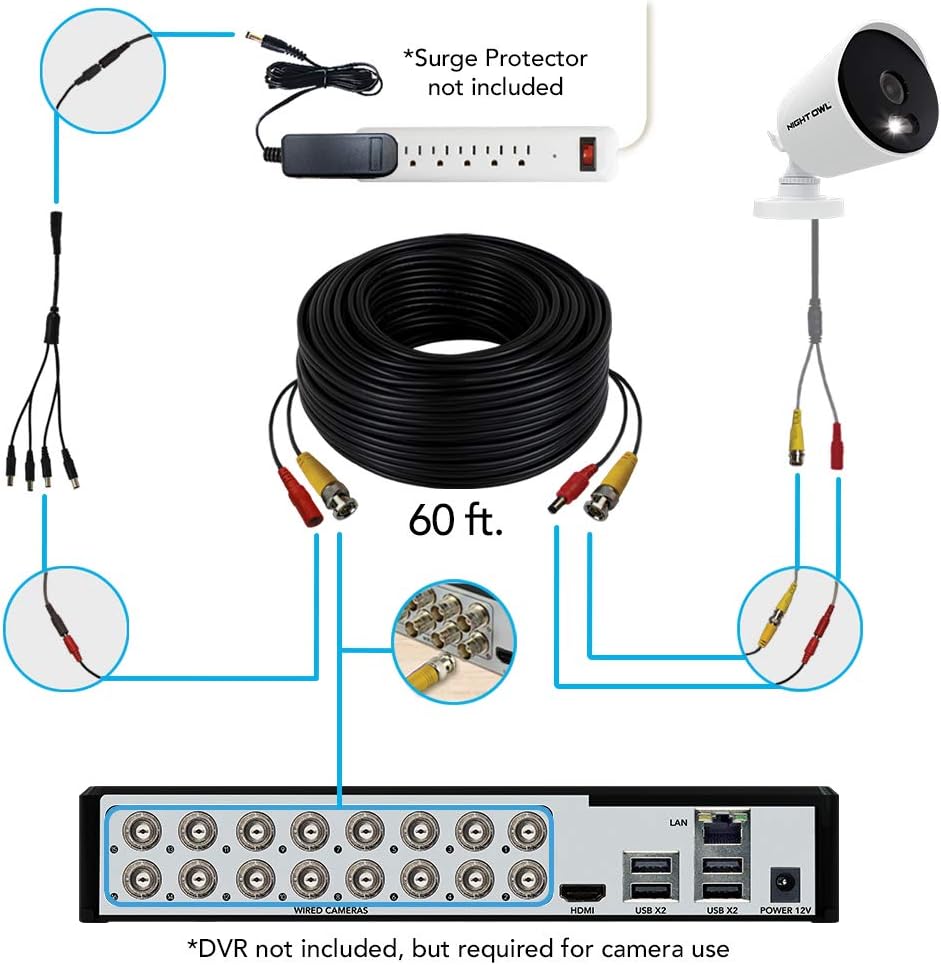
Image: A detailed diagram illustrating the wired connection of a Night Owl camera to a DVR system, including power and video cables, and a recommended surge protector.
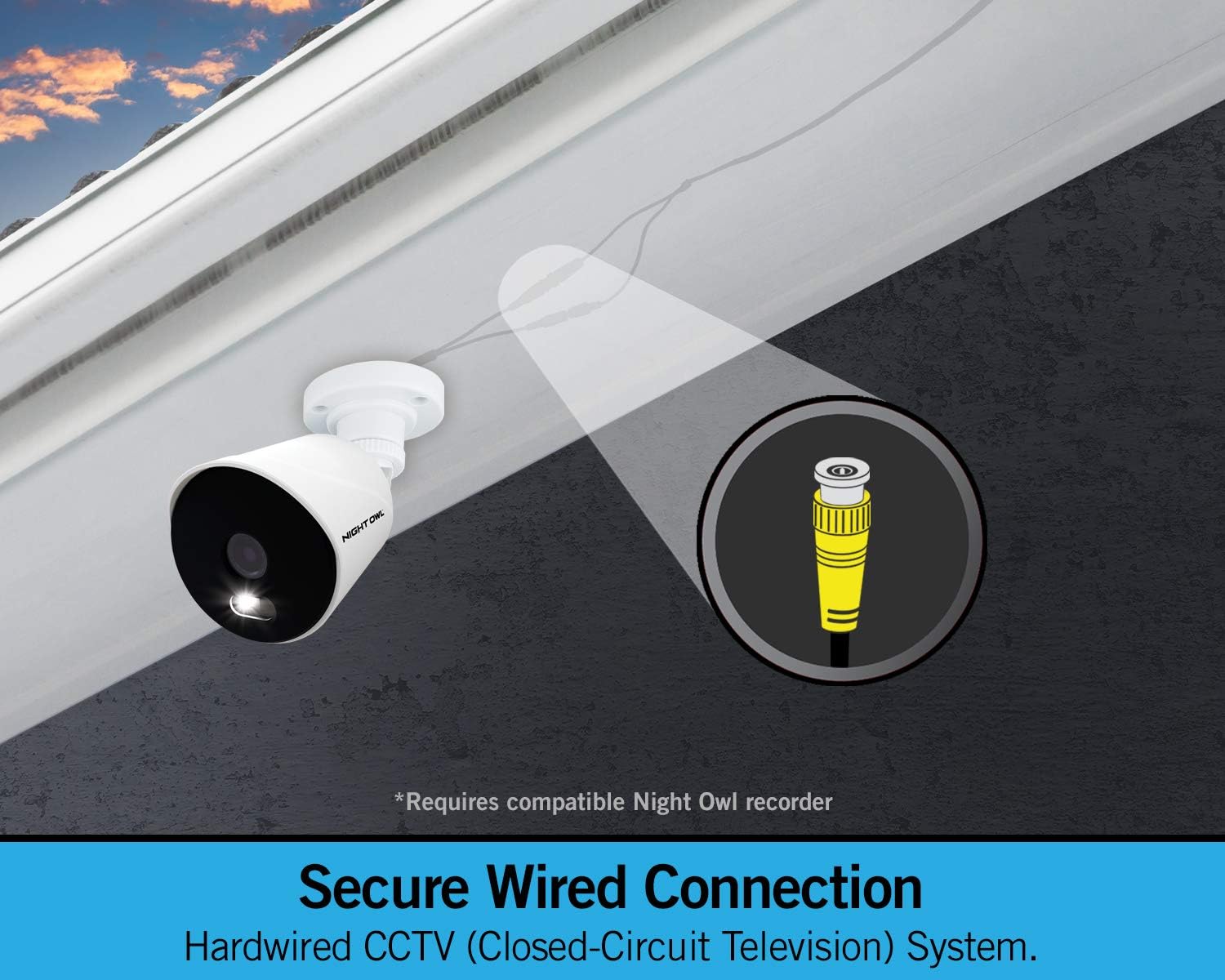
Image: A close-up of a Night Owl camera mounted, with an inset diagram highlighting the BNC wired connection for secure CCTV operation.
4.4 DVR Configuration
Refer to your Night Owl DVR's instruction manual for specific steps on adding new cameras to your system. Generally, the DVR should automatically detect the new cameras once they are properly connected and powered on. You may need to access the DVR's menu to configure recording settings, motion detection zones, and alert preferences for the new cameras.
5. Operation
5.1 Live Viewing and Playback
Once connected to your DVR, you can view live footage from your cameras directly on a monitor connected to the DVR. For remote access:
- Download the free Night Owl remote viewing app from the App Store (iOS) or Google Play Store (Android).
- Follow the in-app instructions to connect to your DVR.
- You can now view live streams, play back recorded events, and manage settings from your smartphone or tablet.

Image: A hand holding a smartphone displaying the Night Owl remote viewing application, showing live camera feed and playback options. This feature requires a compatible Night Owl recorder.
5.2 Motion-Activated Spotlights
The built-in spotlights are designed to activate automatically when human motion is detected within the camera's field of view. This feature provides a visual deterrent and enhances color night vision capabilities.
5.3 Color Night Vision and Night Vision
In low-light conditions, the cameras will attempt to record in full color. If ambient light levels drop below a certain threshold, the cameras will automatically switch to traditional infrared (IR) night vision for clear black and white footage up to 100 feet.
5.4 Human Detection and Facial Capture
These cameras utilize advanced human detection to minimize false alerts caused by animals or inanimate objects. When human motion is detected, the system can send real-time alerts to your smart device. With a compatible DVR, the facial capture feature can take a snapshot of a person's face during an event and include it in the alert.

Image: A smartphone displaying a notification for human detection and facial capture, showing a person carrying boxes. This feature requires a compatible Night Owl recorder.
6. Maintenance
To ensure optimal performance and longevity of your cameras:
- Cleaning: Periodically wipe the camera lens and housing with a soft, damp cloth to remove dust, dirt, or water spots. Avoid abrasive cleaners.
- Cable Inspection: Regularly check cables for any signs of wear, damage, or exposure that could affect performance or create a hazard. Ensure connections remain secure.
- Weather Resistance: While weather-resistant (IP65 rated), extreme weather conditions (e.g., direct lightning strikes, prolonged submersion) should be avoided. Ensure proper mounting to prevent water ingress.

Image: Two images of a Night Owl camera, one under simulated rain and another under clear skies, demonstrating its weather-resistant capabilities for both indoor and outdoor use.
7. Troubleshooting
| Problem | Possible Cause | Solution |
|---|---|---|
| No video feed from camera. |
|
|
| Poor image quality (fuzzy, blurry). |
|
|
| Motion detection alerts are too frequent or infrequent. |
|
|
| Cannot adjust camera horizontally (X-axis). | Camera design primarily for vertical adjustment. | These cameras are designed for vertical (up/down) adjustment once mounted. For horizontal adjustment, the camera body must be physically rotated on its mount before tightening. Plan your mounting orientation carefully. |
| Remote viewing app not working. |
|
|
8. Specifications
| Feature | Detail |
|---|---|
| Model Number | CAM-2PK-DP2L |
| Video Resolution | 1080p HD |
| Connectivity Technology | Wired (BNC) |
| Indoor/Outdoor Usage | Indoor/Outdoor |
| Night Vision Range | Up to 100 feet |
| Low Light Technology | Color Night Vision |
| Special Features | Motion Sensor, Built-in Spotlight, Human Detection, Facial Capture |
| Power Source | Corded Electric |
| Controller Type | Android, iOS (via compatible DVR and app) |
| Mounting Type | Wall Mount |
| International Protection Rating | IP65 |
| Item Weight | 2.77 pounds (per camera, approximate) |
| Package Dimensions | 6.65 x 6.5 x 6.26 inches (approximate) |
| UPC | 816522022792 |
9. Warranty and Support
For warranty information, technical support, or further assistance, please visit the official Night Owl website or contact their customer service department. Keep your purchase receipt and model number (CAM-2PK-DP2L) handy when contacting support.