
KLARSTEIN ACO15-9500-10k W
Klarstein Kraftwerk Smart Mobile Air Conditioner User Manual
Model: ACO15-9500-10k W
Brand: KLARSTEIN
1. Introduction
Thank you for choosing the Klarstein Kraftwerk Smart Mobile Air Conditioner. This 3-in-1 unit provides cooling, dehumidification, and ventilation, ensuring a comfortable environment in your living or working spaces. This manual provides essential information for safe operation, installation, maintenance, and troubleshooting.
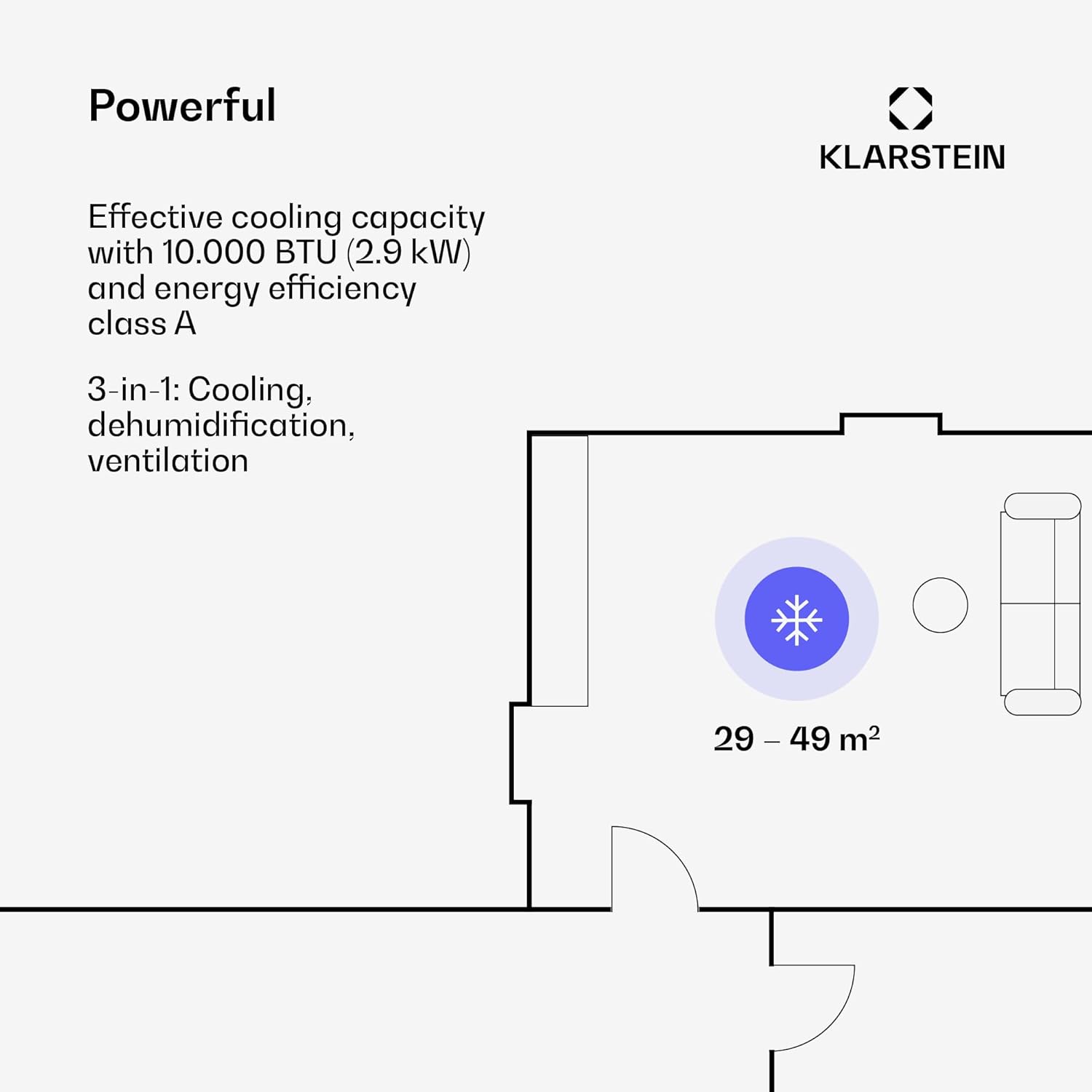
This diagram illustrates the effective cooling capacity of the Klarstein Kraftwerk Smart Mobile Air Conditioner, covering an area of approximately 29 to 49 square meters with 10,000 BTU (2.9 kW) cooling power and an energy efficiency class A rating. It highlights the unit's 3-in-1 functionality: cooling, dehumidification, and ventilation.
2. Safety Information
Please read all safety instructions carefully before using the appliance. Keep this manual for future reference.
- Ensure the power supply matches the voltage specified on the rating label.
- Do not operate the unit with a damaged cord or plug.
- Do not block air inlets or outlets.
- Do not insert objects into the air outlets.
- Always unplug the unit before cleaning or servicing.
- This appliance uses R290 refrigerant. Do not attempt to interfere with the refrigerant circuit.
- Keep the appliance away from heat sources and direct sunlight.
- Ensure the unit is placed on a flat, stable surface.
3. Package Contents
Verify that all items are present and in good condition:
- 1 x Klarstein Kraftwerk Smart Mobile Air Conditioner
- 1 x Remote Control
- 1 x Window Sealing Set for bottom hung windows
- 1 x Exhaust Hose including connectors
- 1 x Water Drain Hose
- 1 x User Manual (English, German)
4. Product Overview
Familiarize yourself with the main components of your air conditioner.

This image shows the Klarstein Kraftwerk Smart Mobile Air Conditioner from the front, highlighting its sleek white design and the main air outlet. A smartphone displaying the Klarstein control app is positioned next to the unit, emphasizing its smart control capabilities.

This diagram provides the physical dimensions of the air conditioner: approximately 35.5 cm (W) x 82.2 cm (H) x 38 cm (D), which is useful for planning placement.
5. Setup
5.1 Placement
Place the air conditioner on a flat, stable surface near a window or door for exhaust hose installation. Ensure there is at least 30 cm of space around the unit for proper airflow.
5.2 Exhaust Hose Installation
- Attach the exhaust hose connectors to both ends of the exhaust hose.
- Connect one end of the hose to the air outlet on the back of the unit.
- Extend the other end of the hose to the nearest window or door opening.

This image demonstrates the quick installation process, showing the exhaust hose connected to the back of the unit and extending through a window, secured by the included window sealing kit. This setup ensures efficient removal of hot air.
5.3 Window Sealing Kit Installation
The included window sealing set is designed for bottom-hung windows to prevent hot air from re-entering the room. Follow the instructions provided with the sealing kit for proper installation around the exhaust hose.
5.4 Drainage Setup
For continuous drainage, connect the water drain hose to the drainage port on the unit and route it to a suitable drain or container. This is especially recommended when using the dehumidification function for extended periods.
6. Operation
6.1 Control Panel
The control panel on top of the unit allows for direct manual control. It typically includes buttons for Power, Mode selection, Fan Speed, Temperature adjustment, and Timer.
6.2 Remote Control
The remote control provides convenient operation from a distance. Insert 1 x CR2032 battery (not included) into the remote before use. The remote offers similar functions to the control panel, including On/Off, Mode, Fan Speed, Temperature, and Timer settings.

This image displays the Klarstein Kraftwerk Smart Mobile Air Conditioner alongside its dedicated remote control and a smartphone running the Klarstein app, illustrating the multiple convenient ways to operate the unit.
6.3 App Control (WiFi)
The Klarstein Kraftwerk Smart can be controlled via the Klarstein app on your smartphone, compatible with Amazon Alexa and Google Home. This allows for advanced control and scheduling.
- Download the "Klarstein" app from the App Store (iOS) or Google Play Store (Android).
- Ensure your mobile device is connected to a 2.4 GHz Wi-Fi network.
- Follow the in-app instructions to pair your air conditioner with the app.

This image shows the user-friendly interface of the Klarstein app on a smartphone, demonstrating how to easily control the air conditioner's functions such as power, mode, temperature, fan speed, and scheduling, offering convenient operation from anywhere.
6.4 Operating Modes
- Cooling Mode: Cools the room to the set temperature (18-32°C).
- Dehumidification Mode: Removes excess moisture from the air (23 l/h capacity).
- Ventilation Mode: Circulates air without cooling or heating, with adjustable fan speeds (low/medium/high).
6.5 Timer Function
The programmable timer allows you to set the unit to turn on or off automatically within a 24-hour period, in 1-hour steps.
7. Maintenance
7.1 Cleaning the Air Filter
Regularly clean the air filter (every two weeks or more often depending on usage) to maintain optimal performance and air quality. Refer to the specific instructions in the full manual for filter removal and cleaning.
7.2 Draining Water
If not using continuous drainage, the internal water tank will fill up. The unit will indicate when it needs to be drained. Turn off the unit, unplug it, and carefully drain the water from the drainage port into a suitable container.
7.3 Storage
Before storing the unit for an extended period, ensure it is completely drained of water, the filter is clean, and the unit is dry. Store it in a cool, dry place, preferably in its original packaging.
8. Troubleshooting
If you encounter issues, refer to the table below for common problems and solutions. If the problem persists, contact customer support.
| Problem | Possible Cause | Solution |
|---|---|---|
| Unit does not turn on | No power, power cord loose, full water tank | Check power connection, plug in firmly, drain water tank |
| No cooling | Door/window open, air filter dirty, exhaust hose blocked | Close doors/windows, clean air filter, check exhaust hose for kinks/blockages |
| Unit is noisy | Unit not on a flat surface, fan speed too high | Place on a flat surface, reduce fan speed |
| Remote control not working | Battery dead or incorrectly inserted | Replace battery (CR2032), ensure correct polarity |
| App connection issues | Incorrect Wi-Fi password, 5GHz network, distance from router | Verify password, ensure 2.4GHz Wi-Fi, move closer to router, restart unit/router |
9. Specifications
| Feature | Detail |
|---|---|
| Model | ACO15-9500-10k W (1927) |
| Cooling Capacity | 10,000 BTU (2.9 kW) |
| Energy Efficiency Class | A |
| Effective Area | Approx. 29 - 49 m² |
| Max. Air Flow Fan | 440 m³/h |
| Dehumidification Performance | 23 l/h |
| Noise Level | 48 dB (min) / 65 dB (max) |
| Temperature Range | 18 - 32 °C |
| Nominal Power Consumption | 1120 Watts |
| Refrigerant | R290 |
| Power Supply | 220 - 240 V ~ | 50 Hz |
| Dimensions (WxHxD) | Approx. 35.5 x 82.2 x 38 cm |
| Weight | Approx. 26 kg |
| Max. Exhaust Pipe Length | Approx. 1.5 m |

This image displays the energy efficiency label for the Klarstein Kraftwerk Smart Mobile Air Conditioner, confirming its Class A energy rating, 2.9 kW cooling capacity, 2.6 EER, and a maximum noise level of 65 dB.

This image presents the product fiche, providing detailed technical specifications including supplier name, model identifier, sound power levels, refrigerant type (R290), and energy efficiency data for cooling mode.
10. Warranty and Support
KLARSTEIN products are manufactured with high-quality materials and undergo strict quality control. For warranty information and support, please refer to the warranty card included with your product or visit the official KLARSTEIN website. Keep your proof of purchase for any warranty claims.
For further assistance, you may contact KLARSTEIN customer service through their official channels. Please have your model number (ACO15-9500-10k W) and purchase date ready.
Related Documents - ACO15-9500-10k W
 |
Klarstein Kraftwerk Eco Smart 11 Air Conditioner Manual User manual for the Klarstein Kraftwerk Eco Smart 11 portable air conditioner. Includes installation, operation, safety instructions, and troubleshooting for this 11,500 BTU cooling device. |
 |
Klarstein Kraftwerk Smart Air Conditioner Manual User manual for the Klarstein Kraftwerk Smart air conditioner, providing instructions on installation, operation, maintenance, and troubleshooting. |
 |
Klarstein Kraftwerk Smart Klimaanlage – Effiziente Kühlung & App-Steuerung Entdecken Sie die Klarstein Kraftwerk Smart Klimaanlage. Bietet effiziente Kühlung, Entfeuchtung und Ventilatorfunktionen mit einfacher App-Steuerung für maximalen Komfort in Ihrem Zuhause. |
 |
Klarstein Kraftwerk Smart Klimaanlage: Benutzerhandbuch & Bedienungsanleitung Umfassendes Benutzerhandbuch für die Klarstein Kraftwerk Smart Klimaanlage. Enthält detaillierte Anleitungen zur Installation, Bedienung, Wartung und Fehlerbehebung. Erfahren Sie mehr über die Smart-Funktionen und technischen Spezifikationen Ihres Geräts. |
 |
Klarstein Kraftwerk Eco Smart 11 Klimaanlage Bedienungsanleitung Bedienungsanleitung für die Klarstein Kraftwerk Eco Smart 11 Klimaanlage. Enthält Informationen zu Installation, Bedienung, Sicherheitshinweisen, technischen Daten und App-Steuerung. |
 |
Klarstein New Breeze ECO Air Conditioner User Manual Comprehensive user manual for the Klarstein New Breeze ECO air conditioner, covering safety instructions, device overview, operation, remote control functions, and technical specifications. Learn how to effectively use and maintain your air conditioner for optimal performance. |