
Pioneer DEH-S4250BT
Pioneer DEH-S4250BT CD and Digital Media Receiver
User Manual
1. Introduction
Thank you for purchasing the Pioneer DEH-S4250BT CD and Digital Media Receiver. This unit is designed to provide high-quality audio entertainment and seamless connectivity in your vehicle. Featuring dual Bluetooth connectivity, USB direct control for iPod/iPhone, and compatibility with Pioneer Smart Sync, this receiver offers a versatile and user-friendly experience.
This manual provides essential information for the proper installation, operation, and maintenance of your new receiver. Please read it thoroughly before use to ensure safe and optimal performance.
2. Safety Information
To ensure safe operation and prevent damage, observe the following precautions:
- Do not attempt to install or service this unit yourself. Installation and service should be performed by qualified personnel.
- Avoid operating the unit in a manner that distracts you from driving. Always prioritize road safety.
- Do not expose the unit to moisture or extreme temperatures.
- Ensure all wiring connections are secure and properly insulated to prevent short circuits.
- Use only accessories specified by Pioneer for this unit.
3. Package Contents
Upon opening the package, please verify that all the following items are included:
- Pioneer DEH-S4250BT Main Unit
- Wiring Harness
- Microphone for Hands-Free Calling
- Remote Control (if applicable)
- Mounting Hardware (screws, brackets)
- User Manual (this document)
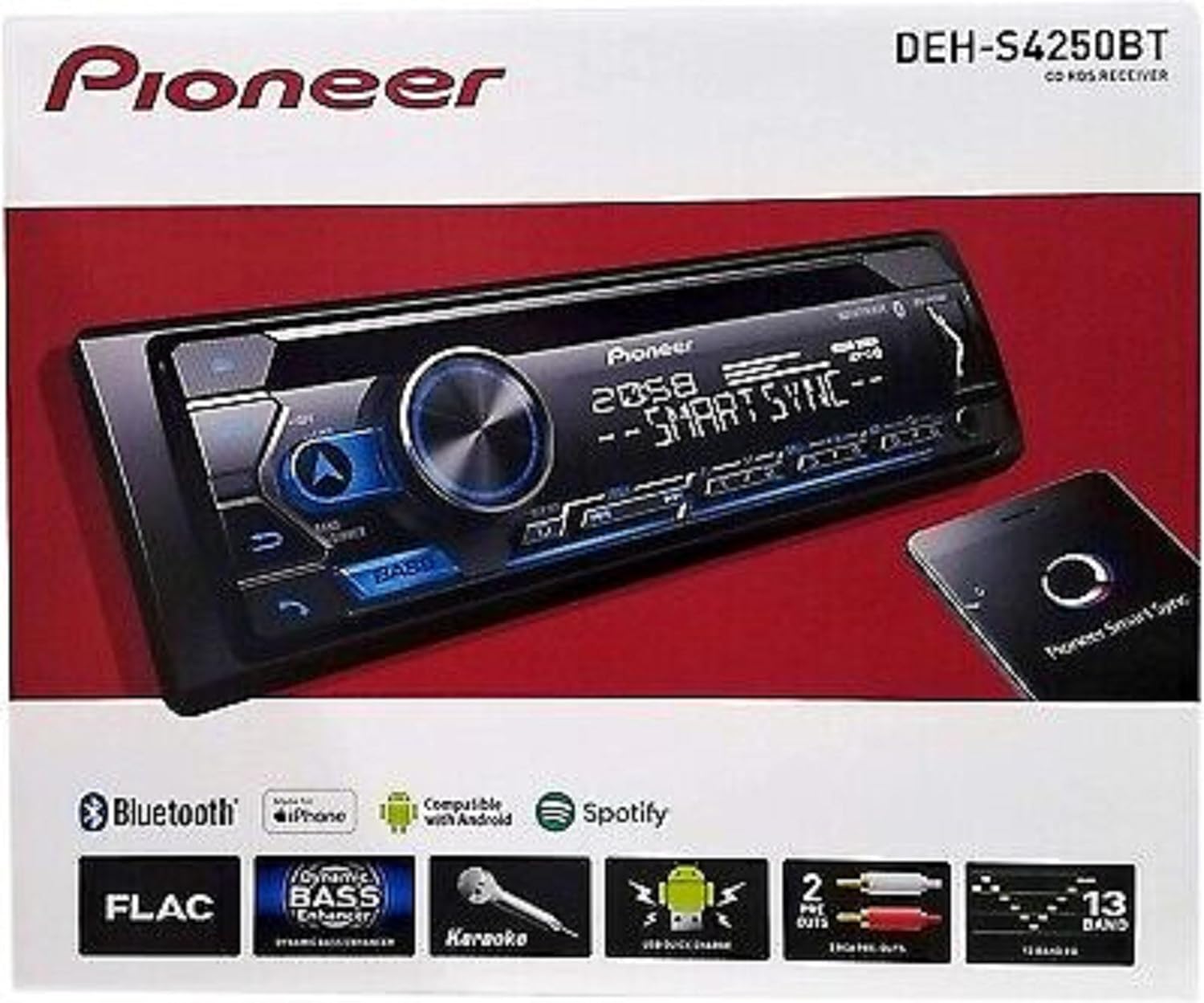
Figure 3.1: The Pioneer DEH-S4250BT receiver shown in its retail packaging, highlighting key features and compatibility logos.
4. Setup and Installation
Proper installation is crucial for the performance and longevity of your DEH-S4250BT receiver. It is highly recommended to have the unit installed by a professional car audio technician.
4.1 Wiring Connections
Before making any connections, ensure the vehicle's battery is disconnected. Refer to the wiring diagram provided with the wiring harness for specific connections. Key connections include:
- Power (Yellow): Connect to a constant 12V supply.
- Accessory (Red): Connect to a switched 12V supply (ignition).
- Ground (Black): Connect securely to a clean metal point on the vehicle chassis.
- Speaker Outputs: Connect to your vehicle's speakers, ensuring correct polarity.
- RCA Pre-outs: For connecting external amplifiers (front, rear, subwoofer).

Figure 4.1: Rear view of the Pioneer DEH-S4250BT receiver, illustrating the various input and output ports, including the main wiring harness connector, antenna input, and RCA pre-outs.
4.2 Mounting the Unit
Securely mount the receiver in the vehicle's dashboard using the supplied mounting sleeve and screws. Ensure adequate ventilation around the unit.
5. Operating Instructions
This section details the primary functions and controls of your DEH-S4250BT receiver.

Figure 5.1: Front panel of the Pioneer DEH-S4250BT receiver, displaying the main display, rotary volume knob, source selection buttons, and various playback controls.
5.1 Basic Operations
- Power On/Off: Press the SRC button to turn the unit on. Press and hold the SRC button to turn it off.
- Volume Control: Rotate the large central knob to adjust the volume level.
- Source Selection: Press the SRC button repeatedly to cycle through available sources (CD, Tuner, USB, Bluetooth Audio, AUX).
- Display Information: Press the DISP button to change the information shown on the display.
5.2 Audio Settings
Access the audio menu to customize sound settings:
- Equalizer (EQ): The DEH-S4250BT features a 13-band graphic equalizer. Press the MENU button, then navigate to the Audio settings to adjust EQ presets or create custom settings.
- Bass Boost: Press the BASS button to activate or deactivate the dynamic bass enhancer.
- Subwoofer Control: Adjust subwoofer output levels and crossover frequencies through the audio menu.
5.3 Bluetooth Connectivity
The unit supports dual Bluetooth for simultaneous connection of two devices.
- Pairing a Device:
- Ensure Bluetooth is enabled on your mobile device.
- On the DEH-S4250BT, select the Bluetooth source.
- Search for "Pioneer DEH-S4250BT" on your device and select it to pair.
- Confirm the pairing code if prompted.
- Hands-Free Calling: Use the built-in microphone for clear hands-free conversations. Answer/end calls using the phone button on the unit.
- Bluetooth Audio Streaming: Play music wirelessly from your paired smartphone or other Bluetooth audio device.
5.4 USB and CD Playback
- USB Direct Control for iPod/iPhone: Connect your Apple device via USB to play music and charge the device. Control playback directly from the receiver.
- USB Media Playback: Insert a USB flash drive containing audio files (MP3, WMA, WAV, FLAC) into the front USB port.
- CD Playback: Insert an audio CD into the disc slot. The unit will automatically begin playback.
- AUX Input: Connect external audio players using a 3.5mm stereo mini-jack cable to the front AUX input.
5.5 Pioneer Smart Sync
The DEH-S4250BT is compatible with Pioneer Smart Sync. Download the app on your smartphone to integrate your smartphone's functions with the receiver, allowing for enhanced audio control, navigation, and communication features directly from the unit's display or your phone.
6. Maintenance
Regular maintenance helps ensure the longevity and optimal performance of your receiver.
- Cleaning the Unit: Use a soft, dry cloth to wipe the front panel. For stubborn dirt, dampen the cloth with a small amount of neutral detergent and wipe gently. Never use abrasive cleaners or solvents.
- Disc Slot: Keep the disc slot free of dust and debris. Avoid inserting damaged or irregular discs.
- USB Port: Ensure the USB port is clean and free from foreign objects.
7. Troubleshooting
If you encounter issues with your DEH-S4250BT, refer to the following common problems and solutions:
| Problem | Possible Cause | Solution |
|---|---|---|
| No power | Blown fuse; incorrect wiring; loose connection. | Check vehicle's fuse box and the unit's fuse. Verify all power and ground connections. |
| No sound | Volume too low; Mute activated; incorrect speaker wiring; amplifier issue. | Increase volume. Check Mute function. Verify speaker connections and amplifier status. |
| Bluetooth not connecting | Device not in pairing mode; unit not in Bluetooth source; interference. | Ensure device is discoverable. Select Bluetooth source on unit. Try re-pairing. Move closer to unit. |
| CD/USB playback issues | Damaged disc/file; incompatible format; dirty disc/USB port. | Try a different disc/USB. Ensure files are compatible. Clean disc/USB port. |
If the problem persists, consult a qualified service technician or contact Pioneer customer support.
8. Specifications
| Feature | Detail |
|---|---|
| Model Number | DEH-S4250BT (Note: Some documentation may refer to DEH-S420BT) |
| Product Dimensions | 25.4 x 25.4 x 25.4 cm |
| Item Weight | 1.5 kg |
| Connectivity Technology | Bluetooth, USB |
| Special Features | Dual Bluetooth, Pioneer Smart Sync Compatible, USB Direct Control for iPod/iPhone, CD-Player, AUX Input (3.5 mm mini-jack) Front, Siri Eyes Free |
| Compatible Devices | Smartphone, Speaker |
| Manufacturer | Pioneer |
| Country of Origin | Thailand |
9. Warranty and Support
Pioneer products are manufactured to the highest quality standards and are backed by a limited warranty. Please refer to the warranty card included with your product for specific terms and conditions.
For technical support, service, or further inquiries, please visit the official Pioneer website or contact their customer service department. Keep your purchase receipt as proof of purchase for warranty claims.
Pioneer Official Website: www.pioneer-car.eu
Ask a question about this manual
Ask about setup, troubleshooting, compatibility, parts, safety, or missing instructions. Manuals+ will review the question and use this page’s manual context to help answer it.