
Yaheetech YT-0009682402
Yaheetech Ergonomic Office Chair User Manual
Model: YT-0009682402
Brand: Yaheetech
1. Introduction
Thank you for choosing the Yaheetech Ergonomic Home Office Chair. This manual provides detailed instructions for assembly, operation, maintenance, and troubleshooting to ensure you get the most out of your new chair. Designed for comfort and support, this chair is an excellent addition to any home or office environment.
2. Product Overview
The Yaheetech Ergonomic Office Chair combines comfort with robust design, featuring a curved backrest for spinal support, high-quality PU leather, and a sturdy base. Key features include:
- Ergonomic Design: Curved backrest adapts to the spine's natural curve, alleviating back tension.
- PU Leather Covering: Easy to clean, deformation resistant, wearproof, and soft.
- Comfortable & Sturdy: Generous 20'' (W) x 21'' (D) seat with high-density foam cushion, supporting up to 265lb.
- Heavy-duty Construction: SGS-certified gas lift, quality nylon base, and non-marking swivel casters.
- Adjustable Features: Seat height adjustable from 18'' to 22'', with a rocking function and tilt tension knob.

Front view of the Yaheetech Ergonomic Office Chair, showcasing its brown PU leather seat and black mesh back.

The office chair integrated into a home office environment, demonstrating its aesthetic appeal.

Detailed dimensions of the chair, illustrating its overall size and adjustable features.

Visual representation of the chair's ergonomic design, emphasizing its support for the natural curve of the spine.
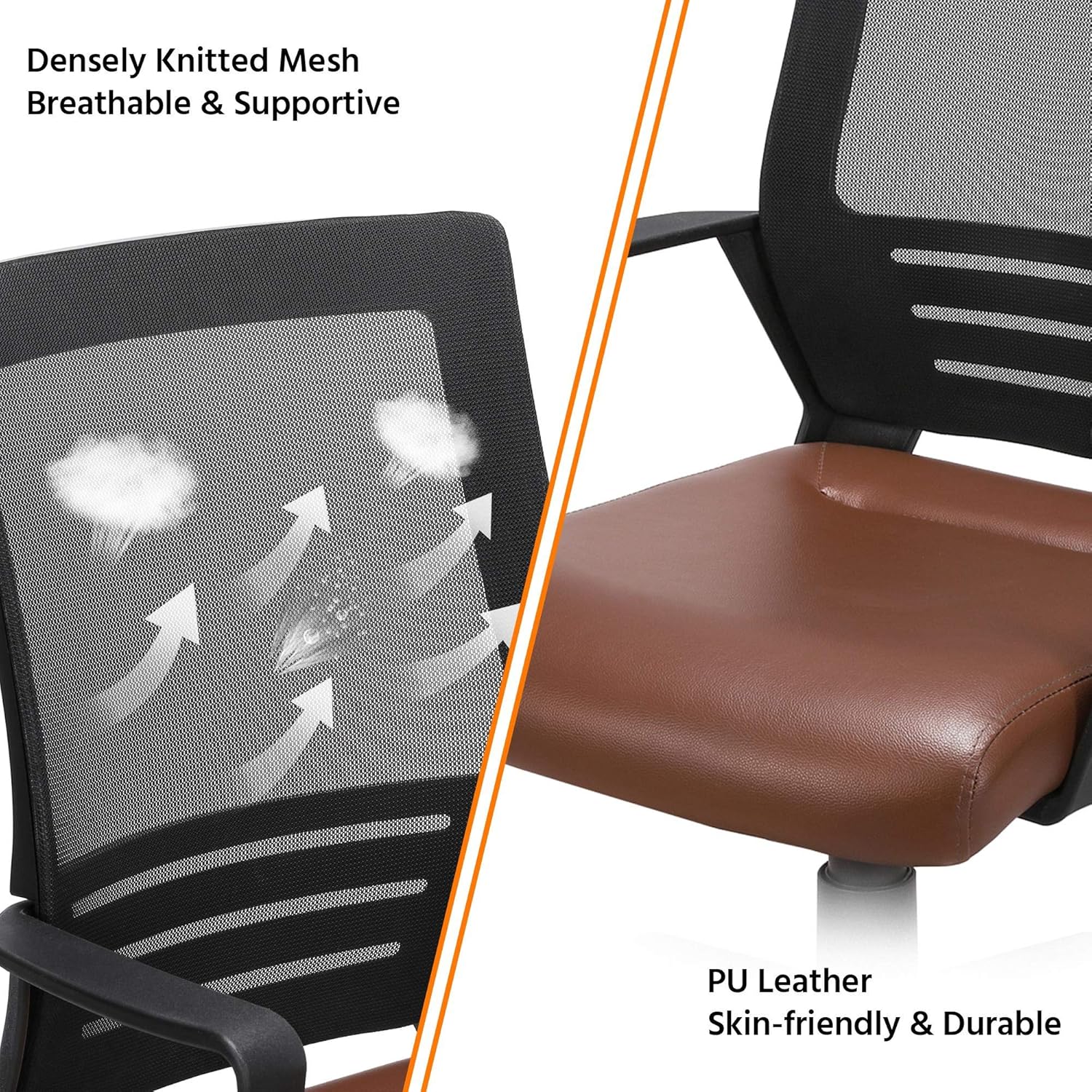
Close-up showing the texture of the densely knitted mesh back and the smooth PU leather seat, highlighting material quality.
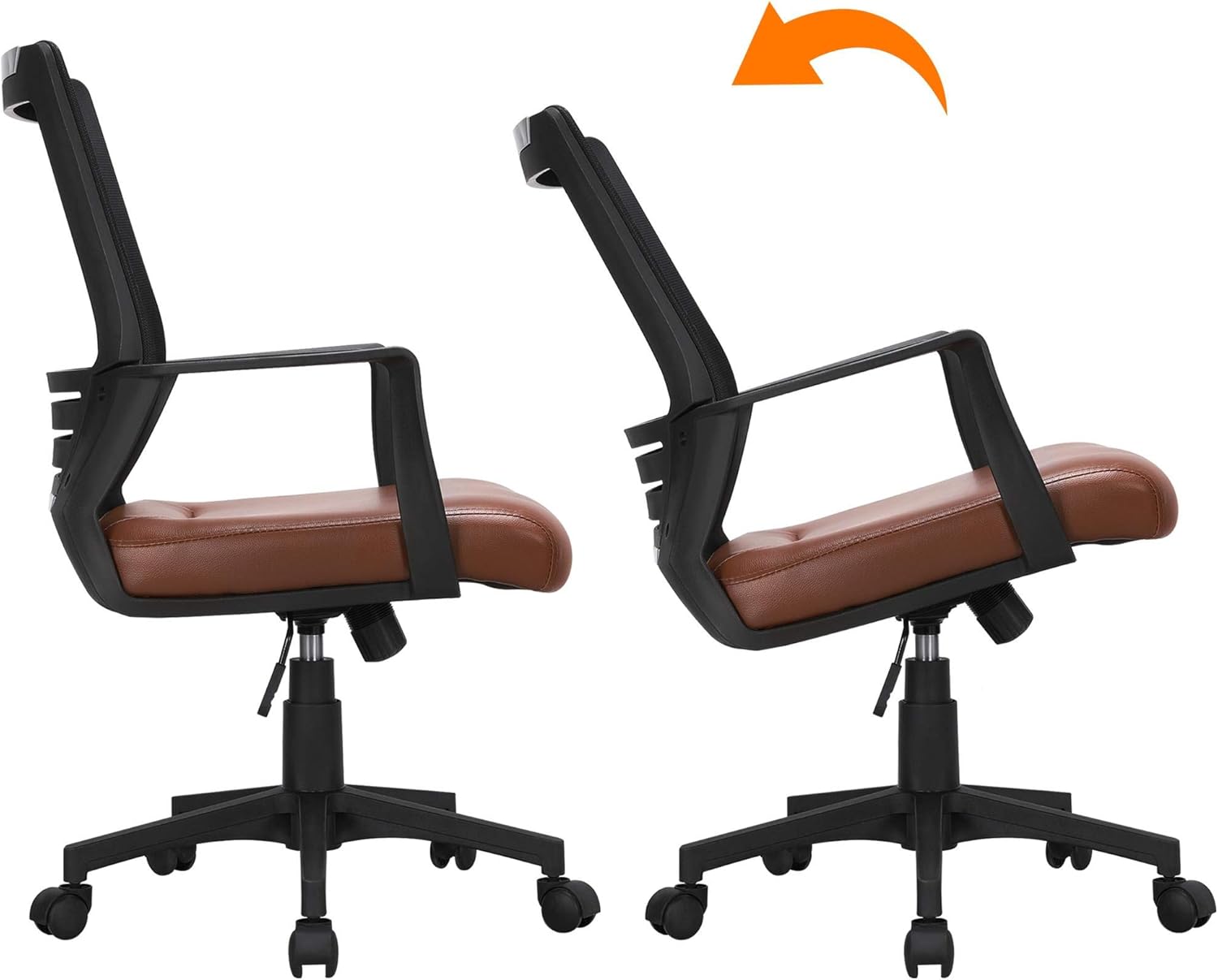
Illustration of the chair's tilt function, showing the range of recline for user comfort.
3. Setup and Assembly
Your Yaheetech office chair comes with all necessary components and a dedicated installation manual. For detailed, step-by-step assembly instructions, please refer to the official Installation Manual PDF:
Download Installation Manual (PDF)
General Assembly Steps (Refer to PDF for full details):
- Unpack all components and verify against the parts list in the manual.
- Attach the casters to the chair base.
- Insert the gas lift cylinder into the center hole of the base.
- Attach the armrests to the seat cushion.
- Secure the backrest to the seat cushion and armrests.
- Mount the assembled seat and backrest onto the gas lift cylinder.
- Ensure all screws are tightened securely before use.
Tip: As suggested by users, propping the seat upside down onto the (empty) box can assist in attaching the base.
4. Operating Instructions
Your Yaheetech office chair offers several adjustable features to customize your seating experience:
- Seat Height Adjustment: Locate the lever on the right side beneath the seat.
- To raise the seat: Lift the lever while taking your weight off the seat.
- To lower the seat: Lift the lever while remaining seated.
The seat height can be adjusted from 18 inches to 22 inches to match various sitting positions.
- Rocking Function: The chair features a rocking mechanism for added comfort.
- To enable rocking: Pull the height adjustment lever outwards.
- To lock the chair in an upright position: Push the height adjustment lever inwards.
- Tilt Tension Adjustment: A knob located beneath the seat controls the resistance of the rocking function.
- To increase tilt tension (more resistance): Turn the knob clockwise.
- To decrease tilt tension (less resistance): Turn the knob counter-clockwise.
Adjust this to your preference for comfortable rocking or a firmer recline.
- 360° Swivel: The chair is designed with a 360-degree swivel function for easy movement and access to your workspace.
The stable star base and multi-directional wheels ensure smooth, noise-free, and scratch-free mobility.
5. Maintenance
Proper care will extend the life and appearance of your Yaheetech office chair:
- Cleaning: Wipe clean with a damp cloth. For the PU leather, use a mild soap solution if necessary, then wipe dry. Avoid harsh chemicals or abrasive cleaners.
- Regular Checks: Periodically check all screws and bolts to ensure they are tight. Re-tighten if necessary to maintain stability and safety.
- Caster Care: Keep the casters free of hair and debris to ensure smooth rolling.
- Avoid Overloading: Do not exceed the maximum weight recommendation of 265 pounds.
6. Troubleshooting
If you encounter any issues with your chair, please refer to the following common problems and solutions:
| Problem | Possible Cause | Solution |
|---|---|---|
| Chair does not adjust height. | Gas lift not engaged correctly or faulty. | Ensure the height adjustment lever is fully engaged. If the issue persists, the gas lift may need replacement. |
| Chair makes creaking noises. | Loose bolts or components. | Tighten all assembly bolts, especially those connecting the seat plate to the seat and the backrest. |
| Chair does not recline or tilt properly. | Tilt tension knob too tight or rocking function locked. | Adjust the tilt tension knob counter-clockwise to loosen. Ensure the rocking function is enabled by pulling the height adjustment lever outwards. |
| Chair feels unstable or wobbly. | Loose connections or damaged base/casters. | Check and tighten all bolts. Inspect the base and casters for any visible damage. Replace damaged parts if necessary. |
7. Specifications
| Feature | Detail |
|---|---|
| Brand | Yaheetech |
| Model Name | Office Chair (YT-0009682402) |
| Color | Brown |
| Product Dimensions | 24"D x 23.5"W x 42"H |
| Seat Height Range | 18" - 22" |
| Seat Depth | 21 inches |
| Seat Length | 21 Inches |
| Chair Backrest Width | 16.5 Inches |
| Maximum Weight Recommendation | 265 Pounds |
| Material | PU Leather, Mesh, Foam, Nylon Base |
| Special Features | Adjustable Height, Ergonomic, Arm Rest, Rocking, Tilt, 360° Swivel |
| Product Care Instructions | Wipe Clean |
8. Warranty and Support
For any questions, concerns, or support needs regarding your Yaheetech Ergonomic Office Chair, please contact Yaheetech customer service. While specific warranty details are not provided in this manual, Yaheetech is committed to customer satisfaction.
You can find more information and contact details by visiting the official Yaheetech Brand Store:
Proposition 65 Warning: This product can expose you to chemical Lead which is known to the State of California to cause cancer and birth defects or other reproductive harm. For more information go to www.P65Warnings.ca.gov/furniture.
Related documentsYT-0009682402


Ask a question about this manual
Ask about setup, troubleshooting, compatibility, parts, safety, or missing instructions. Manuals+ will review the question and use this page’s manual context to help answer it.