
1. Introduction
The Vivoo Smart Urine Test Strips provide a convenient and non-invasive method for at-home wellness tracking. These app-powered strips analyze 8 key parameters in your urine to offer real-time insights into your body's needs, including hydration, sodium, ketone, pH, vitamin C, calcium, magnesium, and oxidative stress. The accompanying Vivoo app delivers personalized nutritional and lifestyle advice based on your results, helping you make informed decisions about your health.

Image: Vivoo Smart Urine Test highlighting its convenience, 99% accuracy, and 90-second results.

Image: Visual representation of the 8 real-time body data parameters tracked by Vivoo.
2. Setup
Before using your Vivoo Smart Urine Test Strips, please follow these setup steps:
- Download the Vivoo App: Search for "Vivoo" in the Apple App Store or Google Play Store and install it on your smartphone. Register for an account if you are a new user.
- Prepare the Test Strip: Each box contains 4 individually sealed test strips, providing tests for 1 month (recommended weekly use). Do not open the foil pouch until you are ready to perform a test.
- Ensure Proper Lighting: For accurate scanning, ensure you are in a well-lit area with a light-colored background when taking a photo of the strip.

Image: Step-by-step visual instructions for using the Vivoo test strips.
3. Operating Instructions
Follow these steps to perform a Vivoo urine test and get your results:
- Open the Pouch: Tear open one individual foil pouch to retrieve a single Vivoo test strip. Do not touch the test boxes on the strip.
- Urinate on the Strip: Urinate on all the colored test boxes of the strip while mid-stream. Ensure the strip is saturated for 2-5 seconds. Do not urinate on the strip for more than 5 seconds.
- Wait for Activation: Place the wet strip on a clean, dry surface (e.g., a paper towel). Open the Vivoo app and tap the 'Test' icon. A 90-second timer will be displayed on the test screen. Wait until the timer completes.
- Scan the Strip: Once the 90-second timer stops, your phone's camera will activate within the app. Align the test strip within the designated frame on your screen and take a photo. The app will automatically scan and analyze the colors on the strip.
- Receive Results and Advice: The app will upload and analyze your results, providing a wellness score and detailed information on each of the 8 parameters. You will also receive personalized nutritional and lifestyle advice based on your unique body data.

Image: A user scanning a Vivoo test strip with the mobile application.
Understanding Your Results
The Vivoo app provides a comprehensive report on the following parameters:
- Water (Hydration): Indicates your hydration levels.
- Magnesium: Essential for muscle and nerve function, blood sugar control, and blood pressure regulation.
- Calcium: Crucial for bone health, muscle function, and nerve signaling.
- Vitamin C: An important antioxidant for immune function and skin health.
- pH: Measures the acidity or alkalinity of your urine, reflecting your body's acid-base balance.
- Ketones: Byproducts of fat metabolism, often monitored in ketogenic diets.
- Sodium: An electrolyte vital for fluid balance and nerve function.
- Oxidative Stress: Reflects the balance between free radicals and antioxidants in your body.
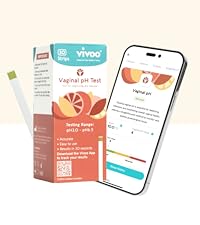
Image: Vivoo app displaying a user's wellness score and detailed urine data.
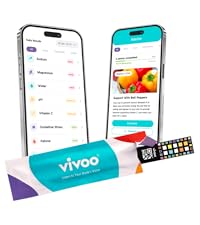
Image: Vivoo app providing detailed insights and advice for magnesium levels.
4. Maintenance
Vivoo Smart Urine Test Strips are designed for single use only. Once a strip has been used and scanned, it should be discarded according to local regulations for medical waste. No maintenance is required for the strips themselves. Store unused strips in their sealed foil pouches in a cool, dry place, away from direct sunlight and moisture, and do not open until ready to use. Do not use after the expiration date printed on the pouch.
5. Troubleshooting
- App not scanning the strip: Ensure the strip is placed on a light-colored, flat background. Make sure there is adequate lighting and that the entire strip, including the QR code, is within the camera frame. Hold your phone steady during the scan.
- Inconsistent or unexpected results: Factors such as diet, hydration levels, medication, and time of day can influence urine composition. If results seem inconsistent with your health status or you have concerns, consult a healthcare professional. Ensure the strip was used correctly, not over-saturated, and scanned within the 90-second window.
- App issues (crashing, freezing): Ensure your Vivoo app is updated to the latest version. Try restarting the app or your smartphone. If problems persist, contact Vivoo customer support.
- Expired strips: Do not use strips past their expiration date, as this can lead to inaccurate results.
6. Specifications
| Brand Name | Vivoo |
| Model Number | V1TM20P8Q1 |
| Number of Items | 1 (containing 4 test strips) |
| Unit Count | 4 Count |
| Measurement Accuracy | 100% (as per manufacturer claim) |
| Specific Uses For Product | Track Vitamin C, Ketones, Hydration, Magnesium, Calcium, pH, Sodium, Oxidative Stress |
| Manufacturer | Vivosens Inc. |
| Package Dimensions | 7.72 x 4.53 x 0.51 inches |
| Item Weight | 1.76 ounces |
7. Warranty and Support
For any product inquiries, technical support, or warranty information, please contact Vivosens Inc., the manufacturer of Vivoo products. Refer to the product packaging or the Vivoo app for the most current contact details. Statements regarding dietary supplements have not been evaluated by the FDA and are not intended to diagnose, treat, cure, or prevent any disease or health condition.
Manufacturer: Vivosens Inc.
Website: www.vivoo.io