
1. Introduction
This manual provides essential information for the safe and effective use of your MAST TATTOO Mast Tour Wireless Tattoo Gun Machine Kit, Model MT36DC. Please read all instructions carefully before initial use to ensure proper operation and longevity of the device.
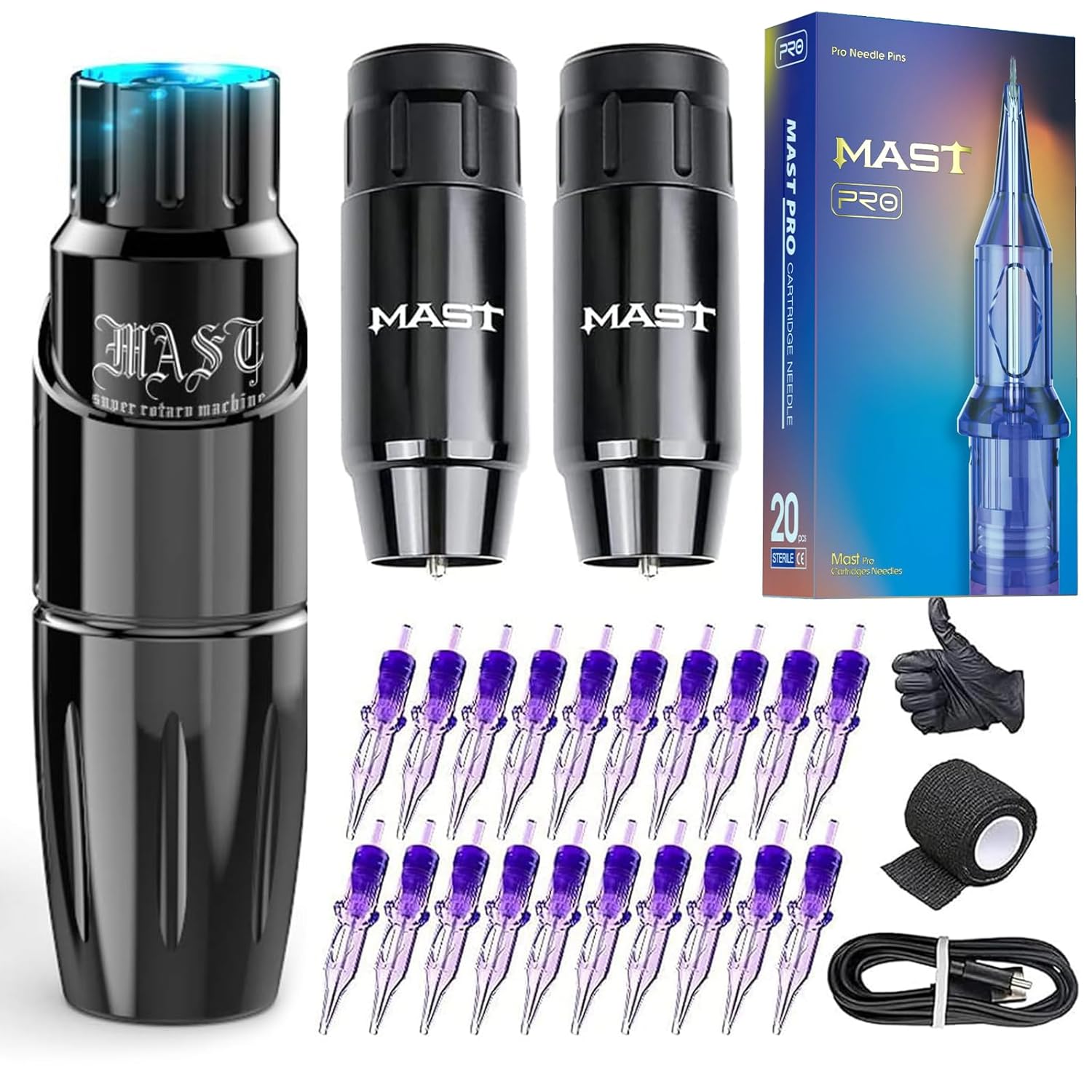
Figure 1: Complete Mast Tour Wireless Tattoo Gun Machine Kit
2. Product Overview
The Mast Tour Wireless Tattoo Gun Machine Kit is designed for precision tattooing, offering versatility for various techniques including lining, shading, and permanent makeup applications. Its compact and lightweight design ensures comfortable handling during extended use.
Key Features:
- Compact and Lightweight: Weighing 88g, with a length of 97mm and a diameter of 20mm, featuring a 3.5mm stroke length for precise control.
- Updated Mcore-C Series Motor: Delivers precise line work, smooth black and grey shading, and solid color packing with reduced skin trauma.
- Dual Battery System: Includes two 1200mAh batteries, each providing up to 6 hours of continuous use on a full charge.
- Comprehensive Kit: Comes with the tattoo machine, two batteries, 20 tattoo needles (1003RL/1205RM), and essential accessories.
- Universal Compatibility: Compatible with all standard cartridge needles, regardless of brand.
3. Components
Your Mast Tour Wireless Tattoo Gun Machine Kit includes the following main components:
- Mast Tour Tattoo Pen Machine Body
- Wireless Power Supply Batteries (x2)
- USB-C Charging Cable
- Assorted Cartridge Needles (20 Pcs: 1003RL/1205RM)
- Grip Tape
- Gloves
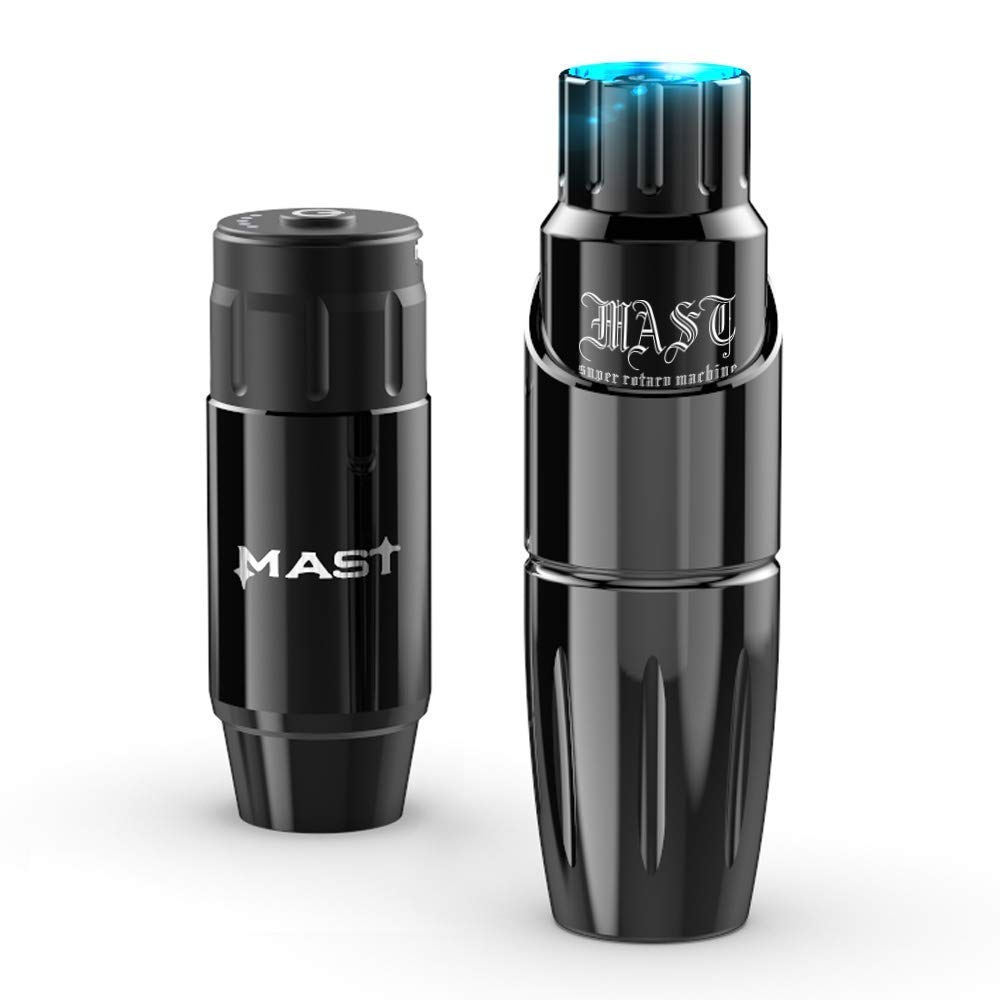
Figure 2: Mast Tour Tattoo Pen Machine and Wireless Battery
4. Setup Instructions
4.1 Charging the Battery
- Ensure the battery is securely attached to the machine or charged separately.
- Connect the provided USB-C charging cable to the charging port on the battery.
- Plug the other end of the USB-C cable into a compatible USB power adapter (not included).
- The battery indicator lights will illuminate to show charging progress. A full charge typically takes approximately 3 hours and provides up to 6 hours of operating time.

Figure 3: Type-C Charging Interface

Figure 4: Battery Charging and Operating Hours
4.2 Assembling the Machine
- Ensure the machine and all components are clean and sterilized before assembly.
- Align the symmetrical card slots of the battery and the machine body. Gently push and twist to secure the connection.
- Insert a compatible needle cartridge into the machine. Twist until it locks into place.
- Adjust the needle depth by rotating the grip of the machine.

Figure 5: Symmetrical Card Slot Connection
5. Operating Instructions
5.1 Power On/Off and Voltage Adjustment
- To power on the machine, press and hold the power button on the battery for a few seconds until the indicator lights illuminate.
- To adjust the voltage, click the power button. Each click will cycle through the available voltage settings (e.g., 6V, 7V, 8V, 9V, 11V). The corresponding indicator light will show the selected voltage.
- To power off, press and hold the power button again until the lights turn off.

Figure 6: Battery Display and Controls
5.2 General Usage
The Mast Tour machine is suitable for various tattooing applications. Always ensure proper hygiene and technique for optimal results.
Video 1: Demonstration of the Mast Tour Tattoo Pen Machine in use for tattooing.

Figure 7: Tattoo Artist Utilizing the Mast Tour Pen Machine
6. Maintenance
6.1 Cleaning and Sterilization
Regular cleaning and sterilization are crucial for maintaining hygiene and performance.
- Always disconnect the power supply before cleaning.
- Wipe down the machine body with a disinfectant wipe after each use.
- The grip can be autoclaved for sterilization. Refer to your autoclave's instructions for proper procedure.
- Do not immerse the motor or battery components in liquid.
6.2 Battery Care
- Store batteries in a cool, dry place away from direct sunlight.
- Avoid overcharging or completely draining the batteries to prolong their lifespan.
- Use only the provided USB-C cable for charging.
7. Troubleshooting
If you encounter issues with your Mast Tour Wireless Tattoo Gun Machine Kit, refer to the following common problems and solutions:
| Problem | Possible Cause | Solution |
|---|---|---|
| Machine does not turn on | Low or depleted battery; loose connection. | Charge the battery fully. Ensure the battery is securely attached to the machine. |
| Battery not charging | Faulty charging cable or adapter; battery issue. | Ensure the USB-C cable is fully inserted and functional. Try a different compatible USB power adapter. If issues persist, the battery may need replacement. |
| Inconsistent power or speed | Low battery charge; loose connection; motor issue. | Charge the battery. Check all connections. If the problem continues, contact customer support. |
| Needle not extending/retracting properly | Improperly inserted cartridge; grip not adjusted correctly. | Re-insert the needle cartridge securely. Adjust the grip to set the desired needle depth. |
8. Specifications
| Feature | Detail |
|---|---|
| Model Number | MT36DC |
| Machine Weight | 88 grams |
| Machine Length | 97 mm |
| Machine Diameter | 20 mm |
| Stroke Length | 3.5 mm |
| Battery Capacity | 1200mAh (each battery) |
| Charging Time | Approx. 3 hours |
| Operating Time | Up to 6 hours (per battery) |
| Needle Compatibility | All standard cartridge needles |
9. Safety Information
- Always use sterile needles and follow proper sanitation protocols.
- Do not operate the machine if it appears damaged or malfunctioning.
- Keep the device out of reach of children.
- Consult a professional for any advanced procedures or if you are unsure about proper usage.
10. Warranty and Support
For warranty information or technical support, please refer to the manufacturer's official website or contact your retailer. Keep your purchase receipt as proof of purchase.