
1. Introduction
The VIGOROAD PA02 Personal Alarm is a compact and effective personal security device designed to alert others and deter potential threats. It features a loud siren and an integrated LED light for enhanced safety in various situations.
This manual will guide you through the proper use and care of your personal alarm.
2. Product Features
- 130 dB Emergency Alarm: Emits a loud sound to attract attention and disorient attackers.
- Integrated LED Light: Provides illumination for dark environments, assisting with visibility.
- Easy Activation: Simple pull-pin mechanism for quick deployment.
- Compact and Portable: Designed for easy carrying on keychains, bags, or clothing.
- Durable Construction: Made from environmental and resistance ABS materials.
3. Package Contents
Your VIGOROAD PA02 Personal Alarm package typically includes:
- VIGOROAD PA02 Personal Alarm Unit (Quantity: 2, Blue/Pink)
- Keychain attachment
- Hand strap
- Pre-installed LR44 batteries (3 per unit)

Image: The VIGOROAD PA02 Personal Alarm package showing two units (blue and pink) with keychains and a hand strap, alongside the product box.
4. Setup
Before first use, ensure the battery insulation strip is removed.
- Unpack: Carefully remove the personal alarm units from their packaging.
- Battery Activation: The alarm comes with pre-installed batteries. Locate the small clear plastic insulation strip protruding from the side of the alarm unit. Gently pull this strip out to activate the batteries.
- Attachment: Attach the alarm to your desired location using the integrated keychain or hand strap. Common attachment points include purses, backpacks, belts, or keys.

Image: A close-up view of the VIGOROAD PA02 Personal Alarm, highlighting the pull pin mechanism for activation. This pin must be removed to activate the alarm.
5. Operating Instructions
5.1 Activating the Alarm
To activate the 130 dB siren:
- Firmly pull the hand strap pin out from the side of the alarm unit.
- The alarm will emit a loud, continuous sound.

Image: A VIGOROAD PA02 Personal Alarm depicted in a street environment, illustrating its 130-decibel sound emission to attract attention and deter threats.
5.2 Deactivating the Alarm
To stop the alarm sound:
- Reinsert the pulled pin back into the alarm unit.
- Ensure the pin is fully inserted to prevent accidental re-activation.
5.3 Using the LED Light
The integrated LED light can be used for illumination in low-light conditions:
- Press and hold the small button located on the side of the alarm unit (opposite the pull pin).
- Release the button to turn off the LED light.
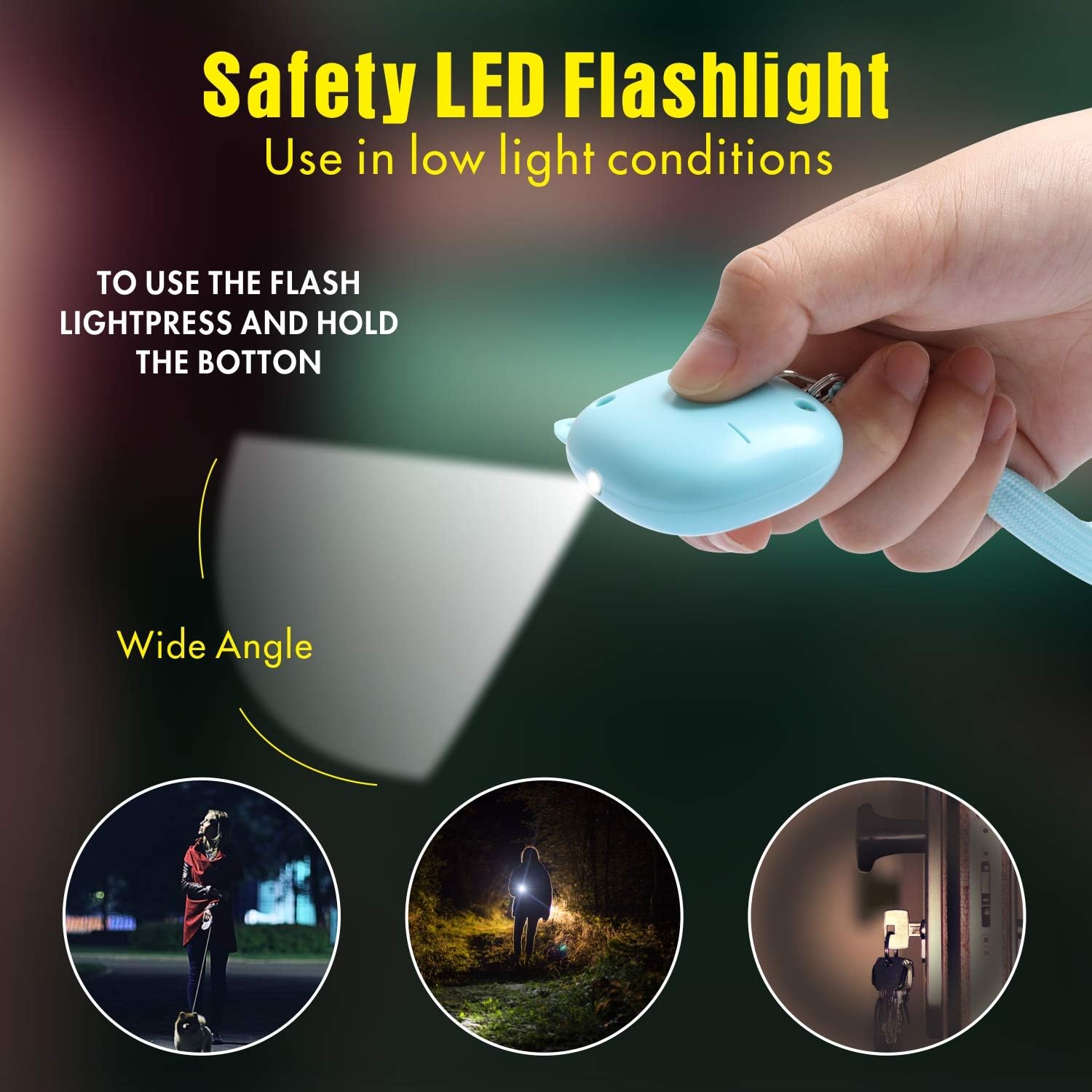
Image: A hand holding the VIGOROAD PA02 Personal Alarm, demonstrating the activation of its LED light, useful for navigating in dark environments or finding items.
6. Maintenance
6.1 Battery Replacement
The VIGOROAD PA02 Personal Alarm uses 3 LR44 button cell batteries. When the alarm sound weakens or the LED light dims, it is time to replace the batteries.
- Locate the battery compartment cover, usually on the back or side of the unit.
- Use a small screwdriver (if required) to open the compartment.
- Remove the old LR44 batteries and dispose of them properly.
- Insert three new LR44 batteries, ensuring correct polarity (+/-).
- Close the battery compartment securely.
- Test the alarm and LED light after replacement.
6.2 Cleaning
Wipe the alarm unit with a soft, dry cloth. Avoid using abrasive cleaners or submerging the device in water.
7. Troubleshooting
| Problem | Possible Cause | Solution |
|---|---|---|
| Alarm does not sound. | Battery insulation strip not removed. Dead or low batteries. Pin not fully pulled out. | Remove the insulation strip. Replace batteries (refer to Section 6.1). Ensure the pin is completely detached from the unit. |
| LED light does not turn on. | Dead or low batteries. Button not pressed correctly. | Replace batteries (refer to Section 6.1). Press and hold the LED button firmly. |
| Alarm sounds weak. | Low batteries. | Replace batteries (refer to Section 6.1). |
8. Specifications
- Model: PA02
- Brand: VIGOROAD
- Noise Level: 130 dB
- Power Source: Battery Powered
- Battery Type: 3 x LR44 (included)
- Voltage: 4.5 Volts (DC)
- Item Weight: Approximately 2.46 ounces (per unit)
- Dimensions: Approximately 2.1 x 2.1 inches (main body), 6.3 inches (hand strap length)
- Material: ABS

Image: A diagram illustrating the dimensions of the VIGOROAD PA02 Personal Alarm, including its height, width, and the length of the hand strap.
9. Safety Information
- Do not expose the alarm to extreme temperatures or direct sunlight for prolonged periods.
- Keep out of reach of small children to prevent choking hazards from small parts or batteries.
- Avoid direct exposure to the loud alarm sound for extended periods, as it may cause hearing discomfort.
- This device is intended as a deterrent and an alert system; it is not a substitute for personal vigilance.
- Dispose of used batteries according to local regulations.
10. Warranty and Support
For warranty information and customer support, please refer to the VIGOROAD official website or contact your retailer. Keep your purchase receipt for warranty claims.