
1. Product Overview
The UXD Adjustable Foldable Cell Phone and Tablet Stand (Model UXD-PS01) is designed to provide a stable and adjustable viewing solution for your mobile devices. Its robust construction and non-slip features ensure your device remains secure while offering versatile viewing angles and portability.
Key Features:
- Sturdy Construction: Features metal support rods and a weighted base for enhanced stability.
- Non-Slip Protection: Equipped with silicone pads on the top and base to prevent scratches and sliding.
- Adjustable Design: Allows for multiple viewing angles and height adjustments.
- Foldable & Portable: Compact design for easy carrying and storage.
- Charging Access: Includes a reserved charging hole for convenient device charging.
2. Setup Instructions
Follow these steps to set up your UXD stand:
- Unfold the Stand: Gently unfold the stand from its compact, folded position. The base and the device holder will articulate.
- Adjust Height: Extend the telescopic rod to your desired height. Ensure it clicks securely into place.
- Adjust Angle: Tilt the device holder to achieve your preferred viewing angle. The hinges are designed to hold the position firmly.
- Place Device: Carefully place your cell phone or tablet onto the silicone-padded holder. Ensure it rests securely within the grooves.

Image: The UXD stand demonstrating its adjustable height and viewing angles.
Video: A demonstration of the UXD stand's setup, adjustment, and portability.
3. Operating Instructions
The UXD stand is designed for ease of use across various scenarios:
- Desktop Use: Position the stand on your desk for comfortable viewing during work, video calls, or entertainment.
- Kitchen Use: Utilize the stand to view recipes on your tablet or phone while cooking, keeping your device clean and at eye level.
- Bedside Table: Place your device on the stand on your nightstand to easily check notifications or use it as an alarm clock.
- Charging: The stand features a reserved charging hole, allowing you to connect a charging cable to your device while it is on the stand.
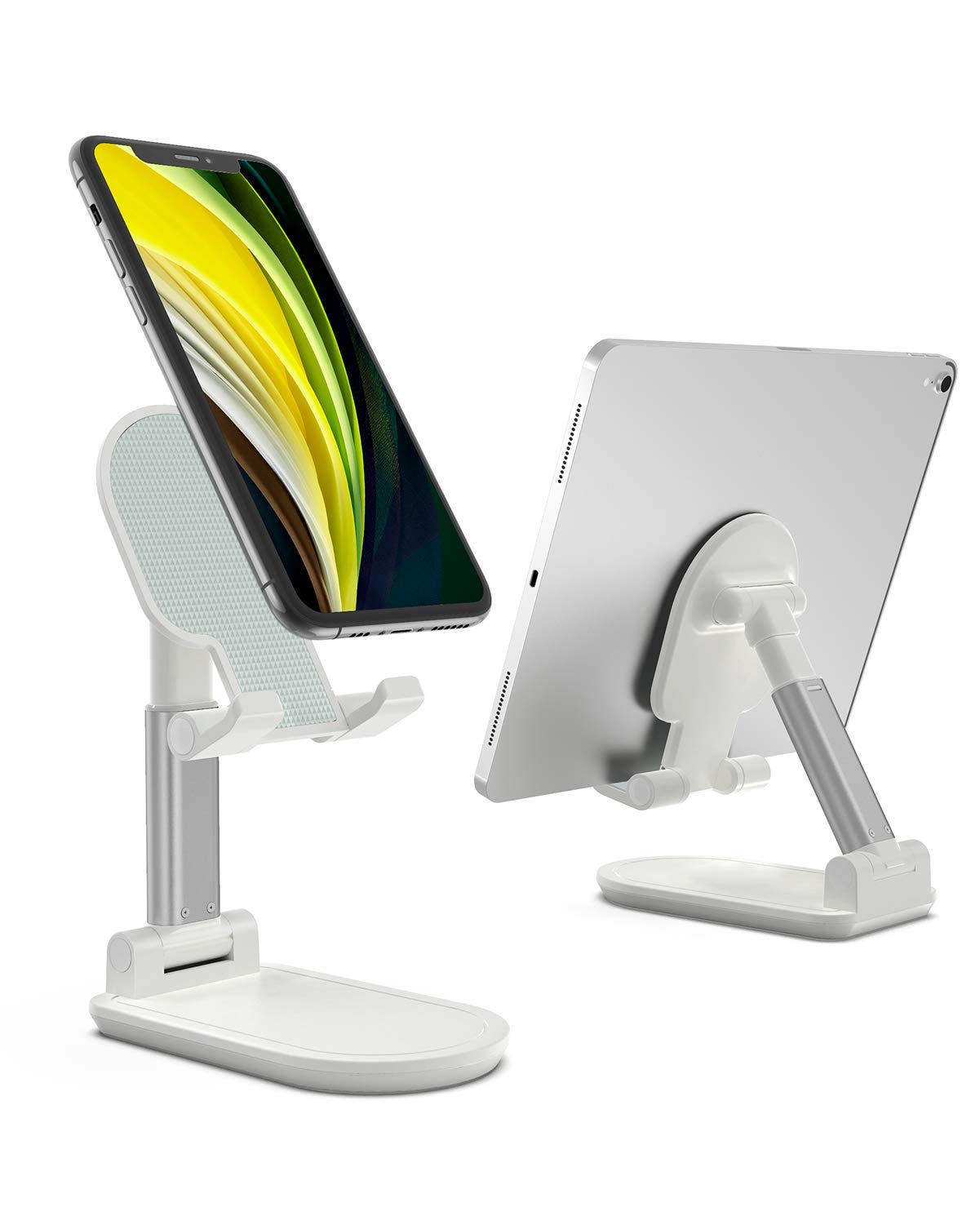
Image: A cell phone positioned on the UXD stand, illustrating stable desktop use.

Image: An iPad Pro resting on the UXD stand, showcasing its ability to hold larger tablets.

Image: The UXD stand being used in a kitchen for recipe viewing and for a home live broadcast setup.
4. Compatibility
The UXD stand is widely compatible with various smart devices, including those with thick cases. Compatible devices include, but are not limited to:
- iPhones: iPhone 12 / 12 Pro / 12 Pro Max / 12 Mini / 11 Pro / Xs / Xs Max / Xr / X / 8 / 8 Plus / 7 Plus / 7 / 6
- iPads: iPad 2020 (10.2-inch) / mini / 2019 / Air
- Samsung Galaxy: S10 / S10+ / S9 / S9+ / S8 / S8+
- Other Devices: Samsung Tab, Google Nexus, Kindle, Huawei Mate series, P series, Nova series, Lenovo A series, K series, Sony Xperia series, Moto Z series, Moto E series.
5. Maintenance
To ensure the longevity and optimal performance of your UXD stand, follow these maintenance guidelines:
- Cleaning: Wipe the stand with a soft, damp cloth. Avoid using abrasive cleaners or solvents that may damage the finish or silicone pads.
- Storage: When not in use, fold the stand into its compact form. Store it in a dry place away from extreme temperatures.
- Inspection: Periodically check the hinges and joints for any signs of wear. Ensure the silicone pads are intact for maximum grip and protection.
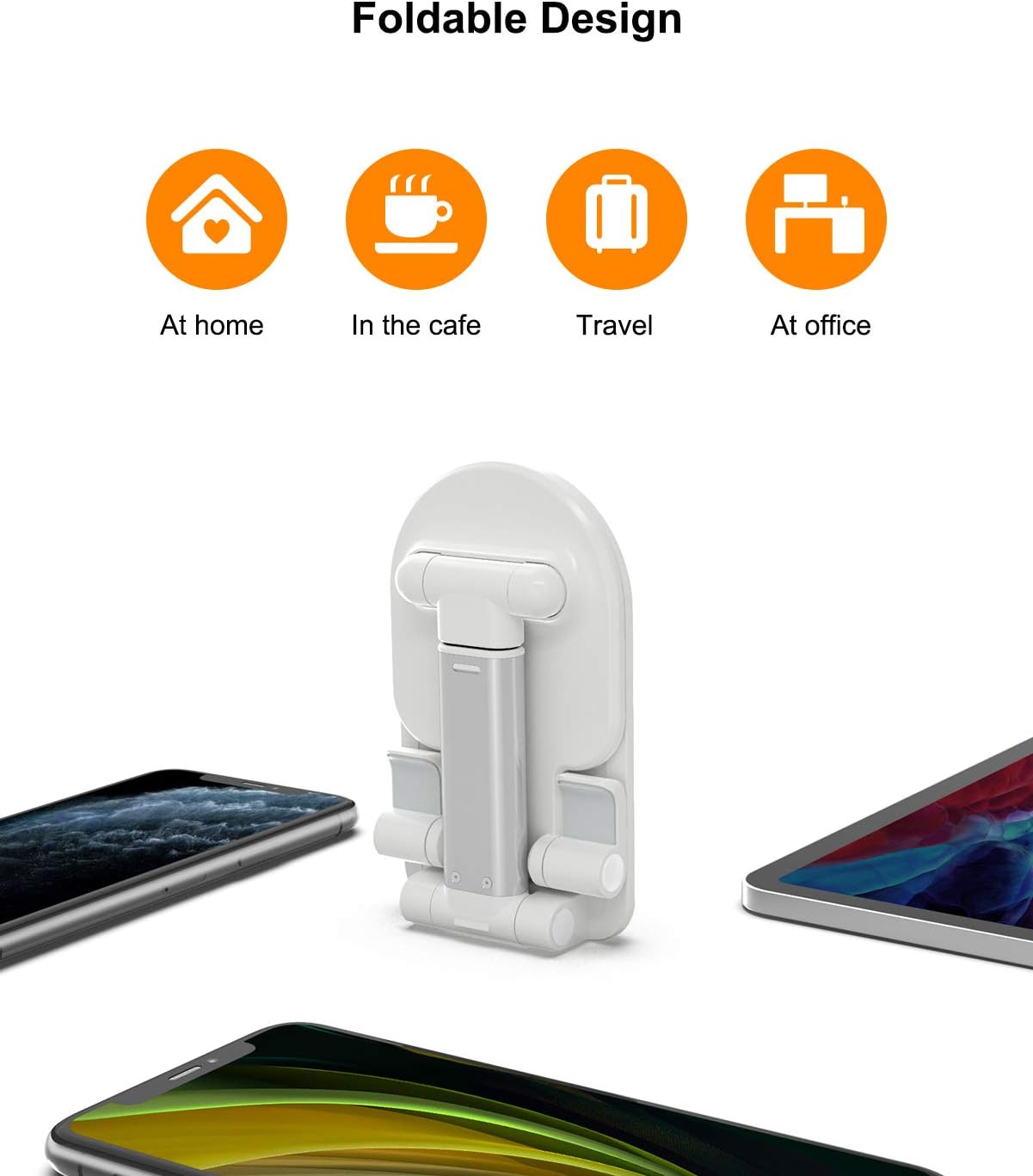
Image: The UXD stand shown in its fully folded, compact design for easy storage and transport.
6. Troubleshooting
If you encounter any issues with your UXD stand, refer to the following common solutions:
- Stand feels unstable: Ensure the stand is placed on a flat, stable surface. Verify that the telescopic rod is fully extended and locked, and the device holder is securely positioned.
- Device slipping: Confirm that your device is centered on the silicone-padded holder. The non-slip pads are designed to prevent movement, but extreme angles or off-center placement can reduce stability.
- Difficulty adjusting hinges: The hinges are designed to be firm to maintain position. Apply steady, gentle pressure when adjusting. If they become too stiff or loose, contact customer support.
7. Specifications
| Feature | Detail |
|---|---|
| Model Number | UXD-PS01 |
| Product Dimensions | 5.31 x 3.35 x 1.38 inches (folded) |
| Item Weight | 0.64 ounces (approx. 18.14 grams) |
| Special Features | Adjustable, Foldable |
| Material | Metal support rods, silicone pads |
8. Warranty and Support
UXD is committed to providing high-quality products and customer satisfaction. This product comes with a standard manufacturer's warranty against defects in materials and workmanship under normal use.
For any questions, concerns, or technical assistance, please contact our customer support team. We offer 7/24-hour after-sale service to ensure you receive prompt and helpful support.
Contact Information: Please refer to the product packaging or the official UXD website for the most current customer support contact details.