
1. Introduction
Thank you for choosing the Losei D65 Wireless Earbuds. These earbuds are designed to provide a high-quality audio experience with advanced features such as environmental noise canceling (ENC), individual power display, wireless charging, and IPX7 waterproofing. This manual will guide you through the setup, operation, and maintenance of your new earbuds.
2. What's in the Box
- Wireless Sport Earbuds (1 Pair)
- Charging Case (1 PC)
- Type-C Charging Cable (1 PC)
- Original Ear Caps (1 Pair)
- Spare Ear Caps (6 Pairs)
- User Manual (This document)
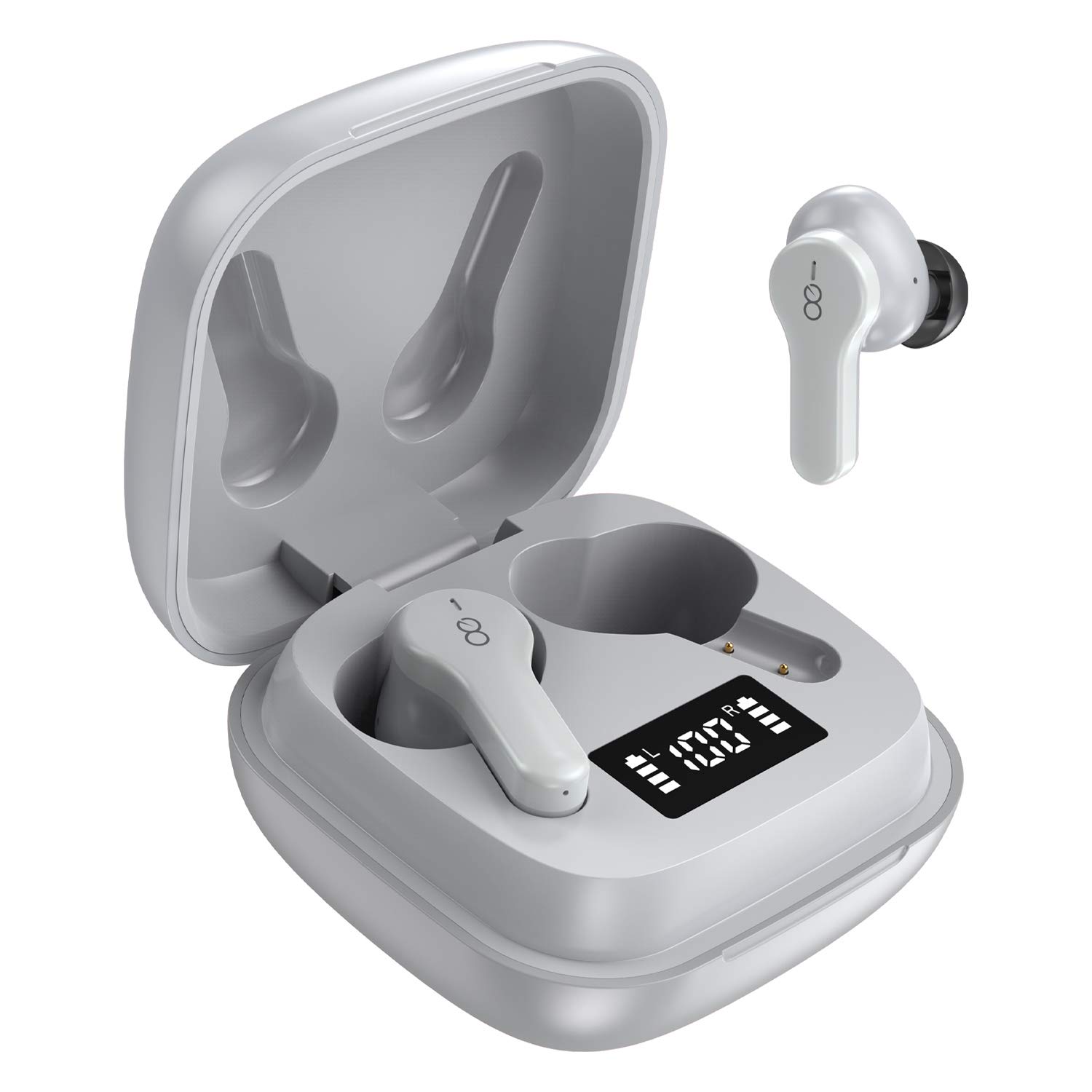
3. Product Overview
The Losei D65 earbuds feature a compact, in-ear design with touch controls. The accompanying charging case provides portable power and includes a digital display to show battery levels for both the case and individual earbuds.
Key Features:
- Clear Call with 4-Mics Noise Reduction: Built-in 4 microphones with Environmental Noise Canceling (ENC) technology for clear calls.
- Individual Power Display: Digital display on the charging case shows battery percentage for the case and charging status for each earbud.
- Wireless Charging & Extended Playtime: Supports wireless charging and provides up to 30 hours of total playtime with the charging case.
- Comfortable Fit & IPX7 Waterproof: Ergonomic design with multiple ear tip sizes and IPX7 water resistance for sports and daily use.
- Auto Pairing & Smart Touch Control: Automatic connection to the last paired device and intuitive touch controls for various functions.
4. Setup
4.1 Charging the Earbuds and Case
Before first use, fully charge the earbuds and the charging case.
- Charging the Earbuds: Place the earbuds into the charging case. The marquee lights on the case will indicate charging. They will stop when fully charged.
- Charging the Case (Wired): Connect the provided Type-C charging cable to the charging port on the case and to a USB power source. The digital display will show the battery percentage increasing. A full charge takes approximately 1.5-2 hours.
- Charging the Case (Wireless): Place the charging case on a compatible wireless charging pad (not included). The digital display will indicate charging status.
The charging case's digital display shows the battery percentage (1-100%). The individual earbud power consumption indicators show 4 grids, each representing 25% battery.
4.2 Pairing with Your Device
The Losei D65 earbuds feature automatic pairing.
- Ensure your device's Bluetooth is turned on.
- Open the charging case. The earbuds will automatically power on and enter pairing mode.
- On your device, search for Bluetooth devices and select "Losei-D65" from the list.
- Once connected, you will hear a confirmation prompt, and the earbuds will be ready for use.
The earbuds will automatically reconnect to the last paired device when taken out of the charging case.
5. Operating Instructions
5.1 Smart Touch Controls
The Losei D65 earbuds utilize touch controls for various functions. The sensor area is typically located on the outer surface of each earbud.
- Play/Pause: Single tap on either earbud.
- Next Track: Double tap on the right earbud.
- Previous Track: Double tap on the left earbud.
- Volume Up: Triple tap on the right earbud.
- Volume Down: Triple tap on the left earbud.
- Answer/End Call: Single tap on either earbud during an incoming call.
- Reject Call: Press and hold either earbud for 2 seconds during an incoming call.
- Activate Voice Assistant: Press and hold either earbud for 3 seconds (when not on a call).
5.2 Multi-Using Modes
The earbuds support different usage scenarios:
- Mono Mode: Each earbud can be used independently. This is ideal for driving or when you need to be aware of your surroundings. Simply take one earbud out of the case and connect it.
- Share Mode: You can share one earbud with another person to listen to the same audio content.
- Stereo Mode: Use both earbuds together for a full, immersive stereo sound experience.
6. Maintenance
6.1 Cleaning
Regular cleaning helps maintain sound quality and hygiene.
- Use a soft, dry, lint-free cloth to wipe the earbuds and charging case.
- For ear tips, remove them from the earbuds and clean with a mild soap solution if necessary, then rinse thoroughly and dry completely before reattaching.
- Do not use abrasive cleaners, alcohol, or chemical solvents.
6.2 Storage
When not in use, store the earbuds in their charging case to protect them and keep them charged.
- Store in a cool, dry place away from extreme temperatures.
- Avoid prolonged exposure to direct sunlight.
6.3 Water Resistance (IPX7)
The Losei D65 earbuds are IPX7 waterproof, meaning they can withstand immersion in water up to 1 meter for 30 minutes. This makes them suitable for sports and protection against sweat and rain. However, they are not designed for swimming or prolonged submersion. Ensure the earbuds are dry before placing them back in the charging case to prevent damage.
7. Troubleshooting
If you encounter issues with your Losei D65 earbuds, refer to the following common solutions:
- Earbuds not pairing or connecting:
- Ensure both earbuds are charged.
- Turn off Bluetooth on your device, then turn it back on.
- Forget/delete "Losei-D65" from your device's Bluetooth list and attempt to pair again.
- Place both earbuds back into the charging case, close the lid, wait a few seconds, then open the lid to reset.
- Only one earbud working:
- Ensure both earbuds are charged.
- Place both earbuds back into the charging case, close the lid, wait a few seconds, then open the lid. They should reconnect to each other automatically.
- If the issue persists, try resetting the earbuds as described in the pairing section.
- Poor sound quality or low volume:
- Adjust the volume on both your device and the earbuds.
- Ensure the ear tips are properly sealed in your ear canal. Try different sized ear tips for a better fit.
- Clean any debris from the earbud speakers and ear tips.
- Ensure there are no obstructions between your device and the earbuds.
- Charging case not charging:
- Check the charging cable and power adapter for damage.
- Ensure the Type-C cable is securely connected to both the case and the power source.
- If using wireless charging, ensure the case is correctly positioned on a compatible wireless charging pad.
8. Specifications
| Model Name | Losei-D65 |
| Connectivity Technology | Wireless (Bluetooth 5.0) |
| Ear Placement | In Ear |
| Noise Control | Sound Isolation, Environmental Noise Canceling (ENC) |
| Water Resistance Level | IPX7 (Waterproof) |
| Control Type | Touch Control |
| Battery Life (Earbuds) | Up to 5 hours on a single charge |
| Total Playtime (with Case) | Up to 30 hours |
| Charging Time (Case) | Approx. 1.5-2 hours |
| Charging Interface | Type-C, Wireless Charging |
| Compatible Devices | Most Bluetooth-enabled devices (Android, iOS, PC, etc.) |
| Item Weight | 0.176 ounces (per earbud) |
| Product Dimensions | 1.18 x 1.54 x 1.85 inches (Charging Case) |
9. Warranty and Support
9.1 Warranty Information
The Losei D65 Wireless Earbuds come with a 12-month replacement warranty. Additionally, returns are accepted within 30 days for a full refund. This warranty covers manufacturing defects and ensures customer satisfaction.
9.2 Customer Support
For any questions, issues, or support needs, please contact Losei customer service. Quick-response professional customer service is available to assist you.
Please refer to the product packaging or the official Losei website for specific contact details.


