
1. Introduction
These Hanatora remote controller sticks are designed as replacement thumb rockers for various DJI remote controllers. They are crafted from aluminum alloy and silicone, offering a comfortable and precise control experience. This manual provides instructions for installation, usage, and maintenance.

Figure 1.1: An overview of the Hanatora remote controller sticks alongside a compatible DJI RC-N1 remote controller, illustrating the product's appearance and context.
2. Compatibility
The Hanatora remote controller sticks are compatible with the following DJI remote controllers and their associated drones:
- DJI RC-N3 Remote Controller
- DJI RC-N2 Remote Controller
- DJI RC-N1 Remote Controller (compatible with Mavic 3, Mavic Air 2, Air 2S, Mini 2, Mini 3, Mini 3 Pro, Mini 4K)
- DJI RC-N1C Remote Controller
- DJI Smart Controller
Note: These sticks are not compatible with the DJI RC Pro controller.

Figure 2.1: Visual guide to compatible and incompatible remote controllers. The image displays the RC-N1 Remote Controller (compatible with Mavic 3, Mavic Air 2, Air 2S, Mini 2) and the Smart Controller as compatible options. It also explicitly states that the DJI RC Pro is not compatible, showing an image of it.
3. Product Features
- Material: Constructed from durable aluminum alloy and soft silicone for enhanced grip and comfort.
- Weight: Each pair weighs approximately 3.06 grams, ensuring a lightweight feel.
- Design: Features an anti-skid design for improved control precision.
- Detachable: Designed for easy removal and installation, allowing for convenient storage.
- Size: Matches the size of the original joysticks for a familiar feel.
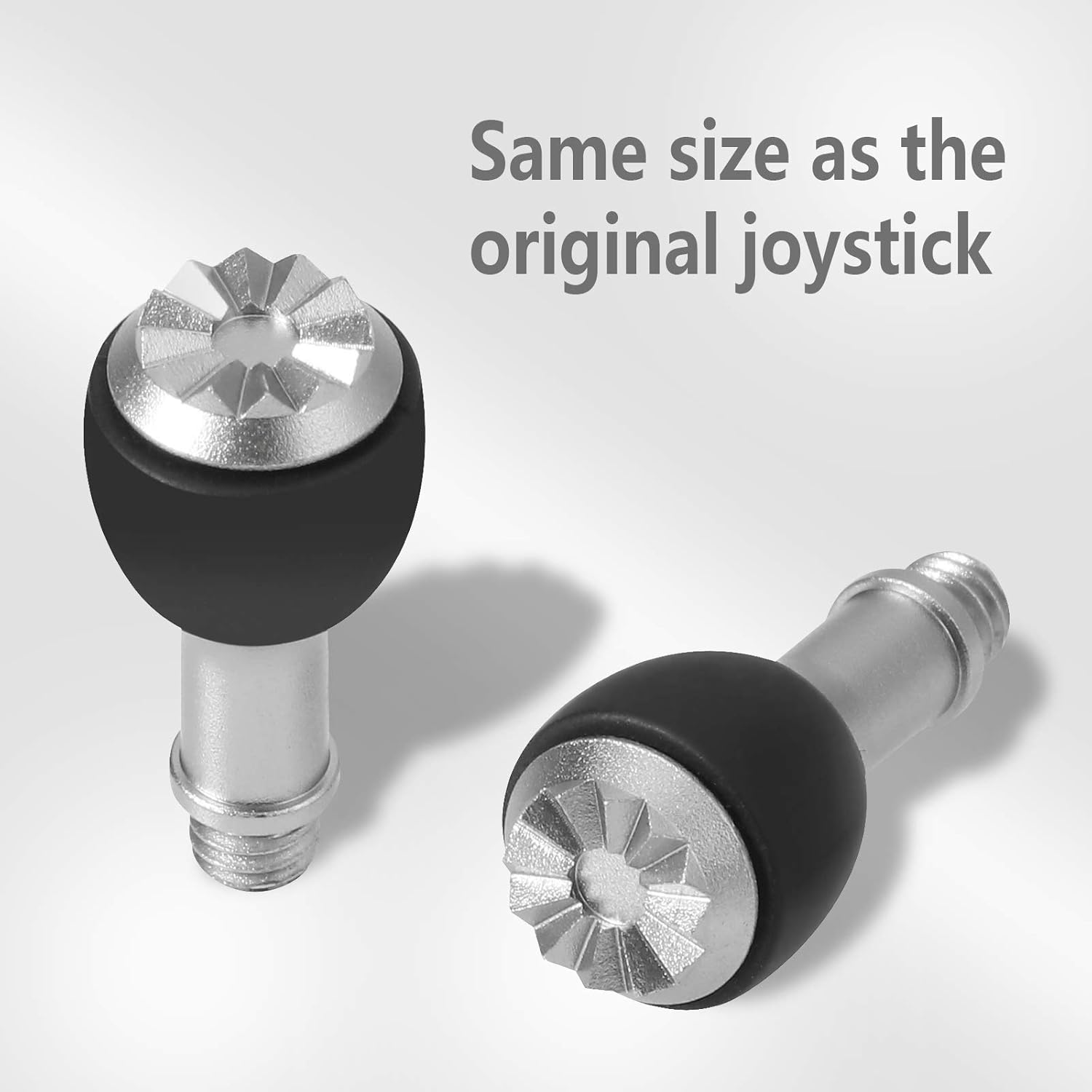
Figure 3.1: A close-up view of the Hanatora remote controller sticks, showing their aluminum and silicone construction and anti-skid surface, confirming they are the same size as original joysticks.

Figure 3.2: An alternative view of the Hanatora remote controller sticks, showcasing their ergonomic design and the combination of metal and silicone materials.
4. Setup and Installation
Follow these steps to install the Hanatora remote controller sticks:
- Remove Original Sticks: Gently unscrew and remove the existing joysticks from your compatible DJI remote controller.
- Install Hanatora Sticks: Align the threaded base of the Hanatora stick with the joystick port on the remote controller. Rotate clockwise to screw the stick into place until it is secure. Do not overtighten.
- Repeat for Second Stick: Install the second stick following the same procedure.
For storage, the detachable design allows you to unscrew the sticks and place them in the dedicated grooves on the remote controller (if available on your model) when the mobile device clamps are unfolded.

Figure 4.1: A DJI RC-N1 remote controller with the Hanatora replacement sticks securely installed, demonstrating their appearance when ready for operation.

Figure 4.2: This image illustrates how the detachable Hanatora sticks can be stored in the dedicated grooves on the underside of the DJI RC-N1 remote controller when not in use, enhancing portability and preventing loss.
5. Usage and Operation
Once installed, the Hanatora remote controller sticks function identically to the original joysticks. They provide tactile control over your drone's movements. The anti-skid design and ergonomic material aim to enhance grip and comfort during extended use, potentially improving precision.
Ensure the sticks are fully tightened before operating your drone to prevent any accidental detachment during flight.
6. Maintenance
- Cleaning: Wipe the sticks with a soft, dry cloth to remove dust or debris. For stubborn dirt, a slightly damp cloth can be used, followed by immediate drying.
- Storage: When not in use, store the sticks in the dedicated grooves on your remote controller or in a protective case to prevent scratches or damage.
- Inspection: Periodically check the threads for any signs of wear or damage. Replace if necessary to ensure secure attachment.
7. Troubleshooting
- Sticks feel loose: Ensure the sticks are fully screwed into the remote controller. Do not overtighten, but ensure they are snug.
- Difficulty screwing in: Check for any debris in the threads of either the stick or the remote controller port. Clean if necessary. Ensure you are using the correct type of remote controller as listed in the compatibility section.
- Sticks do not fit: Verify your remote controller model against the compatibility list in Section 2. These sticks are specifically designed for DJI RC-N3/N1/N2/N1C and Smart Controllers and are not universal.
8. Specifications
| Brand | Hanatora |
| Model Compatibility | DJI RC-N3, RC-N2, RC-N1, RC-N1C Remote Controllers, DJI Smart Controller |
| Material | Aluminum Alloy, Silicone |
| Net Weight | Approximately 3.06g per pair |
| Special Feature | Ergonomic, Anti-skid, Detachable |
| Color | Silver (with black silicone grips) |
9. Warranty and Support
Specific warranty details for this product are not provided in the available product information. For warranty inquiries or technical support, please refer to the Hanatora brand's official website or contact their customer service directly through the retailer where the product was purchased.