1. Introduction
This manual provides essential information for the safe and efficient installation, operation, and maintenance of your DEWIN ALC18 Staircase Light Time Switch. Please read this manual thoroughly before installation and use, and retain it for future reference.
Product Overview
The DEWIN ALC18 is an electronic timer switch designed for automatic control of various electrical equipment, such as staircase lighting and advertising light boxes, where timed operation is required. Constructed from durable ABS plastic, it offers reliable performance and helps conserve energy by automatically switching devices on and off at fixed intervals.
Key Features
- High-Quality Construction: Made from durable, corrosion-resistant ABS plastic, ensuring safety and environmental friendliness.
- Adjustable Timing: Easy to use with selectable timing settings of 0.5, 5, 10, 15, and 20 minutes. The minimum setting is 0.5 minutes.
- Wide Application: Suitable for various electrical equipment requiring timed control, including staircase lights and advertising light boxes.
- Energy Saving: Automatically controls electrical devices at fixed times, contributing to energy conservation.
- Stable Performance: Features strong anti-electromagnetic interference and low power loss for reliable operation.

Figure 1.1: The DEWIN ALC18 Staircase Light Time Switch installed in a hallway, demonstrating its application in controlling staircase lighting.
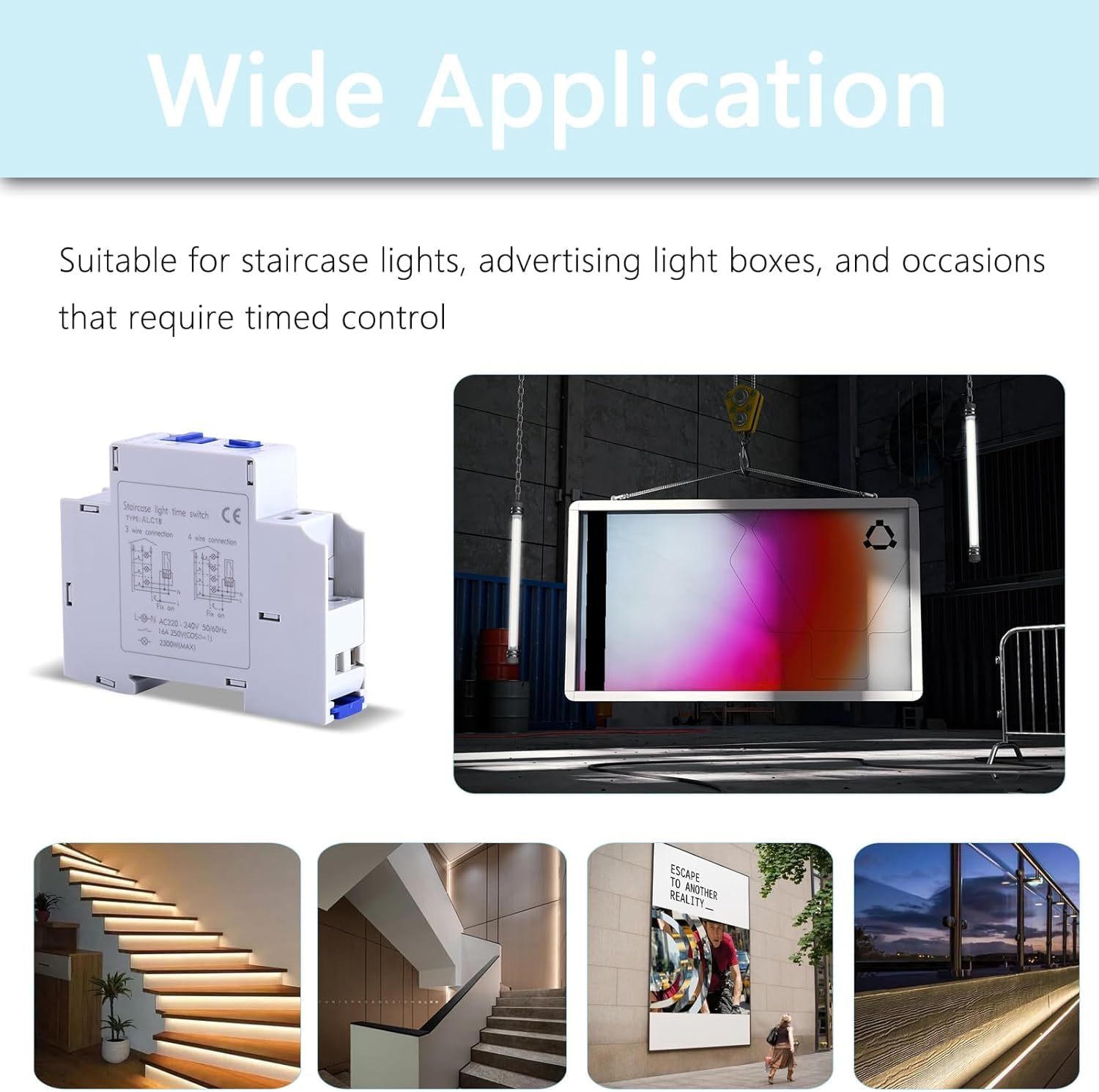
Figure 1.2: Visual examples of the DEWIN ALC18's wide range of applications, including staircase lighting and advertising light boxes, highlighting its versatility.
2. Safety Information
WARNING: Risk of electric shock. Installation and maintenance should only be performed by a qualified electrician.
- Always disconnect power at the main circuit breaker before installing or servicing the device.
- Ensure all wiring connections are secure and comply with local electrical codes.
- Do not exceed the specified electrical ratings for voltage, current, and power.
- Avoid installing the device in areas with excessive moisture, dust, or extreme temperatures outside the specified operating range.
- The device is designed for indoor use only.
3. Product Overview and Dimensions
Familiarize yourself with the components and dimensions of the DEWIN ALC18 timer switch before installation.

Figure 3.1: Front view of the DEWIN ALC18 Staircase Light Time Switch, showing the main body and terminal connections.
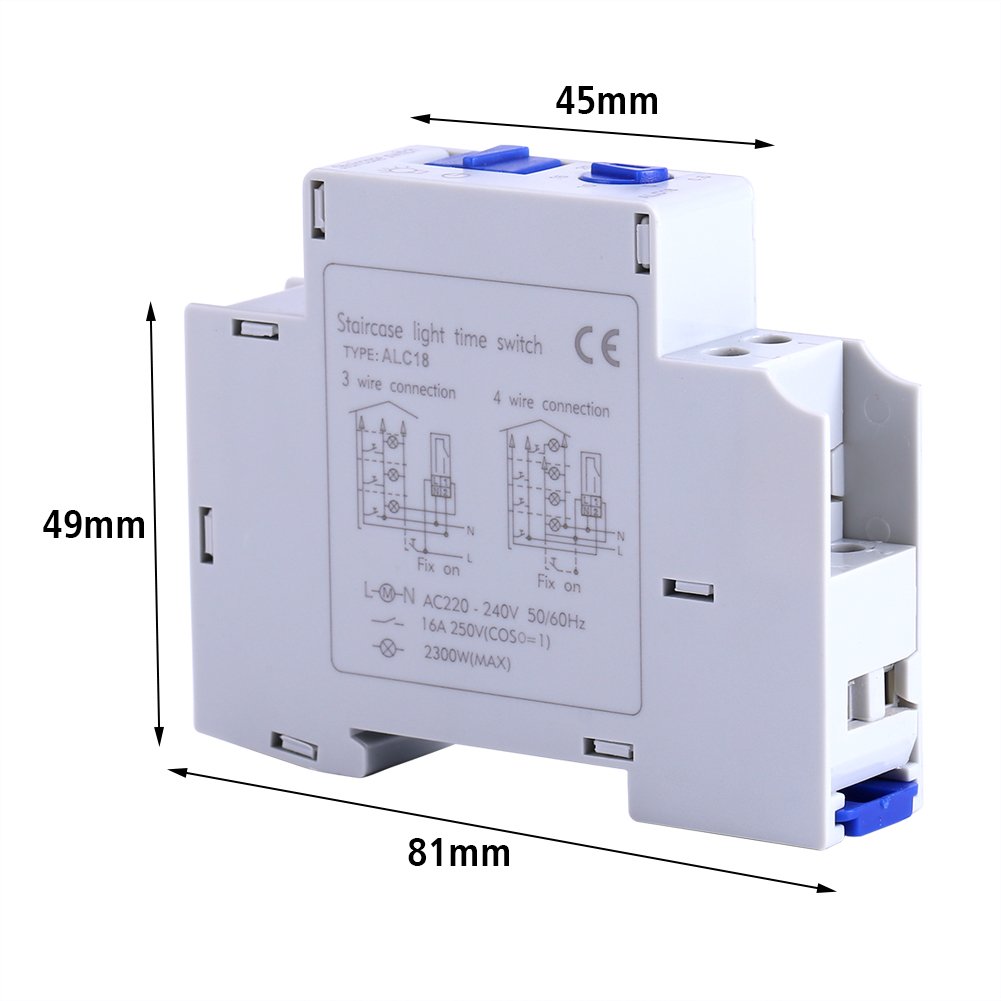
Figure 3.2: Detailed dimensions of the DEWIN ALC18 timer switch: 81mm (length), 45mm (width), and 49mm (height).

Figure 3.3: Close-up views highlighting the timer adjustment dial and the electrical terminals for wiring connections.
4. Setup and Installation
The DEWIN ALC18 timer switch supports both 3-wire and 4-wire connection methods. Refer to the wiring diagrams below and ensure proper installation by a qualified professional.
Wiring Diagrams
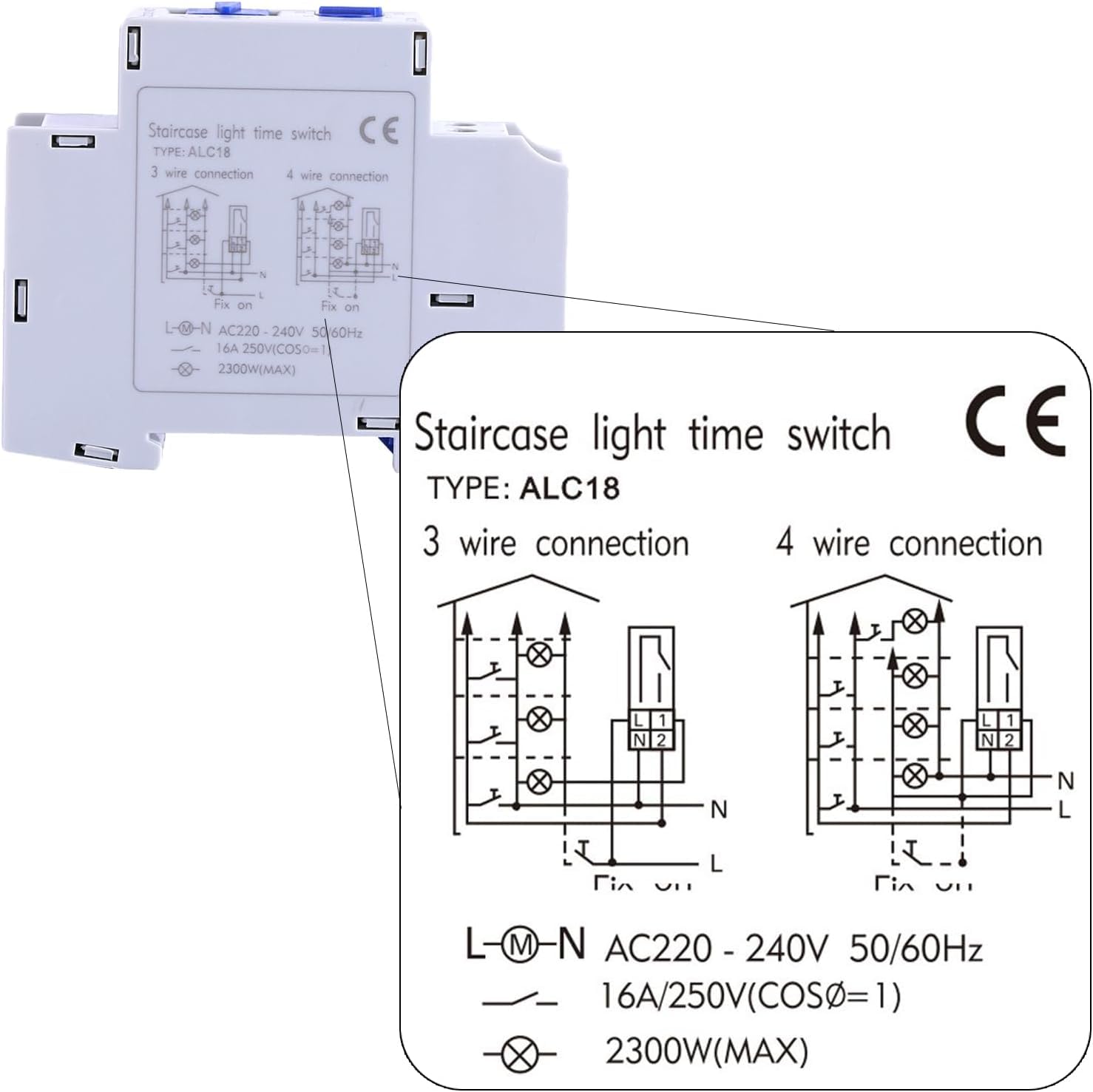
Figure 4.1: Detailed wiring instructions for the DEWIN ALC18. The left diagram illustrates a 3-wire connection, and the right diagram shows a 4-wire connection. Both diagrams indicate connections for Line (L), Neutral (N), and Load (light fixture). Ensure correct voltage (AC 220-240V, 50/60Hz) and maximum load (16A, 2300W) are observed.
Installation Steps
- Power Disconnection: Before starting any electrical work, turn off the main power supply at the circuit breaker to prevent electric shock.
- Mounting: Mount the DEWIN ALC18 timer switch securely in a suitable electrical enclosure or DIN rail, ensuring adequate ventilation.
- Wiring: Refer to the appropriate wiring diagram (Figure 4.1) for either a 3-wire or 4-wire connection. Connect the Line (L), Neutral (N), and Load wires to the corresponding terminals on the timer switch. Ensure all connections are tight and secure.
- Verification: Double-check all wiring connections for correctness and security.
- Power Restoration: Once wiring is complete and verified, restore power at the main circuit breaker.
5. Operating Instructions
The DEWIN ALC18 timer switch features a simple rotary dial for setting the desired operating time.
Setting the Timer Duration
- Locate the rotary dial on the front of the timer switch.
- The dial is marked with various time intervals: 0.5, 5, 10, 15, and 20 minutes.
- Rotate the dial to align the indicator with your desired time setting. For example, to set the light to stay on for 5 minutes after activation, turn the dial to '5'.
- Once the time is set, the device will operate according to the selected duration each time it is triggered.
Note: The mechanical timing precision of this device may not be extremely high due to inherent mechanical limitations.
6. Maintenance
The DEWIN ALC18 timer switch requires minimal maintenance to ensure long-term performance.
- Cleaning: Periodically wipe the exterior of the device with a soft, dry cloth. Do not use abrasive cleaners or solvents.
- Inspection: Annually inspect the wiring connections to ensure they remain tight and free from corrosion.
- Environmental Conditions: Ensure the operating environment remains within the specified temperature and humidity ranges to prevent damage.
7. Troubleshooting
If you encounter issues with your DEWIN ALC18 timer switch, refer to the following common troubleshooting steps:
- Device Not Functioning:
- Check if the main power supply is on.
- Verify all wiring connections are correct and secure according to the diagrams in Section 4.
- Ensure the load (e.g., light bulb) is functional.
- Incorrect Timing:
- Confirm the timer dial is set to the desired duration.
- Note that mechanical timers may have slight variations in precision.
- Unwanted Voltage on Output (when off):
- This can sometimes occur in certain electrical systems. Consult a qualified electrician to assess your specific wiring setup and determine if additional components (e.g., a snubber circuit or different wiring configuration) are required to eliminate residual voltage.
- Overheating:
- Ensure the connected load does not exceed the maximum specified power (2300W) or current (16A).
- Verify adequate ventilation around the device.
If problems persist after following these steps, contact a qualified electrician or DEWIN customer support for assistance.
8. Specifications
Technical specifications for the DEWIN ALC18 Staircase Light Time Switch.
| Feature | Specification |
|---|---|
| Brand | DEWIN |
| Model Number | ALC18 (DEWINuo8yxtsk3m) |
| Material | ABS Plastic |
| Color | White |
| Voltage | AC 220-240V, 50/60Hz |
| Contact Capacity (Resistance) | 16A |
| Contact Capacity (Incandescent Light) | 10A |
| Contact Capacity (Reactance) | 12A |
| Contact Capacity (Motor) | AC110V 750W, AC220V 1500W |
| Minimum Setting Time | 0.5 minute |
| Fixed Time Settings | 0.5, 5, 10, 15, 20 minutes |
| Ambient Temperature | -5°C to 40°C (23°F to 104°F) |
| Storage Temperature | -25°C to 55°C (-13°F to 131°F) |
| Ambient Humidity | 35-85% RH |
| Product Dimensions (L x W x H) | 81mm x 45mm x 49mm |
| Product Weight | Approx. 83g |
