
Zeegma ZE-GEWIT
ZEEGMA Gewit Smart Scale User Manual
Model: ZE-GEWIT | Brand: Zeegma
1. Introduction and Overview
The ZEEGMA Gewit Smart Scale is an advanced analytical scale designed to provide a comprehensive overview of your body composition. It measures 17 detailed body parameters, offering precise data to help you monitor your health and fitness journey. The scale connects seamlessly with a dedicated smartphone application, allowing for personal health profile creation and historical data tracking.

Image 1.1: The ZEEGMA Gewit Smart Scale, showcasing its sleek design and connectivity with the mobile application.
Key features include a high-quality LCD screen for clear readings, a durable 6mm double-tempered glass surface, and a high weight capacity of up to 200 kg with 0.1 kg precision. Its automated functions ensure ease of use, making health monitoring simple and accessible for up to 8 different users.
2. Setup Guide
2.1 Battery Installation
The ZEEGMA Gewit Smart Scale requires 2 AAA batteries (not included). Locate the battery compartment on the underside of the scale. Open the cover, insert the batteries according to the polarity indicators (+/-), and close the cover securely.
2.2 App Download and Pairing
To unlock the full potential of your Gewit scale, download the dedicated Alfit mobile application. It is available for both Android and iOS devices. Search for "Alfit" in your device's app store.
- Once downloaded, open the Alfit app and create your personal health profile.
- Ensure Bluetooth is enabled on your smartphone or tablet.
- Step onto the scale barefoot. The scale will automatically activate and attempt to pair with the app.
- Follow any on-screen prompts in the Alfit app to complete the pairing process. The app will recognize up to 8 different users, allowing each family member to track their data separately.

Image 2.1: Initial setup showing a user stepping on the scale while holding a smartphone with the Alfit app.
3. Operating Instructions
3.1 Taking a Measurement
The Gewit scale operates without physical buttons for simplicity. To take a measurement:
- Place the scale on a hard, flat surface. Avoid carpets or uneven floors for accurate readings.
- Step onto the scale barefoot. Ensure your feet are positioned on the metal electrodes for full body composition analysis.
- The scale will automatically activate and display your weight on the LCD screen. It will then proceed to measure the 17 body parameters.
- Keep still until the measurement is complete and the readings stabilize.
- Your detailed body composition data will be sent to the Alfit app on your connected smartphone or tablet.

Image 3.1: The scale provides precise measurements and detailed analysis of body parameters.
3.2 Using the Alfit Application
The Alfit app is your central hub for health monitoring. It allows you to:
- View all 17 body parameters, including body weight, BMI, BFR, muscle tissue, water, bone mass, BMR, protein content, visceral fat, subcutaneous fat, fat in kg, fat-free weight, standard weight, weight control, muscle mass, and protein quantity.
- Track your progress over time with historical data and charts.
- Set goals and monitor your achievements.
- Connect with popular health services like Apple Health, Google Fit, and Fitbit for integrated health management.

Image 3.2: The Alfit mobile application provides comprehensive tracking and analysis of your health data.
Video 3.1: Demonstration of the Zeegma Gewit scale's features, including clear LCD display, quick body parameter analysis, and health profile tracking via the dedicated app.
4. Product Features
The ZEEGMA Gewit Smart Scale is engineered with user convenience and accuracy in mind:
- 17 Body Parameters: Provides a detailed analysis including body weight, BMI, body fat rate (BFR), muscle tissue, water content, bone mass, basal metabolic rate (BMR), protein content, visceral fat, subcutaneous fat, fat in kg, fat-free weight, standard weight, weight control, muscle mass, and protein quantity.
- High Capacity & Precision: Supports measurements up to 200 kg (440 lbs) with an accuracy of 0.1 kg (0.2 lbs).
- Clear LCD Display: Equipped with a high-quality 3.5-inch LCD screen, ensuring large, easy-to-read digits even in low light conditions.
- Durable Construction: The scale's surface is made of 6mm thick double-tempered glass, providing both durability and a sleek aesthetic. Non-slip feet ensure stability and safety during use.
- Automatic Operation: The scale features complete automation, turning on when you step on it and automatically shutting off a few moments after you step off, conserving battery life. It also includes automatic calibration and user detection.
- Multi-User Support: The device can recognize and store data for up to 8 different users, making it ideal for families.

Image 4.1: The scale's display showing its maximum capacity and clear LCD.
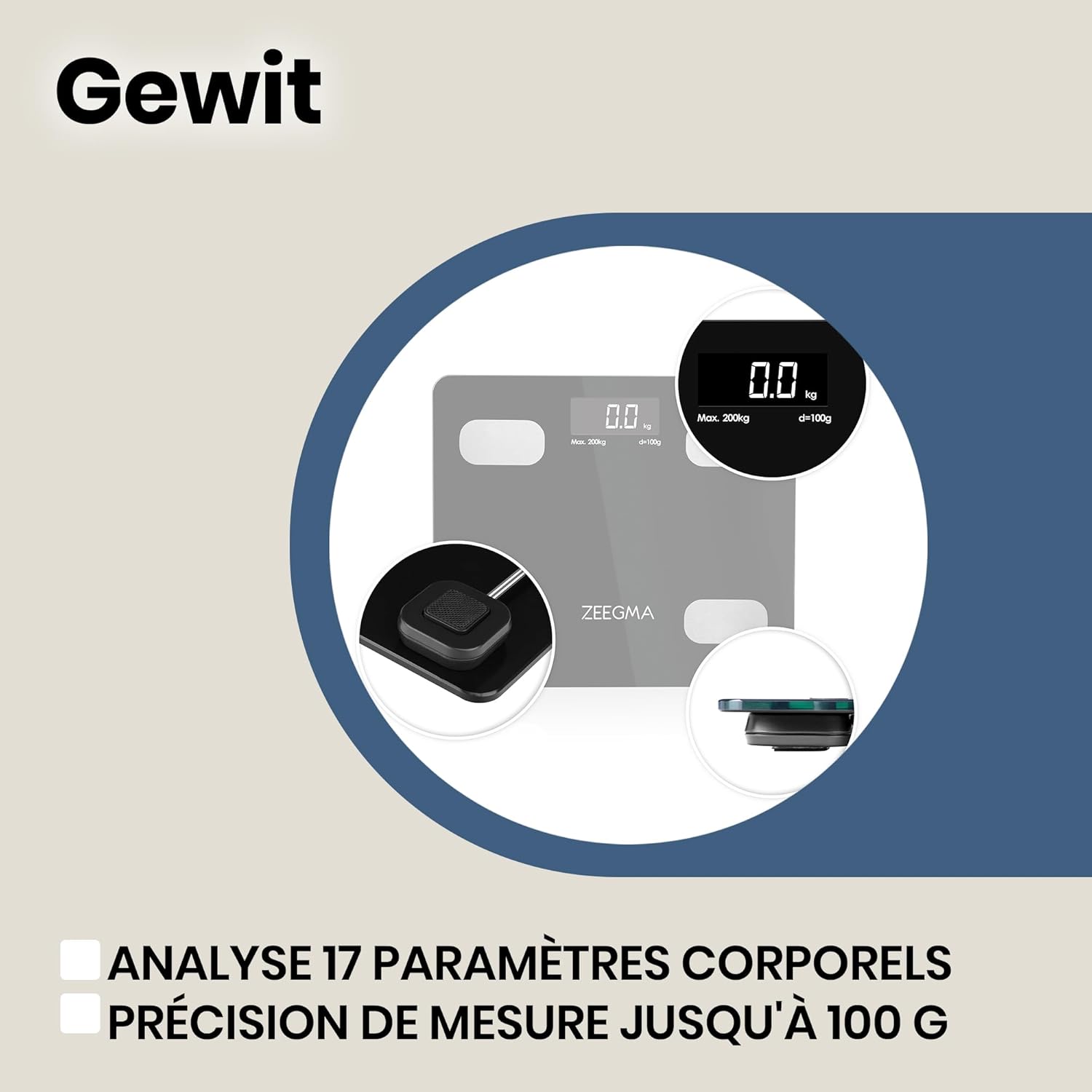
Image 4.2: Highlighting the scale's ability to analyze 17 body parameters with high precision.

Image 4.3: The personal health profile feature and parameter recording within the app.

Image 4.4: The scale's construction features high-quality tempered glass and a clear LCD.

Image 4.5: The scale's automatic features for convenience and ease of use.
5. Maintenance
To ensure the longevity and accuracy of your ZEEGMA Gewit Smart Scale, follow these maintenance guidelines:
- Cleaning: Wipe the scale's surface with a soft, damp cloth. Do not use abrasive cleaners or immerse the scale in water.
- Storage: Store the scale in a dry place at room temperature. Avoid extreme temperatures or high humidity.
- Battery Replacement: If the display becomes dim or shows a low battery indicator, replace both AAA batteries promptly.
- Avoid Impact: While durable, avoid dropping the scale or placing heavy objects on it, as this may damage the sensors.

Image 5.1: Keep the scale clean and in a suitable environment for optimal performance.
6. Troubleshooting
If you encounter issues with your ZEEGMA Gewit Smart Scale, refer to the following common problems and solutions:
| Problem | Possible Cause | Solution |
|---|---|---|
| Inaccurate or inconsistent readings | Scale on uneven surface; Batteries low; Scale not calibrated; User movement during measurement. | Place scale on a hard, flat surface. Replace batteries. Step on and off the scale quickly to re-calibrate to 0.0. Stand still during measurement. |
| Scale does not turn on | Batteries are dead or incorrectly installed. | Check battery polarity. Replace batteries. |
| App not connecting to scale | Bluetooth is off; App not open; Scale not active; Interference. | Ensure Bluetooth is on. Open the Alfit app. Step on the scale to activate it. Move closer to the scale. Restart phone/app. |
| Body composition data not showing in app | Not standing barefoot; Feet not on electrodes; App not properly paired. | Ensure you are barefoot and your feet are making good contact with all four metal electrodes. Re-pair the scale with the app if necessary. |

Image 6.1: Ensure proper contact with the electrodes for accurate body composition analysis.
7. Specifications
| Feature | Specification |
|---|---|
| Product Name | Personal Scale |
| Item Model Number | ZE-GEWIT |
| Brand | Zeegma |
| Color | White |
| Material | Glass |
| Product Dimensions (L x W x H) | 30 x 26 x 2.3 cm (11.8 x 10.2 x 0.9 inches) |
| Item Weight | 1.4 Kilograms (3.1 lbs) |
| Weight Limit | 200 Kilograms (440 lbs) |
| Display Type | LCD |
| Batteries Required | 2 AAA batteries |
| Recommended Uses | Personal weight control, fitness and health tracking, medical use |
| Special Features | Personal health profile, 17 body parameters analysis, universal design, precise measurement, high-quality double-tempered glass and aluminum, works independently or with smartphone app, clear LCD screen |
| Country of Origin | China |
8. Warranty and Support
The ZEEGMA Gewit Smart Scale comes with a standard manufacturer's warranty. For detailed warranty information, claims, or technical support, please refer to the contact information provided with your product packaging or visit the official Zeegma website. Keep your purchase receipt as proof of purchase for warranty purposes.
For further assistance, you may also contact the retailer where you purchased the product.