
1. Introduction and Overview
The RockShox Paragon suspension fork is engineered for 700c trekking bicycles, integrating the performance and features characteristic of RockShox products. This fork is designed to mitigate vibrations from both road and trail surfaces, thereby enhancing rider comfort and extending the effective trekking range. Key functionalities include Motion Control damping with low-speed compression adjustment and integrated routing for dynamo wiring and cables.
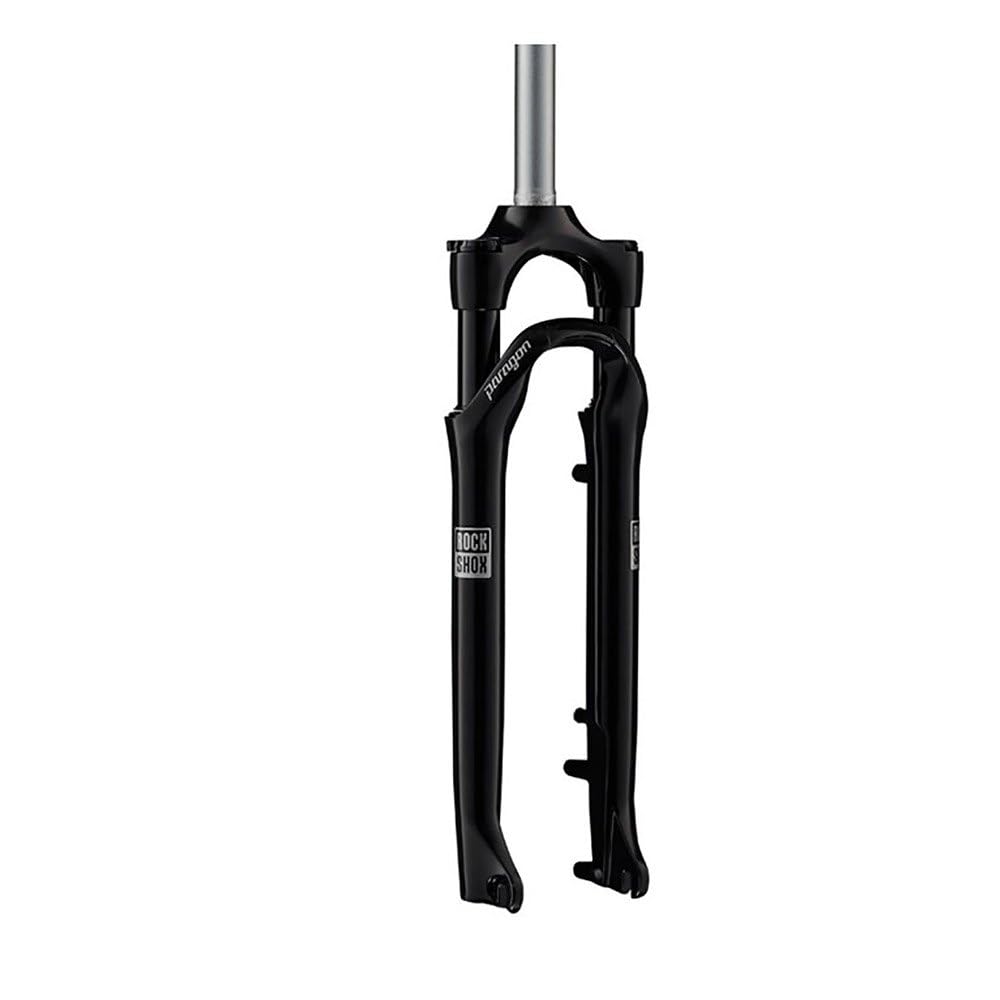
Figure 1: Front view of the RockShox Paragon Gold TK SA Suspension Fork.
2. Safety Information
Always prioritize safety when installing, adjusting, or operating your bicycle components. Failure to follow these guidelines may result in serious injury or product damage.
- Professional Installation Recommended: Installation of suspension forks requires specialized tools and knowledge. It is highly recommended that a qualified bicycle mechanic performs the installation to ensure proper function and safety.
- Wear Safety Gear: Always wear appropriate safety gear, including a helmet, when riding your bicycle.
- Regular Inspections: Before each ride, inspect the fork for any signs of damage, leaks, loose bolts, or abnormal play. Do not ride if any issues are detected.
- Do Not Modify: Never attempt to modify the fork's internal components or structure. Unauthorized modifications can compromise safety and void the warranty.
- Correct Torque: Ensure all bolts are tightened to the manufacturer's specified torque settings. Refer to your bicycle's and component's manuals for specific values.
3. Setup
3.1. Installation
The RockShox Paragon Gold TK SA fork is designed for bicycles with a 1 1/8 inch straight steerer tube. Proper installation is critical for safety and performance.
- Steerer Tube Preparation: The steerer tube must be cut to the correct length for your bicycle frame and stem combination. This process requires precise measurement and specialized tools. Consult a professional mechanic for this step.
- Crown Race Installation: Install the crown race onto the steerer tube.
- Fork Insertion: Insert the fork steerer tube through the head tube of your bicycle frame.
- Headset Assembly: Install the headset components, spacers, and stem according to your headset and stem manufacturer's instructions.
- Top Cap and Preload: Install the top cap and adjust headset preload to remove play without binding.
- Brake System: Install your bicycle's brake system (disc or rim brake, depending on your fork model's compatibility) and ensure proper alignment and function.
- Wheel Installation: Install the front wheel, ensuring the quick release or thru-axle is securely fastened.
3.2. Air Pressure Adjustment
The Paragon Gold TK SA is an air-sprung fork. Correct air pressure is essential for optimal performance and rider comfort. Refer to the air pressure guide on the fork leg or the official RockShox website for recommended pressure settings based on rider weight.
- Access Air Valve: Locate the air valve cap on the top of the left fork leg. Remove the cap.
- Connect Pump: Attach a high-pressure shock pump to the air valve.
- Adjust Pressure: Add or release air until the desired pressure is reached. Always check pressure with the rider in a riding position to set sag correctly.
- Replace Cap: Remove the pump and replace the air valve cap.

Figure 2: Top cap showing the air valve for pressure adjustment.
4. Operating Instructions
4.1. Motion Control Damping Adjustment
The Paragon Gold TK SA features Motion Control damping, which allows for low-speed compression adjustment. This adjustment controls how quickly the fork compresses under slow impacts and rider weight shifts.
- Locate Adjuster: The low-speed compression adjuster knob is typically located on the top of the right fork leg.
- Adjusting Compression: Turn the knob clockwise to increase compression damping (making the fork feel firmer and less prone to bobbing). Turn it counter-clockwise to decrease compression damping (making the fork feel more plush and responsive to small bumps).
- Lockout Feature: The Motion Control damper also includes a lockout feature. Turning the compression knob fully clockwise will lock out the fork, providing a rigid feel suitable for climbing or smooth terrain.

Figure 3: Compression adjuster knob on the fork crown.
4.2. Rebound Adjustment
Rebound damping controls how quickly the fork extends after compression. Proper rebound adjustment prevents the fork from packing up on successive bumps or topping out too quickly.
- Locate Adjuster: The rebound adjuster knob is typically located at the bottom of the right fork leg.
- Adjusting Rebound: Turn the knob towards the '+' (or 'turtle') symbol to slow down rebound (fork extends slower). Turn it towards the '-' (or 'rabbit') symbol to speed up rebound (fork extends faster).
5. Maintenance
Regular maintenance ensures the longevity and optimal performance of your RockShox Paragon Gold TK SA fork.
- Cleaning: After each ride, especially in wet or dusty conditions, clean the exterior of the fork with mild soap and water. Pay close attention to the stanchions (upper tubes) and seals. Avoid high-pressure washers directly on seals.
- Lubrication: Apply a small amount of suspension-specific lubricant to the stanchions and cycle the fork a few times. Wipe off any excess.
- Inspection: Periodically check for any signs of oil leaks around the seals, scratches on the stanchions, or unusual play in the bushings.
- Service Intervals: RockShox recommends regular service intervals for their suspension forks. Consult the official RockShox service manual for your specific model for detailed service schedules (e.g., lower leg service, full damper service). It is recommended to have these services performed by an authorized RockShox service center or a qualified mechanic.
6. Troubleshooting
This section addresses common issues you might encounter with your suspension fork.
| Problem | Possible Cause | Solution |
|---|---|---|
| Fork feels too stiff or harsh | Too much air pressure; compression damping set too high; insufficient lubrication. | Reduce air pressure; decrease compression damping; clean and lubricate stanchions. |
| Fork feels too soft or bottoms out easily | Too little air pressure; compression damping set too low. | Increase air pressure; increase compression damping. |
| Fork makes unusual noises (creaking, clunking) | Loose headset; loose axle; internal issue. | Check headset and axle tightness; if noise persists, seek professional service. |
| Oil leaking from seals | Worn seals; debris under seals. | Clean seals; if leaking continues, seals may need replacement by a professional. |
| Fork not returning to full travel | Too much air pressure; rebound damping set too slow. | Check and adjust air pressure; speed up rebound damping. |
For issues not listed here or if solutions do not resolve the problem, contact RockShox customer support or an authorized service center.
7. Specifications
Below are the key specifications for the RockShox Paragon Gold TK SA Suspension Fork:
- Model Name: Paragon Gold Rl Suspension Fork
- Brand: RockShox
- Steerer Tube Size: 1 1/8 Inches (Straight)
- Color: Gloss Black
- Material Type: Aluminum
- Item Weight: Approximately 2 Kilograms
- Damping: Motion Control (with low-speed compression adjustment and lockout)
- Spring: Solo Air
- Wheel Size Compatibility: 700c
- UPC: 710845785528
- Manufacturer: ROCKSHOX
8. Warranty and Support
RockShox products are covered by a manufacturer's warranty against defects in materials and workmanship. The specific terms and duration of the warranty may vary by region and product. Please retain your proof of purchase for warranty claims.
For detailed warranty information, service inquiries, or technical support, please visit the official RockShox website or contact your authorized RockShox dealer. Do not attempt to repair internal components yourself, as this may void your warranty and compromise product safety.
Online Resources: For the most up-to-date manuals, service guides, and technical specifications, please refer to the official RockShox website.