
Introduction
This manual provides essential information for the safe and efficient installation, operation, and maintenance of your Cooler Depot BB3 Beer Back Bar Cooler. Please read these instructions thoroughly before using the appliance and retain them for future reference.
Important Safety Information
- Ensure the unit is properly grounded to prevent electrical shock.
- Do not store explosive substances such as aerosol cans with a flammable propellant in this appliance.
- Keep ventilation openings in the appliance enclosure or in the built-in structure clear of obstruction.
- Do not use mechanical devices or other means to accelerate the defrosting process, other than those recommended by the manufacturer.
- Do not damage the refrigerant circuit.
- This appliance is intended for commercial use only.
Setup and Installation
Unpacking
Carefully remove all packaging materials, including any protective film or tape. Inspect the unit for any shipping damage. Keep the pallet for potential returns as per warranty terms.
Placement
Position the cooler on a level, stable surface capable of supporting its weight when fully loaded. Ensure adequate clearance around the unit for proper ventilation. Avoid direct sunlight or heat sources.
Dimensions: 53 inches (Width) x 20 inches (Depth) x 35 inches (Height).
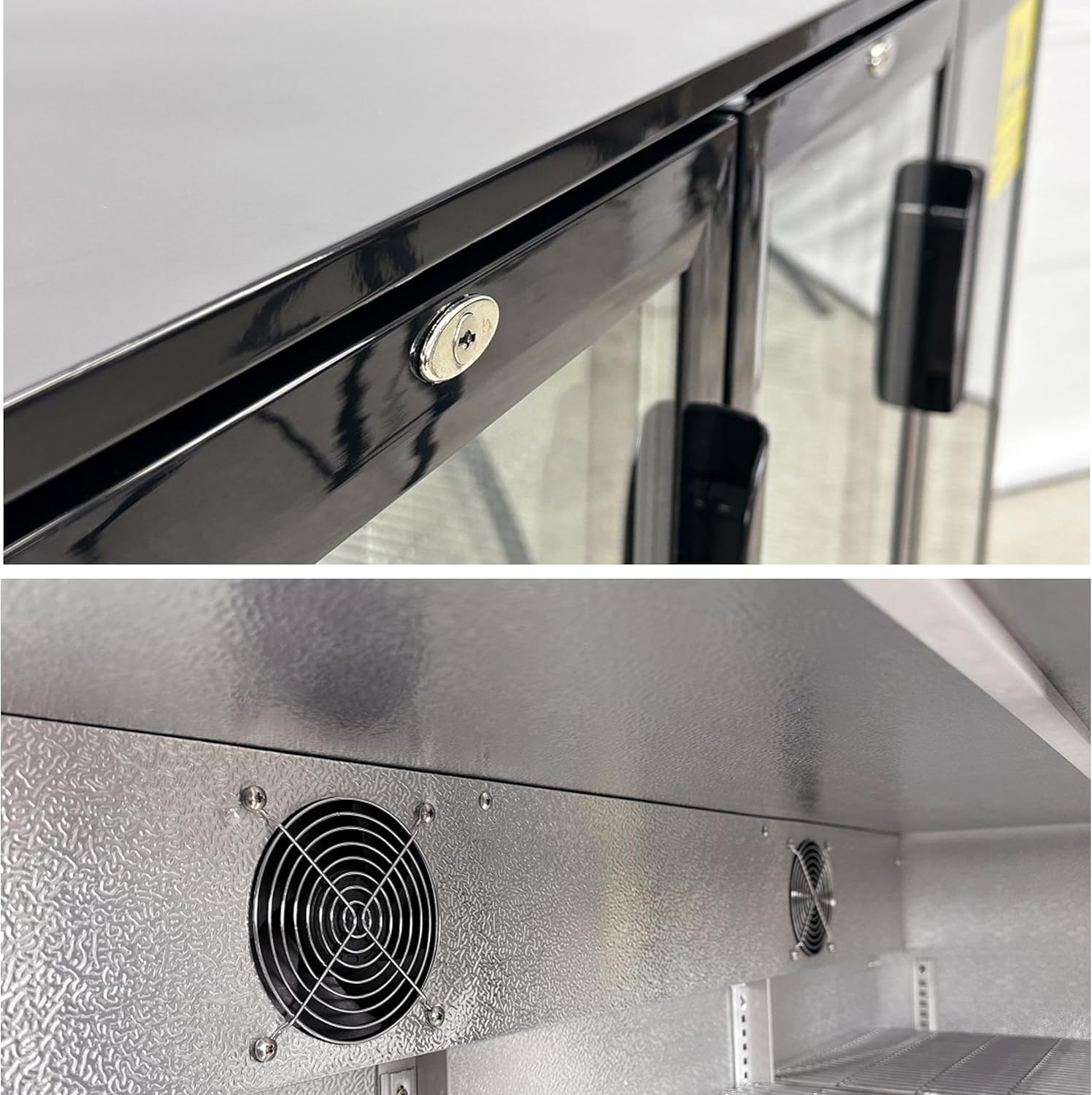
Figure 1: Front view with overall dimensions.
Power Connection
Connect the unit to a dedicated 115 Volt, Type B - 3 pin (North American) electrical outlet. Ensure the outlet is properly grounded and matches the unit's power requirements.

Figure 2: Rear view showing power connection area.
Initial Cleaning
Before first use, clean the interior and exterior surfaces with a mild detergent and warm water. Rinse thoroughly and dry completely.
Shelf Installation
The unit comes with six adjustable epoxy-coated steel shelves, two per door. Install them at desired heights using the shelf supports inside the cabinet.

Figure 3: Interior view with adjustable shelves.
Operating Instructions
Powering On
Once plugged in, the unit will begin to cool. Allow several hours for the cooler to reach its set temperature before loading products.
Temperature Control
The Cooler Depot BB3 features a Dixell control system located at the bottom front of the unit. This system allows you to monitor and adjust the internal temperature, which typically ranges from 35°F to 46°F (1.6°C to 7.8°C).
Door Operation
The three glass swing doors are self-closing and equipped with magnetic door gaskets for a positive seal. Each door includes a key lock for security.
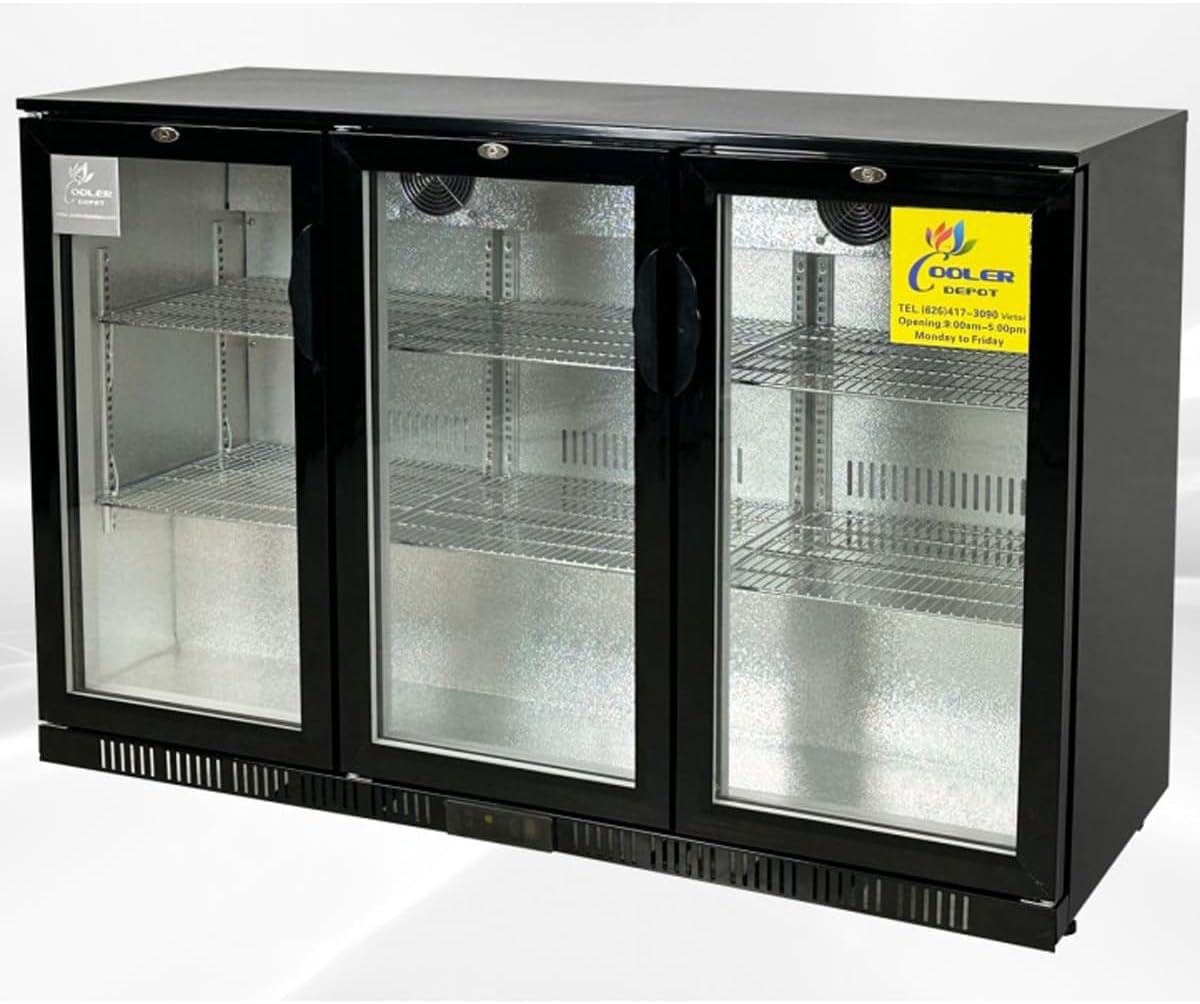
Figure 4: Detail of door lock and interior fan.
Internal Air Circulation
The unit utilizes internal fans to ensure even temperature distribution throughout the cabinet, maintaining consistent cooling for all stored beverages.
Video 1: Official product overview of the Cooler Depot BB3 Back Bar Cooler, demonstrating features and dimensions.
Maintenance
Regular Cleaning
- Exterior: Clean the exterior surfaces with a soft cloth and mild detergent. Avoid abrasive cleaners.
- Interior: Wipe down the interior with a damp cloth and mild, food-safe cleaner. Remove shelves for thorough cleaning if necessary.
- Door Gaskets: Regularly inspect and clean door gaskets to ensure they remain pliable and provide a tight seal. This helps maintain cooling efficiency.
Automatic Defrost System
The unit features an automatic defrost system, minimizing ice buildup. However, occasional manual cleaning may be required if excessive frost accumulates.
Condenser Coil Cleaning
Periodically clean the condenser coils located at the back of the unit. Dust and debris can accumulate, reducing efficiency. Use a brush or vacuum cleaner to gently remove buildup.
Troubleshooting
If you encounter issues with your cooler, refer to the following common problems and solutions:
- Unit not cooling: Check power supply, ensure the plug is securely connected, and verify the temperature settings on the Dixell control system. Ensure adequate ventilation around the unit.
- Excessive noise or vibration: Check if the unit is level. Ensure no objects are obstructing the internal or external fans.
- Water leaks or condensation: Verify that the door gaskets are clean and sealing properly. Ensure the drain pan is correctly positioned and not overflowing.
For detailed electrical diagrams and more complex issues, consult a qualified technician or refer to the specific diagrams provided on the unit's rear label.
Specifications
| Feature | Detail |
|---|---|
| Model Name | Beer Back Bar Cooler 3 Glass Door (Swing Door) |
| Model Number | BB3 |
| Product Dimensions (D x W x H) | 20"D x 53"W x 35"H |
| Capacity | 11.3 Cubic Feet |
| Number of Doors | 3 |
| Door Material Type | Glass |
| Number of Shelves | 6 |
| Shelf Type | Wire |
| Voltage | 115 Volts |
| Power Plug Type | Type B - 3 pin (North American) |
| Defrost System | Automatic |
| Cooling Method | Compressor |
| Refrigerant | R-600A |
| Certification | NSF Certified |
| Color | Black |
Warranty and Support
Warranty Information
This Cooler Depot unit comes with a comprehensive warranty:
- 3 Years All-Parts Warranty: Covers all parts of the unit for three years from the date of purchase.
- 6 Years Compressor Warranty: The compressor is covered for six years from the date of purchase.
- 1 Year Labor Warranty: Labor costs for repairs are covered for one year from the date of purchase.
For functional failures within one month of the item's delivered date, a full refund may be applicable. Please retain the original pallet for any returns.
Customer Support
For any questions, technical assistance, or warranty claims, please contact Cooler Depot USA:
- Phone: (626) 665-1926 or (626) 484-8223
- Website: www.coolerdepotusa.com