
QDVOPHZA w0u5903wei
User Manual: QDVOPHZA Solar-Powered AI Bird Feeder Camera
Model: w0u5903wei
Introduction
Welcome to the user manual for your QDVOPHZA Solar-Powered AI Bird Feeder Camera. This innovative device combines advanced surveillance technology with a dedicated bird feeding station, allowing you to monitor your property and observe local wildlife with ease. Its key features include 4MP UHD resolution, AI-powered motion detection and bird identification, solar charging for continuous operation, and wireless connectivity for remote access via a mobile application.

Front view of the QDVOPHZA Solar-Powered AI Bird Feeder Camera, showcasing its compact design and integrated solar panel.
Product Components
Familiarize yourself with the main parts of your bird feeder camera system to ensure proper setup and operation.

Detailed diagram illustrating the various components of the bird feeder camera, including the antenna, solar panels, camera unit, and bird standing stand.
- Antenna: For wireless signal reception.
- Solar Panels: For continuous power generation.
- Grain Bin Cover: Protects bird feed from elements.
- Camera Unit: The main surveillance component.
- Granary: Area for storing bird feed.
- Mounting Bracket: For secure installation.
- Bird Standing Stand: Provides a perch for birds.
Key Features
- 4MP UHD Resolution: Captures clear, detailed images and video, day or night, ensuring high-quality monitoring.
- AI Motion Detection & Alerts: Intelligently identifies and tracks suspicious activity, sending real-time notifications to your mobile device.
- AI Bird Identification: Recognizes over 11,000 bird species, enhancing your bird-watching experience by providing detailed information about visiting birds.
- Solar Powered: A built-in efficient solar panel provides continuous, eco-friendly power, significantly reducing the need for frequent battery changes.
- Wireless Connectivity (Wi-Fi): Offers easy setup and remote viewing via a mobile application, eliminating the need for complex wiring.
- IP66 Weatherproof: Designed to withstand various harsh outdoor environments, ensuring reliable operation in rain, snow, or intense sunlight.

The camera's AI identifies over 11,000 bird species, displayed on the companion mobile app.
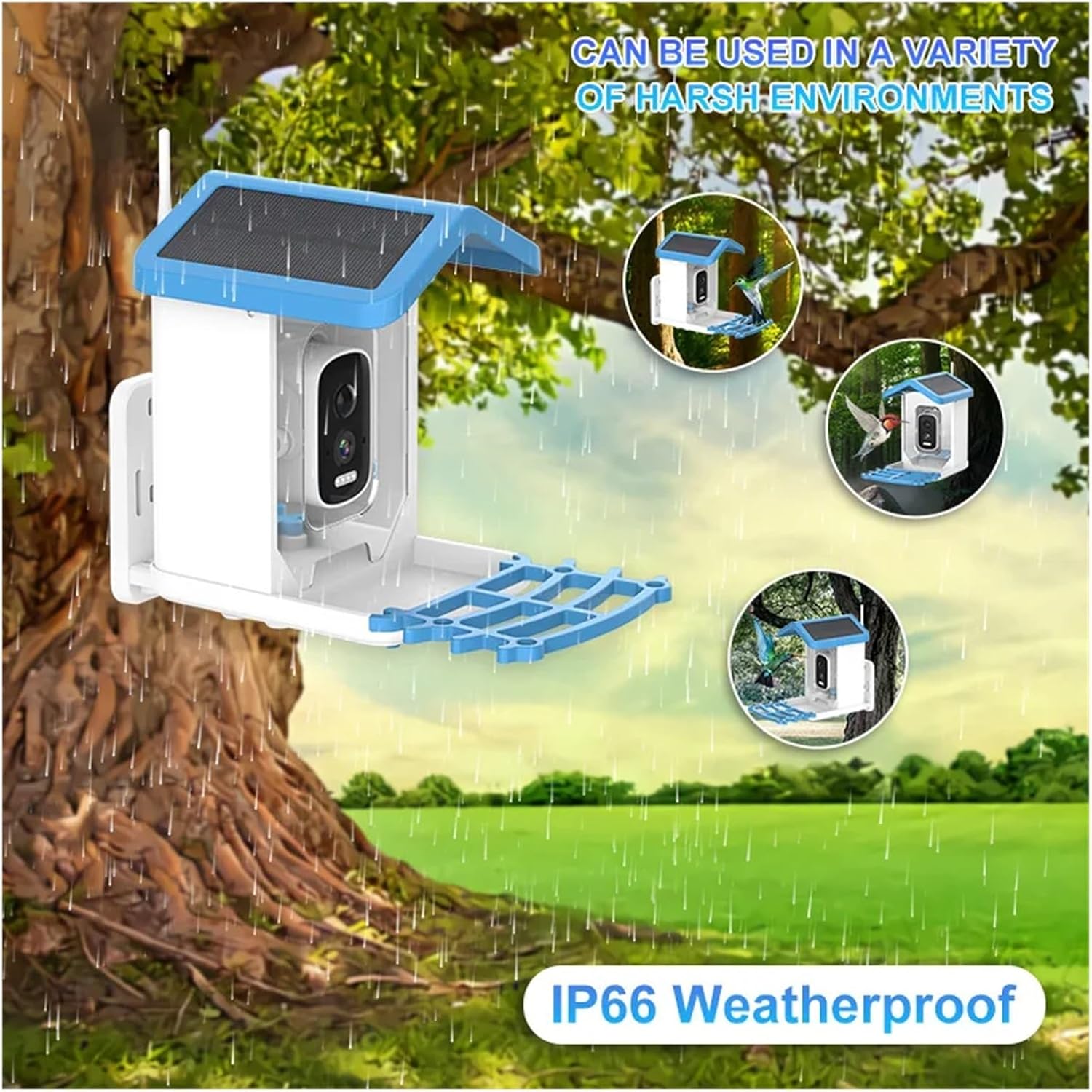
The IP66 weatherproof design ensures the camera operates reliably in diverse outdoor environments.
Setup Guide
1. Unboxing and Initial Charge
- Carefully remove all components from the packaging.
- Before first use, ensure the camera's internal battery is fully charged. Connect the camera to a standard USB power adapter (not included) using the provided USB cable. The solar panel will maintain charge after initial setup.
2. Mounting the Bird Feeder Camera
- Select a suitable location for installation. Choose a spot with ample sunlight exposure for the solar panel and a clear view of the area you wish to monitor.
- Use the included mounting bracket and hardware to securely attach the bird feeder camera to a tree, wall, or pole. Ensure it is stable and at a height that allows for easy bird access and optimal camera view.
- Adjust the angle of the solar panel to maximize sun exposure.
3. Mobile App Installation
- Download the "Tris Home" application from your smartphone's app store (iOS App Store or Google Play Store).
- Register a new account or log in if you already have one.
4. Device Pairing
- Open the Tris Home app and tap "Add Device" or the "+" icon.
- Follow the on-screen instructions to connect the camera to your home Wi-Fi network (2.4GHz Wi-Fi is typically supported).
- This usually involves scanning a QR code displayed on your phone with the camera lens or entering Wi-Fi credentials manually.
- Once connected, the camera status indicator will change, and you will see the device listed in your app.
Operation
Live View
- In the Tris Home app, tap on the camera device to access the live video feed.
- You can view real-time footage, take screenshots, or manually record video.
Recording and Playback
- The camera automatically records events triggered by motion detection. These recordings are stored on the installed 128GB TF card or in cloud storage (if subscribed).
- Access recorded events via the "Playback" or "Event History" section in the app.
AI Detection & Alerts
- Configure motion detection sensitivity and alert preferences in the app settings.
- Receive push notifications on your smartphone when motion is detected or a bird is identified.
Bird Identification
- When a bird is detected, the AI system will attempt to identify its species. This information will be displayed in the app alongside the event recording.
Maintenance
Cleaning the Camera and Feeder
- Regularly clean the camera lens and the solar panel with a soft, damp cloth to ensure optimal performance.
- Clean the bird feeder tray and granary periodically to prevent mold and maintain a healthy environment for birds. Use mild soap and water, then rinse thoroughly.
Solar Panel Care
- Ensure the solar panel remains free of dirt, dust, leaves, or snow to maximize charging efficiency.
- Trim any overhanging branches that might shade the solar panel.
Troubleshooting
Camera Not Connecting to Wi-Fi
- Ensure your Wi-Fi network is 2.4GHz. The camera may not support 5GHz networks.
- Check Wi-Fi signal strength at the camera's location. Move the camera closer to the router if necessary.
- Verify correct Wi-Fi password entry in the app.
- Restart your Wi-Fi router and the camera.
No Motion Detection Alerts
- Check motion detection settings in the app; ensure it's enabled and sensitivity is appropriate.
- Verify notification permissions for the Tris Home app on your smartphone.
- Ensure the camera has a clear view of the detection area.
Poor Image Quality
- Clean the camera lens.
- Check network connection stability; a weak signal can affect streaming quality.
- Ensure there is adequate lighting for optimal day vision, and that night vision is active in low light.
Battery Not Charging via Solar Panel
- Ensure the solar panel is clean and free of obstructions.
- Verify the solar panel is receiving direct sunlight for several hours daily.
- Check the connection between the solar panel and the camera.
Technical Specifications
| Property | Value |
|---|---|
| Resolution | 4.0 Megapixels (4MP UHD) |
| Lens | 3.6mm |
| Viewing Angle | 110° |
| Video Compression | H.265 |
| Connectivity | Wi-Fi (2.4GHz) |
| Power Mode | Solar Powered |
| AI Functions | Motion Detection, Bird Identification |
| Night Vision | Color Night Vision |
| Weather Resistance | IP66 Waterproof / Weatherproof |
| Storage | Supports TF Card (128GB included with this variant) |
| Shell Material | Plastic |
| Color | White |
| Item Weight | 1.76 ounces (50 Grams) |
| Dimensions | 1.18 x 0.79 x 0.39 inches (Camera Unit) |
| Supported OS (Viewing) | Windows 98/XP/Vista/7/8/10, Mac OS |
Support
For further assistance, technical support, or warranty inquiries, please refer to the contact information provided with your product packaging or visit the official QDVOPHZA website.
no relevant documents
Ask a question about this manual
Ask about setup, troubleshooting, compatibility, parts, safety, or missing instructions. Manuals+ will review the question and use this page’s manual context to help answer it.