
CORNMI JM06
CORNMI JM06 Plug-in Air Purifier User Manual
Model: JM06 | Brand: CORNMI
Introduction
Thank you for choosing the CORNMI JM06 Plug-in Air Purifier. This compact and efficient device is designed to improve air quality in your home by utilizing both ozone and negative ion functions. It effectively eliminates odors from pets, smoke, and cooking, providing a fresher and cleaner environment. Please read this manual thoroughly before use to ensure proper operation and maintenance.
Important Safety Information
- Do not touch water and use it in a dry environment.
- It is recommended to turn off the air purifier for 1 hour every 2 days to extend its lifespan.
- Prolonged continuous use may cause surface heat; please turn it off for 30 minutes to extend the life of the air purifier.
- Ozone will emit a slight, distinct smell, indicating the air purifier is working. Ozone automatically decomposes into oxygen within 20-30 minutes, leaving no residue.
- If you experience discomfort with ozone, please choose the negative ion Purifier mode or the Cycle mode.
Product Overview
The CORNMI JM06 is a compact, plug-in air purifier featuring a simple one-button control and indicator lights for different operating modes.

Figure 1: Front view of the CORNMI JM06 Air Purifier, showing the power button and mode indicators.

Figure 2: Dimensions of the CORNMI JM06 Air Purifier and its effective coverage area.
Key Features:
- 2-in-1 Functionality: Combines ozone and negative ion purification.
- Ozone Function: Releases low-concentration O₃ to decompose odors and harmful substances.
- Anion Function: Produces negative ions to attract and settle airborne dust, smoke, and other particles.
- Three Operating Modes: Easily switch between Purifier, Timing, and Cycle modes.
- Filter-Free Design: No need for replacement filters, reducing maintenance.
- Low Noise Operation: Operates below 30dB for quiet use.
Setup
Setting up your CORNMI JM06 Air Purifier is simple and requires no assembly.
- Unpack the air purifier from its packaging.
- Locate a standard electrical outlet in the desired area for purification. Ensure the outlet is dry and free from moisture.
- Plug the CORNMI JM06 directly into the wall outlet. The device will power on and be ready for operation.

Figure 3: The CORNMI JM06 Air Purifier is suitable for use in various small rooms such as bedrooms, bathrooms, kitchens, and cloakrooms.
Operating Modes
The CORNMI JM06 features a single button to cycle through its three purification modes. Press the power button to switch between modes.

Figure 4: Visual representation of the three operating modes indicated by light color.
- Green Light: Negative Ion Purifier Mode
In this mode, the device primarily generates negative ions. Negative ions combine with positively charged dust particles, second-hand smoke, and other airborne matter, causing them to settle, thereby freshening the air and potentially improving sleep quality.
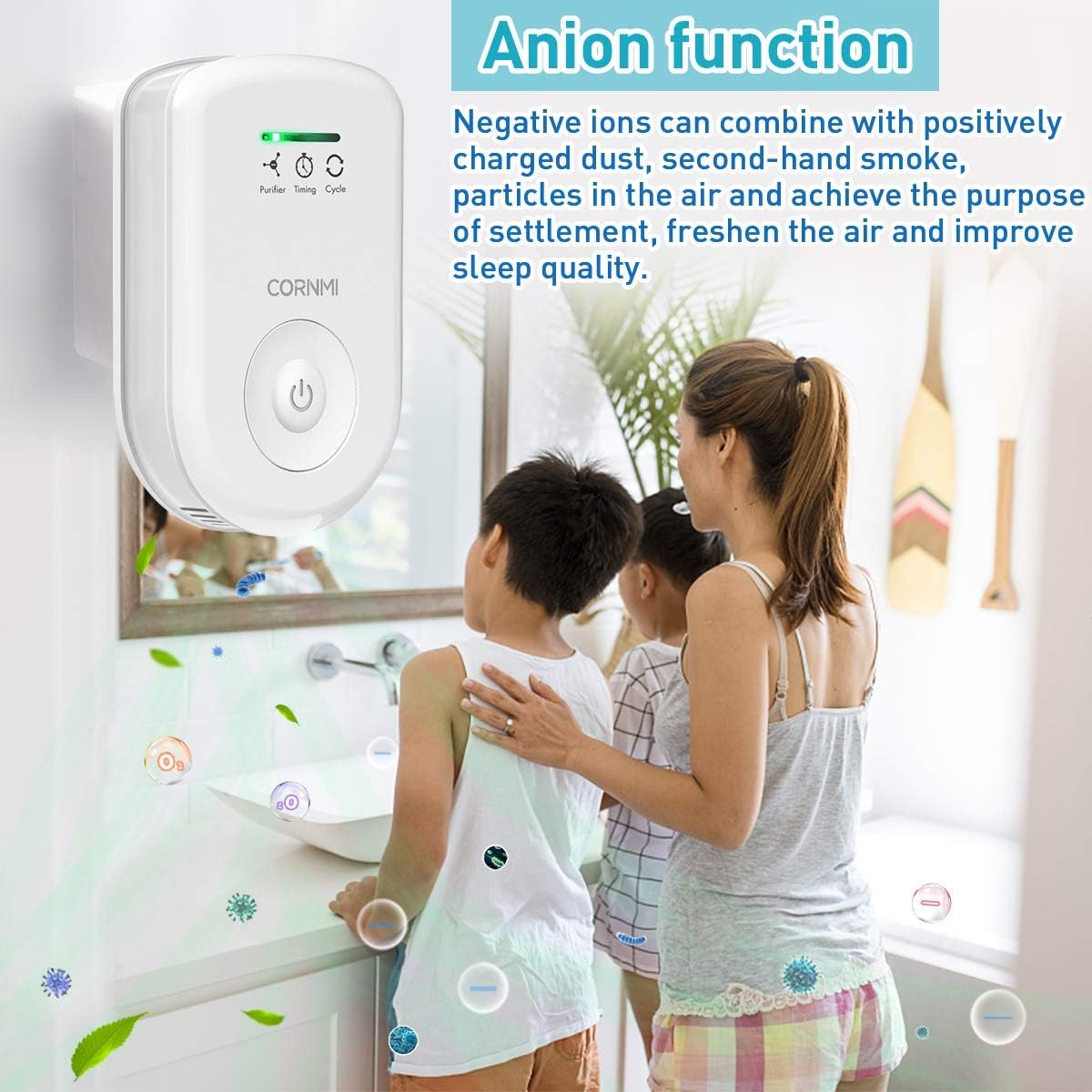
Figure 5: The air purifier operating in Anion (Negative Ion) mode, effectively settling airborne particles.
- Blue Light: Ozone Timing Mode
When the blue light is on, the device releases ozone for 20 minutes, then automatically switches back to the negative ion mode. This mode is ideal for targeted odor elimination in specific areas.

Figure 6: The air purifier utilizing its Ozone function to decompose harmful substances and odors.
- Red Light: Ozone Cycle Mode
With the red light illuminated, the device operates in a cycle: 10 minutes of ozone generation followed by 50 minutes of standby. This continuous cycling helps maintain fresh air over longer periods.
To turn off the device, cycle through all modes until no indicator light is illuminated.
Maintenance
The CORNMI JM06 Air Purifier is designed for low maintenance. It is a filter-free unit, eliminating the need for costly filter replacements.
- Cleaning: Periodically wipe the exterior of the device with a soft, dry cloth to remove dust. Do not use liquid cleaners or immerse the device in water.
- Optimal Performance: For best results and to extend the product's lifespan, adhere to the recommended usage guidelines, including turning off the unit for 1 hour every 2 days.

Figure 7: The air purifier's effect on air quality, transforming harmful substances into forest-like fresh air.
Troubleshooting
If you encounter issues with your CORNMI JM06 Air Purifier, please refer to the following common solutions:
| Problem | Possible Cause | Solution |
|---|---|---|
| Device not turning on. | Not properly plugged in; power outage; device malfunction. | Ensure the device is securely plugged into a working outlet. Check your home's circuit breaker. If issues persist, contact customer support. |
| No noticeable odor reduction. | Incorrect mode selected; room size too large; strong, persistent odor source. | Ensure the appropriate mode (Ozone Timing or Cycle) is selected for odor elimination. The effective area is up to 323 sq. ft. For very strong odors, consider airing out the room first. |
| Device surface feels warm. | Normal operation; prolonged use. | This is normal during operation. If it feels excessively hot, unplug the device and allow it to cool for 30 minutes before resuming use. |
| Unpleasant smell (e.g., chlorine-like). | Ozone generation is active; individual sensitivity to ozone. | A slight smell indicates ozone is working. If it's too strong or causes discomfort, switch to Negative Ion Purifier mode or use the Cycle mode for less continuous ozone release. Ensure adequate ventilation. |
Specifications
| Feature | Detail |
|---|---|
| Model Number | JM06 |
| Product Dimensions | 1.4"D x 3.2"W x 5.3"H |
| Weight | 8.47 ounces |
| Power Consumption | 5 watts |
| Voltage | 120 volts AC |
| Noise Level | 30 dB |
| Controller Type | Button Control |
| Ozone Output | 50mg/h |
| Negative Ion Output | 8 million/cm³ |
| Effective Area | Up to 30 m² / 323 sq. ft |
Warranty and Support
CORNMI products are designed for reliability and performance. For specific warranty details and customer support, please refer to the information provided with your product packaging or visit the official CORNMI website. Keep your purchase receipt for warranty claims.
For any questions or assistance, please contact CORNMI customer service.
Ask a question about this manual
Ask about setup, troubleshooting, compatibility, parts, safety, or missing instructions. Manuals+ will review the question and use this page’s manual context to help answer it.