1. Introduction
This manual provides essential information for the safe and effective use of your Paladone PP7335MAN The Mandalorian Child Grogu Desktop Light. Please read these instructions carefully before operating the product and retain them for future reference.
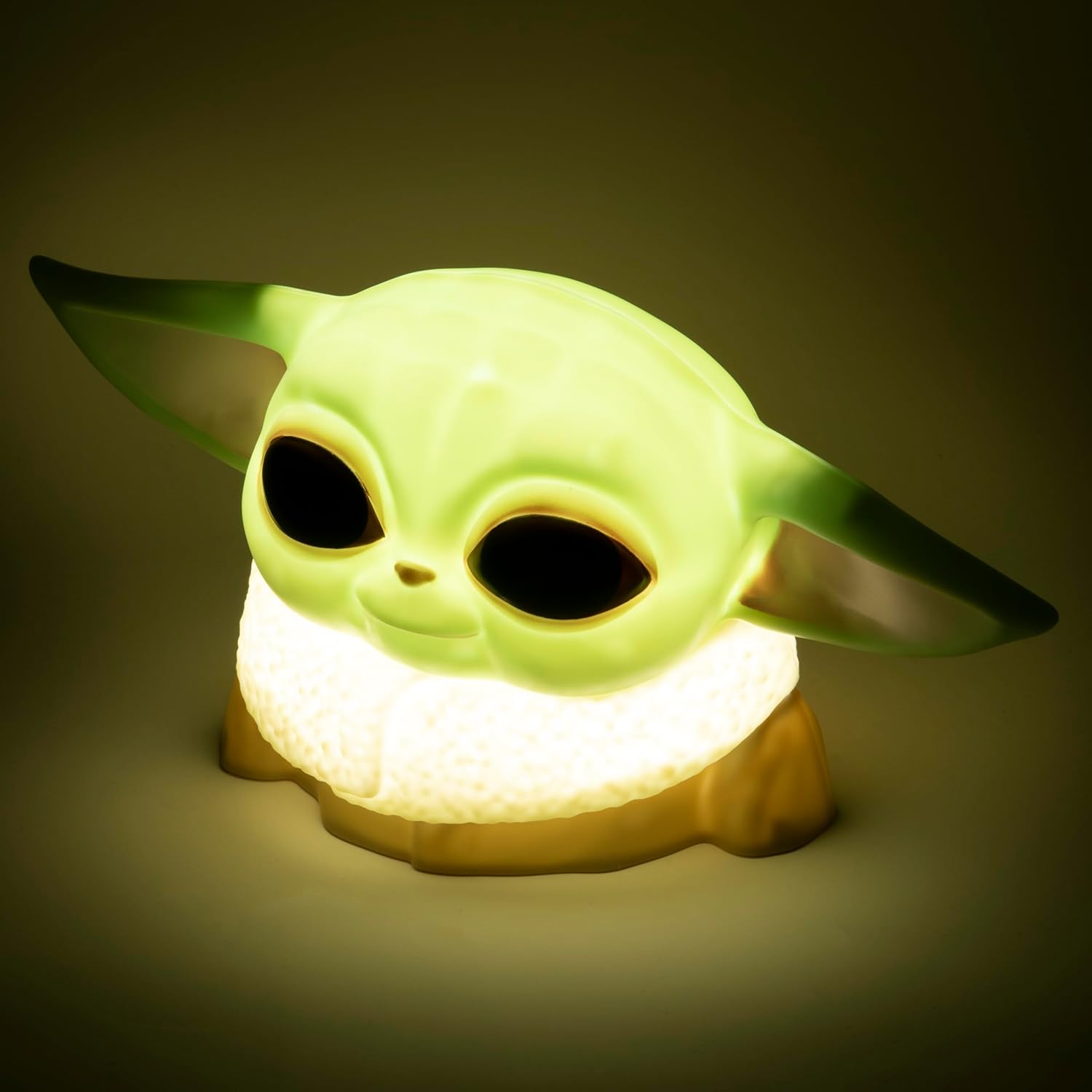
Image 1.1: The Paladone The Mandalorian Child Grogu Desktop Light, illuminated and ready for use.
2. Safety Information
- Warning: Not suitable for children under 36 months due to small parts. Choking hazard.
- This product is intended for indoor use only.
- Do not expose the product to water or excessive moisture.
- Do not attempt to disassemble or modify the product. This will void the warranty.
- Dispose of used batteries responsibly according to local regulations.
3. Package Contents
Please check the package contents to ensure all items are present:
- 1 x Paladone PP7335MAN The Mandalorian Child Grogu Desktop Light
- 1 x User Manual (this document)
Note: 2x AAA batteries are required for operation and are not included in the package.

Image 3.1: The Paladone The Mandalorian Child Grogu Desktop Light shown in its retail box.
4. Setup
- Unpack the Light: Carefully remove the Grogu Desktop Light from its packaging.
- Install Batteries: Locate the battery compartment on the underside of the light. Open the compartment cover. Insert 2x AAA batteries, ensuring correct polarity (+/-) as indicated inside the compartment. Close the battery compartment cover securely.
- Placement: Place the light on a stable, flat surface away from direct sunlight, heat sources, and moisture.

Image 4.1: The Paladone The Mandalorian Child Grogu Desktop Light in an unlit state, showing its detailed design.
5. Operating Instructions
To operate your Grogu Desktop Light:
- Turning On: Locate the power switch, typically on the base or back of the figure. Press the switch to the 'ON' position to illuminate the light.
- Turning Off: To turn off the light, press the power switch to the 'OFF' position.

Image 5.1: The Paladone The Mandalorian Child Grogu Desktop Light displayed on a wooden shelf, demonstrating its decorative appeal.
6. Maintenance
- Cleaning: To clean the light, gently wipe it with a dry, soft cloth. Do not use abrasive cleaners, solvents, or harsh chemicals, as these may damage the surface.
- Battery Replacement: When the light begins to dim or stops working, it is time to replace the batteries. Follow the battery installation steps in Section 4.2.
- Storage: If storing the light for an extended period, remove the batteries to prevent leakage and corrosion. Store in a cool, dry place.
7. Troubleshooting
| Problem | Possible Cause | Solution |
|---|---|---|
| Light does not turn on. | Batteries are dead or incorrectly inserted. | Replace batteries with new AAA batteries, ensuring correct polarity. |
| Light is dim. | Batteries are low. | Replace batteries with new AAA batteries. |
| Light flickers. | Loose battery connection or low batteries. | Check battery compartment for secure connection. Replace batteries if necessary. |
8. Specifications
| Model Number | PP7335MAN |
| Product Dimensions | 14D x 21.7W x 12.5H cm (approx. 25 x 25 x 13 cm) |
| Item Weight | 130 Grams |
| Power Source | 2 x AAA Batteries (not included) |
| Material | Plastic |
| Switch Type | Push Button |
| Light Type | LED Desktop Light |
9. Warranty and Support
This product is covered by a manufacturer's warranty. For specific details regarding the warranty period and terms, please refer to the packaging or contact Paladone customer support.
If you encounter any issues not covered in the troubleshooting section or require further assistance, please contact Paladone customer support through their official website or the retailer from whom you purchased the product. Please have your model number (PP7335MAN) and proof of purchase ready.


