
Introduction
The MEIKEE 25W RGB LED Flood Lights are designed to provide versatile and vibrant illumination for both indoor and outdoor environments. Featuring RGBW technology, these lights offer 16 million dynamic colors, including a crisp 6500K white light, making them suitable for various applications from festive decorations to general security lighting. The lights are controlled via a 29-key RF remote, offering multiple lighting modes, dimming capabilities, and convenient timing and memory functions. Built with durable, IP66 waterproof aluminum housing, they are engineered to withstand diverse weather conditions and provide long-lasting performance.

Image: Four MEIKEE 25W RGB LED Flood Lights with two remote controls, showcasing their vibrant color capabilities.
What's in the Box
- 4 x Pack RGB Floodlights
- 2 x Remote Controllers
- 1 x Installation Hardware
- Instruction Manual
Key Features
- Vibrant RGBW Color Customization: Offers 16 million dynamic colors and crisp 6500K white light. High-efficiency SMD LEDs provide vivid, energy-saving illumination.
- Smart Control & 10+ Lighting Modes: Features a 29-key remote with a 30ft range. Includes 10 solid colors with dimming/smooth transitions, speed-adjustable multicolor cycles, and strobe effects.
- Auto-Shutoff Timer + Memory Function: Programmable auto-off after 2/4/6 hours. Memory feature retains the last setting upon power cycle.
- All-Weather IP66 Defense: Constructed with rust-proof aluminum housing and precision-sealed joints for resistance against rain, snow, and sleet.
- Fast Installation & Pro Cooling: Easy mounting with adjustable 180° brackets. Die-cast aluminum ensures rapid heat dissipation. Standard US plug with 1.5m wires for instant setup.
Safety Information
- Always ensure the power is disconnected before installation, maintenance, or cleaning.
- Do not attempt to disassemble or modify the product. This may void the warranty and pose a safety risk.
- Ensure the power cord and plug are not damaged before use. Do not use if damaged.
- Keep the product away from flammable materials.
- While IP66 rated for water resistance, avoid submerging the lights in water.
- Ensure proper grounding to prevent electrical shock.
- Do not stare directly into the LED light source when illuminated, as it may cause eye strain.
Setup
- Unpack: Carefully remove all components from the packaging. Inspect for any damage.
- Choose Location: Select a suitable location for your floodlights. They can be wall-mounted or inserted into the ground. Consider the desired lighting effect and proximity to a power outlet.

Image: Illustration of the floodlight being used with a ground insert for landscape lighting and wall-mounted for architectural lighting.
- Mounting:
- Wall Mount: Use the provided installation hardware (screws and anchors) to securely attach the adjustable bracket to a wall or desired surface. Ensure the surface can support the weight of the light.
- Ground Insert: Attach the ground stake (if included in your specific package, otherwise the bracket can act as a stand) to the light's bracket. Insert the stake firmly into the ground.

Image: Detailed view of the floodlight's construction, highlighting the 180° adjustable bracket for flexible positioning.
- Adjust Angle: The 180° adjustable bracket allows you to direct the light beam as needed. Loosen the screws on the side of the bracket, adjust the angle, and then tighten the screws to secure.
- Connect Power: Plug the standard US plug into a compatible 120V AC power outlet. No hard wiring is needed.
Operating Instructions
The MEIKEE RGB LED Flood Lights are controlled using the included 29-key RF remote control. The RF (Radio Frequency) remote allows for control from a distance of up to 12 meters (39.3 feet) and can penetrate obstacles, offering flexible operation.
Remote Control Functions:

Image: The 29-key remote control, illustrating buttons for various colors, modes, and speed adjustments.
- ON/OFF: Power the lights on or off.
- Color Selection: Press the colored buttons to select from 10 solid colors.
- Brightness Adjustment: Use the brightness up/down buttons to adjust the intensity of the selected color.
- Dynamic Modes:
- Flash/Smooth Mode: Cycles through colors with a flashing or smooth transition effect.
- Multi-color Working Modes: Includes various pre-programmed modes like R+G Smooth, R+B Smooth, G+B Smooth, Strobe, Colorful Flash, Colorful Smooth, RGB Flash, R+G Flash, R+B Flash, R+VT Flash.
- Speed Adjustment: Use the Speed +/- buttons to control the transition speed of dynamic modes.
- Timing Function: Press the 2H, 4H, or 6H buttons to set the lights to automatically turn off after 2, 4, or 6 hours, respectively.

Image: Visual representation of the timing function, allowing lights to automatically shut off after a set duration.
- Memory Function: The lights will remember the last selected color and mode when turned off and will resume that setting when turned back on. This eliminates the need for repetitive adjustments.

Image: The memory function ensures the lights recall their previous settings upon reactivation.
Controlling Multiple Lights Individually:
If you wish to set different colors or modes for individual lights when using multiple units, follow these steps:
- Plug in only one light at a time.
- Use the remote to set the desired color and mode for that light.
- Unplug the light.
- Repeat for each additional light, setting its specific color and mode.
- Once all lights are set, you can plug them all in. They will retain their individual settings due to the memory function.

Image: Step-by-step guide on how to individually program multiple floodlights using the remote control.
Maintenance
- Cleaning: Ensure the light is unplugged before cleaning. Wipe the surface with a soft, damp cloth. Do not use abrasive cleaners or solvents.
- Weather Resistance: The IP66 rating ensures protection against dust and powerful water jets. The durable aluminum housing is designed to withstand various weather conditions, including heat, cold, and rust.
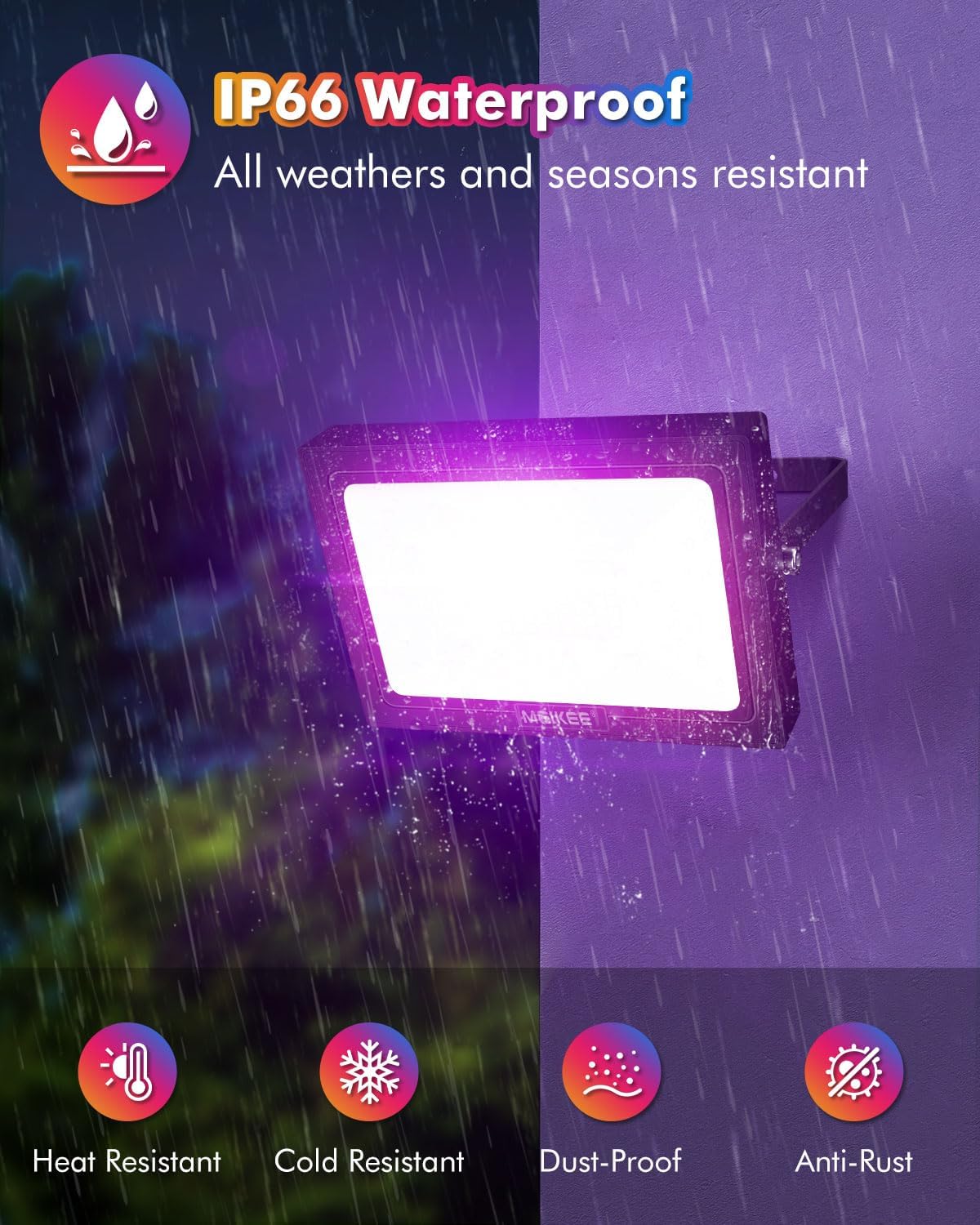
Image: The IP66 waterproof rating ensures the floodlight's durability against various environmental factors.
- Heat Dissipation: The die-cast aluminum construction is designed for efficient heat dissipation, contributing to the long lifespan of the LEDs (50,000+ hours). Ensure the heat sink fins on the back of the light are not obstructed.

Image: Internal design features promoting efficient heat dissipation for extended product life.
Troubleshooting
| Problem | Possible Cause | Solution |
|---|---|---|
| Light does not turn on. | No power; remote battery low; light damaged. | Check power outlet. Replace remote battery. Contact support if damaged. |
| Remote not working or limited range. | Battery low; too far from light; signal obstruction. | Replace remote battery. Move closer to the light. Ensure no large metal objects are blocking the signal. Image: The RF remote control offers a 12-meter (39.3ft) range and can penetrate obstacles, but extreme distances or very dense obstructions may affect performance. |
| Lights change color together when individual control is desired. | Multiple lights were programmed simultaneously. | Follow the "Controlling Multiple Lights Individually" steps to reprogram each light separately. |
| Light color or mode is not as expected. | Incorrect remote button pressed; interference. | Re-select the desired color/mode. Ensure no other RF devices are causing interference. |
Specifications
| Feature | Detail |
|---|---|
| Brand | MEIKEE |
| Model Name | 4 Pack 250W Equivalent RGB LED Flood Lights |
| Part Number | RGB Floodlight - 25W |
| Wattage | 25 Watts |
| Brightness | 2500 Lumens |
| Color Temperature | 6500 Kelvin (White Light) |
| Light Color Options | 12 colors + RGBW mixing |
| Control Method | RF Remote Control |
| Remote Control Range | Up to 12 meters (39.3 feet) |
| Water Resistance Level | IP66 Waterproof |
| Material | Aluminum (Body), Glass (Shade) |
| Product Dimensions | 5.79"L x 6.97"W x 6.77"H |
| Item Weight | 4.91 pounds (for 4-pack) |
| Lifespan | 50,000+ hours |
| Power Source | AC (120 Volts) |
| Installation Type | Wall mounted / Ground insert |
| Special Features | Dimmable, Timer, Color Changing, Water Resistant |
Official Product Videos
MEIKEE RGBW LED Flood Light Overview
This video provides a general overview of the MEIKEE RGBW LED Flood Light, showcasing its features and potential applications in various settings.
MEIKEE RGB Flood Lights with Remote for Outdoor Indoor
This video demonstrates the use of the remote control for the MEIKEE RGB Flood Lights, highlighting its functionality for both outdoor and indoor applications.
Great lights! Very bright and lots of colors. (Short Preview)
A short preview video showcasing the brightness and wide range of colors available from the MEIKEE flood lights.
Warranty and Support
MEIKEE products are covered by a 2-year warranty from the date of purchase. For any product-related inquiries, technical support, or warranty claims, please contact MEIKEE customer service. You can typically find contact information via the Amazon platform or the email address provided in the original product packaging. MEIKEE aims to provide timely responses within 24 hours.
For more information and newly upgraded products, you can visit the official MEIKEE store on Amazon by searching "MEIKEE light" or clicking on "Visit the MEIKEE store" on the product page.