
1. Introduction
The Cahot UV Light Sanitizer Box with Wireless Charging provides a convenient method for sterilizing personal items using UV-C light and offers wireless charging capabilities for compatible devices. This manual provides instructions for proper setup, operation, and maintenance of your device.
2. What's in the Box
- UV Sanitizer Box
- USB Type-C Charging Cable
- User Manual
- Extra Rack/Holder

3. Product Overview
The Cahot UV Light Sanitizer Box is designed for efficient sterilization and convenient wireless charging. Key features include:
- UV-C Sterilization: Equipped with 8 UV-C LED lamps, the device offers sterilization cycles to help eliminate contaminants from various items. The product is registered with EPA Est. No. 96933-CHN-1.
- Spacious Design: The interior is designed to accommodate items up to 6.5 inches, such as smartphones (e.g., Phone 11 Pro Max, Samsung Note10), eyeglasses, jewelry, watches, car keys, and earbuds.
- Wireless Charging: The lid features a wireless charging pad compatible with Qi-enabled iOS/Android devices (e.g., Phone 8 or newer, Samsung S7 or newer).
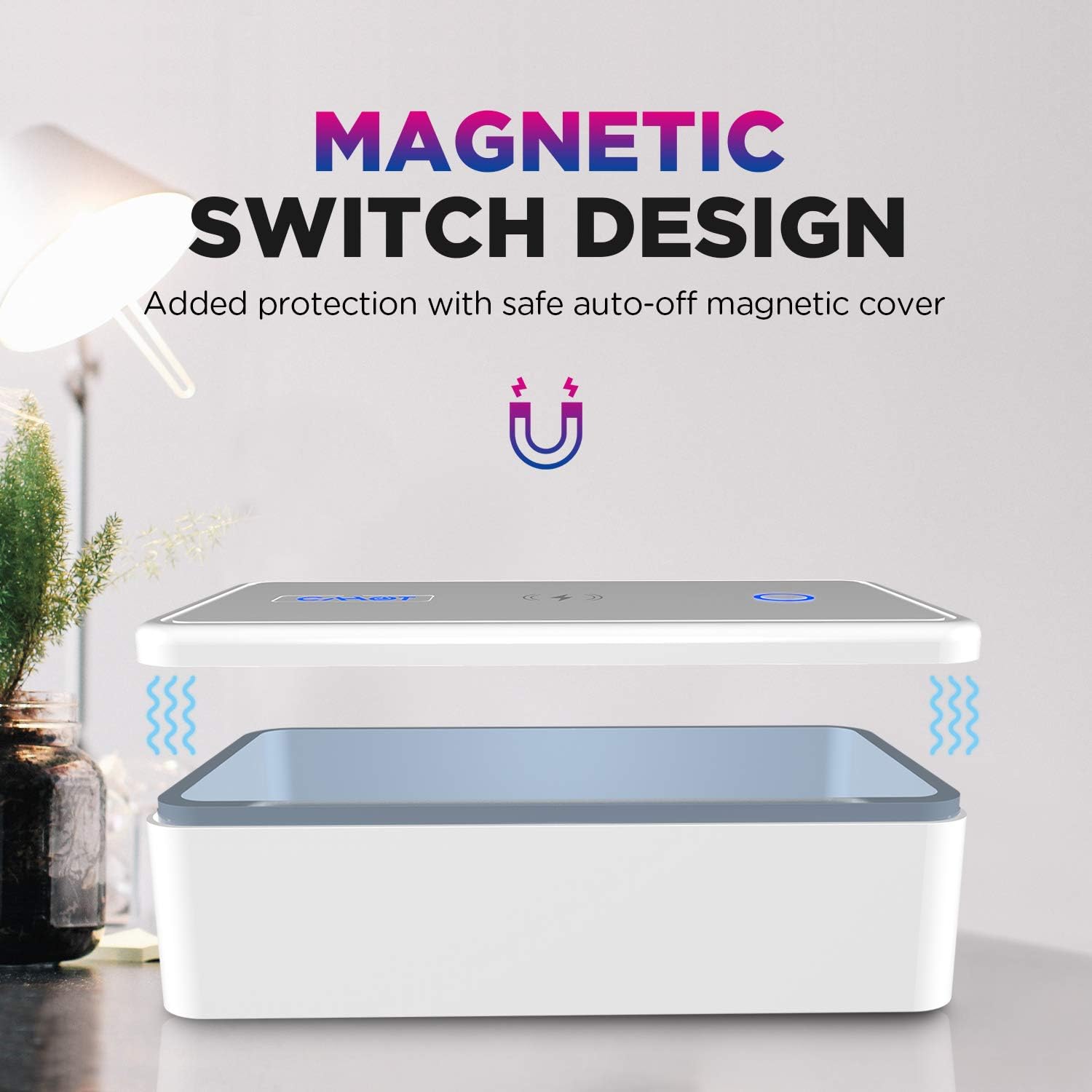
- Magnetic Auto-Off Protection: For user safety, the UV-C lamps automatically turn off when the lid is opened, preventing direct exposure to UV light.
- Optimal Sterilization: A mirror design and an included bracket enhance UV-C light reflection for thorough sterilization.

4. Setup
- Connect Power: Connect the provided USB Type-C cable to the port on the side of the sanitizer box and plug the other end into a compatible power adapter (QC3.0/QC2.0 adapter recommended, not included). The device will power on, and the indicator light will illuminate.
- Prepare for Sterilization: If present, carefully remove any protective film from the reflective surfaces inside the box and on the included bracket. This ensures maximum UV-C light reflection.
- Insert Bracket (Optional): Place the extra holding bracket inside the box if you wish to elevate items for 360-degree sterilization.
5. Operating Instructions
5.1. Sterilization
- Place Items: Open the lid and place the items you wish to sterilize inside the box. Ensure items are not overlapping excessively to allow UV-C light to reach all surfaces.
- Close Lid: Close the lid securely. The UV-C lamps will not activate if the lid is open due to the magnetic auto-off safety feature.
- Select Sterilization Mode:
- Press the sterilization button once for the 18-minute disinfection mode. The indicator light will turn green.
- Press the sterilization button twice for the 30-minute disinfection mode. The indicator light will turn blue.
- Cycle Completion: The device will automatically turn off once the selected sterilization cycle is complete.

5.2. Wireless Charging
- Place Device: Place your Qi-enabled smartphone or other compatible device on the designated wireless charging area on the top lid of the sanitizer box.
- Charging Indication: The device's screen or charging indicator will confirm that wireless charging has begun.

Video 1: Demonstration of placing a phone inside the sanitizer box, closing the lid, and initiating a sterilization cycle. The video also shows the wireless charging function.
Video 2: This video illustrates the simultaneous operation of the UV sterilization and wireless charging features of the device.
5.3. Aromatherapy Function (Optional)
To add a fresh scent to your items during sterilization:
- Locate the small aromatherapy inlet inside the box.
- Add 2-3 drops of your preferred essential oil (not included) into the inlet.
- Proceed with a sterilization cycle as described above. The aroma will diffuse during the process.
6. Maintenance
- Cleaning: Use a soft, dry cloth to clean the exterior of the device. For the interior, especially the reflective mirror surface, use a soft, lint-free cloth to avoid scratches.
- Storage: Store the device in a cool, dry place away from direct sunlight when not in use.
7. Troubleshooting
- Device Not Powering On: Ensure the USB Type-C cable is securely connected to both the device and a functional power adapter/outlet.
- UV Light Not Activating: Verify that the lid is completely closed. The magnetic safety switch prevents UV-C lamps from operating when the lid is open. Ensure a sterilization cycle has been selected by pressing the button.
- Wireless Charging Not Working: Check that your device is Qi-enabled and properly centered on the wireless charging pad. Remove any thick phone cases that might interfere with charging.
- Inconsistent Sterilization: Ensure items are not stacked or overlapping, allowing UV-C light to reach all surfaces. Use the included bracket to elevate items for better exposure.
8. Specifications
| Brand | Cahot |
| Model Number | UM-T20 |
| Light Type | LED UV-C |
| Number of UV-C LEDs | 8 |
| Power Consumption | 10 Watts |
| Wireless Output | 10W (MAX) |
| Voltage | 5 Volts |
| Accepted Voltage Frequency | 100 to 120 Volts and 60 Hertz |
| Light Source Operating Life | 10000 Hours |
| Material Type | Acrylonitrile Butadiene Styrene (ABS) |
| Item Weight | 10.58 ounces |
| Item Dimensions (W x H) | 4.3"W x 8.2"H |
| Indoor Outdoor Usage | Indoor |
9. Warranty and Support
The Cahot UV Light Sanitizer Box (Model UM-T20) comes with a 3-month manufacturer's warranty. For support or warranty claims, please refer to the contact information provided with your purchase or visit the official Cahot website.