
Introduction
This manual provides detailed instructions for the assembly, operation, and maintenance of your Tangkula Gaming Desk, Model AM3018HM. Designed for professional gamers and home office users, this desk features a spacious desktop, an integrated monitor stand, and convenient accessories like a cup holder and headphone hook. Please read these instructions carefully before assembly and use to ensure proper setup and longevity of your product.
Safety Information
- Always assemble the desk on a soft, clean surface to prevent scratches.
- Ensure all screws and fasteners are securely tightened before use. Periodically check and re-tighten as necessary.
- Do not overload the desk. Refer to the specifications section for maximum weight capacity.
- Keep small parts and packaging materials away from children to prevent choking hazards.
- Avoid placing hot items directly on the desktop surface without protection.
- Use caution when moving the assembled desk to prevent injury or damage.
Package Contents
Before beginning assembly, verify that all components are present and undamaged. If any parts are missing or damaged, please contact customer support.
- Desktop Panel
- Monitor Stand Shelf
- Desk Legs (Left and Right)
- Support Beams
- Cup Holder
- Headphone Hook
- Gaming Handle Rack
- Assembly Hardware (screws, bolts, washers, Allen wrench)
- Instruction Manual

Figure 1: Exploded view of desk components with dimensions. This image illustrates the various parts included in the package and their respective measurements, aiding in identification during assembly.
Setup and Assembly
Assembly of the Tangkula Gaming Desk typically requires two people for ease and safety. While the instructions are primarily visual, careful attention to detail will ensure correct assembly.
- Unpack Components: Carefully remove all parts from the packaging and lay them out on a clean, soft surface. Verify all parts against the package contents list.
- Assemble Desk Frame: Attach the support beams to the desk legs using the provided hardware. Ensure all connections are firm but do not fully tighten screws until the entire frame is assembled.
- Attach Desktop: Carefully place the desktop panel onto the assembled frame. Align the pre-drilled holes and secure the desktop using the appropriate screws. Fully tighten all screws on the frame and desktop.
- Install Monitor Stand: Secure the monitor stand shelf to the designated positions on the desktop using the provided hardware.
- Attach Accessories: Install the cup holder, headphone hook, and gaming handle rack to their respective locations on the desk frame or desktop edge.
- Adjust Leveling Feet: The desk is equipped with adjustable non-slip pads. Adjust these feet to ensure the desk is stable and level on uneven floors.

Figure 2: The Tangkula Gaming Desk fully assembled and set up for use. This image provides a visual reference for the completed desk structure.
Operating Instructions
The Tangkula Gaming Desk is designed for optimal gaming and work comfort. Utilize its features as follows:
- Monitor Stand: Place your monitor on the elevated stand to achieve an ergonomic viewing height, reducing neck and eye strain. This promotes a correct sitting posture.
- Spacious Desktop: The 47.5" x 23.5" desktop provides ample space for your keyboard, mouse, laptop, and other gaming peripherals.
- Cup Holder: Use the integrated cup holder to keep your beverages secure and prevent spills on your equipment.
- Headphone Hook: Hang your gaming headset on the convenient hook to keep it within reach and off the desktop, maintaining a tidy workspace.
- Gaming Handle Rack: Store your gaming controllers neatly on the dedicated rack.
- Cable Management Grommets: Route your cables through the dual grommets on the desktop to keep wires organized and out of sight, enhancing the desk's clean appearance.

Figure 3: Ergonomic design for correct sitting posture. This image demonstrates how the monitor stand helps achieve an ideal viewing angle, promoting better posture and reducing discomfort.

Figure 4: User-friendly design features. This image highlights the convenient accessories such as the cup holder, headphone hook, and gaming handle rack, designed to enhance the user experience.
Maintenance
To keep your Tangkula Gaming Desk in optimal condition, follow these maintenance guidelines:
- Cleaning: Wipe the desktop and metal frame with a soft, damp cloth. Avoid abrasive cleaners or harsh chemicals that could damage the finish. For the carbon fiber textured desktop, a mild soap solution can be used if necessary, followed by drying thoroughly.
- Spill Management: In case of spills, wipe them immediately to prevent staining or damage to the engineered wood surface.
- Hardware Check: Periodically inspect all screws and bolts to ensure they remain tight. Re-tighten any loose hardware to maintain stability.
- Avoid Extreme Conditions: Do not expose the desk to extreme temperatures or humidity, as this can affect the material integrity.
Troubleshooting
If you encounter issues with your Tangkula Gaming Desk, refer to the following common solutions:
| Problem | Possible Cause | Solution |
|---|---|---|
| Desk is wobbly or unstable | Loose hardware; uneven floor; adjustable feet not properly set. | Ensure all screws are tightened. Adjust the leveling feet on the bottom of the desk legs until stable. |
| Parts do not align during assembly | Incorrect orientation of parts; screws not fully loosened. | Review the assembly diagrams carefully. Ensure screws are only finger-tight until all parts are in place, then tighten fully. If a part seems bent, contact customer support. |
| Missing hardware or damaged parts upon arrival | Shipping damage; packaging error. | Immediately contact Tangkula customer support with your purchase details and a description/photos of the issue for assistance. |
Specifications
- Model: AM3018HM
- Brand: Tangkula
- Overall Dimensions (L x W x H): 47.5" x 25" x 38"
- Desktop Dimensions (L x W): 47.5" x 23.5"
- Item Weight: 48.5 Pounds
- Maximum Weight Recommendation: 135 Pounds
- Material: Engineered Wood (desktop), Powder-Coated Metal (frame)
- Color: Black
- Special Features: Monitor Stand, Cup Holder, Headphone Hook, Gaming Handle Rack, Cable Management Grommets, Adjustable Leveling Feet
- Assembly Required: Yes

Figure 5: Ultra-sturdy reinforced construction with adjustable feet. This image highlights the robust metal frame and the adjustable foot pads designed to ensure desk stability.
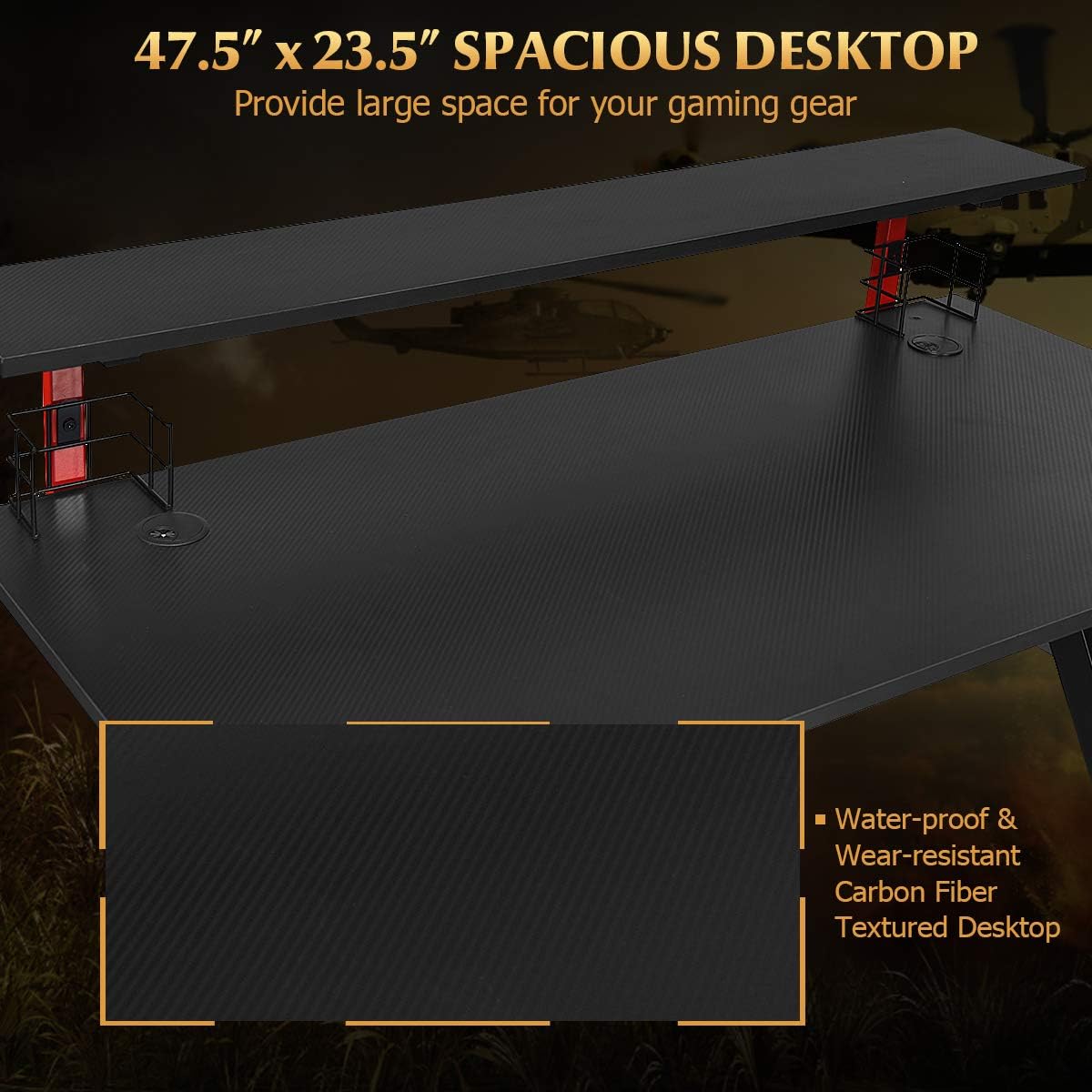
Figure 6: Spacious desktop with water-proof and wear-resistant carbon fiber texture. This image emphasizes the durable and aesthetically pleasing surface of the main desktop.
Warranty and Support
Tangkula is committed to providing quality products. For any warranty inquiries, missing parts, or technical support, please refer to your purchase documentation or contact Tangkula customer service directly. Please have your model number (AM3018HM) and purchase date available when contacting support.
For more information, visit the official Tangkula store: Tangkula Store on Amazon