
Adel OT-2242
Adel Universal Touchscreen Stylus Pen (40-Pack) - Black User Manual
Model: OT-2242
Introduction
Thank you for choosing the Adel Universal Touchscreen Stylus Pen. This manual provides essential information for the proper use, maintenance, and troubleshooting of your stylus pens. This 40-pack of stylus pens is designed for precise and optimal operation of smartphones and tablets, suitable for drawing, writing, and general navigation on all touchscreen devices.
Product Features
- Universal Compatibility: Works with all capacitive touchscreen devices, including smartphones and tablets from brands like Samsung, Apple, Huawei, LG, Motorola, Sony, OnePlus, Nokia, Xiaomi, Microsoft, HTC, Honor, Asus, Alcatel, Google, Wiko, ZTE, and Oppo.
- Lightweight and Compact: Constructed from aluminum, ensuring a comfortable and portable design.
- Precise Interaction: Soft rubber tip allows for accurate navigation, drawing, and writing without scratching the screen.
- Durable Design: Made with quality materials for extended use.
Package Contents
- 40 x Adel Universal Touchscreen Stylus Pens (Black)
Setup
- Unpack: Carefully remove the stylus pens from their packaging.
- Inspect: Check each stylus for any visible damage. If any stylus is damaged, do not use it and contact customer support.
- Ready for Use: The Adel stylus pens do not require batteries, charging, or Bluetooth pairing. They are ready for immediate use upon removal from the package.
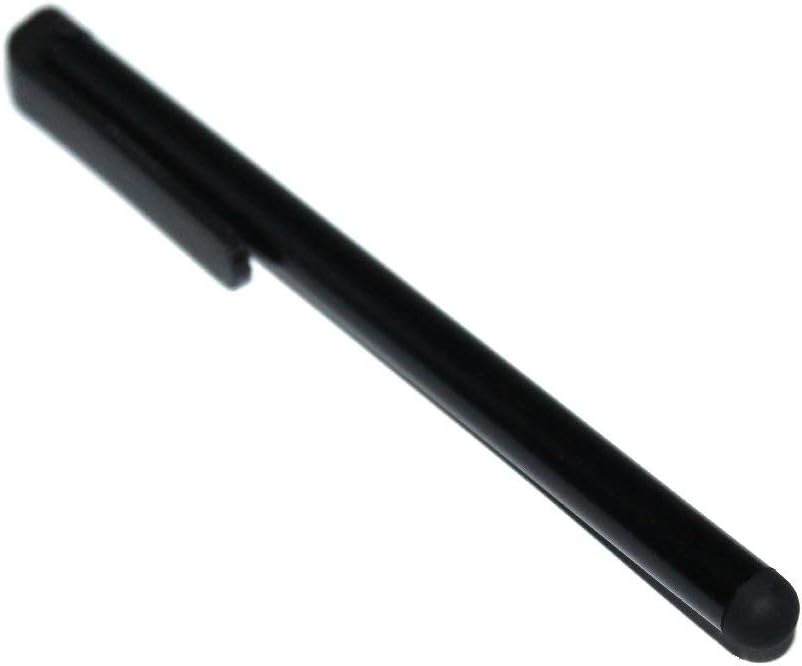
An image showing a single black Adel Universal Touchscreen Stylus Pen. The pen has a sleek, cylindrical body with a soft rubber tip at one end for screen interaction and a clip on the side for attachment to pockets or notebooks.
Operating Instructions
Using the Adel Universal Touchscreen Stylus Pen is straightforward:
- Hold the Stylus: Grip the stylus comfortably as you would a regular pen.
- Interact with Screen: Gently touch the rubber tip of the stylus to your device's touchscreen. The stylus will mimic your finger's touch, allowing you to navigate menus, tap icons, type, draw, and write.
- Pressure: Apply light pressure. Excessive force is not necessary and may damage the stylus tip or your screen.
- Cleaning Screen: For optimal performance, ensure your device's screen is clean and free of smudges or debris.
Maintenance
- Cleaning the Stylus: Wipe the body of the stylus with a soft, dry, lint-free cloth. For the rubber tip, a slightly damp cloth can be used, but ensure it is completely dry before use.
- Storage: Store the stylus pens in a clean, dry place away from direct sunlight and extreme temperatures.
- Avoid Harsh Chemicals: Do not use abrasive cleaners, solvents, or harsh chemicals on the stylus, as these can damage the material.
- Protect the Tip: Avoid pressing the tip against sharp objects or surfaces that could puncture or tear the rubber.
Troubleshooting
| Problem | Solution |
|---|---|
| Stylus not responding or inaccurate. |
|
| Stylus tip appears damaged. |
If the rubber tip is torn or significantly worn, the stylus may not function correctly. Replace the damaged stylus with a new one from the 40-pack. |
Specifications
- Brand: Adel
- Model Number: OT-2242
- Material: Aluminum
- Color: Black
- Compatibility: Universal capacitive touchscreens
- Manufacturer: Origineletelefoonhoesjes
- ASIN: B087YW14HT
- First Available Date: January 15, 2020
Ask a question about this manual
Ask about setup, troubleshooting, compatibility, parts, safety, or missing instructions. Manuals+ will review the question and use this page’s manual context to help answer it.