
1. Unboxing and Initial Setup
This section guides you through the contents of your PuroPro headphones package and initial setup steps.

Image: PuroPro Headphones and included accessories in their packaging.
This image displays the headphones, premium wooden box, hard carrying case, 3.5mm audio cable, and Micro USB charging cable as they appear upon unboxing.
What's in the Box?
- PuroPro Headphones
- Hard Carrying Case
- 3.5mm Audio Cable
- Micro USB Charging Cable
- User Manual
Charging the Headphones
Before first use, fully charge your headphones. Connect the Micro USB charging cable to the charging port on the headphone earcup and the other end to a USB power source. The LED indicator will show charging status.
Power On/Off
To power on, press and hold the Power/Bluetooth button for approximately 5 seconds until the LED indicator lights up. To power off, press and hold the same button until the LED indicator turns off.
Bluetooth Pairing
With the headphones powered off, press and hold the Power/Bluetooth button for approximately 5 seconds until the LED indicator flashes blue and red, indicating pairing mode. On your device, enable Bluetooth and select 'PuroPro' from the list of available devices.
2. Operating the Headphones
Basic Controls
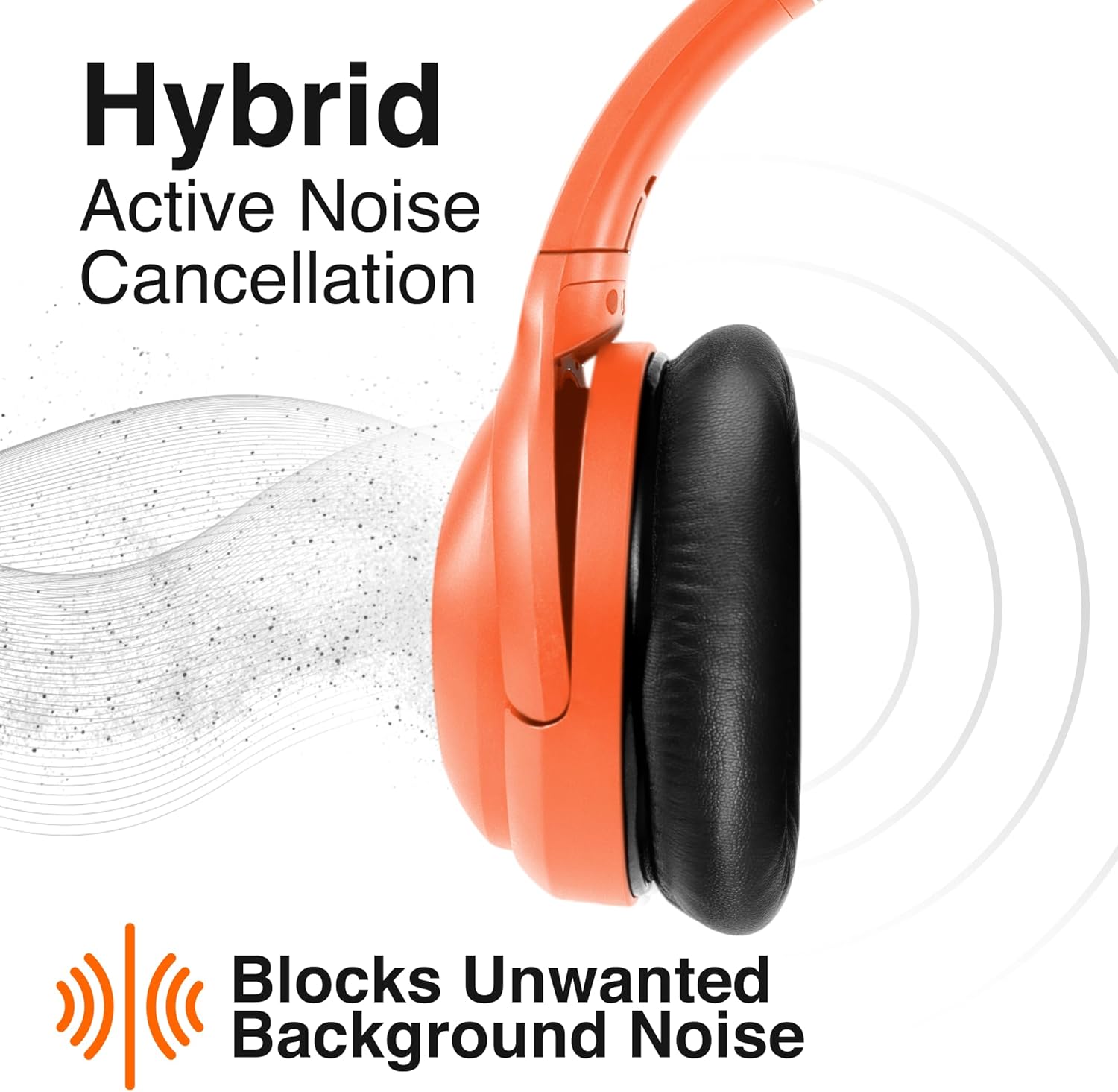
Image: A close-up view of the headphone earcup, highlighting the control buttons for power, volume, and ANC.
This image shows the buttons on the earcup, including the power/Bluetooth button, volume up/down, and ANC switch.
- Power/Bluetooth Button: Press and hold to power on/off or enter pairing mode.
- Play/Pause: Single press the main button to play or pause audio.
- Volume Up/Down: Single press the + or - buttons to adjust volume.
- Next/Previous Track: Double press the + button for next track, double press the - button for previous track.
- Answer/End Call: Single press the main button to answer an incoming call. Double press to end a call.
- Reject Call: Press and hold the main button for 2 seconds to reject an incoming call.
Hybrid Active Noise Cancellation (ANC)
The PuroPro headphones feature Hybrid Active Noise Cancellation with two adjustable levels to suit your environment. Use the dedicated ANC switch to cycle through the modes.
Image: Headphones with sound waves illustrating the active noise cancellation feature blocking external noise.
This image visually demonstrates how the hybrid active noise cancellation technology works to block unwanted background noise, enhancing audio clarity.
Volume Limiting for Safer Listening
These headphones include volume-limiting technology to protect hearing. You can select between 85 dB and 95 dB maximum volume settings.

Image: A person wearing the headphones, with text indicating 85 dB to 95 dB maximum volume settings for safer listening.
This image highlights the volume limiting feature, ensuring safe listening levels for extended periods, ideal for protecting hearing.
Wired and Wireless Connectivity
The PuroPro headphones support both wireless Bluetooth 5.0 connectivity and wired listening via the included 3.5mm audio cable. This allows for uninterrupted listening even if the battery is depleted.

Image: Two pairs of headphones, one connected wirelessly via Bluetooth and the other via a 3.5mm audio jack, illustrating dual connectivity options.
This image demonstrates the flexibility of the headphones, offering up to 32 hours of wireless playtime (ANC off) and infinite hours with the wired connection.
Video: A user demonstrating the comfort, sound clarity, and suitability of the PuroPro headphones for children.
This video highlights the comfortable fit and clear sound of the PuroPro headphones, emphasizing their suitability for various users, including children, and their overall quality.
3. Maintenance
Cleaning and Care
To maintain the quality and longevity of your headphones, regularly wipe the ear cushions and headband with a soft, dry cloth. Avoid using harsh chemicals or abrasive materials.
Storage
When not in use, fold the headphones and store them in the provided hard carrying case to protect them from dust, scratches, and impacts. This also makes them compact for travel.
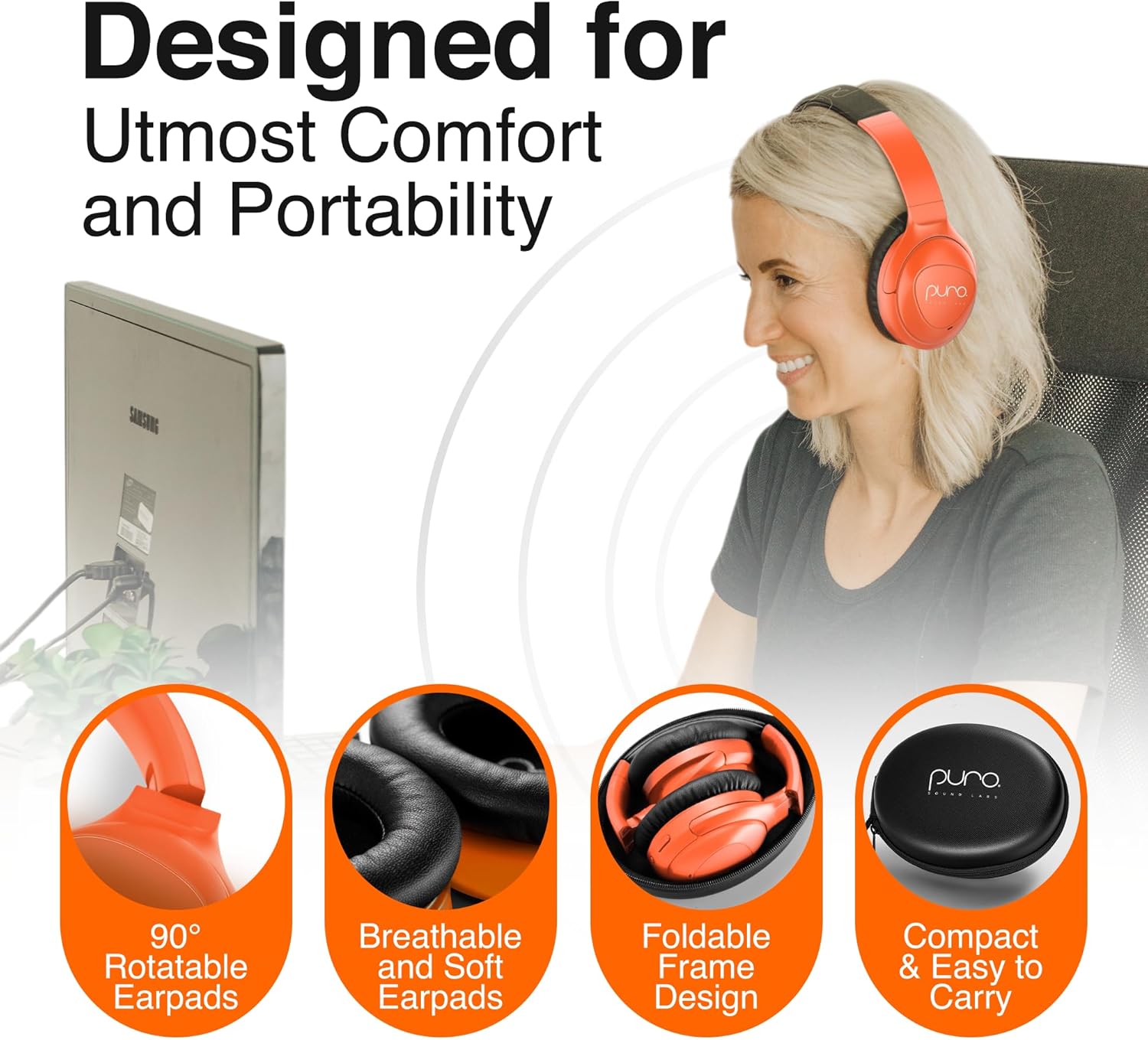
Image: Headphones shown folded and placed inside their compact hard carrying case, emphasizing portability and protection.
This image illustrates the foldable design of the headphones and the protective hard case, making them easy to transport and store securely.
4. Troubleshooting
Common Issues and Solutions
- No Power: Ensure the headphones are fully charged.
- No Sound: Check volume levels on both the headphones and the connected device. Ensure Bluetooth is properly paired or the audio cable is securely connected.
- Pairing Issues: Make sure the headphones are in pairing mode (flashing blue/red LED). Disconnect and re-pair the device.
- ANC Not Working: Ensure the ANC switch is in the 'on' position.
5. Specifications
| Model Name | PuroPro |
| Connectivity Technology | Wired, Wireless (Bluetooth® 5.0) |
| Battery Life | Up to 32 hours (ANC off), Up to 28 hours (ANC on) |
| Audio Driver Type | 40mm Dynamic Drivers |
| Noise Control | Hybrid Active Noise Cancellation (32 dB and 15 dB levels) |
| Volume Limiting | 85 dB and 95 dB max settings |
| Material | Faux Leather (ear cushions) |
| Item Weight | 0.71 Kilograms (1.57 pounds) |
6. Warranty and Support
Warranty Information
Puro Sound Labs offers a 1-year service contract providing free support and coverage for defects, ensuring a durable, high-quality listening experience.
Customer Support
For further assistance, troubleshooting, or warranty claims, please refer to the contact information provided in your product's user manual or visit the official Puro Sound Labs website.


