
1. Introduction
This manual provides essential information for the safe and effective use of your ECHANFIT Water Rowing Machine R49 Max. Please read all instructions carefully before assembly and operation. Retain this manual for future reference.

Image 1.1: The ECHANFIT Water Rowing Machine R49 Max during operation.
2. Safety Instructions
To reduce the risk of serious injury, read all important precautions and instructions in this manual and on your rowing machine before use. ECHANFIT assumes no responsibility for personal injury or property damage sustained by or through the use of this product.
- Consult a physician before beginning any exercise program.
- Keep children and pets away from the rowing machine.
- Place the rowing machine on a level surface with at least 2 feet (0.6 meters) of clearance around it.
- Inspect the rowing machine for worn or loose parts before each use. Do not use if damaged.
- Wear appropriate exercise clothing and athletic shoes.
- Do not overexert yourself. Stop exercising immediately if you feel faint, dizzy, or experience pain.
3. Assembly
The ECHANFIT Water Rowing Machine R49 Max requires some assembly. Ensure all parts are present before beginning. Refer to the included assembly guide for detailed diagrams and hardware identification.
3.1 Components Overview
- Main Frame
- Seat Rail
- Water Tank Assembly
- Footrests and Pedals
- Handlebar
- Electronic Display and Tablet Holder
- Hardware Kit (bolts, washers, nuts, tools)
3.2 Assembly Steps
- Attach the front stabilizer to the main frame using the provided bolts.
- Secure the rear stabilizer to the seat rail.
- Connect the seat rail to the main frame.
- Install the seat onto the seat rail, ensuring the built-in smooth wheels are correctly aligned.
- Mount the footrests and pedals to the main frame.
- Attach the electronic display and adjustable tablet holder to the console arm.
- Connect any necessary cables for the electronic display.
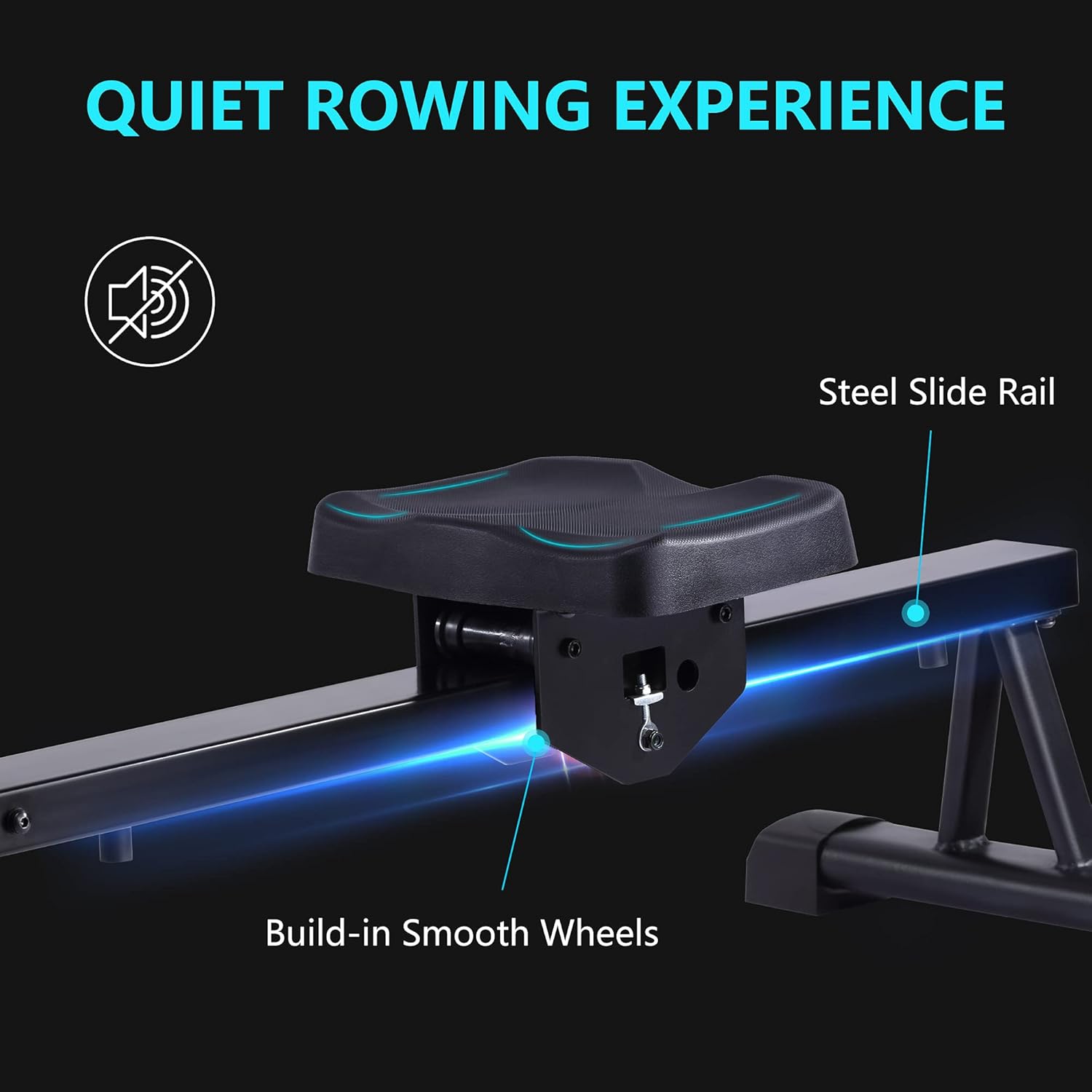
Image 3.1: Detail of the oversized steel seat rail and smooth wheels for quiet operation.
4. Setup
4.1 Filling the Water Tank and Resistance Levels
The ECHANFIT R49 Max uses water resistance, which is determined by the amount of water in the tank. The tank has a guide indicating 6 resistance levels.
- Remove the tank plug.
- Use the included siphon pump to fill the tank with clean tap water to your desired resistance level, referring to the level guide on the tank.
- Replace the tank plug securely.

Image 4.1: Water level guide for adjusting resistance from minimum to maximum fill.
4.2 Adjusting the Tablet Holder
The adjustable tablet holder allows for optimal viewing during your workout.
- Loosen the adjustment knob on the tablet holder arm.
- Adjust the height and angle to your preference.
- Tighten the knob to secure the holder in place.

Image 4.2: The tablet holder can be adjusted for height and angle.
4.3 Adjusting the Pedals
The pedals are designed to be adjustable and flex with your movement, providing secure foot placement.
- Place your feet on the pedals.
- Adjust the large Velcro straps to secure your feet comfortably.

Image 4.3: Adjustable pedals with secure Velcro straps.
5. Operating Instructions
5.1 Electronic Display Functions
The electronic display provides real-time workout data. It operates with a simple one-touch interface.
- Time: Displays the duration of your current workout.
- Count: Shows the number of strokes performed.
- Distance: Measures the simulated distance covered.
- Calories: Estimates calories burned during the session.
- Total Count: Accumulates the total strokes over all workouts.
- Scan: Cycles through all metrics automatically.
Use the 'SET' button to select a specific display mode or to set target values. Press 'RESET' to clear current workout data.

Image 5.1: The electronic display showing various workout metrics.
5.2 Rowing Technique
Proper rowing technique maximizes effectiveness and minimizes injury risk. The rowing stroke consists of four phases: the catch, the drive, the finish, and the recovery.
- The Catch: Sit tall, arms extended forward, knees bent, shins vertical.
- The Drive: Push off with your legs, then lean back slightly from the hips, and finally pull the handle towards your abdomen.
- The Finish: Legs extended, body leaned back, handle at the abdomen, elbows past the body.
- The Recovery: Extend arms forward, then pivot forward from the hips, and finally bend knees to slide forward to the catch position.

Image 5.2: Rowing engages approximately 84% of the body's muscle groups, including chest, abdominal, back, gluteus, lower extremity, and arm muscles.
5.3 Ergonomic Handle
The ergonomic rowing handle is designed for comfortable, sustained use, helping to protect your palms during workouts.

Image 5.3: The ergonomic handle provides a comfortable grip.
6. Maintenance
6.1 Cleaning
Regular cleaning helps maintain the longevity and appearance of your rowing machine.
- Wipe down the frame and seat rail with a damp cloth after each use to remove sweat and dust.
- Avoid using abrasive cleaners or solvents, as these can damage the finish.
6.2 Water Treatment
To prevent algae growth and keep the water clear, it is recommended to add a water purification tablet to the tank every 6-12 months, or as needed. Consult the manufacturer for recommended water treatment products.
6.3 Storage
The ECHANFIT R49 Max can be stored vertically to save space.
- Ensure the rowing machine is clean and dry before storing.
- Carefully lift the rear of the machine and pivot it into an upright position.
- Ensure it is stable and not at risk of tipping over.

Image 6.1: The rowing machine can be stored vertically to conserve space.
7. Troubleshooting
This section addresses common issues you might encounter with your ECHANFIT Water Rowing Machine R49 Max.
| Problem | Possible Cause | Solution |
|---|---|---|
| Electronic display not working. | Low or dead batteries; loose cable connection. | Replace AAA batteries (2 required). Check all cable connections to the display. |
| No or inconsistent resistance. | Insufficient water in the tank; impeller issue. | Check water level and add water if necessary. Ensure the impeller is free from obstructions. |
| Squeaking or grinding noise. | Loose bolts; dirty seat rail; worn wheels. | Tighten all visible bolts. Clean the seat rail. Inspect seat wheels for wear. |
| Seat does not slide smoothly. | Dirty seat rail; obstructions. | Clean the seat rail thoroughly. Ensure no objects are blocking the seat's path. |
8. Specifications
Key specifications for the ECHANFIT Water Rowing Machine R49 Max:
| Feature | Detail |
|---|---|
| Brand | ECHANFIT |
| Model Name | Water Rowing Machine (R49 Max) |
| Resistance Mechanism | Water |
| Resistance Levels | 6 (adjustable by water volume) |
| Maximum Weight Recommendation | 400 Pounds |
| Frame Material | Alloy Steel |
| Item Weight | 27.34 Kilograms |
| Item Dimensions (LxWxH) | 70.28 x 20.47 x 35.24 inches |
| Display Type | LCD |
| Power Source (Display) | 2 AAA batteries (required) |
| UPC | 614608998623 |

Image 8.1: Detailed product dimensions of the ECHANFIT Water Rowing Machine R49 Max.
9. Warranty and Support
9.1 Warranty Information
The ECHANFIT Water Rowing Machine R49 Max comes with a 12-month warranty on replacement parts. This warranty covers defects in materials and workmanship under normal use.
9.2 Customer Support
For any questions, assistance, or to claim warranty service, please contact ECHANFIT customer support. Refer to your purchase documentation for specific contact details or visit the official ECHANFIT website.